
DOWNLOAD THE APP


Customer Services
Copyright © 2025 Desertcart Holdings Limited
DOWNLOAD THE APP
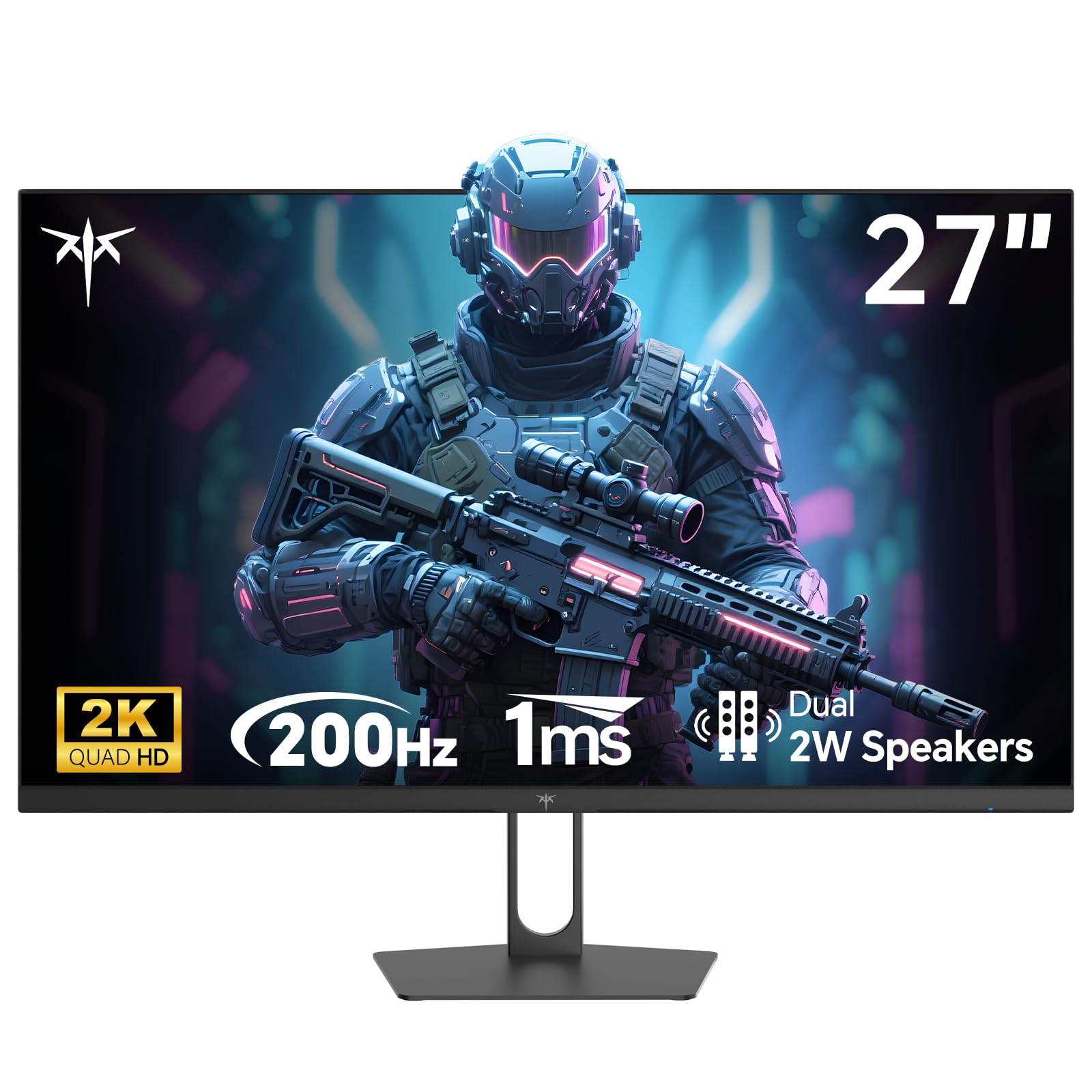
⚡ Elevate your game and workflow with speed and color that commands attention!
The KTC 27 Inch Gaming Monitor delivers a professional-grade 2K QHD 2560x1440 display with an ultra-fast 210Hz refresh rate and 1ms response time, enhanced by Adaptive Sync technology to eliminate screen tearing. Its vibrant IPS panel covers 131% sRGB with HDR400 support, ensuring vivid, accurate colors ideal for gaming, creative work, and multitasking. Equipped with dual HDMI 2.0 and DisplayPort 1.4 inputs, built-in speakers, and ergonomic mounting options, this monitor balances high performance with versatile connectivity and comfort, backed by a 3-year warranty.





| ASIN | B0F7R8NMFM |
| Aspect Ratio | 16:9 |
| Best Sellers Rank | #1,555 in Electronics ( See Top 100 in Electronics ) #89 in Computer Monitors |
| Customer Reviews | 4.4 4.4 out of 5 stars (2,340) |
| Date First Available | June 25, 2025 |
| Image brightness | 450 Candela per Square Meter |
| Item Weight | 11.22 pounds |
| Item model number | H27T22C-3 |
| Manufacturer | KTC |
| Product Dimensions | 7.28 x 24.25 x 18.3 inches |
| Resolution | 2560 x 1440 Pixels |
| Standing screen display size | 27 Inches |
| Total Usb Ports | 1 |
| Voltage | 240 Volts |
C**C
I'm Not A Gamer And I'll NEVER Spend A Lot Of Money On A Monitor
I've been using this Viewsonic VX2778-SMHD 27 inch monitor since Jan, 2017, Very nice monitor! But, then I built a dream machine. i7-14700K on an ASRock Z790 Riptide motherboard with lots of SSD's and NVME drives. 48 gigs of very fast RAM and two DVDRW's. I'm pretty good at this and I did my very best not to allow any bottlenecks and not spend money on silly things. It absolutely screams; it gets stuff done fast! I also have an older Intel computer, an AMD computer, and a Raspberry Pi in here. So I have an HDMI KVM switcher and an HDMI audio extractor (audio goes straight to a competent home stereo). So, I don't play any games anymore, but I do want to get stuff done! There came a point where I wanted to make use of this somewhat better video card that's better than anything I've ever used. (Still not for gaming, tho.) I scoured Amazon. I ended up getting an NVidia GeForce GTX 1660 used, that was DIRT cheap! I chewed my nails wondering if it was going to work, but it did and it does! From the first momen, for about 9 or 10 months! I forget how much memory it's got, but it's up there. So, now, I had this video card mostly going to waste (Except for hardware acceleration; that's really nice!) So, I measured how much room I have. If I looked at monitors with really thin frames around the screen and measured and did the math... I decided on 32 inches. I scoured Amazon again and got to this monitor: (KTC H32T13 32 Inch) I had a little trouble. First of all, I'm lazy. I was still building that i7 and I set the monitor aside after unpacking it and went through all my other stuff I had to do first. (The other 2 computers mentioned above both needed some help.) (And the computer room needed some rearranging.) There's also that fact that there was absolutely nothing wrong with the old Viewsoni; there was no pressure... Anyway! From March 22nd until just now - two days ago - it just sat there. I don't even know where the quick start guide or whatever it is, went to, and I didn't want to conduct a lengthy search. Someone wrote that the power button is in a bad place. It's not that bad at all. I spent a little while finding it; reach your hand around the monitor's right side, near the bottom and feel for it. It sticks way out. The only time I have to reach for it is when I'm leaving the computer room to watch TV or go out or whatever. I can't reach it sitting down, but I'm getting up anyway at that point. Then I was totally puzzled, trying to figure out how to set the settings on the monitor. It wasn't bad, but I wanted to tweak the brightness, contrast, hue, gamma, etc. It took me quite a while to figure out that that power button, which is also a menu button (if you just touch it instead of holding it for three seconds) IS ALSO A JOYSTICK! Remember that! You can move it left, right, up, and down. Once I figured that out, it has a VERY logical, easy to use menu, unlike the Viewsonic mentioned about. The next problem I had was that a lot of things were ghosted in the menu and couldn't be selected. Scratching my head, I theorized that probably the video card was running the monitor and I turned to the NVidia Control Panel on the computer. There are at least three different places to set all that on that i7 machine, but it ended up being the screen display settings that did it. I love this monitor now! Plenty bright, fast, 2K, really great picture!! If the power button in the back is even a negative, I don't mind a bit. Everything else about it is outstanding! In about a minute, I had all those settings set. Beautiful bright, colorful screen! Perfect! I also have an older Silicon Dust HDHomeRun dual tuner. I encountered something that's never happened before! Watched "The Rifleman" in black and white. NEVER BEFORE have I had perfect black and white! Always some kind of tinge, usually in the dark places. I mean PERFECT black and white! Then I watched some stuff on Charge! (Streaming) and I adjusted color saturation and hue and got the skin tones right. Absolutely perfect picture, no matter what I do, now!! This is not a cheap budget monitor; this is an inexpensive performance monitor that works extremely well! I completely recommend it and I think it's a super nice deal for the money!!
M**R
Amazing monitor that comes at an affordable price!! <3
I decided to purchase this monitor despite initial skepticism due to it being a smaller brand. However, the price point, coupled with my goal of finding a monitor capable of 300 FPS and 1440p for under $400, was tempting. Many well-known brands were either too expensive or lacked certain specifications. This monitor, however, met all my requirements and functions flawlessly for me. While I have seen some complaints about brightness and backlighting, I personally find the display quality excellent. It represents a significant upgrade from my previous monitor. The only minor drawback is the built-in crosshair, which is quite small and sometimes difficult to see. Although it may suit games like Valorant or CS:GO, I primarily play competitive eSports titles such as Apex Legends, Fortnite, and Overwatch 2. I usually prefer using an overlay on top of the game’s crosshair, but the small size of this monitor’s crosshair is not a major issue to the quality, it is more of a personal preference. Overall, I am very satisfied with this monitor. I paired this with a RTX 5070 TI, and it works exceptionally well with it. The response time is incredibly fast, and everything feels instantaneous. The monitor also features RGB lighting in the back, which can be customized through the monitor settings. The HDR quality is impressive, and I rate this monitor a perfect 10 out of 10. Considering the price, it is undoubtedly a worth it. I purchased it for $214, which, with taxes, totaled $230. This is a reasonable price, and I am likely to purchase another monitor from this brand, possibly an upgraded version. I highly recommend this monitor; it is a great value. Assembly was straightforward, almost effortless, and the monitor is highly adjustable, allowing for vertical movement, tilting, and turning. It offers excellent versatility.
M**A
Really cool monitor.
Monitor is great super responsive and very smooth. It's easy to setup and connect and using the 300hertz refresh rate is buttery smooth. Worth the price it's better than other higher end brands I've had. I use a 5080 and I can max out the refresh rate at 1440p on most games. It also looks great and fits white PC builds.
A**R
Excelente custo benefício. Tela brilhante. Estrutura não tem nada de especial, mas não é cafona, como a de muitos monitores gamers por aí.
J**N
Do Not Buy! This isnt real, the pictures shown all show 1920 x1080p but is advertised as 2560 x 1440p, This is not a 2K monitor and should not be advertised as such.
A**N
Ty awesome
J**E
Excelente monitor, con la configuración adecuada de colores estoy bastante agusto con esta compra, a pesar de que los 300 hz o 320 hz no sean necesarios, con poder colocar los 240 hz y disfrutar de la calidad de 1440p basta y sobra
Y**N
I usually use the 'Display P3' color profile on my Mac for better color. Other than that it's a great product
Trustpilot
2 weeks ago
1 week ago