
DOWNLOAD THE APP


Customer Services
Copyright © 2025 Desertcart Holdings Limited
DOWNLOAD THE APP


🖥️ Elevate your workspace with clarity, comfort, and connectivity — don’t just work, thrive!
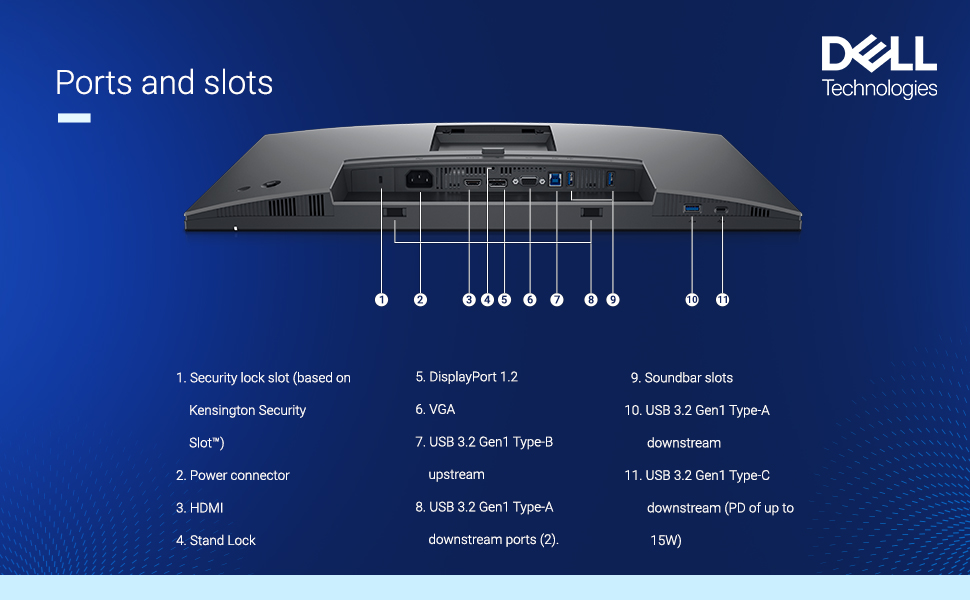
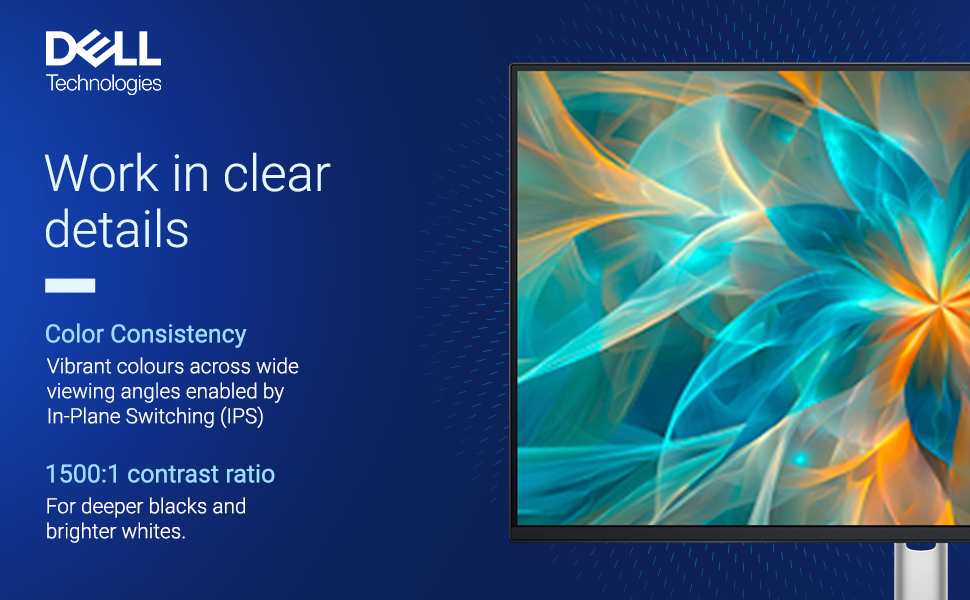
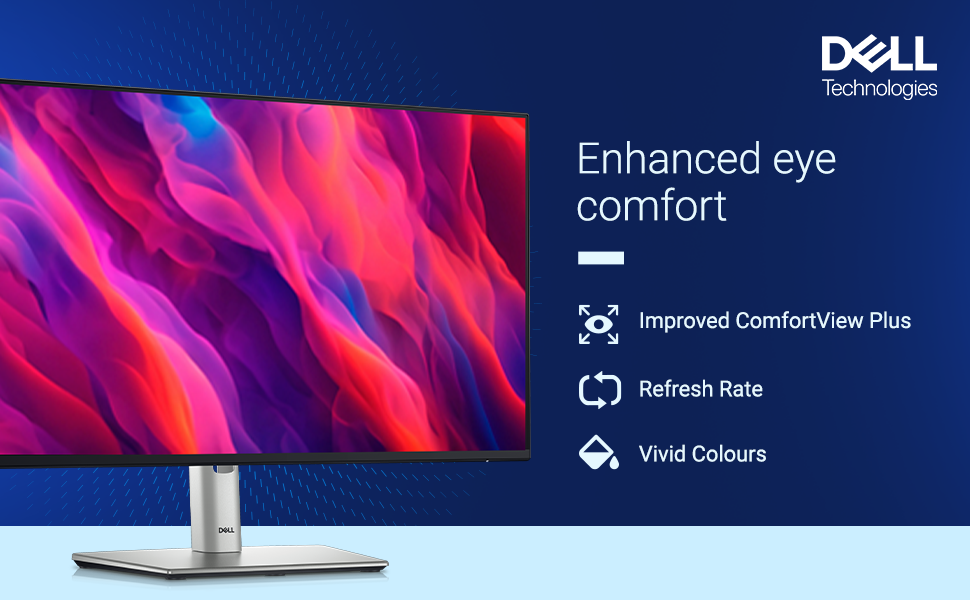
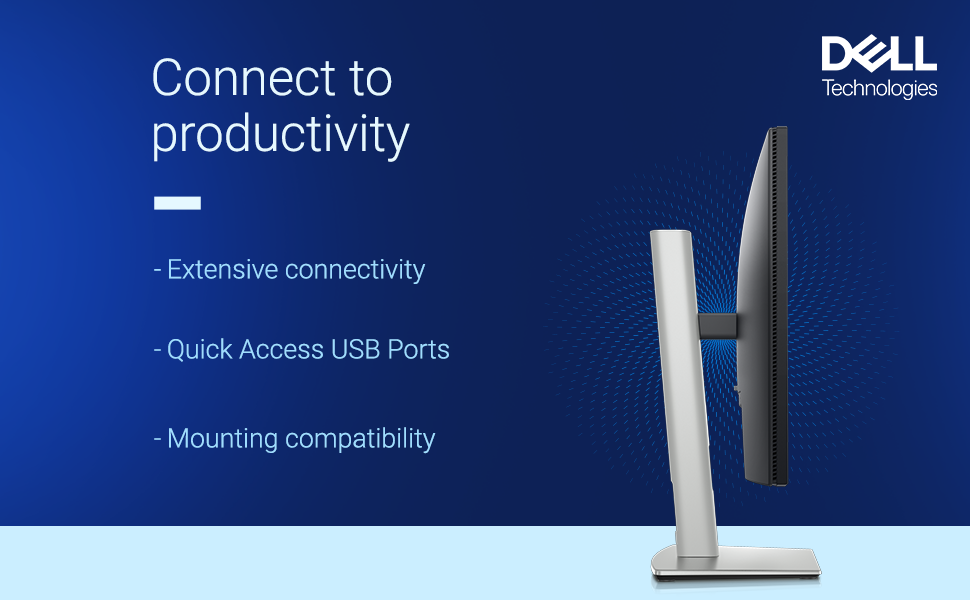
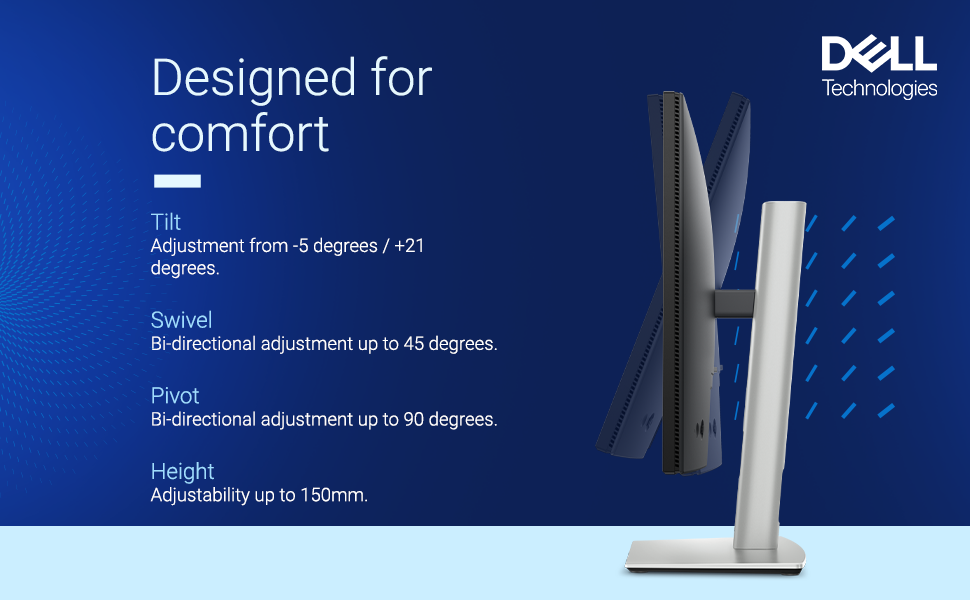
The Dell 24-inch P2425H is a professional-grade IPS FHD monitor featuring a 100Hz refresh rate, 99% sRGB color accuracy, and a 1500:1 contrast ratio. Designed for multitasking pros, it offers extensive ergonomic adjustments and a versatile port selection including USB-C with power delivery. Flicker-free and ComfortView Plus certified, it ensures eye comfort during extended use, making it an ideal choice for developers, designers, and office professionals seeking premium performance and future-proof connectivity.
| ASIN | B0CZ7N3RH8 |
| Are Batteries Included | No |
| Best Sellers Rank | #1,467 in Computers & Accessories ( See Top 100 in Computers & Accessories ) #41 in Monitors (Computers & Accessories) |
| Brand | Dell |
| Colour | Black |
| Country of Origin | China |
| Customer Reviews | 4.2 4.2 out of 5 stars (723) |
| Date First Available | 8 July 2024 |
| Generic Name | Monitor |
| Importer | Dell India Pvt. Ltd. |
| Item Dimensions LxWxH | 49.6 x 18.2 x 53.8 Centimeters |
| Item Height | 53.8 Centimeters |
| Item Weight | 3 kg 120 g |
| Item Width | 18.17 Centimeters |
| Item model number | P2425H |
| Lithium Battery Energy Content | 2.6 Watt Hours |
| Lithium Battery Weight | 5 Grams |
| Manufacturer | Dell |
| Net Quantity | 1 Count |
| Number of HDMI Ports | 1 |
| Number of USB 3.0 Ports | 5 |
| Packer | Dell India Pvt. Ltd. |
| Product Dimensions | 49.65 x 18.17 x 53.8 cm; 3.12 kg |
| Resolution | 1920 x 1080 |
| Screen Resolution | 1920 x 1080 |
| Series | Monitor |
| Standing screen display size | 23.8 Inches |
| Voltage | 240 Volts (AC) |
S**H
A Perfect Monitor for Developers & Coders!
I’ve been a loyal Dell monitor user for years. I purchased the Dell Pro Series P2422H three years ago, and recently upgraded to the P2425H ✅ What I Like: • Premium Display Quality: Compared to other brands I’ve used, the P2425H offers a crisper and more premium visual experience. • Great for Developers: I use it primarily for iOS app design and coding — the text clarity and sharpness are outstanding. • Mac & Windows Compatible: Works seamlessly across both platforms. • No Flickering Issues: Unlike Dell’s S or E series, which often show flickering (especially noticeable on phone recordings), this one is rock solid. • Balanced for Work: I don’t recommend the U (UltraSharp) series unless you’re a professional designer or video editor. This model hits the sweet spot for everyday productivity and software development. • Excellent Value: Got it for ₹13,699 including credit card offers — totally worth it Size • 24-inch is ideal for a dual monitor setup — compact yet spacious enough for multitasking. • If you’re planning to use a single monitor, I suggest going for a 27-inch or larger model.
A**R
Excellent machine!
After being on the hunt for a reliable office monitor and going through roughly 20 different options I opted for this and I’m absolutely delighted by the purchase. The screen size I chose was 24’ due to the relative seating distance I have from my desk, I’m sure the 27’ model would work just fine. My main work revolves around drafting and editing and requires me to stare at the screen for roughly 5-6 hours/day on an average. The screen is pleasantly bright even at 70% and does not hurt the eyes. This is where the tilt, pivot, swivel features works wonders making it viewable from various angles. The colours are absolutely stunning to look at despite the screen having the matte finish. The availability of various ports including a VGA makes it a no-brainer for me and I can easily connect this monitor to my older PC as well, consequently having a USB-C makes it future proof. Dell makes wonderful office machines so there’s not much to debate here if your primary work revolves around office tasks, this is a good choice, go for it.
S**N
Go for it
Pros: good backlight, clear contrast, Cons: no hdmi cable provided i had to buy it from outside.
A**R
Don’t buy the This product ..
Monitor screen text clarity is not upto the mark and USB connectivity is not working ..they are giving only usb and dp cable ..dp cable u can’t use for laptop directly and usb is not working ..Better is go with other brands ..main comparability issue there ..Amazon will not replace or return the product it’s only dell ..so beware of this aaj
A***
Fantastic !
Fantastic item from Dell. Great display, ergonomics, height adjustment, swivel and connectivity! The USB C hub is a blessing. If your laptop has a USB C display capability, then connect this monitor by Type C cable to USB C port in your monitor to transfer Audio Video to monitor, simultaneously your laptop will get charged. You can connect Keyboard, other accessories directly to the USB B port on monitor to control laptop and screen ! Great value for money !
S**A
Value for Money
1. Screen build quality is great 2. Display resolution is good 3. VESA Compatible mounts. Can be used with wall mounts or dual arm stands 4. Provides a 90W power dissipation with type C, can charge your device and transfer data with a single cable. Overall a good value for money product
A**R
Dell products are reliable
I used my old Dell monitor for more than 10 years, and it still works, but some black dots started appearing. So, I decided to buy the Dell 24-inch P2425H, and I’m very happy with it. This monitor has a TÜV 4-Star Eye Comfort Rating, which helps protect your eyes. It blocks harmful blue light from the hardware level and is flicker-free, so it’s very comfortable to use for long hours. The colors look great, and the height adjustment works smoothly. The only downsides are that it doesn’t have built-in speakers, and there’s no HDMI cable in the box. Instead, it comes with two other cables that I don’t use. Overall, I’m very satisfied with this monitor. Dell products are reliable — my last one lasted over 10 years, and I expect this one will too.
A**L
Best monitor for work
Best monitor for work. Only negative thing I can think of is control settings. I cannot find the port wattage control which was prompted during initial setup. Overall best in class. Build quality and style is amazing.
M**S
Love this monitor is is nice and bright with vivid colours. The size was great. It fit on the desk as planned and we noticed it even was able to rotate as well. It has the usb hub function as well and as usual with Dell Monitors the build quality is amazing. The monitor was easy to setup with the vesa mount clipping in very easily.
A**T
Perfecto para un MacBook, todo al monitor y solo usbc
E**A
Esse monitor é simplesmente sensacional! A entrada usb-c me permite carregar e transmitir imagem, o que é ótimo, já que uso menos fios no setup. Uso ele para trabalho em homeoffice e estou simplesmente encantada pela qualidade da imagem. Muito bom para leituras e inclusive vira a tela.
M**I
Perfect, great addition to my office set up! Love that it charges the laptop too!
M**İ
Evde iş için kullanmak üzere uzun zamandır hub monitör bakıyordum. İş yerinde de kullandığım için Dell ilgimi çekiyordu. Ancak MST (dp daisy chain) özelliği beni benden aldı diyebilirim. İki tane bilgisayarım var, type c ile laptopu giriyorum, dp+mst ile de masaüstü bilgisayarımı girdim (tek kablo çift monitör). Panel kalitesi efsane tabii ki de değil bu özelliklere ve Dell'e göre ama asıl önceliğiniz hub ise muazzam bir cihaz. Düşünmeden alınabilir bence. Eğer başka monitörünüz yoksa HE ve H modelini beraber alıp ekran kartında tek dp bağlantısı üzerinden çift monitör bağlamak özellikle iş kullanımı için akıllıca ve ekonomik bir çözüm. Type c girişi, type c 90 w pd şarj desteğine ise diyecek bir şey yok, şahane bir özellik. Yerde sürünen şarj aleti nihayet ortadan kalktı. Ekstra 15 w type c şarjı monitör standby konumundayken de çalışıyor, usb a portlarında da elektrik var bu durumda. Yani bu monitörle bir bilgisayar bağlamasanız bile devasa bir telefon şarj aletiniz de oluyor. Eğer önceliğiniz monitör ve panel kalitesiyse U serisine veya daha iyi modellere de bakın mutlaka (çözünürlüğün de 27 inçte 1080p olduğunu göz ardı etmeyin) ama önceliğiniz benim gibi hub özellikleri ve mst ise tam anlamıyla bir fiyat performans cihazı bu. Bu arada Samsung Dex de çalışıyor, sadece mst açıksa iki monitörde de aynı görüntüyü görmek zorundasınız haliyle. Keşke aletin üstünde fiziksel bir mst açma kapama butonu da olsa. Mac için almayı düşünüyorsanız Mac'lerde tek thunderbolt 4 çıkışından 2 ve üzeri monitöre bağlayıp extend modunda kullanmak sadece bu değil hangi monitörü alırsanız alın çalışmıyor, sadece mirror mode'a izin veriyor onu da diyeyim. O yüzden bu yazdıklarımı Windows+Linux özelinde değerlendirin. Mac için kullanacaksanız asla bu monitörü önermem.
Trustpilot
1 month ago
1 week ago