
DOWNLOAD THE APP


Customer Services
Copyright © 2025 Desertcart Holdings Limited
DOWNLOAD THE APP

🚀 Elevate your home Wi-Fi game with the future-ready Deco XE70 Pro!
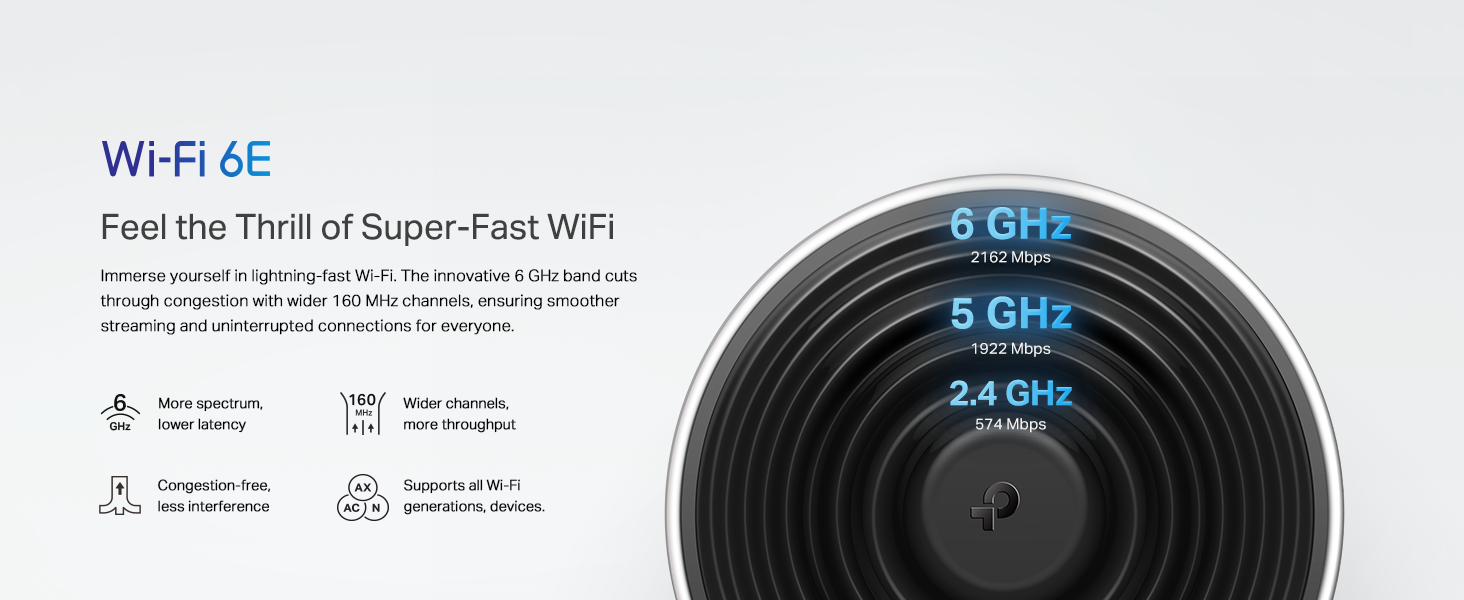
The TP-Link Deco XE70 Pro is a cutting-edge tri-band Wi-Fi 6E mesh system delivering ultra-fast 4.9 Gbps speeds and expansive 5,500 sq.ft coverage. Designed for modern homes, it supports up to 200 devices simultaneously with AI-powered seamless roaming and robust 2.5 Gbps wired connectivity. Easy to set up via the Deco app, it ensures secure, lag-free internet for streaming, gaming, and smart home integration.




| ASIN | B0CZ7KCN8N |
| Best Sellers Rank | #1,849 in Electronics ( See Top 100 in Electronics ) #13 in Whole Home & Mesh Wi-Fi Systems |
| Customer Reviews | 4.4 4.4 out of 5 stars (3,882) |
| Date First Available | March 27, 2024 |
| Item Weight | 2.16 pounds |
| Item model number | Deco XE70 Pro(2-pack) |
| Manufacturer | TP-Link |
| Product Dimensions | 4.1 x 4.1 x 6.7 inches |
T**Y
TP-Link XE75 5400 6G Mesh System: Start-up Pointers (It's a great router when you install it right!)
7/21/2025 initial thoughts. I bought the 3-pack but added one more unit for inside -- I'm sure 3 is plenty in most 2600 sf homes. But ours has a lot of angles & when the signal passes through too many walls, it degrades fast. I also bought another outdoor water-resistant unit for outside, so the signal to cameras is strong; we can also use Wi-Fi anywhere further away from the house. Even with all that, the Deco system is still less than cheapest Orbi system. Yes, it will cost you some money -- you can add more nodes later if you find really bad dead spots. The Deco units (Deco is TP-Link's brand name for this system) are easy to install too. I used Microsoft Co-Pilot to help me make decisions on where to install and the settings. Very helpful. The Deco phone app is best for setting up the nodes -- you can carry your phone with you while you do it. Make sure your phone is connected to the Wi-Fi. It is very straight forward and does most of the work. If will ask you to set up an online Deco account so that will carry all of your settings. First get one unit up and running so it will become your base. All the units are the same, so the phone app will guide you to set up the base. You are going to use this first Deco unit as the router home base. Then connect this base unit to the output port on your existing modem. Some modems have 2G ports -- use that one if not already taken, to connect the Deco to your modem. Gives you the fastest transfer rate between modem and router. FYI, an Xfinity acts both as modem and router. If you have any service (AT&T, Charter, etc) providing one device that does both modem and router duties, you'll need to do the following for a simple setup. You'll set this combo unit to "BRIDGE MODE". It will turn off Wi-Fi in the combo unit and reduces conflicts between devices. In my case, I use Xfinity. I think you can make this change through the Xfinity phone app. If not and you have some basic skills, login into the router interface directly (default IP is 10.0.0.1) and select BRIDGE mode. Now your gateway is only a modem, not a router. At this point, ANYTHING YOU PLUG IN will plug into the Deco router (unless you are a techie running more than one router). Now install and use the SpeedTest app on your phone to check for HIGHEST signal strength in the rest of your house. That's where you want to place other units, so they can talk to each other. A few feet in any direction can also make a big difference. I CANNOT STRESS ENOUGH TO USE SpeedTest (or other similar app) to find THE FASTEST other points in your house. Mapping this first saves a lot of headaches. TEST & TEST & TEST again. Test high points in the room (even near the ceiling) and test low! It's not even the same speed in the same space when you check high vs low. I think they recommend high spots BUT I did find a couple of chest level locations. The Deco app may have an automated speed testing feature for this, but I opted to use something I already knew. Also, make sure you have a power outlet near these placement points. I am really particular and like the cords hidden. Sometimes it's hard to get both a great signal and hiding the power plug. After placing the units and getting them online, I turned on "6G BACKHAUL" in the Deco units (that may not be the exact name) if it's not already turned on. The 6G frequency will be used almost exclusively for the Deco units to talk to each other -- leads to no interference from other devices. Most people do not have 6G or 7G devices yet. So you can TURN OFF the Wi-Fi SSID broadcast for 6G. Again, use ChatGPT, Copilot or whatever AI to help you find stuff in the Deco router. These changes are easily made in the Deco app once you find the right page. The app is better than the webpage, in my opinion. You can carry your phone around the house. Finally, do yourself a favor if you want ethernet (hard wired) connections at any of the nodes and have more than 2 wired devices to plug in at any node. Buy UNMANAGED network switches to plug into the ethernet ports on any of the Deco units -- all of the Deco units are the same. I have a switch in my office for the computer, printers, a few other devices that I wanted wired. Wired offers THE FASTEST speeds but really isn't necessary (I have 1200Mbps down / 40Mbps up -- YES, the up speed is low but that's all Xfinity home users get right now). Three ethernet ports on a Deco unit is not enough in some cases. Right now, I don't use the ethernet ports on any of the Deco satellites. Hope this helps. This Deco router is FAR SUPERIOR to the decade-old router it replaced. It costs a lot more than basic routers but was still cheaper than Orbi and is giving me full use of the speeds for which I'm paying. Good luck.
S**N
Great Wi-Fi coverage with easy-to-understand instructions and excellent interface...
I purchased this system because the BGW320-500 modem/router that AT&T provides with their fiber internet didn't provide good enough Wi-Fi coverage, among other issues. I put the main unit near the AT&T router and spread the other two satellite units in the living room and the master bedroom. This meant the three TP-Link units were well distributed throughout my home. Immediately we went from spotty Wi-Fi performance to excellent coverage and speeds everywhere in my house, even the back bedrooms which before had hardly worked at all. The setup is very easy, with great instructions that guide you through the process. The speeds of downloading and uploading doubled right after installation. What is really great is the interface to the units which is easy to use, and was working fine right out of the box, but it provides access to many features that can be tweaked as you wish. The satellite mesh units can be connected via Wi-Fi or ethernet for better speeds. I have them connected via Wi-Fi and it works well. The streaming units (Roku and Apple TV) connected easily and we get great streaming performance to our 4k TVs. All the IoT devices (refrigerator, coffee maker, dishwasher, Apple Pod, Atmos speakers, etc) connect fine and operate flawlessly. It required some work to get the AT&T BGW320-500 into "passthrough mode", as AT&T does not provide the ability to have the unit operate in "bridge mode" which allows all Wi-Fi and other functions to be handled by a better unit like this TP-Link product. I had to do quite a bit of Googling and reading guides and forums where other users had worked out all the settings that need to be adjusted on the AT&T BGW320-500 to get it to work well with this unit (or any unit, for that matter). Luckily there is a robust user's forum on the TP-Link website where a collection of gearheads documented the procedure to get things working well. Once I got that all worked out, I got the full 1 gigabit speed I'm paying for and it operates flawlessly (even after a power outage, it all came back up working fine). My family (and others that have stayed with us over the holiday) have really enjoyed the much better Wi-Fi coverage and speeds this unit has afforded. I have my Synology NAS (running my Plex server) connected via ethernet to this unit, as is my MacBook Pro, because I get better speeds that way (as my 2018 MacBook Pro does not have Wi-Fi 6e capabilities). However, the Wi-Fi speeds to my newer PC laptop (and my wife's newer MacBook Pro) which does have Wi-Fi 6 matches the upload and download speeds of my hardwired ethernet connection to my MacBook Pro. So, if you're looking for better coverage or speeds, I can recommend this product wholeheartedly. It's definitely one of the best mesh router products out there, easy to set up and easy to use.
J**N
Worked Perfectly, Then Failed Completely.
Setup was a breeze — everything connected quickly and without hassle. Performance has been excellent, with speeds matching the advertised rates during real-world use. The system feels stable and responsive. The only downside is that the built-in speed test in the app isn’t very reliable, so it’s best to use an external test for accurate results. Overall, a solid performer and great value. (Update) The system worked perfectly for the first month, but then it suddenly started experiencing intermittent internet connection drops. I attempted to resolve the issue by performing multiple reboots and even resetting the system to its factory defaults, but unfortunately, none of these troubleshooting steps were successful. As a result, I have returned the unit.
L**O
Equipo mesh muy capaz, la facilidad con la que se configura me dejo muy satisfecho. Tengo una conexión simétrica y me entrega el 97-100% de velocidad en toda mi casa. Y la conexión de 6 ghz ayuda a navegar sin interferencia. Recomiendo ampliamente.
A**S
The TP-Link Deco mesh system has easily become one of my favorite upgrades in my entire home. I’m genuinely blown away by how stable, fast, and reliable it is. After dealing with weak spots, slow speeds, and constant frustration from older Wi-Fi setups, the difference with the Deco system is night and day. Setup was unbelievably simple, and once everything connected, the whole mesh basically optimized itself. What really impressed me is how consistent the speeds are across all three floors of my home. The basement, main floor, and upstairs all get fast, smooth performance, and even high-demand devices like my Apple TV 4K, Xbox, and iPhones all run flawlessly. It feels like I finally have the network my home always needed. The design is clean and modern, the app is extremely user-friendly, and I love being able to see which device is connected to which node at any time. The system just feels intelligent. It automatically manages the wireless backhaul, balances the load, and keeps everything running without me having to babysit it. On top of that, the Deco units stay cool and quiet, and the entire mesh handles heavy use without any drops or slowdowns. I can stream, game, run smart-home devices, watch 4K content, and do everything at once with zero issues. Overall, the Deco mesh system has been one of the best purchases I’ve made. It completely transformed my home network experience. Fast speeds, seamless coverage, great design, and excellent reliability. I’m extremely happy with it and would absolutely recommend it to anyone who wants a rock-solid Wi-Fi setup.
E**C
El producto vale totalmente su precio, el mejor mesh del mercado y lo mejor es que es Wifi 6E y si tienes un dispositivo compatible con este protocolo puedes acceder a la banda de 6Ghz, es fácil de configurar y las opciones que tiene para administrar la red son muy buenas. Lo recomiendo 100%.
D**I
5stars Fastest wifi mesh in d market with dedicated wifi6e backhaul. Wifi 6E is beast. Its better than even expensive deco’s flagship models. Fetches and gives full modem speed at every corner of house. My modem gave 650mbps download speed and same speed now i can get at every corner of my house, there is no speed drop between any deco mesh. Connectivity is perfect. Only remember to buy a separate cat8 lan wire for connecting ur modem to main Deco, as the lan wire provided in their bundle is of cheap quality and can’t transfer above 200mbps. : Dr. Dharmesh
N**R
Funciona muy bien, lo compré para actualizar el sistema anterior de Google de 2018… este sistema tiene mejor cobertura de la casa y la velocidad mejoró bastante en zonas de la planta baja (el router está en planta alta). Aunque el sistema operativo es propietario, se pueden configurar bastantes cosas a través de la app. Actualmente es bastante conocido el tema de que algunas agencias del gobierno norteamericano, están investigando a TP-link por su origen Chino, por lo que podrian en el futuro prohibir que se sigan vendiendo estos productos lo que en teoría también limitaría las actualizaciones de software. No hay nada definido aún
Trustpilot
1 month ago
3 weeks ago