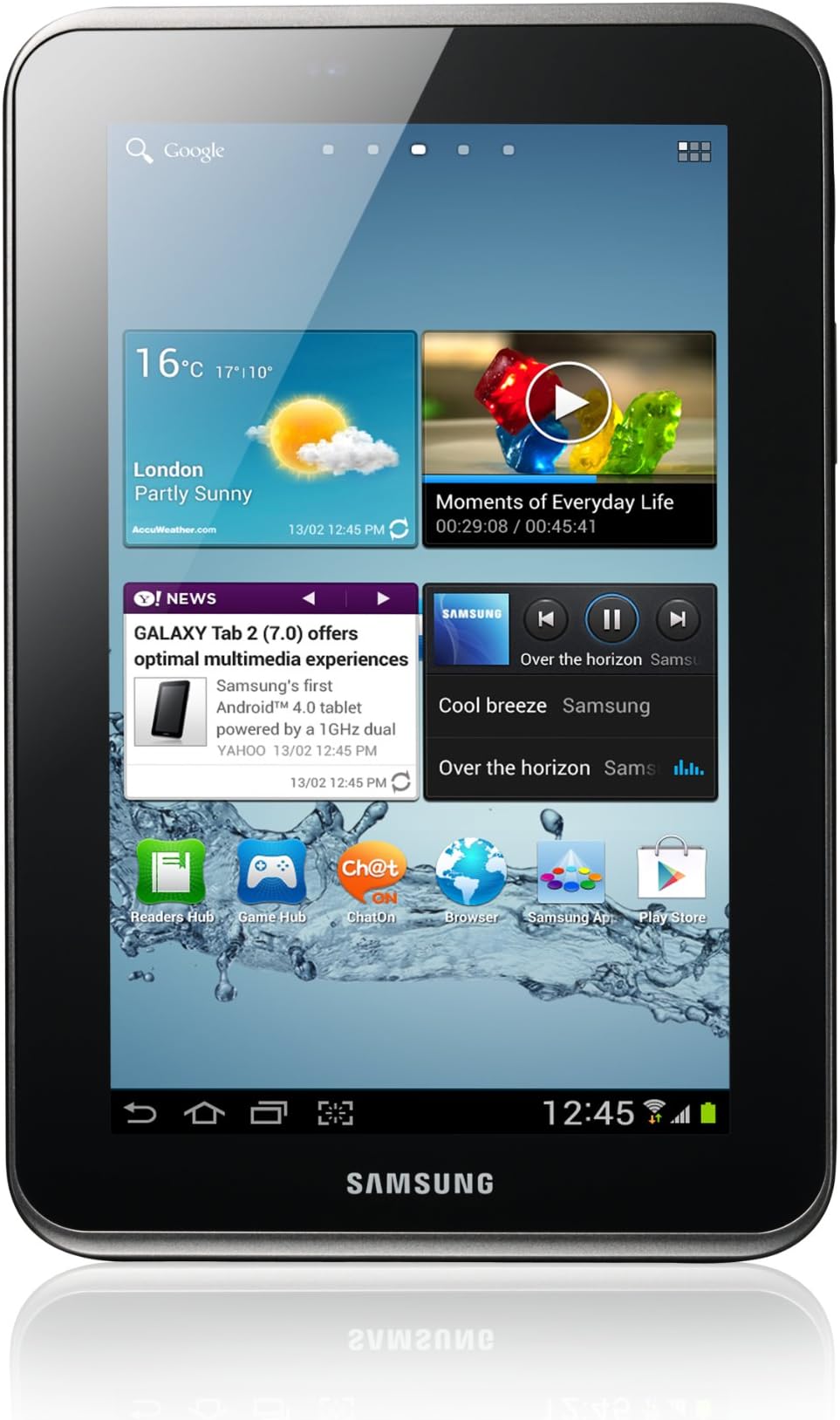
Addressing other reviews first==============================Having put this tablet through it's paces, I've found no problems with it. The software is stable and the hardware is more than a match for it. In certain high memory consumption conditions it does sometimes freeze for a few seconds, though I've only ever found this to be a problem with certain 3rd party downloaded apps that are known to be buggy, and only then when the tablet is doing a lot of things at once. Instead of hammering away at the screen to force a response... try just being patient. When it's finished doing what it's doing it'll accept more input. Til then anything you do will just exacerbate the problem & cause the tablet to take longer to respond.Some of those who reviewed this tab poorly due to crashes & freezes may have installed something that's in beta or has had a bad update slapped on it.Also seems that many people neglect the need for a decent anti-virus program on tablets & phones. They're just as prone to viruses as any computer connected to the internet, so it's worth having one. No need to pay ridiculous annual subscriptions either... the free ones like AVG do exactly the same thing as the paid versions.Stick to safe & trusted websites, dont click attachments or links in spam emails, don't give out your personal or financial details and your anti-virus won't really have to do much.Also to avoid crashes & freezing... be sensible with the thing. It's a 7inch tablet, not a military supercomputer. It can handle a lot for what it is but if you push it too hard it'll crash, just like any computer will when too much is asked of it. Personally, for something with only a 1GB processor, I think it performs incredibly!Last point; learn to keep your files tidy & coherent. They call it "housekeeping" and as silly as it sounds, bad housekeeping is the number one reason for all computer crashes. Not viruses, not hackers, not faulty hardware or badly written software, just plain old fashioned complacency. You wouldn't keep your CD collection in the bathroom cabinet or the car battery charger in your sock drawer... same applies with computers. Be conscientious about what files you keep and how you organise them. Make them easy for the machine to find & it won't have to work so hard, freeing up more memory for the things you want it to do.So to THIS (now complete) review...In the box==========1x Galaxy Tab 2 7.01x Quickstart guide, warranty card etc1x power adaptor1x USB to proprietary jack connector (approx 1m long)Cable & connectivity====================The proprietary cable can be disconnected from the power adaptor and used to connect the tablet to a PC USB port. Nice idea; less cables to carry. Unfortunately it's so short that you need to be sitting right next to a power outlet if you want to use the tablet while it's charging. Don't know if longer cables are available. My guess is that they probably are.When connected to a PC via the proprietary USB cable, the PC will see the tablet as a separate, accessible drive, meaning you can open it as a window the same as you would the hard drive or a CD/DVD. You can copy, cut and paste files between the tablet and PC as you would any other drive. If you have a MicroSD card in the tablet, that will be recognised & accessible in exactly the same way. Plug in, allow a few seconds for the PC to discover the tablet & install drivers and you're set. No need for Samsung Kies at all if all you're doing is transferring files.The tablet itself=================Robust rear case, smooth & comfortable to the touch. Quality feel to power button & volume rocker. Samsung'signature socket protector has never been one of my favourite features but the one that covers the MicroSD slot does do the job, snapping in place firmly & protecting what needs protecting.The camera lens on the back of the device protrudes slightly from the casing, making it a bit prone to scratching perhaps but nothing a decent case wouldn't sort out. The proprietary data & charging socket goes unprotected when nothing is plugged into it. Can't help but feel it would benefit from a cap of some kind. Mini-phono jack on top edge... not a lot to say about that; it's a jack! Speakers are badly positioned & innefective as stereo speakers, being as they're both on the same edge. One either side would have been better.Cameras=======Rear (away) facing primary camera produces excellent quality photos. Samsung have always made good with built-in cameras & this one is no exception. Rear (toward) facing VGA camera is only really intended for video calls, Skype etc and hence produces far lesser quality images. It's good for what it's good for.Battery life============I haven't properly clocked this yet but would estimate it at around 2-3 hours when online & in moderate use. When just playing music through headphones or speakers this time is more like 3-4 hours. Standby time... well I left mine on standby for over 24 hours by accident and turning it back on, found it still had some 70% power remaining.Storage Expansion=================The tablet can accommodate a 32GB MicroSD card. If it can handle 32GB then I don't see any reason why it wouldn't handle a larger card, though I've not heard of anyone installing one.The MicroSD card is a bit awkward to remove. While on the plus side this means it's nice & secure, the downside is that swapping cards isn't something you want to do often. Say you store all your music on one card, all your movies on another and all your work on another... this isn't an ideal scenario and you'll find yourself cursing how fiddly it is.Heat radiation==============When charging and when used for extended periods, the back of the tablet becomes quite warm to the touch. This is normal, if a little disconcerting at first. The tablet will shut off completely if it gets too hot, in order to protect internal components from damage.As with any electronic wizardry, the cooler you can keep it, the faster it'll perform.Start up========Boot-up from cold takes around 45seconds, which to my mind is pretty good. I gather the IPad is quicker but from comparison videos I've seen there's only 3 or 4 seconds in it.Android 4.1:============All finger controls are quick & responsive. The Tab 2 can identify & process 10 finger touches simultaneously, which is pretty impressive. Can't think of a reason you'd have all 10 fingers on such a small screen at once but maybe someone will think of one!Android 4.1 is an incredibly intuitive UI and some handy touches like a customisable favourites bar and a pop-up mini-apps bar. Mini apps can be moved around the screen at will and remain open above any background apps until they're closed. They can also be quickly switched to & from fullscreen mode. Handy for multiple operations... reading numbers & inputing them into the calculator for example.The whole apps drawer can be re-organised & edited in any way you like. The ability to add folders to the apps drawer means you can organise all your programs into one single page if you want. Handy!The settings panel leaves nothing much to be desired... all the settings you could want access to in one place and no easy way to screw anything up by accident.The drop-down menu also has some really useful features, including a brightness control and scrolling toggle bar for setting Wifi, Bluetooth, etc on or off.Included apps=============The pre-installed apps are basic. You'll want to download a bunch for yourself in order to get the best out of the tablet. Saying that, there's some really good ones already on there. S Planner for example is an all-in calendar & task list program that can sync with Google or various other online accounts.The pre-installed music player has a nice feel to it and the file manager is dead easy to navigate.In summary, as my first tablet I find this one to be excellent for the money. It's a good size... bigger than I'd imagined but not so big as to make it redundant to a netbook. The screen is clear & the image crisp, as is the sound. With the right 3rd party apps this tablet can be and do anything a laptop or desktop computer can, give or take some of the higher-end games.For portability this is far handier than a netbook. For a lot of writing I find a proper, full size keyboard is infinitely faster to type on, though keyboards are available for the tablet.For Movies it's great for taking to bed or on a bus or whatever but the diminutive size of the screen doesn't do justice to some of the more action-packed films, where only a proper TV will. For music & hooking up to speakers it's great.For multitasking, the UI easily rivals (if not surpasses) Windows.Switching between tasks is so quick & easy.And for in the car... it's a sat nav, it's an offline map, it's a tool for conducting business and with a bit of clever wiring it can make the traditional car stereo a thing of the past.If I bought another tablet I'd have no problems buying this one, though I might be inclined to buy on the American market, as the US version has the built in IR blaster. I might also spend a bit more & go for the 3g model so as to save the need for additional mobile contracts & hardware. For on the move I currently use an Orange Mobile Broadband WiFi dongle, which the tablet connects to seamlessly.Great tablet. No problems. I love it!Notes=====Ad-Hoc WiFi Networking======================Android devices do not automatically detect or use Ad-Hoc networks. This means if you have a WiFi home or office network, your tablet wont recognise it. To get around this you need to "Root" the tablet and install some crafty software. This is effectively the same as giving yourself an administrators account on the system, like you would in Microsoft Windows. Unlike Windows however, an Android root user has access to every single piece of code in the UI & beyond. There are many instructional videos available online for tips on how to root your tablet.Contrary to what some reviewers would have you believe, "Rooting" your Android device is NOT illegal! Android is an open source platform, meaning you are free to alter its code in any way you see fit. Android works on the Linux Kernel, which is by definition, open source. "Rooting" however, will most likely invalidate any manufacturers warranty. It's assumed if you know enough to learn how to do this then... well you're on your own and probably more than capable of fixing any problems you create. Once rooted, you'll need a program such as "Odin", which adds various command structures to the Android OS, enabling it to (among other things) search for and connect to Ad-Hoc networks. If there's a bit of techie in you that wants more control over how your tablet functions then this is probably the way to go. Advise you satisfy yourself first that your tablet works correctly and isn't damaged or faulty in any way, IE you don't need to send it back. Also, do your research & figure out the best way to proceed, as there are several. This is an "at your own risk" thing, so on your own head be it.U.S Version? IR Blaster=======================This is the so called "international" version of the Samsung Galaxy Tab 2 7.0.That means contrary to all the lovely video reviews out there, this tablet does NOT have the built in I.R blaster for controlling your TV, etc. It seems this is a feature peculiar to the North American version only, which ironically is retailing for less than the European version! As this is my first tablet, It took me a while to figure this out, as did the fact that not all Galaxy 2 7.0 tablets are 3G enabled... this one included.First power-on==============I don't have a home broadband / WiFi contract. I rely on a mobile broadband dongle for my internet connection and have no WiFi adaptor on my desktop PC.. Straight out of the box, this tablet was demanding a WiFi connection to set up my Google accounts. Long story short I had to set up my Samsung Galaxy Y smartphone as a mobile WiFi hotspot and connect the tablet to the internet through that. If the 3G signal where I live was any weaker I would have been unable to complete the setup process. As it was the set up took a good 20 minutes to complete.Moral of the story, you need a working WiFi network to set the tablet up properly. The only other option is to tell it you don't have a Google account and skip that step, though you only get one opportunity to do that unless you hard-restart the tablet with the power button.Personally I would've liked to be able to play with the machine for a bit first, then figure out all the set up stuff as I get to it.