Desert Online General Trading LLC
Dubai, United Arab Emirates
Desert Online General Trading LLC
Dubai, United Arab Emirates


🎨 Elevate your digital canvas—create like a pro, anywhere, anytime!
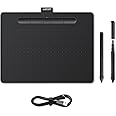
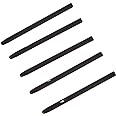
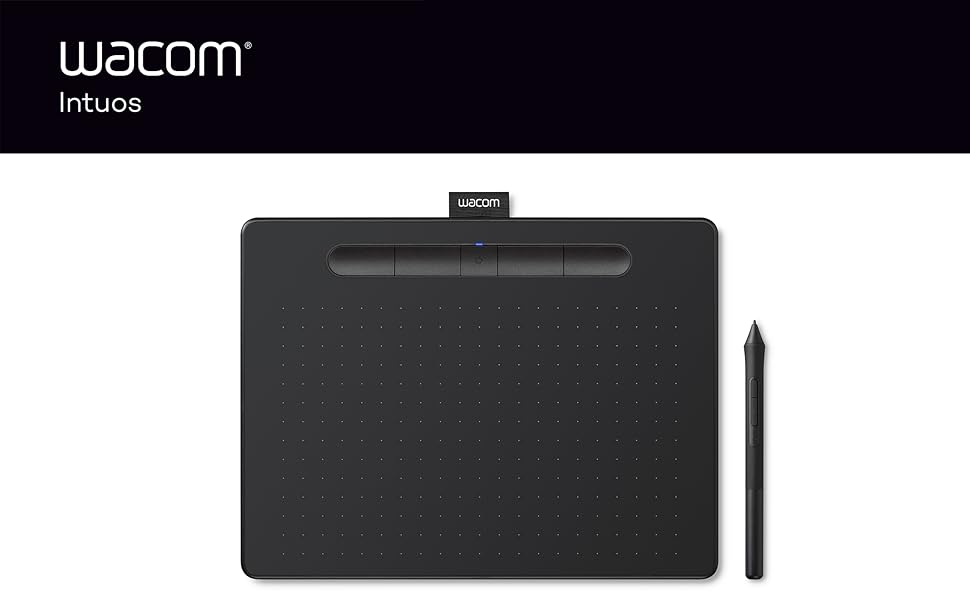
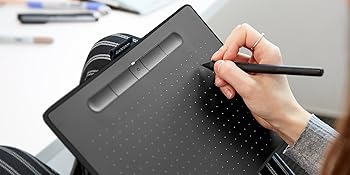
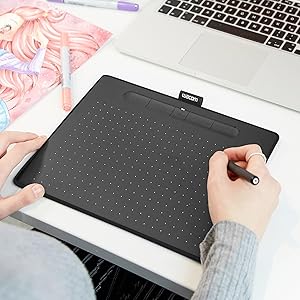
The Wacom Intuos M Black is a medium-sized, wireless drawing tablet featuring an 8.5 x 5.3 inch active area and a battery-free pen with 4096 pressure sensitivity levels. Compatible with Windows, Mac, and Android, it offers flexible connectivity via Bluetooth or USB. Designed for both right- and left-handed users, it includes 4 customizable ExpressKeys and comes with 3 replacement pen nibs, making it an ideal tool for digital artists, remote professionals, and educators seeking precision and portability.




| Brand | Wacom |
| Product Dimensions | 29.2 x 22.7 x 0.1 cm; 410 g |
| Batteries | 1 AA batteries required. (included) |
| Item model number | CTL-6100WLK-N |
| Manufacturer | Wacom |
| Series | Intuos Medium |
| Colour | Black |
| Standing screen display size | 10 Inches |
| Screen Resolution | 4096 ppi |
| Computer Memory Type | DIMM |
| Wattage | 3600 |
| Power Source | Hand-operated |
| Operating System | Windows 7, macOS 10.12 or later |
| Are Batteries Included | Yes |
| Lithium Battery Energy Content | 4.68 Watt Hours |
| Lithium Battery Packaging | Batteries contained in equipment |
| Lithium Battery Weight | 0.75 Grams |
| Number Of Lithium Ion Cells | 1 |
| Number of Lithium Metal Cells | 5 |
| Item Weight | 410 g |
| Guaranteed software updates until | unknown |
S**E
Good for beginners
Good entry level tablet, not punching above its weight but very good value and not the worst learning curve
A**J
Terrific piece of kit
I bought this for someone who is a hobby user of Adobe Photoshop Elements 2023. She was well above basic skills but below that of an a confident intermediate user. I think this is a level that a lot of users of photo manipulation software users get to and stay at when using a mouse to produce their more creative work.This specific Wacom Intuos drawing tablet has increased her confidence and skills exponentially in the 5 weeks she has been using it and she is turning out some seriously impressive and imaginative Photoshop images.The software is straightforward to install on a good quality, up to date laptop which has a decent amount of RAM.The stylus is light, accurate, comfortable and the size of the working area is spot on.I am seriously impressed with this tablet. Yes there are cheaper, smaller tablets but making the jump to this one is well worth it.
J**N
Good, but has a few limitations
I’ve used a Wacom Pro for years and tried to replace it with this, but ultimately it didn’t meet my needs. It’s a great little tablet and works perfectly. If, like me, you don’t use all the buttons, you will like that you can disable them on this, as well. My two criticisms are 1. It doesn’t come with a stand for the pen, so I worry that it’s more easily lost than on other tablets and 2. The tablet can only be oriented in a landscape/horizontal layout. I prefer to set up my workspace with the tablet oriented in a portrait / vertical format and I set boundaries with the Wacom driver. I tried and looked for more info online and could not, for the life of me, figure out if there was any way to do this. It was not possible in the custom settings panel and ultimately I returned the tablet because it just didn’t work in the layout that I needed. But, if you are happy with a landscape orientation, then this will not be an issue for you. Overall, it’s really affordable and works incredibly well. It’s accurate and has excellent pen sensitivity. Very good value for the price.
D**I
Hand Freedom!
I'm a designer and I purchased this tablet to create hand drawn lettering. I did consider the screen GFX tablets but felt that was going to be overkill. I opted for the non-bluetooth versions and saved around £30, since I didn't trust the responsiveness and expected latency. For the same reason, I do not use a wireless mouse.The build quality is good. The button are firm and 'clacky'. The pen is light but seemingly good quality. Drawing on the tablet gives a slightly feel of friction and scratchiness, but this is a good thing. It feels like the two surfaces bode well with each other. It doesn't feel like a thoughtless rough, plastic on plastic.The tablet connected immediately to my 2015 iMac.There's 4 buttons at the top, each can be assigned a function using the software which you need to download. so too can you assign functions to the 2 buttons on the pen. So far, I've only assigned undo to the tablet itself.Pressure sensitivity (something which I oddly forgot about) was surprisingly effective. There feels like no movement in the pen nib or the tablet and literally works by 'squeeze'. IAt default, it's not too light nor strong. I spent a great deal of time experimenting with this and I produced some satisfying results.The pen position on the tablet is relative to the screen, so you can't attempt to reposition the cursor on the screen elsewhere with the pen on the same spot as the tablet. The 7 inch diagonal area of the tablet represents the actual areas of the screen. so if you want to go to top right of the screen, you will always have to move the pen to the top right of the tablet. This means that there is quite a bit of arm movement. With that in mind, a graphics tablet (of this type) would never replace my mouse, since a mouse requirement minimal movement, however the tablet has a definitive and effective use in my graphic design work.Recommended!
G**Y
Amazing Tablet
Bought a pre-owned version, came in very good condition and worked very well, smooth and has really good touch-sensitivity. I highly recommend this tablet if you're looking to create quality art, set-up is very easy just needing to download a simple bit of software (link provided for Mac and Windows) and just a simple restart. The pen is nice to hold and easy to use, I highly recommend this :)
A**E
Nice tablet
I'm rather enjoying using this graphics tablet. Having had a Wacom Bamboo previously this was a natural upgrade path. As expected from a Wacom tablet it works incredibly well, accurately, and responsively. Being wireless is also a massive plus being able to hold it in one hand while scribing with the other, I get a more comfortable view of what I'm doing on screen.The Bluetooth connectivity seems to be good contrary to the medium tier review tag. When turning on the tablet it takes about 3 seconds to connect to my computer, then ready for use. Didn't have any problems pairing it up to Windows 11 Pro either.The only thing I would have like to see different is the charge port being type C USB instead of micro type B, just for durability longevity and the reversible direction wire. For a 2020s era product type B USB is just archaic.
Trustpilot
3 days ago
2 months ago
1 week ago
1 week ago