
DOWNLOAD THE APP


Customer Services
Copyright © 2025 Desertcart Holdings Limited
DOWNLOAD THE APP

✨ Elevate your clean game—smart, seamless, and self-sufficient 🧼
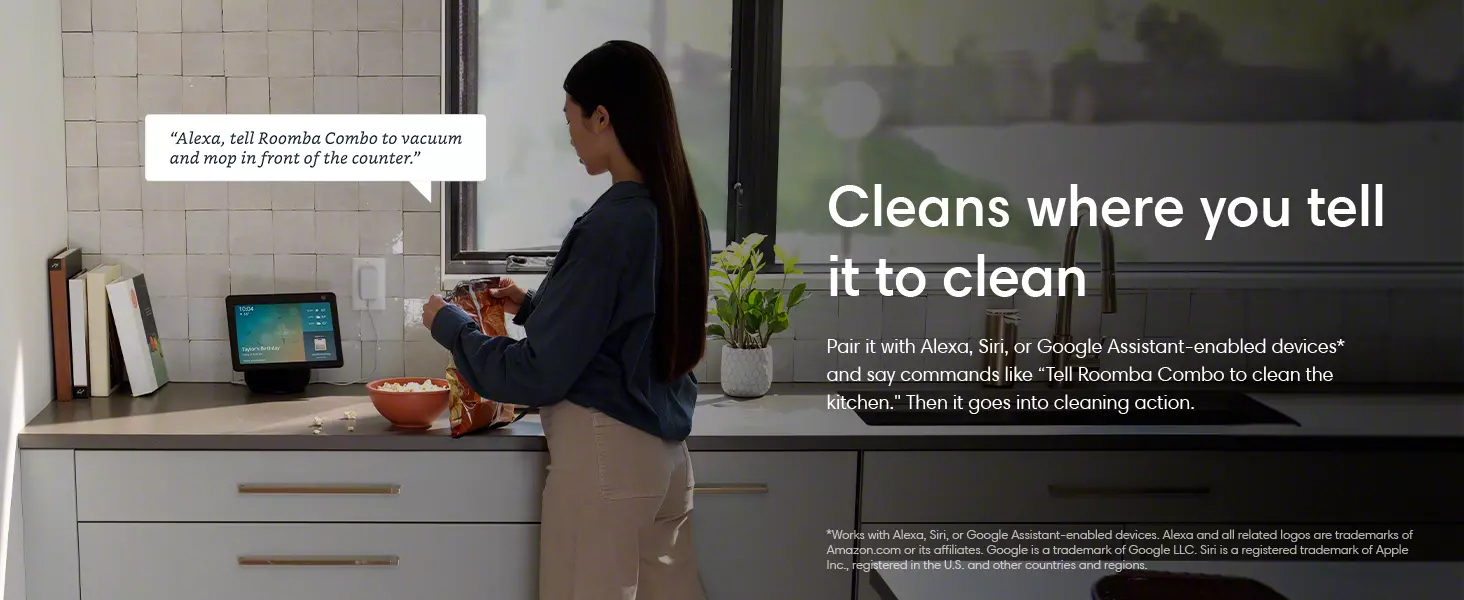
The iRobot Roomba Combo j5+ is a cutting-edge robot vacuum and mop hybrid featuring a powerful 4-stage cleaning system, PrecisionVision navigation to avoid obstacles like pet waste and cords, and a self-emptying bin that holds up to 60 days of debris. Compatible with Alexa and controlled via app, it offers customizable room cleaning and mop zones, delivering efficient, hands-free floor care for busy professionals seeking spotless, smart living.





| ASIN | B0C4151YK5 |
| Are Batteries Included | Yes |
| Batteries | 1 Lithium Ion batteries required. (included) |
| Batteries required | Yes |
| Battery Life | 180 minutes |
| Best Sellers Rank | #169,653 in Home & Kitchen ( See Top 100 in Home & Kitchen ) #159 in Robotic Vacuums |
| Brand | iRobot |
| Capacity | 500 Milliliters |
| Color | Graphite |
| Compatible Devices | Amazon Echo |
| Control Method | App, Voice |
| Customer Reviews | 3.6 3.6 out of 5 stars (6,179) |
| Filter Type | Cartridge |
| Form Factor | Robotic |
| Global Trade Identification Number | 00885155040664 |
| Included Components | 1 Clean Base Automatic Dirt Disposal, 1 Mopping Pad, 1 Roomba Combo Bin, 1 Roomba j Robot Vacuum, Dirt Disposal Bag, Filter, Side Brush |
| Item Weight | 7.7 pounds |
| Item model number | j557020 |
| Manufacturer | iRobot |
| Model Name | Roomba Combo j5+ |
| Power Source | ac |
| Product Dimensions | 3.4"L x 13.3"W x 13.3"H |
| Smart Home Compatibility | Smart Home Compatible |
| Special Feature | Clean by Room, Obstacle Avoidance, Self-Emptying, Smart Mapping, Vacuum & Mop |
| UPC | 885155040664 |
| Voltage | 240 Volts |
V**T
Works wonderful on luxury vinyl floors and Ruggables!
I love this Roomba. I had an older model that you had to empty. I still have it and use it in my barn office. This one is awesome! I can have it clean all the floors in the morning while I'm having my coffee. I have 4 small dogs and 3 cats living inside and it does better than I can do with my Swiffer or my Shark. I don't think I would use it for carpeting. I use my Shark for the carpeted downstairs. Gone are the giant dust bunnies (I call them indoor tumbleweeds). I also love that it empties itself at it's docking station. The machine is pretty quiet compared to my older model. I will warn that when it empties it is very loud for 4 or 5 seconds. My main floor is almost 1800 ft. of cleaning area. It can clean most of it on one charge. I also like its internal mapping. You can specify rooms so you can clean only the rooms you want. The initial mapping takes a few hours but I only had to do that once. After that, it can find new areas when cleaning and let you know. You can also adjust the boundaries and change the room names. You set up quick links in the program. The only problem I am having is setting it up with my Alexa Echo. It is paired and you can see it in the Alexa app but I cannot get Alexa to respond to a clean command.
J**S
If this thing was a tiny bit smarter, it would be much better!
My biggest issue with the Roomba is that it usually dies from the battery going dead before it makes it back to the charging station. You would think it would learn how far it could get and start for home, but I've had it since August, cleaning 3 times a week plus spot jobs, and it doesn't seem to have gotten any better. I know it knows it is running on fumes because I've caught it a few times in the App saying it was returning home to charge, and had it not make it there. Instead it heads back in the right general direction but wanders off before getting there. If it had gone straight back (or even indirectly back), it would have had plenty of power to reach the charger, but it just doesn't dock, most of the time! I've seen it drive right past the dock, turn around, go into the next room, vacuum for while, and then let out a plaintive bleep and die. All the while the App on my phone saying it's returning to the dock to recharge. Often, when it does make it back, it will resume vacuuming before it is fully charged, and then die. If it had just waited on the charger for another 10 minutes, it would have finished the job! I think this is purely a matter of bad programming. It seems to know how much charge is left in the battery; the little battery icon in the App seems to be fairly accurate. I think the battery is okay. It is new and gives about an hour and a half of run time on a full charge. My house is as lot cleaner after 4 months of running 3 times a week. It does seem to work fairly well, except for its insanely over-optimistic notion of how much more work it can do on the remaining charge in its battery. My biggest peeve is the number of times I have to rescue it and carry it back to its base station because it ran out of battery. (The App keeps track and since Nov 4, it has run 30 times and died with a low battery 10 times and gotten stuck 6 times, so it had preventable problems more than half the time.) Update: 12/23/21. It refuses to vacuum my living room. If I set up a special job, it almost always claims it s path was blocked. But it is perfectly happy to vacuum other rooms that require going through the living room to get there! I have it programmed to vacuum the front rooms in the house twice a week, which includes the living room. Looking at the maps afterward, it shows it vacuuming all the other rooms, but only around the edge of the living room. I think there is some "memory" in it where it thinks it shouldn't be there, or thinks the living room has magically transported itself to another universe or otherwise is totally F'ed up. There appears to be no way to diagnose or reset it. I could erase it's map (basically do a factory reset), but that is a huge pain, especially since I currently have it set to avoid the Christmas tree (which is NOT in the living room, and if the keep-out zone around the tree is causing this problem, then that in itself is a serious error in its programming.) I've tried rebooting it, but that didn't help at all. Roomba's support is useless. Basically, they just read the minimally informative web page at you. It would be quicker and more effective to use a manual vacuum cleaner. Update 1/9/22: it is still refusing to vacuum my living room for no apparent reason. When told to explicitly vacuum the living room, it just skirts the edge and declares itself done in a couple of minutes without actually doing anything. When it does its regularly scheduled set of rooms including the living room, it does the sun porch (adjacent to the living room, where the base station is), traverses the living room to the front entry, then skirts the living room to vacuum the dining room, then returns through the living room to park in the sun porch. I've tried remapping my apartment to no avail. Next step is a complete factory reset, but I don't want to do that until my Christmas tree is down, because the tree causes it problems. and I'll lose my "keep out" zones. --------- July 2, 2024 - I came back here to downgrade the rating, but it is already 1 star. For the last year, it has been getting worse and worse. It constantly requires attention, always get stuck on obstacles it use to negotiate with ease, like very low thresholds and the edges of carpets and the tile area in front of my fireplace, and often gets lost trying to dock to recharge or because (on rare occasions) it has actually completed a job. Often it gets lost within inches of the docking station. The software problems are worse than ever. For instance, it will announce that the charge is low and it is returning to the docking station, but then will wander off into another room, not on the path to the docking station, and the battery will run off because it forgot to recharge. I've actually seen it announce it was returning to the docking station, then hear it in another room, check the status and see it is vacuuming again with very low charge and not having gone anywhere near the docking station. This is clearly a software bug. Sometimes it get stuck on a perfectly level surface and says it is on an uneven surface, to move it and press clean. I DON'T move it, just press clean and it resumes. Clearly, it was NOT stuck. I've cleaned it many times, replaced the brushes and filters, replaced the pivot wheel, tested the main driving wheels as per the instructions, and today, discovered and performed the docking test. It worked perfectly and then got stuck 10 minutes later. On the advice of a friend, I replaced the battery last week. It seems to last longer on a charge but doesn't perform any better otherwise. I've done many reboots and checked for software updates. None available. Yesterday afternoon, I tried to delete and create a new map. After a couple of hours exploring one room, it ran out of battery and said to move it to the dock. I did so, but by then it was getting dark and it never resumed the mapping run as it said it would. This morning, it was fully charged, and the map it produced yesterday looked bogus so I told it to start a new mapping run. It never got out of the room with the docking station, and, over an hour into it, it is stuck again on the 1/16" high lip at the edge of the fireplace hearth. I think it is trying to vacuum up the tiles, which it thinks are dirt, and despite the fact that it is not supposed to do cleaning while on a mapping run. The fireplace (and the thresholds) never used to be a problem. Getting totally lost never used to be a problem. I've replaced all the replaceable parts. The problems all have the stench of undebugged software. I suspect they might have replaced a rule-based algorithm with some sort of generative AI, or some other bone-headed move. If I can't get the mapping run (in my small, single-floor apartment with few obstacles) to work and can't discover any way to reload the original software from 4 years ago (which basically worked), I am going to trash the useless piece of junk. Is it possible to rate something ZERO stars? ---------------- I was just about to boost the rating to maybe 3 or 4 stars, when it struck again! i tried everything to make it work properly, including buying a new battery. It didn't claim the battery was at EOL, but friends who have multiple Roombas told me the problems I was having could be due to a dying battery. So I replaced it. Since i didn't know if it would help, I bought a "compatible" battery https://www.amazon.com/dp/B09KXYNBDQ?psc=1&ref=ppx_yo2ov_dt_b_product_details for about half the price of an iRobot-branded replacement. The battery fit perfectly, has identical specs, charged up fine but didn't solve any of the problems I was having. Tried deleting and creating a new "smart" (i.e. idiotic) map. It kept getting stuck and never finished a mapping run. It could clean okay without a map, but kept getting stuck and could only rarely find its charging station. It would often vacuum at random for an hour or two, announce it we returning to the station for recharging, but never get there. I think this was due to the lack of a map. The vacuuming and battery life with the new battery seemed fine. But without a map, I couldn't schedule it or tell it what rooms to clean. Finally, I tried the last remaining replacement - the tires! The tires are cheap but a little tricky to replace, but I did so. The new tires have a much thicker tread than the originals and some reviewers said this was a problem but they seemed to work fine. The first thing I tried was a new mapping run. It worked perfectly! I then realized I had left a couple of doors shut, so it couldn't map two of the rooms. So I told it to vacuum the rooms on the map. (It had to go back and recharge a couple of times, which worked fine.) Then I opened the two doors and told it to map again. It found and mapped the new rooms and then I told it to vacuum them. Last week, I manually told it to vacuum, half the house on Monday and again Thursday, and the other half on Tuesday and Friday. (There were lots of "return to the base and recharge the battery" events in the course of these two weeks.) Over the weekend, I set up the schedule again. It was supposed to do 1/2 the house on Monday and Thursday and the other half on Friday. Monday evening, I noticed it had not done the scheduled Monday job, but didn't have time to look at it. Yesterday, it also didn't do its scheduled job. The App said it wasn't charged, so I wriggled it on the charger base to make sure it lit up. (Maybe I need to clean the contacts, though I did that pretty recently.) Today I had some time to look at it. The App still said it needed charging, so I made sure it was on the charger base again. The App said it couldn't contact the Roomba, so I restarted the App. (Sometimes this helps. Crappy software.) When I did so, it still said it needed charging, so I went an reseated it again and pressed the "Clean" button. This time is says "Please install an iRobot brand battery and now refuses to charge or do anything else! Back to zero stars for this incredibly annoying, incredibly time-consuming "labor saving device".
A**Y
THIS IS THE REVIEW YOU WANT TO READ
This product is life changing. We searched long and hard for a robot vacuum before choosing this one. Things to note: We have a golden retriever—he sheds, A LOT. This sucks up his hair with ease, and goes back over extra hairy/dirty spots. Our bin probably needs emptied 3 times per cleaning (thanks to our Golden). Not an issue for us. If that bothers you, get the automatic bin disposal system. READ YOUR MANUAL AND CLEAN YOUR ROBOT AND BIN FREQUENTLY, HOW YOU’RE SUPPOSED TO. If you do that, it will work wonders. The one time it left behind clumps of pet hair, like you see in other reviews, was because the rollers needed taken off and cleared. This takes less than a minute to do. Pretty simple, really. Just like anything else in the world, you have to maintain it and take care of it. You have to rinse the bin and let it dry after so many uses, and tap out the filter. It’s not that hard. This also takes less than a minute to do. If you can’t do a small amount of maintenance, you’re the problem. Sucking power is great. It does make a noise, but it’s definitely not loud enough to bother us, at all. I actually feel silly even mentioning that it makes a noise, because it’s not loud or bothersome. Based on other reviews we were worried it was going to be really loud. It’s not, at all. You do need WiFi to run this. If your WiFi sucks, this isn’t the vacuum for you. The battery life could be just a tad bit longer. When it does die, it takes itself back to the home base to charge and takes about 1.5 hours to recharge. Sometimes it can’t finish an entire level before it dies. If in need and in a hurry for a quick clean, I have it clean the rooms I specifically want done first, then have it do the less important rooms last. Otherwise, this really isn’t a huge issue either. There has been a couple times where it couldn’t put itself back on the home base on our upstairs level. This is because the location where the carpet meets the baseboard had a slight slope into the baseboard. This made the front edge of the home base come off the carpet slightly and the robot will not drive up to it if it is not level. Easy fix—make the base level. Seriously people, this isn’t rocket science. Looking back, we have to laugh at some of the negative reviews people left about this vacuum. I question their trouble shooting ability. This iRobot will not cook or do your laundry for you, but it will sweep your floors and keep your house clean if you use it correctly. iRobot i7 is the greatest purchase of our adult life. Hands down. With a new baby, a 6 year old, and a dog.. it makes life so much easier!!!! So glad we got this make and model. Perfect for those of you with pets and lots of hair. You won’t have issues with it if you clean and maintain it how you’re supposed to. We’ve had this product for 1 month at this point. I will update the review if anything goes south.
B**R
I really dislike vacuuming, and always put it off. Sadly, dust collects as a result. All this has changed now with the Roomba J5+. I love that this appliance arrives ready to use. The bag is mounted in the home base, the filters are installed, even the rotating brush is already in place. It's basically: unpack, position it, install the app and tell it to Go. I cannot think of any devices of this complexity that are that easy to get going with. Major props to iRobot for this terrific startup experience. I love how quickly and easily this thing has integrated into my household. After a couple of mapping runs and tweaks to the map to add Stay Away zones, I added a daily schedule to have it visit all the rooms on the ground floor and then more or less forget all about it. It wakes up every day, zooms around the place, thoroughly sweeps up the kitchen, dining areas and hallways--avoiding the curious cats--and puts itself way. No more annoying random fluff and little particles lying around. No more guilting myself, "I should really get out the vacuum cleaner and tidy this except I'm too busy right now". I haven't tried out the mopping feature yet, but I fully intend to. But even without that this is a fantastic device that I should have installed several years ago.
C**R
Funciona excelente y sí reconoce desniveles o escalones. El único detalle que sí se atora con los cables de algún aparato eléctrico. Por lo demás limpia muy bien.
J**N
Absolutely horrible purchase, waste of money. The performance is not up to par... low suction, it bumps into everything, no object detection, no avoidance, dropped connectivity, never understands commands... overall a poor product...for the exorbitant price paid... I'd like to have a refund and return the item, but it's past the return window of 30 days. I'm honestly very disappointed with the iRobot brand... I expected an upgrade from my entry-level Roomba but it's worse...Competitors in the market come in with a cheaper price and 4 times as much suction power. It's so noisy too. It almost seeks you out to come bump into your foot all the time. They removed the spot cleaning button, why? So dumb. There is no docking button, why? so dumb. They should spend less time on AI mapping (useless) and more time focusing on the basics, sucking up stuff. the mopping feature is basically a microfiber cloth wiping the floor lightly, no motion, streaky finish, it LEAKS, omg it leaks everywhere, so dumb. you have to manually take it out and clean it, so what is the point of paying extra for a "Self empty bin". so dumb!!! I'll never buy an iRobot roomba again. I want a refund on return, but no-one, roomba support or amazon support is willing to do this.
N**Y
J'ai acheté une option "boîte ouverte" et en réalité c'était défectueux. Nous avons fait quantité de tests et au final, ce qui était défectueux c'était la batterie. Nous avons dû acheter une nouvelle batterie. Mais trouver les informations n'a pas été simple. Ce n'était pas évident de trouver des directives précises et l'ensemble des informations dont nous avions besoin pour le dépannage. C'est la raison pourquoi je n'ai pas mis 5 étoiles. Mais maintenant, tout va bien. Le robot est assez facile à programmer et à utiliser avec l'application; surtout qu'elle est disponible dans plusieurs langue, ce qui est très apprécié. Nous sommes très satisfaits du travail. J'ai programmé l'appareil pour qu'il passe partout, tous les jours. Nous avons des animaux et ça fait toute une différence! Nous pouvons le déplacer sur les différents étages. Il est beaucoup moins bruyant qu'un aspirateur conventionnel. Nous pouvons donc vaquer à nos occupations normalement pendant son travail d'aspiration. Si le robot perçoit un obstacle, il le contourne et revient quelques minutes plus tard pour aspirer à cet endroit. Donc si un des animaux est sur son chemin lors de son passage initial, il reviendra et la section ne restera pas sale. À ma grande surprise, il fait efficacement les carpettes et j'en suis très heureuse; avec mes problèmes de santé, j'avais un peu abandonné l'idée de réinstaller mes tapis de salon et de salle à manger, mais je vais les remettre. Et il est assez fort pour surmonter certains obstacles comme un seuil de porte élevé. Il n'est pas gros donc il peut passer à des endroits relativement étroits. Au début, nous avions l'impression qu'il travaillait de façon un peu chaotique, mais finalement, il semble avoir sa propre logique de travail puisqu'en général, tout est bien fait! Il faut un certain temps d'adaptation, peut-être parce que c'est notre premier aspirateur robot. Mais au début, nous avons eu à nous adapter (penser à remonter les objets comme les poubelles pour qu'il passe aux endroits autrement non accessibles, etc) et je lui ai fait refaire la cartographie un peu à cause qu'il y avait des choses que je n'avais pas pensé à déplacer. Je n'avais pas pensé, non plus, à bien passer l'aspirateur conventionnel à fond avant de lui faire commencer son travail, donc il a eu un peu de mal à remettre les planchers en vrai bon état au départ. La seule chose que je remarque, c'est qu'à cause du poil des animaux, il vaut mieux le programmer pour tous les jours si on ne veut pas qu'il ait une trop grande quantité de poils pour ses (sommes toutes) assez petites capacités. Surtout son petit balai qui tourne en permanence pour bien tout attraper a tendance à s'embourber un peu avec l'accumulation de poils. Il faut le débourrer manuellement de temps en temps. Selon moi ses points faibles sont: -les "mottes" de poils -les endroits moins éclairés -les derrières de portes -autour de sa station de recharge Et ses points forts: -force de traction -cartographie -détection des escaliers (il ne tombera pas!) -bruit faible comparé à un aspirateur traîneau -les carpettes -mémoire des endroits bloqués où il doit retourner -autonomie -simplicité de fonctionnement Au final, nous sommes très satisfaits de notre nouveau robot. Je le recommande fortement et je crois même en acheter un autre, en cadeau.
M**L
Después de una aspirada y una aspirada y trapeada deja de funcionar. Marca error 26. Menos de 24 hrs de funcionamiento. Logré regresar el robot . Me dieron uno nuevo. Y por el momento muy satisfecho. Veremos con el tiempo.
Trustpilot
3 weeks ago
1 month ago