We remain fully operational. Our teams are working around the clock to ensure your deliveries continue safely.

DOWNLOAD THE APP


Customer Services
Copyright © 2025 Desertcart Holdings Limited
DOWNLOAD THE APP
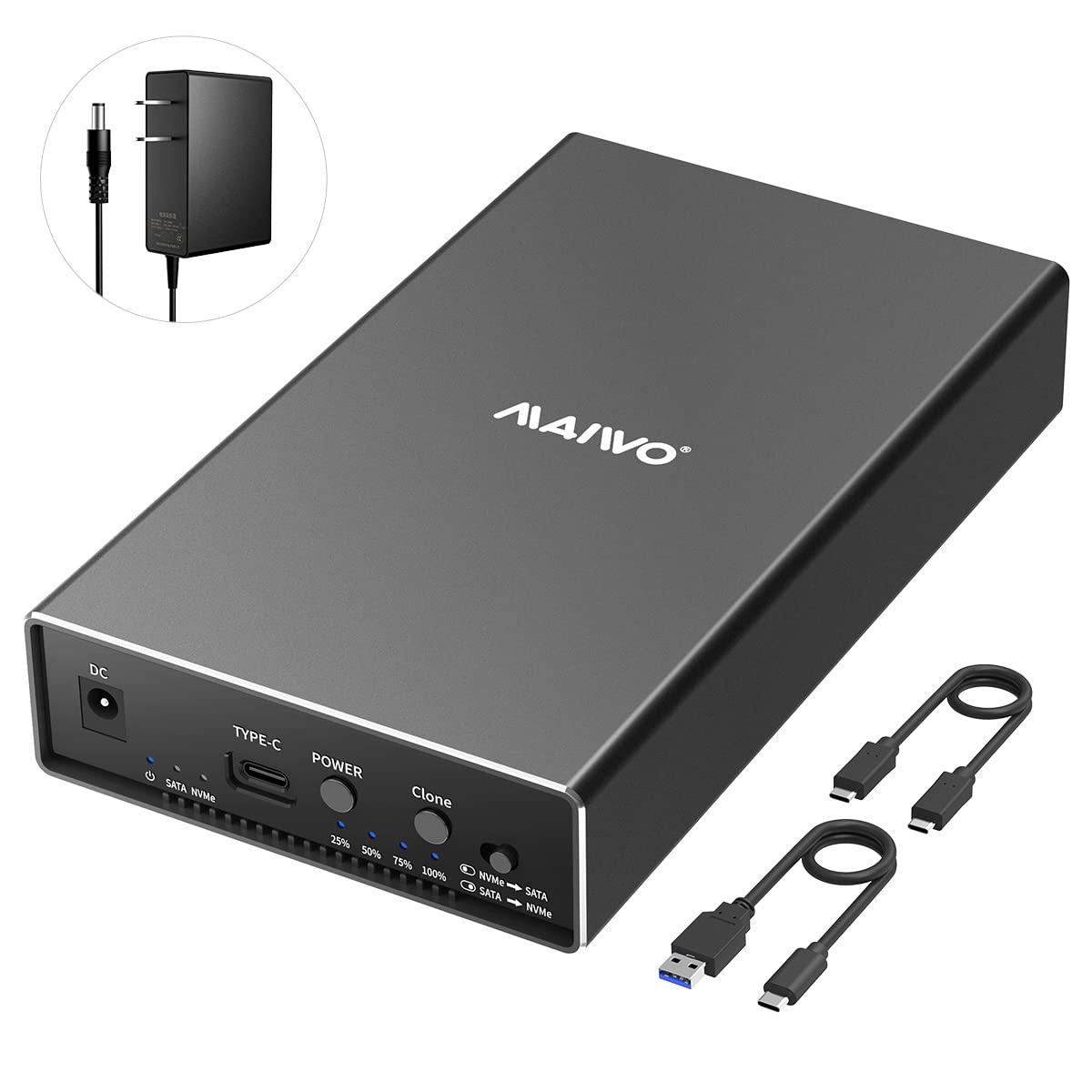
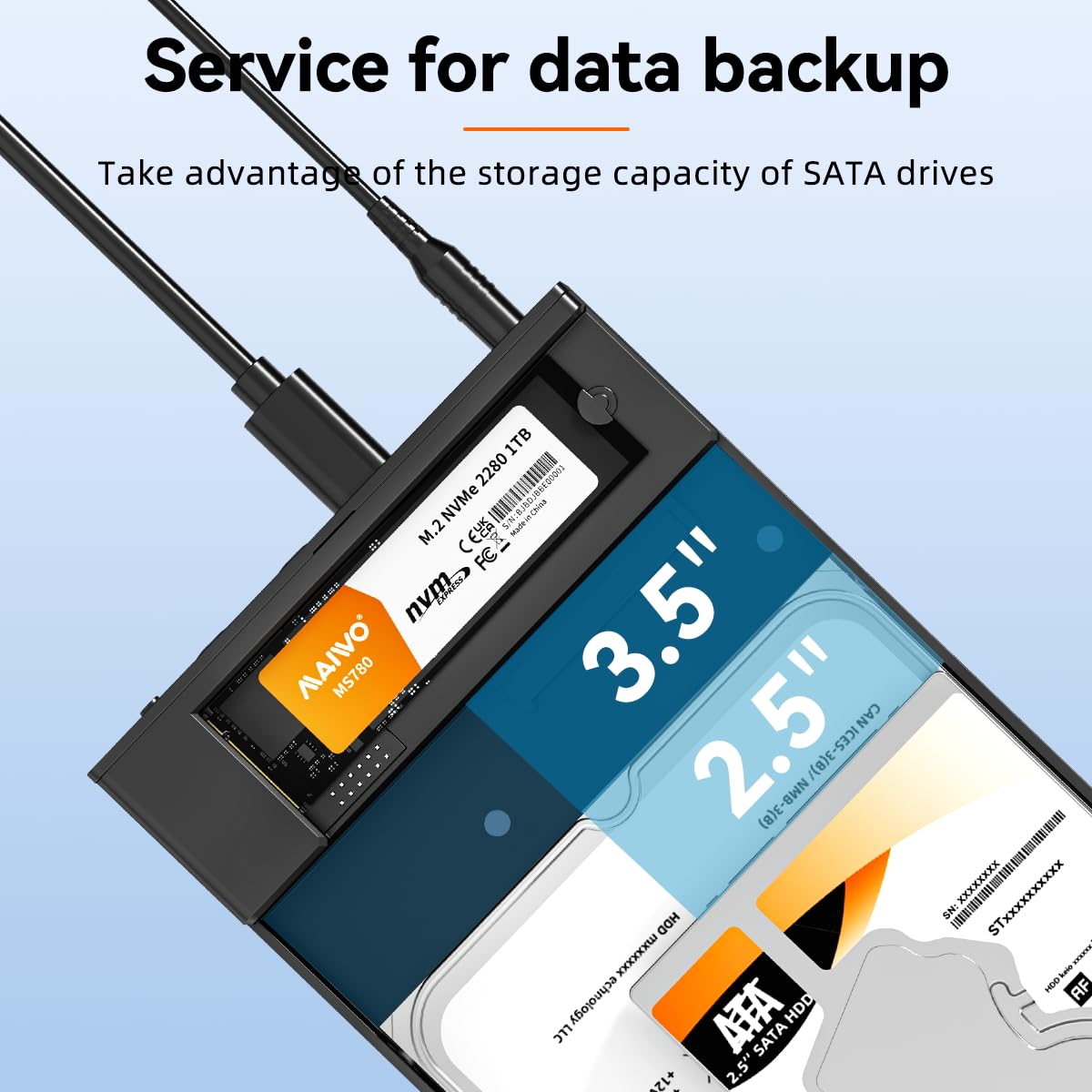
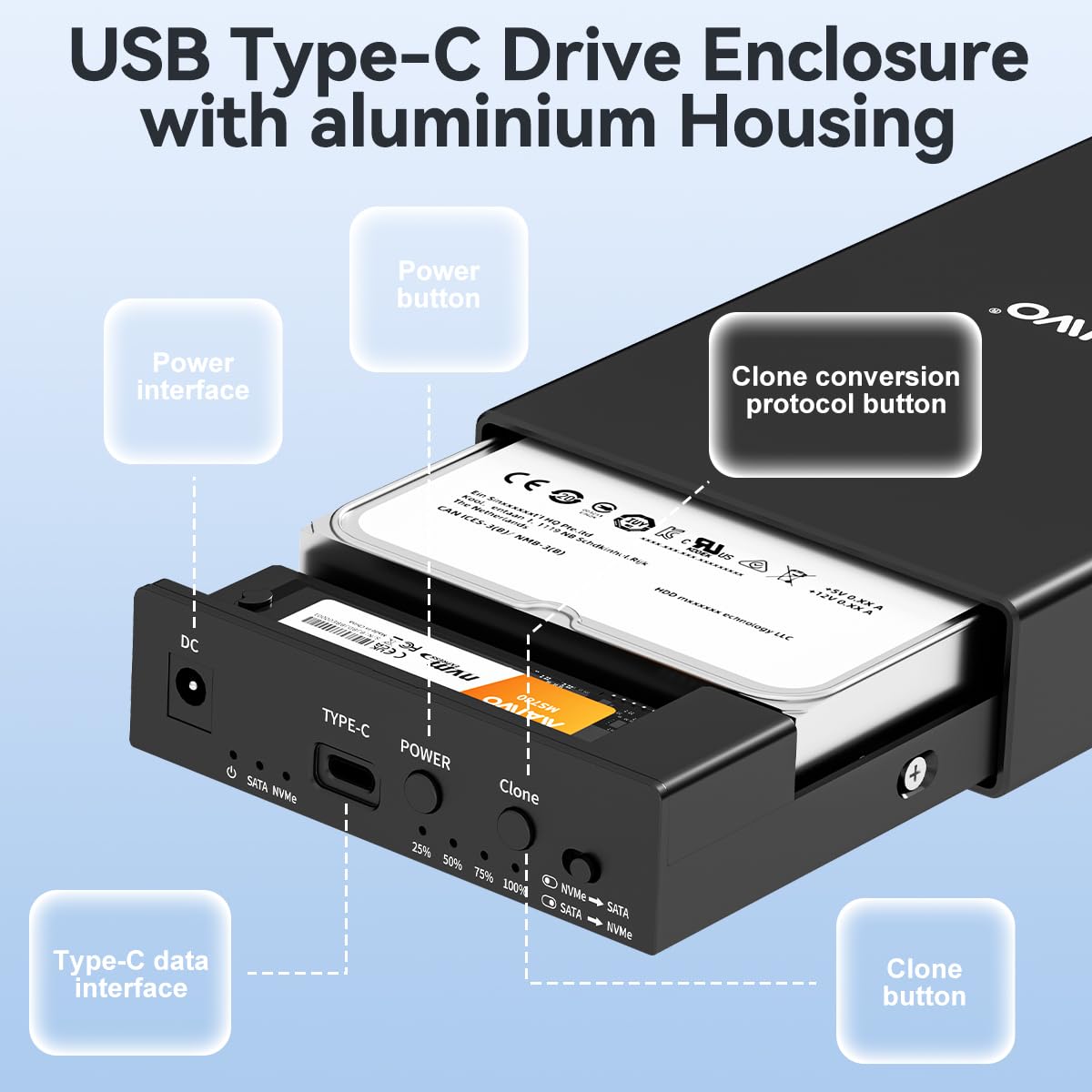


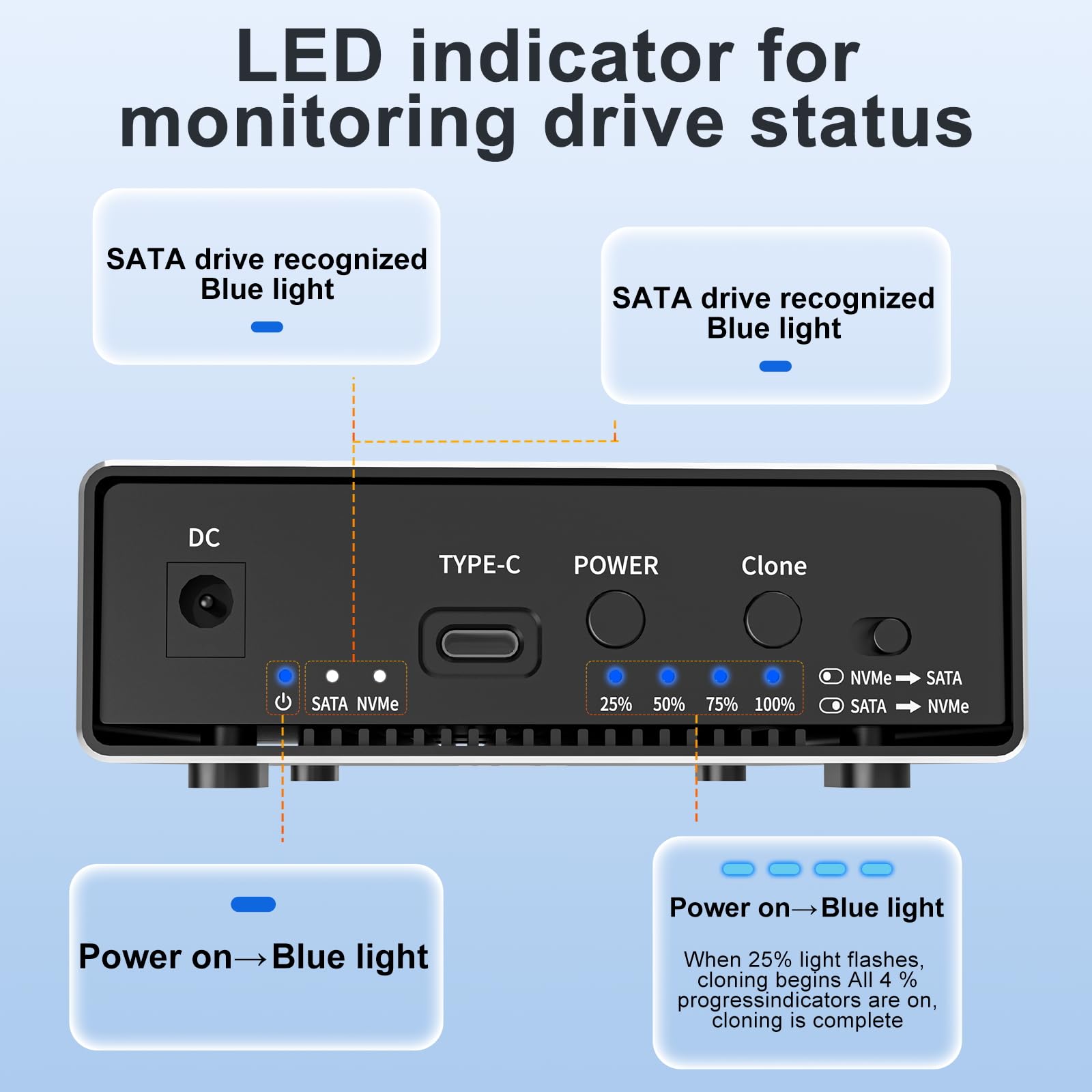

🚀 Elevate your storage game with speed, capacity, and smart cloning—because your data deserves the best!
The MAIWO USB C M.2 NVMe SSD Enclosure is a versatile dual-bay external dock supporting up to 22TB total storage across M.2 NVMe and SATA drives. Featuring USB 3.2 Gen 2 for blazing 10Gbps transfer speeds, it offers two offline cloning modes for seamless drive duplication without a PC. Crafted from premium aluminum alloy, it ensures excellent heat dissipation and durability. Compatible with Windows, Mac, and Linux, it’s a plug-and-play powerhouse designed for professionals demanding fast, reliable, and scalable storage solutions.


| ASIN | B0BTN87LF9 |
| Best Sellers Rank | 111,494 in Computers & Accessories ( See Top 100 in Computers & Accessories ) 504 in Enclosures |
| Compatible devices | Personal Computer |
| Data transfer rate | 1000 Megabytes Per Second |
| Guaranteed software updates until | unknown |
| Hard disk form factor | 2.5 Inches |
| Item model number | M.2 NVME/SATA SSD HDD Cloner Dock |
| Item weight | 1.32 Pounds |
| Manufacturer | MAIWO |
| Material | Aluminum Acrylonitrile Butadiene Styrene (ABS) |
| Max number of supported devices | 2 |
| Memory storage capacity | 22 TB |
| Product Dimensions | 19.1 x 11.1 x 3.5 cm; 598.74 g |
H**D
Easy to use, working good. Highly recommended
S**2
I was looking for a USB HDD enclosure and although they all look the same to me, I came across this one that indicated that, for almost the same price as others, it included 3 USB ports as a HUB (2x USB A + 1 USB C). Supposedly it allowed "linking" 2 or more external HDDs or USB drives and for all of them to be connected to the computer or TV Box through a single USB port. Said and done: it really works! I already had 1 external HDD enclosure connected to my TV Box and I wanted to be able to use another one, but my TV Box only has 1 USB 3.0 port, so the promise of this "external enclosure + USB HUB" was perfect for me. And that's exactly how it was! I use my previous HDD enclosure connected through one of the USB A ports of the Maiwo enclosure, and the Maiwo is the one connected to the Android TV Box. Both HDDs are detected perfectly by the TV Box and I can alternate between them without problems. I have checked that the transfer speed is slightly higher if the second HDD enclosure is connected to a USB A port than to the USB C port also available in the HUB ports of the Maiwo enclosure. Even though the 2 USB A ports and the 1x USB C port are all USB 3.0, obviously none of them provide the typical 130MB/s Write/Read speed of a "native" USB 3.0, but they do reach 80-100MB/s in both read and write (checked with CrystalDiskMark), which is more than enough, and incidentally, proves that all the HUB ports on the Maiwo enclosure are not 2.0, but are indeed 3.0 (USB 2.0 speeds would be like 25Mb/s each, which is not the case). The Maiwo enclosure by itself gives the expected 130MB/s in both read and write if connected directly to a laptop, for example. Again, it delivers just what it promises. The installation of a 3.5'' HDD is simple and perfectly indicated in the small manual. The font size in the manual is tiny but basically it is "insert the HDD - align the holes so that the screw threads are aligned - secure the HDD to the enclosure with the supplied screws - close the enclosure." One thing I miss is having a base or a "stand" to be able to leave the Maiwo enclosure standing vertically and not horizontally. Anyways, it stays vertical without a problem due to the weight of the 3.5'' HDD that I have inserted. My other enclosure does have a base to keep it vertical. Despite that, I have both of them standing vertically and, as I said, the Maiwo stays vertical just fine. The Maiwo comes with 1x USB A to USB C cable and all the necessary screws to install both a 3.5'' and a 2.5'' HDD (which requires more screws, also included) and a small screwdriver, which is a small and very appreciated surprise. It is a very useful, scalable (you can connect up to 3 other enclosures or USB drives to it) and perfectly functional enclosure. 100% recommended!
B**Y
Device will not recognize or work with 10k RPM drives, which is not advertised.
J**A
A SAS enclosure that actually works properly. Supported my 2.5 inch ssd 3.84tb sas drive with no issue. The holes for the smaller drive actually line up unlike other brands.
A**.
Great enclosure, nice and solid. I'm using a 14GB Seagate Ironwolf Pro 7200rpm and read/write speeds are around 220 MB/s which I'm happy with. The only problem I have is if the drive is left idle for even 10 seconds, it takes about 10 - 15 seconds to wake again. So if you're looking at photos in Lightroom and you work on one and then go to the next image the drive has to wake up which gets frustrating after a while. As a backup drive, the MAIWO is great. If anyone has a solution as to what the issue might be please post. UPDATE: I've changed the USB cord connecting the MAIWO to my laptop with a high-speed data cable and the wake-up is much less at around 2-4 seconds. I've therefore upped my rating to 4 stars.
Trustpilot
5 days ago
2 months ago