We remain fully operational. Our teams are working around the clock to ensure your deliveries continue safely.

DOWNLOAD THE APP


Customer Services
Copyright © 2025 Desertcart Holdings Limited
DOWNLOAD THE APP

🔥 Level up your game with OLED speed and clarity!
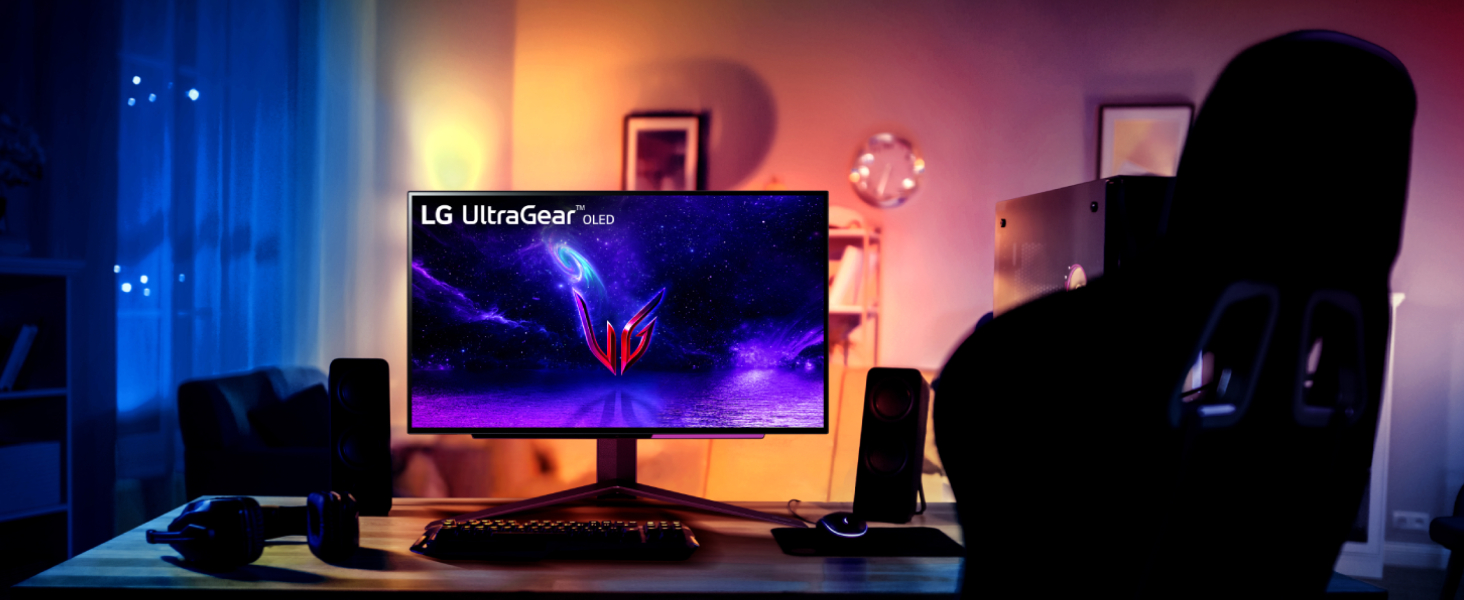
The LG 27'' Ultragear OLED QHD Gaming Monitor (27GR95QE-B.AUS) delivers a stunning 2560x1440 OLED display with an ultra-fast 240Hz refresh rate and an industry-leading 0.03ms response time. Featuring a 1.5 million to 1 contrast ratio and compatibility with NVIDIA G-SYNC and AMD FreeSync Premium, it ensures tear-free, ultra-smooth gaming visuals. Designed for serious gamers and professionals alike, it offers versatile connectivity with 3 USB ports and a sleek, wall-mountable form factor weighing just 16.2 pounds.


| ASIN | B0BRBW8KRK |
| Are Batteries Included | No |
| Best Sellers Rank | #36,687 in Computers ( See Top 100 in Computers ) #1,055 in Computer Monitors |
| Brand | LG |
| Color | Black |
| Customer Reviews | 4.0 4.0 out of 5 stars (428) |
| Date First Available | 3 January 2023 |
| Item Weight | 7.35 Kilograms |
| Item model number | 27GR95QE-B |
| Manufacturer | LG |
| Number of HDMI Ports | 1 |
| Number of USB 3.0 Ports | 3 |
| Power Source | AC |
| Product Dimensions | 25.91 x 60.45 x 57.4 cm; 7.35 kg |
| Resolution | 2560 x 1440 |
| Screen Resolution | 2560x1440 |
| Series | 27GR95QE-B.AUS |
| Standing screen display size | 27 Inches |
| Voltage | 230 Volts |
S**M
It's OLED and it's the best
The colours and contrast ratio are the best thing about this LG OLED monitor. The only negative is that the monitor had some marks on the screen that wouldn't go away by wiping it gently with a dry microfibre cloth. It's only noticeable under direct light on the screen though, so I don't notice it during normal usage.
S**R
Monitor is top notch and the delivery process was amazing
The monitor's colors are amazing its an OLED panel, 240hz and 1440p i could definitely feel how fluid everything was aim wise on rainbow six siege and the virtually inexistent latency was just baffling, now for the customer negative reviews. The matte panel is there and it is questionable but i understand for the most part why, glare on an OLED especially one this dim is worse than some tiny bit of quality loss that the 1440p resolution fixes. although the argument of the matte finish showing in some occasions on white/grey areas is valid. The brightness becomes decent when you adjust one of the gamer profiles tweaking the contrast and gamma it gets reasonably bright even in a decently lit room. I'm really in love with this monitor though and it was worth the price, its probably gonna stay with me until it gets severely damaged, and even then ill consider keeping it.
A**Z
It’s not working at all!!!!
I’m really shocked I just received afternoon , at beginning it’s work then the monitor it self suggest to do “ pixels cleaning “ and after I accept the suggestion it turned off and never works again!!! I tried to do hard reset, changed power plug, I did everything from lg website help support but unfortunately nothing is working….
F**M
استخدام من أجل مشاهدة الافلام والمسلسلات والالعاب والاعمال لكن لا يوجد فيه صوت جب شراء سماعات خارجيه
Y**H
Amazing monitor, but slightly dim
Right off the bat, this monitor is so good when it comes to the colors. Only drawback is the screen is super dim, especially when playing a game where the brightness isn't much. But you get used to it pretty quick, my brightness was on 100 and it was still meh
Z**D
One of the best monitors ever
The quality is so good and the design and packaging is amazing the quality of the screen plus the 0.3ms is just crazy very good screen. the only negative thing about it is the brightness it’s pretty low, even with playing around with the Settings still pretty low but overall amazing
L**A
[Advertencia, la siguiente revisión es larga, pero recomiendo leerla al completo si es que se planea gastar tanto dinero en un monitor] [Actualizado con comparación vs el ASUS ROG PG27AQDM] Vamos a ser honestos, en el mercado de monitores personales, siempre, pero siempre, ha habido un vacío importante que nunca se había logrado llenar adecuadamente; Gaming en HDR Real. En las TVs, y los teléfonos celulares, ambos productos enfocados a un consumo masivo, llevamos adoptando durante años a las famosas pantallas OLED, o a pantallas de tecnologías similares, que ya tienen una calidad indiscutible, formidables en color, contraste y compatibles con HDR, pero en el PC personal, esto siempre se había visto como un imposible por la gran inversión que estás tecnologías requerían en I+D, para el mercado más bien minoritario al que apuntarían. Bajo está premisa, hay 2 marcas de paneles de alta gama que finalmente apuestan por un formato adecuado para escritorio y una de ellas es precisamente LG, quién comercializa su propio producto bajo su propia integración (que es precisamente el producto a reseñar), además de vender el panel a otros fabricantes como ASUS, para su comercialización bajo otras implementaciones y marcas. Aquí llegamos a la primera comparación, el segundo fabricante de paneles OLED que ha puesto un formato de escritorio es Samsung, quién apuesta por una tecnología superior (QD-OLED) pero en un formato ultrawide, cuyo producto más exitoso es el; Alienware AW3423DW / AW3423DWF Como se puede ver en mis imagines, a pesar de ofrecer algunas cosas más, este formato NO se amolda a mis necesidades ya que tengo un espacio algo reducido de trabajo y gaming, así que me he decidido por la implementación de LG de 27 pulgadas. Que al ser OLED, brinda finalmente la posibilidad de HDR Real, además de tener una respuesta competitiva absurda que destruye a cualquier panel IPS del mercado. Dicho lo anterior, empecemos; El panel, llega perfectamente empaquetado, cerrado y con un cuidado envidiable. Agradezco a Amazon el cuidar tanto el envío y a LG por su excelente empaquetado interior, porque lo primero que salta a la vista es lo ridículamente fino que es el panel principal. LG ha decidido poner toda la circuitería de control en una pequeña caja trasera del panel a la que incluye además iluminación RGB, dejando la pantalla muy delgada en grosor en sus puntos más alejados del centro. Recomiendo muchísimo hacer uso de un brazo para monitor, ya que este es compatible con el estándar MESA (gracias, de verdad) y con el mismo no sentirás que estarás matando tu monitor cada vez que quieras moverlo o ajustarlo. Actualmente, juego en una PC de gama alta con una RX 7900XT, y para aquellos juegos en donde prefiero usar consola, me he decidido por un Xbox Series S, que es perfecto para el espacio que tengo en mi escritorio. Es aquí en donde quiero discutir dos puntos muy importantes; - La conectividad - El brillo máximo Si visitan reseñas de este monitor, las personas tienden a quejarse del brillo máximo del monitor que es entre 50 a 60 nits inferior a la implementación de Asus (modelo ROG PG27AQDM). Pero seamos honestos y claros, a nadie le cuesta cerrar la cortina de su habitación, apagar un foco y el brillo es más que suficiente como para tener fuentes de luz directas hacia el panel y poderlo usar sin problemas en modo SDR. Además, el monitor Asus falla estrepitosamente en un apartado central; Carece de HDMI 2.1 Y eso amigos míos, convierte al monitor LG en la opción lógica en esta batalla. El panel Asus, es entre 100 a 150 dólares más costoso que la opción de LG, pero al carecer de esa conectividad tan necesaria pierde todo el atractivo. Pueden ver mis imagines, en la Xbox Series ustedes pueden jugar a 4K HDR, con máximas prestaciones y con absoluta compatibilidad con todas las tecnologías que usa Xbox en la actualidad. Eso incluye Dolby Atmos y Dolby Vision, que aún que requieren de una licencia de pago, es 100% compatible para películas, ya que el panel tiene píxeles con una profundidad de color de 12 bits. En el monitor Asus, al estar usando HDMI 2.0, no solo pierdes la profundidad de color, sino que además pierdes capacidades HDR en las resoluciones más elevadas. El panel original de LG es capaz de traducir 4K a 1440p, por lo que la nitidez de la imagen y la riqueza de los colores es exquisita, eso sin hablar de la profundidad absurda de negros y la increíble inmersión. Por tener 50 nits más de brillo en modo estándar, me parece un absurdo tener que renunciar a HDMI 2.1, que en gráficas de la nueva generación (RX 7000 y RTX 4000) ya se utiliza como estándar en PC, permitiéndole jugar HDR con 12 bits de profundidad de color A LA PAR de 240 Hz de tasa de refresco. Es decir... El HDMI de nueva generación te permite jugar a las máximas capacidades del panel... Cosa que me parece lógica, todos los que lo compren quieran hacer.... Especialmente si es que estás pagando tantísimo dinero por un monitor, ya que quisieras exprimirlo al máximo. En ambos casos NO RECOMIENDO hacer uso de displayport, ya que de manera inexplicable, ambos fabricantes han decidido ir por el estándar 1.4, que ya tiene que hacer uso de algoritmos de compresión de imagen para alcanzar 10 bits en 240 Hz. La diferencia es absurda entre DP 1.4 o HDMI 2.0 y el HDMI 2.1, así que este monitor solo lo puedo recomendar para; - Usuarios de Xbox Series - Usuarios de nueva generación en PC Pasemos ahora a otro apartado, la calibración; Aquí agrego una fotografía de mi monitor IPS y mi monitor OLED con un fondo mayoritariamente blanco. El panel OLED tiene una calibración fuera de la caja excelente, por un detalle mínimo; El color blanco está azulado. No me puedo explicar cómo es que LG de fábrica entregué un color tan elemental pareciendo más bien azul, se veía peor que mi monitor IPS secundario, situandolo en 8500 Kelvin, que se ve horrible. Asi que aprovecho para informar que es fácil solucionar este error de fábrica al cambiar la temperatura de los colores (en el menú de ajustes) para ponerlo en el perfil C1. Fuera de eso, los colores son excelentes y extremamente disfrutables, para jugar, incluso competitivamente, es absurda la claridad y la nitidez de imagen, sientes injusto en ciertos apartados que tengas la capacidad de discernir con tantísima facilidad enemigos del ambiente o de otros jugadores, estos es especialmente notorio en shooters cómo Overwatch o Battlefield, en donde indiscutiblemente he mejorado mis habilidades. Por último... quiero hacer mención especial al control remoto; Funciona de 10, es excelente y se agradece... Pero por favor... LG, el sitema de navegación física del monitor es el más anti-intuitivo, más ridículamente malo y el peor diseñado que jamás me he tenido que encontrar en un monitor... Mi hermano tiene un monitor Acer, y yo he tenido monitores Asus y uno que otro de marcas chinas centrados en oficinas y bajos precios... E incluso estos últimos, tienen una botonera física más intuitiva, funcional y coherente que lo que nos presenta LG en este monitor... Aquí, tenemos 1 botón, para pulsar una vez larga entrar a sub menús, y para mover pulsar rápidamente una vez... Es tan ridículamente malo, que les recomiendo encerrar su control remoto incluido, en la caja fuerte de la familia o en su compartimiento secreto en su escritorio, hagan lo que tengan que hacer, pero ese control NUNCA debe perderse, ni mucho menos debe desgastarse en vano para evitar su descompostura. Absurdo que un fabricante como LG, con tantísima experiencia y tantísimos productos TOP, nos ofrezca una solución tan mediocre en menús físicos y calibración fuera de un control remoto. Entonces... resumiendo; ¿Es el mejor monitor competitivo? Si bien podría parecer que es el caso, ya que al ser OLED los tiempos de respuesta son RI-DÍ-CU-LOS [llegando a 0,1 ms en promedio... 100 veces más rápidos que un panel IPS], también, el ser OLED le juega en contra en algunas cosas, de entre las que destacan 2 principalmente; 1.- Nivel y profundidad de negros Al ser OLED, son píxeles apagados, y es MUY complicado distinguir en shooters competitivos ciertos enemigos... Si, es verdad, jugar Overwatch es una delicia, pero es un juego que no abusa de escenarios nocturnos muy oscuros. Tu opinión del monitor puede cambiar radicalmente si pasas a Call Of Duty o opciones más antiguas que no tienen el nivel técnico actual, como lo son los shooters de arena [como Quake] o CS:GO. 2.- Algunas incompatibilidades con juegos con alto DMR. El caso más notable es Valorant... Por alguna extraña razón, con la actualización de software más actual, es imposible jugar a 4K para reescalar a 1440p en este monitor, mientras activas tecnologías como FreeSync o G-Sync. Esto lo quieres hacer, porque fuerzas que la imagen sea aún muchísimo más nítida, dándote ventaja en juego, y además, como son juegos muy fáciles de mover, cualquier gráfica puede tenerlos a altos fotogramas en gráficos muy bajos. Dejaré un vídeo de Valorant de cuando he podido activar esta opción, porque mejora muchísimo la nitidez y en este ejemplo específico lo agradeces mucho... Pero que sepan, que funciona 1 de cada 10 veces. Diría que es un monitor que destaca muy gratamente para los jugadores competitivos más serios en géneros como el RTS, MOBA, Lucha, Estrategia y SpeedRuns... pero que se queda corto para jugadores de FPS más fuertemente centralizados en ese género. Si estas en ese caso particular, consideraría mejor el recomendarte la compra del Asus ROG SWIFT PH259QNR que tiene posiblemente el mejor estabilizador de negros del mercado, o algún monitor 1080p a 350/500 Hz, antes del panel OLED que estamos analizando aquí . Aún así, quiero dejar en claro algo; *LG ha lanzado un Endgame al mercado* Es imposible competir contra este monitor en muchos terrenos; - Formato 27 pulgadas es óptimo para el 90% de setups de mercado y la densidad de píxeles es de locos) - Calidad de imagen Con sus impresionantes 12 bits de profundidad de color por píxel, es insuperable - HDR Con compatibilidad en estándares como HDR1000, HDR10+ y Dolby Vision. - Conectividad HDMi 2.1, mismo que permite explotar al máximo las capacidades del panel OLED - Compatibilid Con teclogias muy nuevas que los entusiastas agradecerán mucho, como Gsync o Freesync con modo HDR activo - Tiempos de respuesta Con sus impresionantes 0.1 ms promedio en TODO el Schema de color s 10 bits, esto es especialmente notorio si vienes de un monitor IPS - Calidad de construcción y empaquetado Que protege fuertemente el producto final, que da una sensación prmium desde la apertura de la caja, hasta su uso con accesorios, mismos como brazos de monitor o laparas superpuestas. Conclusion; A menos a qué busques algo excesivamente específico y te convenga saltar a un monitor exclusivamente para competir en shooters modernos, o no te moleste el formato ultrawide de la opción de Alienware que es otro formato de imagen, no veo a ningún competidor del mercado ofreciendo un paquete tan absurdamente completo para el gamer entusiasta de PC y consola. Es un todo terreno del cual difícilmente querrás deshacerte porque se amolda a cualquier cosa que le sueltes; - RTS - Shooters - Mobas - RPGs - Etc etc Ofreciendo prestaciones suficientes como para mantener a los más exigentes felices, mientras que se mantiene en un precio que puedo considerar más que justo, al ser más barato que la implementación oled de Alienware y Asus, mientras que es un poco más costoso que las implementaciones top de monitores competitivos del mercado. Recordatorio; Siempre estoy actualizando mi equipo y algunas cosas asociadas al mismo, así que lo dejaré por aquí... Si encuentro cualquier cosa digna de mención, actualizaré gustoso la reseña para que tengan toda la información pertinente.
A**N
I purchased this monitor after reading all the negative reviews and happy to report they're blown out of proportion. Each con they mention does exist, but they're complete non-issues. I wasn't sure I'd keep this monitor when I ordered, but after using it for a week, it has impressed me enough to hang on to. Brightness: When I turned it on for the first time, I was actually surprised how bright it was! Reviewers say it's too dim, but they must be playing with open direct sunlight entering the room. I'm in an apartment with some natural light coming in and I have zero issues. With HDR enabled, it does get a bit dimmer, but that's OLED in a nutshell. Since I tend to use HDR only when gaming or the odd movie, which I do in the evening, I have ZERO issues with it. I switch back to SDR for general use (ALT+ Windows Key + B) as Windows is not really built to handle HDR well in desktop mode. Colour and Contrast: Fantastic as you'd expect. The blues don't pop quite like they do on my LG C2 tv, but better than IPS. The blacks are perfect as expected from a panel like this. Display Finish: It's a matte finish and it's honestly fine. I understand the reason they had to go this route, due to the glare a glossy display would introduce. Reviewers complain of an oily-like texture visible over white colours. I did see it when I opened the box, but notice it less and less every day. As I type this on Amazon's white background, I had to move closer to the monitor to see it. HDR: Excellent when gaming. Did not test much with movies but it was decent. Resolution and Pixel Density: I upgraded from a 1080p 24" panel and was worried the LG's 1440p resolution @ 27" might not be crisp enough, but honestly blown away. The pixel density is 50% more than my previous monitor, but it feels like a 4k panel to me. Movies: Did not test much with movies but it was decent. However it lacks the upscaling, optimizations, and subtle smoothing that my LG C2 tv provides. So while it looked nice, I'd have to use my TV for watching stuff. Gaming: I tested with Cyberpunk 2077 and Mass Effect 2. Both looked beautiful and the HDR really made everything pop. I also tested a game in SDR (Planetside 2) and was really impressed with the experience over my previous panel. General Use and Text: If you really move your head close, you can see the text looks funny (other reviewers covered this), but at a normal distance it's not noticeable at all. As I type this, the text is looking crisp and clear. I was really surprised at a few Youtube reviewers saying they absolutely cannot recommend this monitor because of the text issue. This has me convinced there's a smear campaign against OLED technology out there. These guys have an irrational hatred for it which I cannot explain otherwise.
M**A
was worried about brightness and matte coating! ok 1st the matt coating is nothing really dont even think about it ppl just complain for nothing it looks gergous it doesnt diffuse the pixel light at all and you wouldnt notice it once you turn the monitor (iget it will look different with glossy finish).. Brightness in HDR is perfect really im playing cod mw2 and its bright even for playing in bright room and you can see everything and it looks gergous you will see detailes you didnt notice and light will really pop! in SDR tho its considered more on the dim side still not as bad as ppl make it! you will be able to play in a bright room its not as dazzaling as HDR here and feel flat somewhat! the response time and FPS definetly can be noticed i come from 160hz monitor and this feels really clearer and smoother! However text clarity is a draw back yet it isnt that bad (for the casual browsing) but this monitor is defenitly not for productivity or if you wanna use it to read papers or write assignments... this NOT for you! its only for gaming and media consumption
H**R
I want to start by saying I’m more of a FPS gamer I play games like apex, call of duty and rainbow six. So if you’re not I’ll save you the time to skip to another review. Now to me this is a great monitor especially at the price I got it for at about 600 bucks used. I bought a very good condition monitor with about 30hrs previously logged. You can find that in the information tab to insure you are ok with the amount of hrs previously recorded. (Shown in image 3) I want to address the main issue every one seems to be saying which is the monitor brightness is very dim. That is just not true. In my first image that is the monitor turned on during the day, and in the 2nd image is the monitor at night and in a area of the game that would usually have very dark corners if I didn’t tweak the black stabilizer(turn off energy saver mode as well).Also the glare reducer coat on the screen everyone seems to hate is not noticeable to me and my eyes. As stated earlier if you are a competitive gamer like me then this is a dream up to date monitor with great features like vrr and hdmi2.1 that will give you smooth seamless frames and the image detail of 1440p just makes tracking enemies a lot better, especially for my PS5/Xbox people it’s like I upgraded my hardware in my system.
M**L
excelente monitor, si tienes el dinero para gastar en un monitor oled de 240hz a 2k no lo dudes es excelente, pero su precio es algo elevado todabia, yo me ira por un 2k a 165hz con panel ips se nota muy poca la diferencia de colores.
Trustpilot
1 month ago
4 days ago