Desert Online General Trading LLC
Dubai, United Arab Emirates
Desert Online General Trading LLC
Dubai, United Arab Emirates





🚀 Unlock lightning-fast Wi-Fi and total control — because buffering is so last decade!
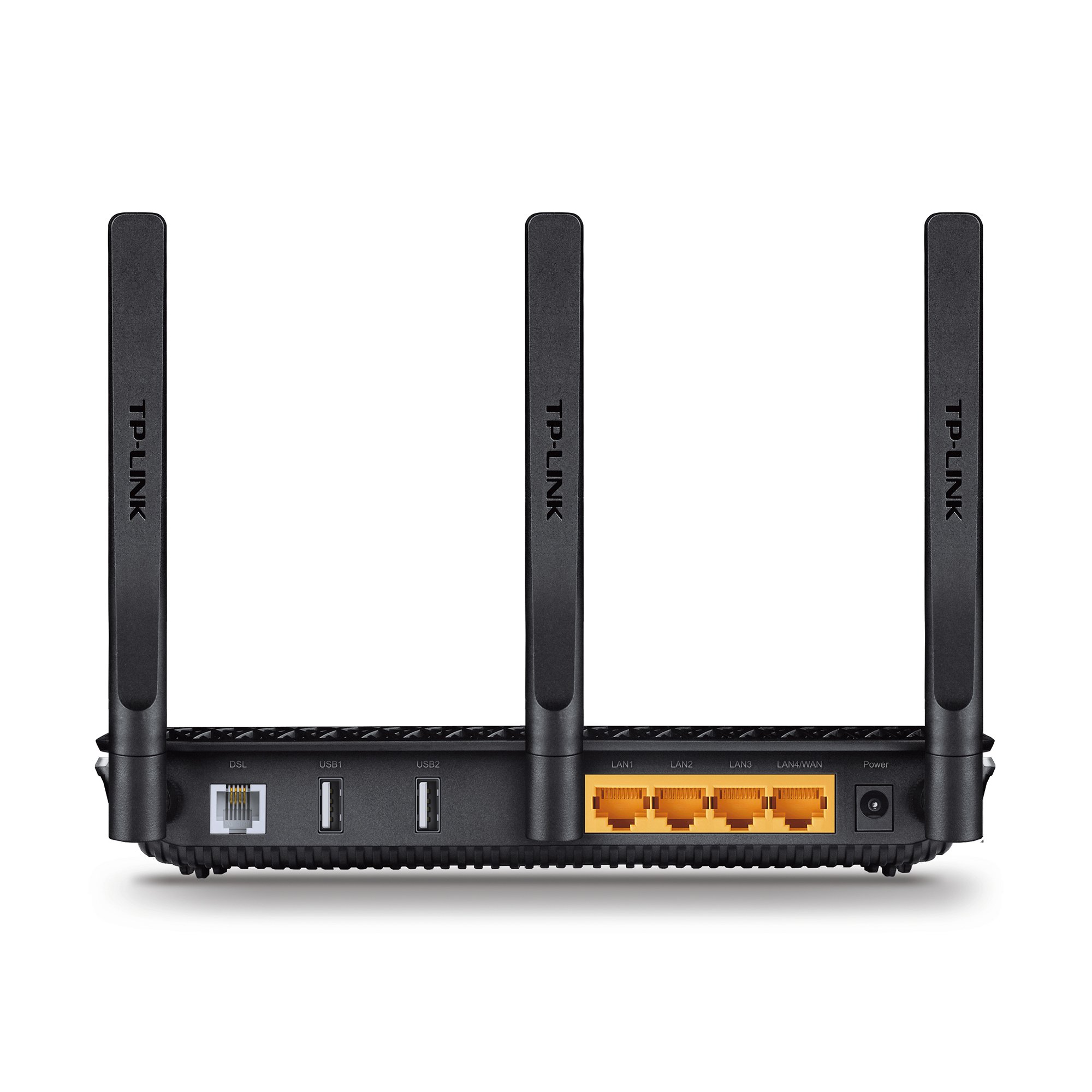
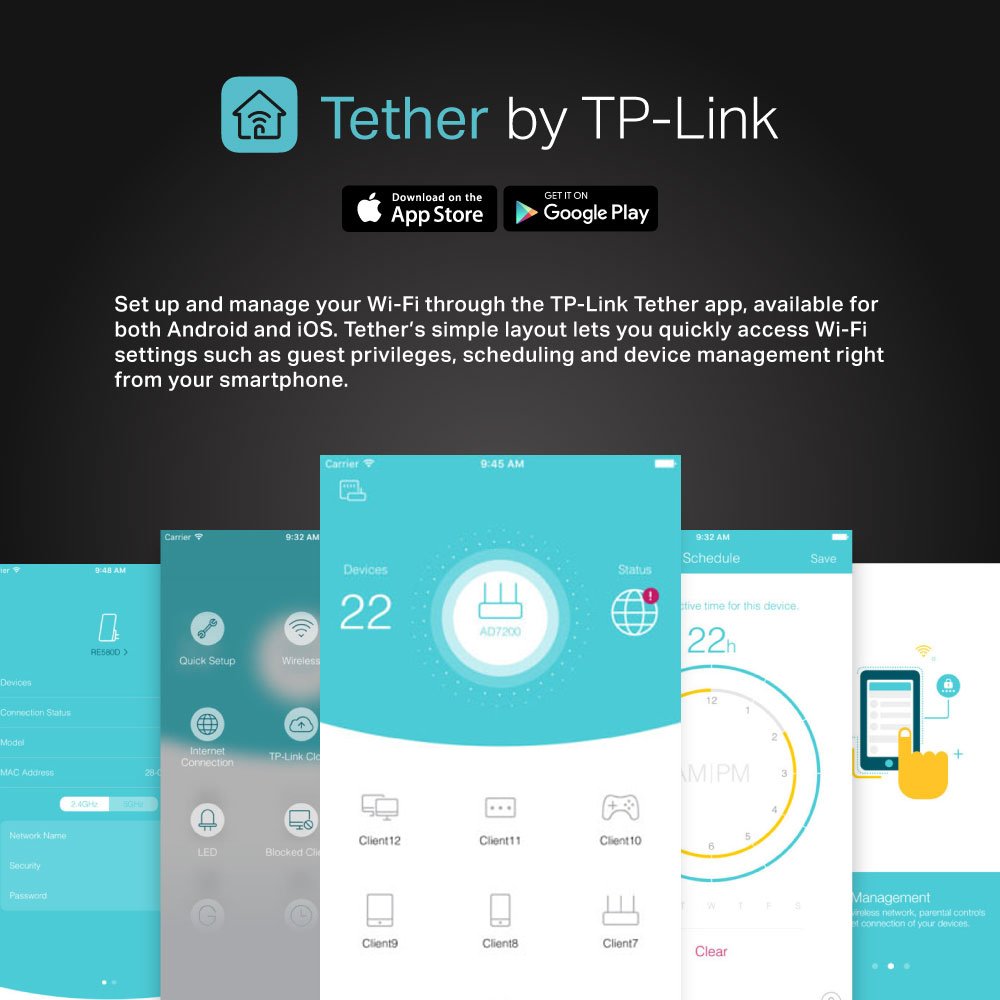
The TP-Link Archer VR600 is a high-performance AC1600 dual-band modem router designed for UK phone line connections including BT Infinity, TalkTalk, EE, and PlusNet fibre. It delivers combined Wi-Fi speeds up to 1600 Mbps, enhanced by beamforming and three detachable antennas for superior coverage. With versatile DSL, EWAN, and USB ports, it supports multiple internet sources and 3G/4G dongles. Manage your network easily via the TP-Link Tether app, all backed by a 3-year warranty for dependable connectivity.


| Brand | TP-Link |
| Product Dimensions | 31.4 x 23.6 x 7 cm; 960 g |
| Item model number | Archer VR600(UK) |
| Manufacturer | TP-Link |
| Series | Archer VR600 |
| Colour | Black |
| Connectivity Type | Wi-Fi |
| Wireless Type | 5 GHz Radio Frequency, 2.4 GHz Radio Frequency |
| Voltage | 12 Volts (DC) |
| Operating System | Android,Ios |
| Are Batteries Included | No |
| Item Weight | 960 g |
| Guaranteed software updates until | unknown |
J**E
Cheap, powerful, unobtrusive and FAST!
Just to note, I am reviewing the Archer VR600 version 1 (two USB 2.0 ports instead of one), or AC1600 here. Not sure what difference there is between v1 and v2 aside from having just one USB port.I have bought this modem router to substitute a BT Home Hub 5 (HH5), as I am switching from BT over to Phone Co-op (champions of ethical advertising) and their router is not 802.11ac-compatible, and that's a feature I require as all my wireless home devices back up their data on a central HDD connected with Gigabit Ethernet and 802.11ac gives me nearly-nominal speed. In terms of aesthetics, it's all good, although a bit prone to gather dust. The lights are un-intrusive - compared to the HH5's huge front light - and the connections and buttons are easily accessible.Ease of setup: wonderful interface, it came pre-packed with most ISP's parameters, so I just had to select the relevant one (BT for now) and it was essentially ready to go. Zero frustration - very happy. The advanced features give you enough control over most things, being able to specify low-level bits such as frame sizes, etc. It comes with parental control as an option, although this just seems to consist of a black list of websites.Wireless coverage: very good, evidently more powerful than HH5, and with the possibility of attaching more sensitive external antennas. I did have a decent SMC directional one so I tried it... and to my surprise it made no difference. Perhaps had something to do with the beam-forming tech? If I understand the thing correctly, it creates slight phase delays on the signal sent to the different antennas so that the constructive interference can be directed towards your position, and I'm not sure how that will work with a cable-connected antenna that is 4 feet away from the router. Or perhaps the TP-Link supplied antennas are great and my ageing SMC one is comparatively not as good? Anyway, happy that I can obtain good enough performance with the default setup :DFunctions: Aside from what I have already mentioned, the router supports things like no-ip, which is great for accessing your network from outside with dynamic IP. Changes to settings get applied almost instantly - this a welcome improvement over most ISP-supplied modem-routers, as these seem to mostly require a reboot per change. Also, TP-Link provide a mobile app that you can use to make changes easily; personally I find this next to useless, as it only offers the most basic settings.Overall: finally, a modem-router I can personally recommend. 802.11ac is great, and unless you upgrade your cabled devices to 10-Gbit Ethernet, this router will provide optimum bridging between wireless and wired connections for many years to come.
A**R
Not as good as the reviews suggest
I had an old netgear DGN2200v3 router with an extender connected to Plusnet ADSL. I live in a 4 bed 1930s house - the thick walls and phone socket location are not ideal. The Netgear was OK though and I liked their Open DNS Parental controls that allowed me to turn off categories (e.g. social media) at certain times of day (e.g. homework time for the kids). What I really needed though was control over what time of day each device was allowed to connect to wifi. Netgear just dont seem to provide this - so I upgraded the router to the Archer VR600 AC1600 - based on the amazing reviews (some of which I suspect are fake) at the time. I notice the average review is on the slide a bit now.The user interface is much better and much quicker than the old NetGear one. It was very quck and easy to set up. The parental controls do seem to work ok - i.e. I can disable wifi to each device when I want. The times are set by clicking on hourly slots in a 7 day, 24 hour grid - so flexibility is good - but I would prefer half hour slots.However ...Like some other posters comment - the 5ghz network is flaky and so the devices that initially started on 5ghz have now been switched to the 2.4ghz one.After about a week's operation, the router seemed to get into a strange state. A laptop wasn't connecting - so I tried to log into the admin page - and it just hung without a password prompt. Had to reboot the router. It all came back up OK but for the £85 I paid, I expect something that "just works all the time".The wifi range isn't revolutionary. I might have to try an extender again (which I was hoping to get rid of) or else revert back to the old Netgear/extender solution.It does run warm - but just that "warm" - not hot. So - dont be concerned by any reviews about heat.With "bog standard" Open DNS (rather than the Netgear offering) I can disable categories completely but not on a time basis - so step backwards from where I was - but not un-expected.Update 28-AUG-16I have down-graded from 2 stars to 1. It is so temperamental. Today none of the devices could connect to the internet. Rebooting the router (either with the on/off button or through the web interface) allowed a wired device back on but the wireless network was still not working. The 2.4ghz "wireless radio" enable button had mysteriously become un-checked. Ticking it and pressing save consistently led to an "internal error code 1". Had to completely un-plug the router, plug back in and then was able to tick the wireless radio option and save the change. It had also somehow set my ISP provider to "Other" rather than "PlusNet_ADSL". Had to reset that to get the internet connection working again. It seems to be making random changes to the config. I am running the latest "VR600 v1" firmware from 25/08/16.Update 16-OCT-16I'm going to see if Amazon will take this back. It just gets worse and worse. The latest thing is that it crashed and refused to boot up. The bottom 2 LEDs would come on for a few seconds durng the boot - and then it turned itself off. This happened repeatedly. Tried unplugging etc - but didnt help. Had to do a factory reset to get it working again. Life's too short to have to deal with something this bad. Ignore all the good reviews and avoid like the plague.
A**R
Does the job and good value
This was to replace a faithful old TPLink WR8960nb that was filling up its logs with warnings "scratchpad is not initialized". I figured it was either failing or someone was trying to hack it. Either way I bought this as a modern less hackable replacement plus I could use the extra speed that my ac network card allowed. It's got a lovely setup interface and I was up and running in minutes after a restart to sync the line. Using the 5Ghz band I'm getting 650Mbps in the same room as the router and my wife's laptop which only managed 150Mbps on the old one now does 450, so internet use is much smoother. It's nice and compact, a smart design and you can turn the blinking lights off with a discreet switch on the unit. Range is slightly better than the old one on the 2.4Ghz band but there is definitely an improvement in throughput especially with multiple connections. Only niggle is the connection seems slightly slower, whether that's the provider or the router I don't know as I haven't swapped back to check. The connection info says it is using VDSL but I'm sure the exchange is ADSL2+, however, changing the setting to ADSL2+ gives a big fat nothing so I set it back. It works, it's reliable and the wifi is good.
Trustpilot
2 months ago
2 weeks ago