
DOWNLOAD THE APP


Customer Services
Copyright © 2025 Desertcart Holdings Limited
DOWNLOAD THE APP

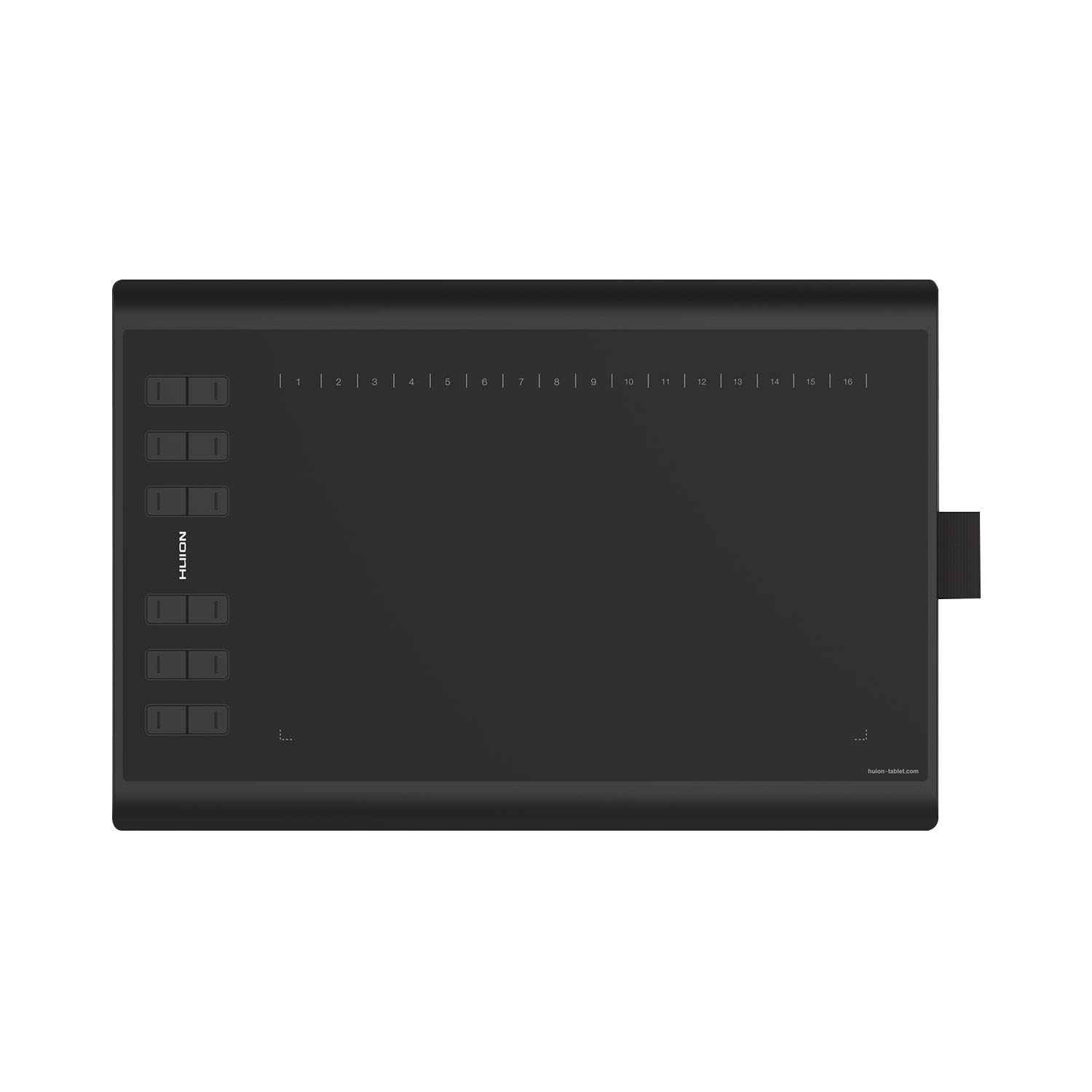




🎨 Elevate your digital canvas — where precision meets freedom!
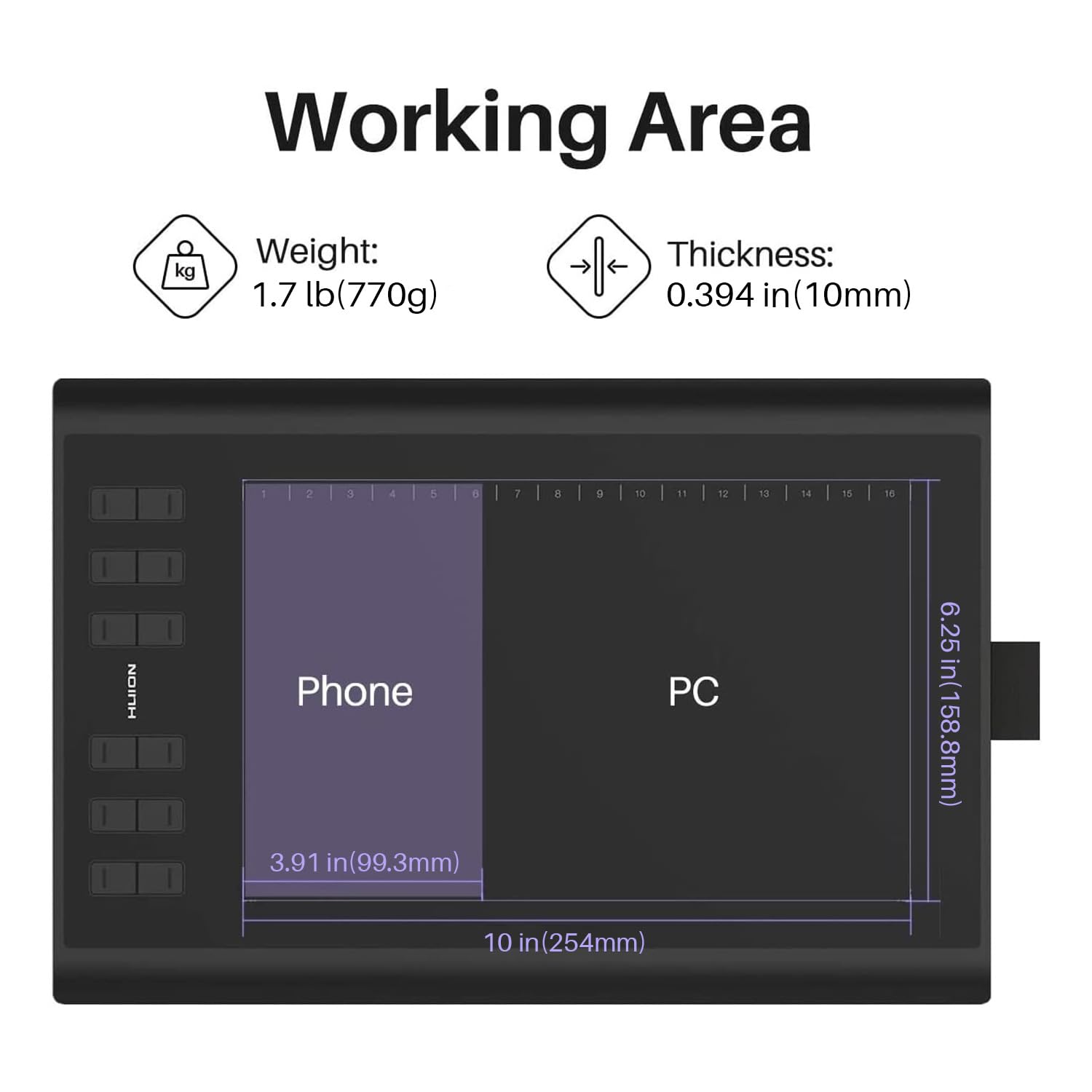
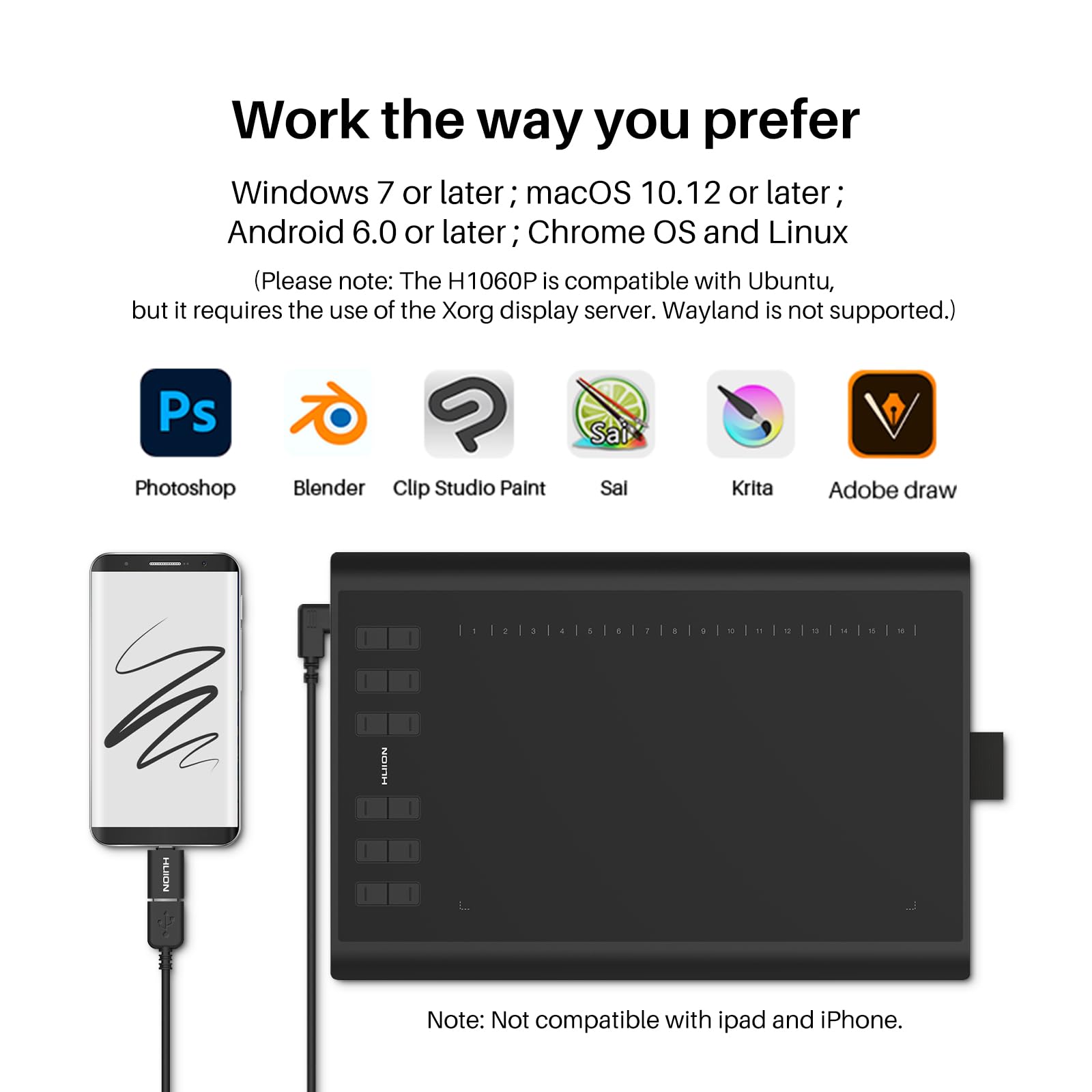
The Huion 1060 PLUS is a professional-grade graphics tablet featuring a large 10 x 6.25 inch active area and an ultra-responsive pen with 8192 levels of pressure sensitivity. Designed for seamless creativity, it includes a built-in 8GB SD card for instant driver installation and supports Windows, Mac, and Android devices. With customizable express keys and a battery-free stylus, it empowers artists and professionals to work efficiently across multiple platforms, making it an essential tool for digital design, teaching, and content creation.


| ASIN | B01FTE9HS2 |
| Active Surface Area | 62.5 square inches |
| Best Sellers Rank | 183,595 in Computers & Accessories ( See Top 100 in Computers & Accessories ) 256 in Graphic Tablets |
| Box Contents | Rechargeable Pen, USB Cable, Charging Cable, Pen Holder, Glove, Carrying Bag, 8GB SD Card |
| Brand | HUION |
| Brand Name | HUION |
| Colour | black |
| Compatible Devices | Desktop, Laptop |
| Connectivity technology | USB |
| Customer Reviews | 4.3 out of 5 stars 5,580 Reviews |
| Display Type | LCD |
| External Testing Certification | Não aplicável |
| Item Dimensions L x W | 25.4L x 15.9W centimetres |
| Item Weight | 0.77 Kilograms |
| Manufacturer | Shenzhen Huion Animation Technology Ltd. |
| Model Name | H1060P |
| Model Number | H1060P |
| Model name | H1060P |
| Native Resolution | 1920x1080 |
| Network Connectivity Technology | USB |
| Operating System | Windows,Android |
| Operating system | Windows,Android |
| Pressure Sensitivity | 8192 Levels |
| Pressure sensitivity | 8192 Levels |
| Product Features | 8192 levels of pen pressure sensitivity |
| Product Warranty | 1060PLUS Graphics Tablet |
| Screen Size | 10 Inches |
| Special feature | 8192 levels of pen pressure sensitivity |
| Specific Uses For Product | Teaching, Designing |
| Target Audience | Teacher |
T**L
Brilliant product. Fantastic for Maths/Science home-learning.
This is a brilliant product. Big enough for ease of writing, fantastic accuracy, nice writing feel and texture. Actually easily usable as a mouse when switching between windows quickly. I use this for online lessons, and it's very useful for maths/chemistry where typing isn't an option. Also it makes it very easy again to fill in or add to PDF documents, which I found very useful when taking online exams and homework. If you do buy this product, I would recommend using Microsoft Word to create documents using the draw function and saving as PDF or the Microsoft Edge free PDF Viewer for filling in pre-existing sheets. Worth every penny.
S**8
Very satisfied customer
I cannot fault the service or the product. It fully met my high expectations. The tablet arrived within 24 hours of placing the order and in a nice box, so I was eager to just plug in and start using it. Which is what I did. I installed the software from the HUION website and found this to be no different to the standard install of device drivers - it was no hassle at all : just click to download and then restart the pc. This is my first purchase of a tablet, for my son, so it was helpful that we could easily set up the tablet and download Autodesk to start drawing. As other users have mentioned the integrity and quality is quite noticeable, it certainly feels premium enough to me. Owing to a busy schedule I have not yet set up the 12 shortcut keys but I don't expect this to be anything other than straightforward. As a final point, the follow up after sales service from HUION is there if you need it and I received a pleasant courtesy email. If I have a need to make a future purchase I wouldn't hesitate in returning.
K**X
A good quality tablet - feels well made to the touch ...
A good quality tablet - feels well made to the touch and relatively easy to set up. Generally works well although I would have liked the surface to be a bit more mat and less slippery...The hotkeys work well and generally the accuracy is fine - the instructions are pretty sparse and quite misleading in that they say you cannot set it up for multiple extended monitors when in fact you can. Good value for money
H**H
Excellent
I've never had experiences with tablets but have wanted to get into digital art for a long time, this product just stood out both because of previous satisfied reviews and also because for a starter tablet, the price is amazing compared to other brands. Starting off, installation is really quick and easy. All I had to do with my laptop was plug the tablet in, and the software itself was automatically installed before I then used the CD. A short manual comes along (one for Windows users and one for Mac users, respectively) and acts as a quick and easy guide — you can't really go wrong, I don't think. Just a few minutes is all it takes. I've only had this a day but I'm having a lot of fun — it's best in my opinion to at least be slightly aquainted with programs like Photoshop and the like for things to be easier. . . but there are super helpful tutorials out there, so really, it should be okay. It might be weird at first to have to look at the screen and draw rather than down at the tablet like it's paper, but I've gotten used to it in a day and I think some others might have the same experience. But if that's not the case then it's fine, patience and practice is key. All in all, I'm really happy with both the product and service and would highly recommend this tablet for fellow beginners like myself. But even experienced artists also use this product, I can see why. I hope it lasts a while. :)
M**E
A very good tablet for a first time user, who's now more productive
I've been a keen amateur photo nut for many years and after getting a new MacBook Pro, I wanted to try using a graphics tablet to speed up photo editing and retouching. I've never owned one before, so headed to Wacom first as I knew it was a 'big name', but went pale at the prices! After dropping £2k on a new Mac, I started looking for a cheaper option. Online review spoke highly of Huion and in particular this tablet, a new version of the 1060Plus. HUION 1060PLUS Graphics Tablet with 12 Hotkeys and Storage Function (8192 Pen Levels, 5080LPI) I've been using it for a week now and I can confidently say I love it. I don't have anything to compare it too, but I have no niggles. The accuracy, sensitivity and tracking are excellent, it's comfortable to use and within half an hour I was whizzing through Lightroom and Photoshop very happily. The Wacom I was originally looking at was just over £300. This was less than £65. I think I got a bargain. Very happy.
C**W
New 1060Plus (8192) - It will work on Linux, with a little effort
A note to Linux users: It is possible to get this tablet working on Linux, thanks to the DigiMend project. Unfortunately Amazon does not allow me to post a link to the project here, but a quick search for DigiMend on github will get you there. Go to digimend-kernel-drivers and click on releases. You'll find a deb package for Debian/Ubuntu/Mint, otherwise follow the instructions to compile the source code. Encouragingly, Huion has supplied the team with a tablet and are paying them to write the drivers. That said, support is still limited at the time of writing (Feb 2018) and you may prefer to purchase the much older H610Pro that's better supported. Using in Linux: The pen works well, it's possible to lock the tablet to one screen if you're using a multi-monitor setup, and it's also possible to switch it to left handed operation, both by configuration via xinput. While the physical buttons on the tablet work there doesn't seem to be a way to reconfigure them yet. The virtual buttons at the top become part of the drawing surface. I wouldn't be surprised if this tablet is fully supported a year from now given that Huion is funding driver development. Using in Windows: I downloaded the latest drivers from the Huion website rather than using the driver on the card. Of course you can copy the drivers onto the card if you're likely to be plugging it into other computers. The software includes an easy configuration tool that allows you to reconfigure the keys as well as the button operations on the pen, switch between right and left-handed mode and set the monitor the tablet is locked to. The middle button is mapped to the E key making it an eraser toggle for many drawing applications. Not as handy as an eraser end like we see on Wacom pens, but still usable. The pen glides across the pad effortlessly without slipping, the pressure sensor is very responsive and allows for great control over your brushes. The lack of tilt sensing is a shame but when it's a fraction of the cost of a Wacom it's something I was willing to overlook.
I**H
I have nothing but trouble with this tablet.
Really good when it works. It's made illustrating and colouring pencil illustrations digitally so much easier. However, sometimes it just doesn't work. I plug it in and try to use the pen and it doesn't do anything. Recently it's stopped working all together, I've tried everything, but no luck so far. I'm going to bin it and order a new one from a different brand.
H**G
Beware problems with Windows 10
Beware long-standing problems with Windows 10 'Ink' which may significantly reduce the pen/tablet operability with common applications like Adobe Photoshop and Illustrator. There are suggested hacks to work around some of these problems however they did not work for me.
Trustpilot
5 days ago
2 months ago