

🚀 Double your NVMe, double your speed — RAID like a pro!
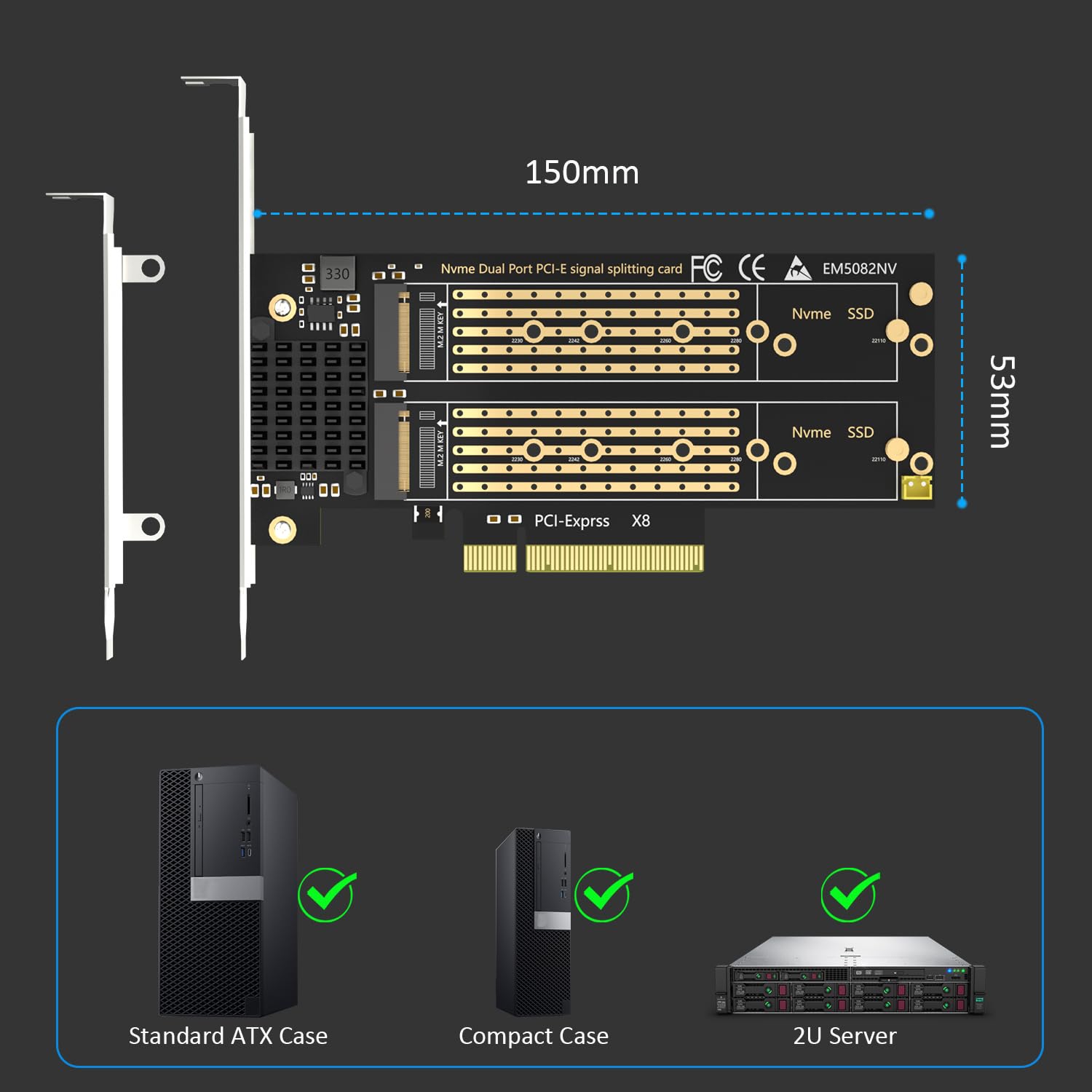
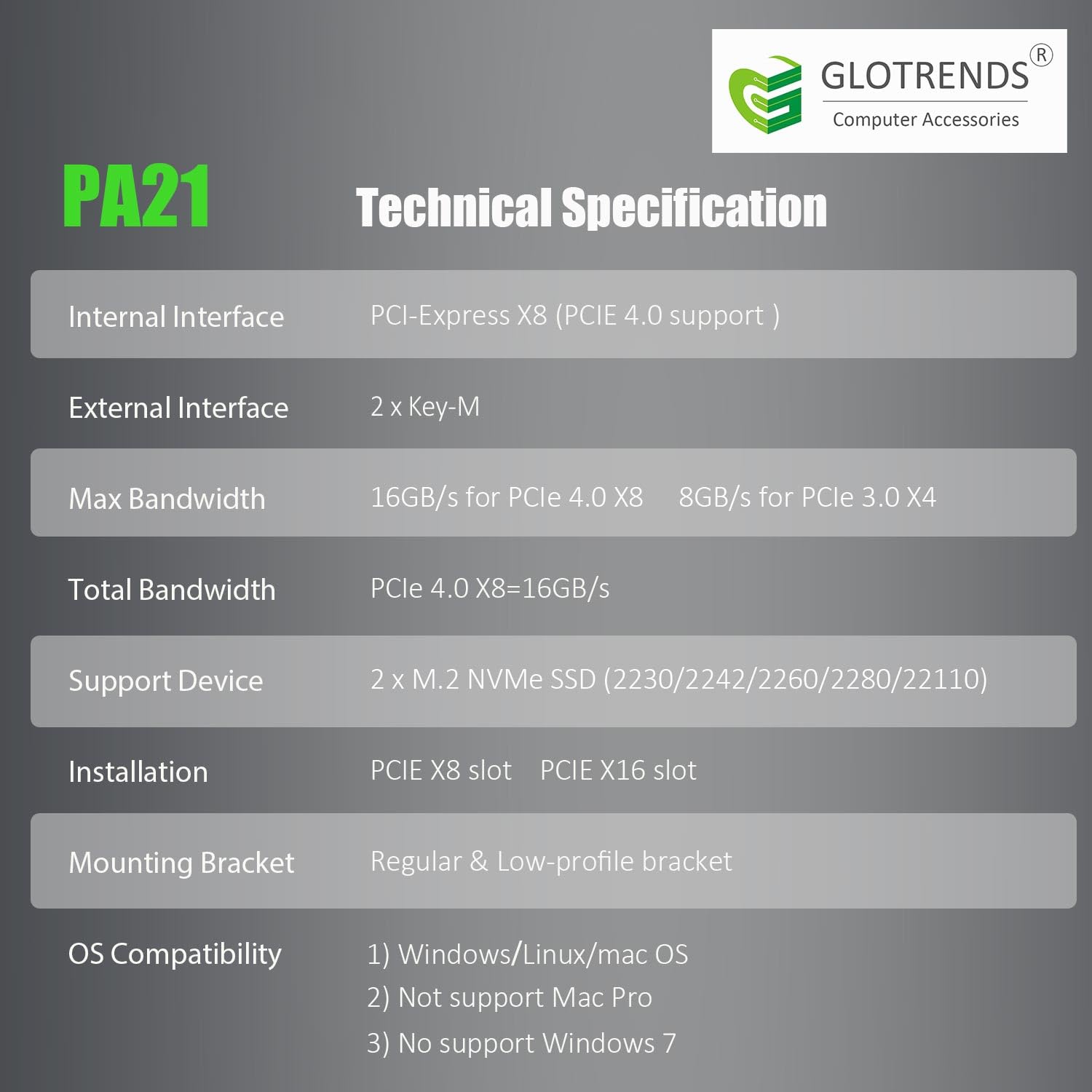
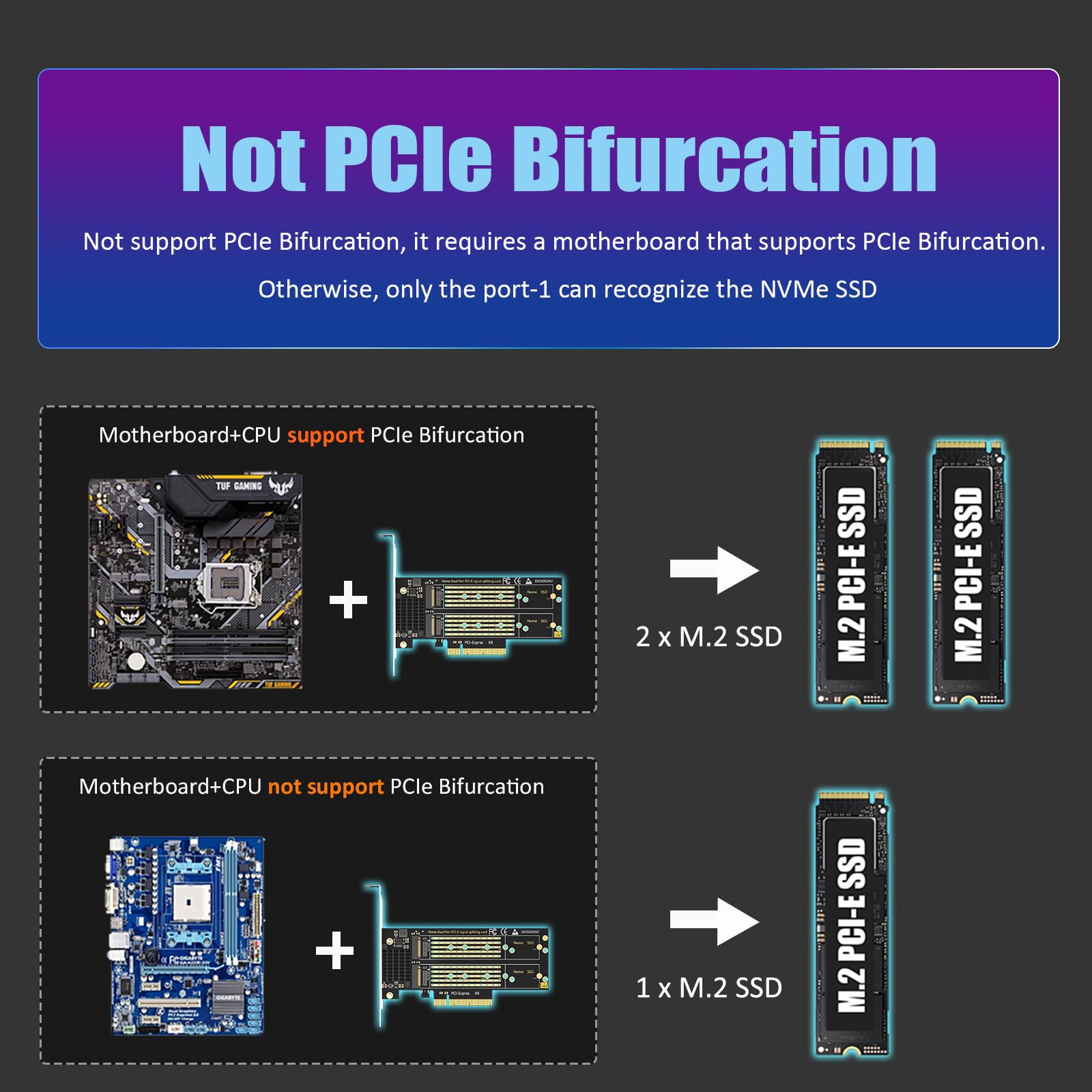
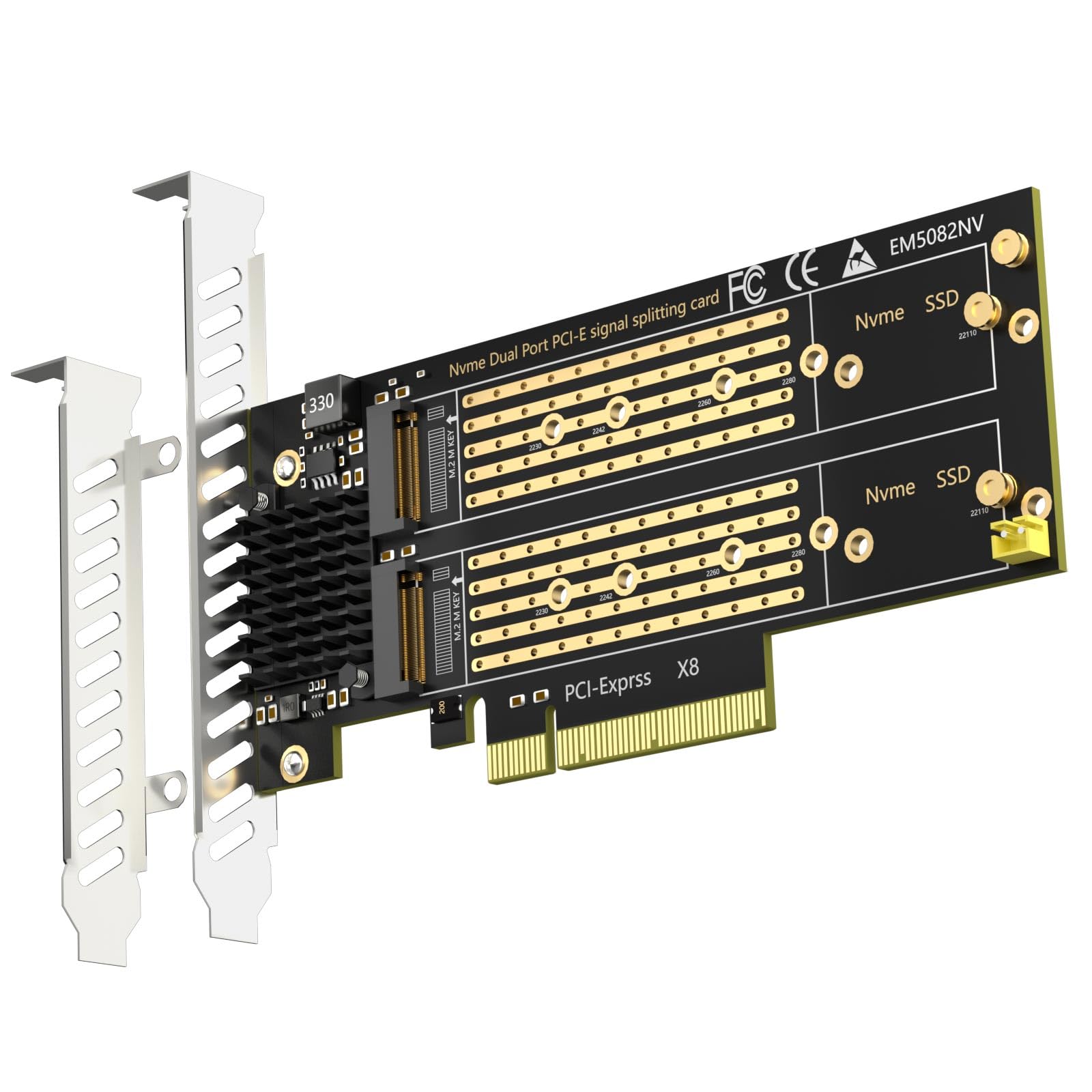
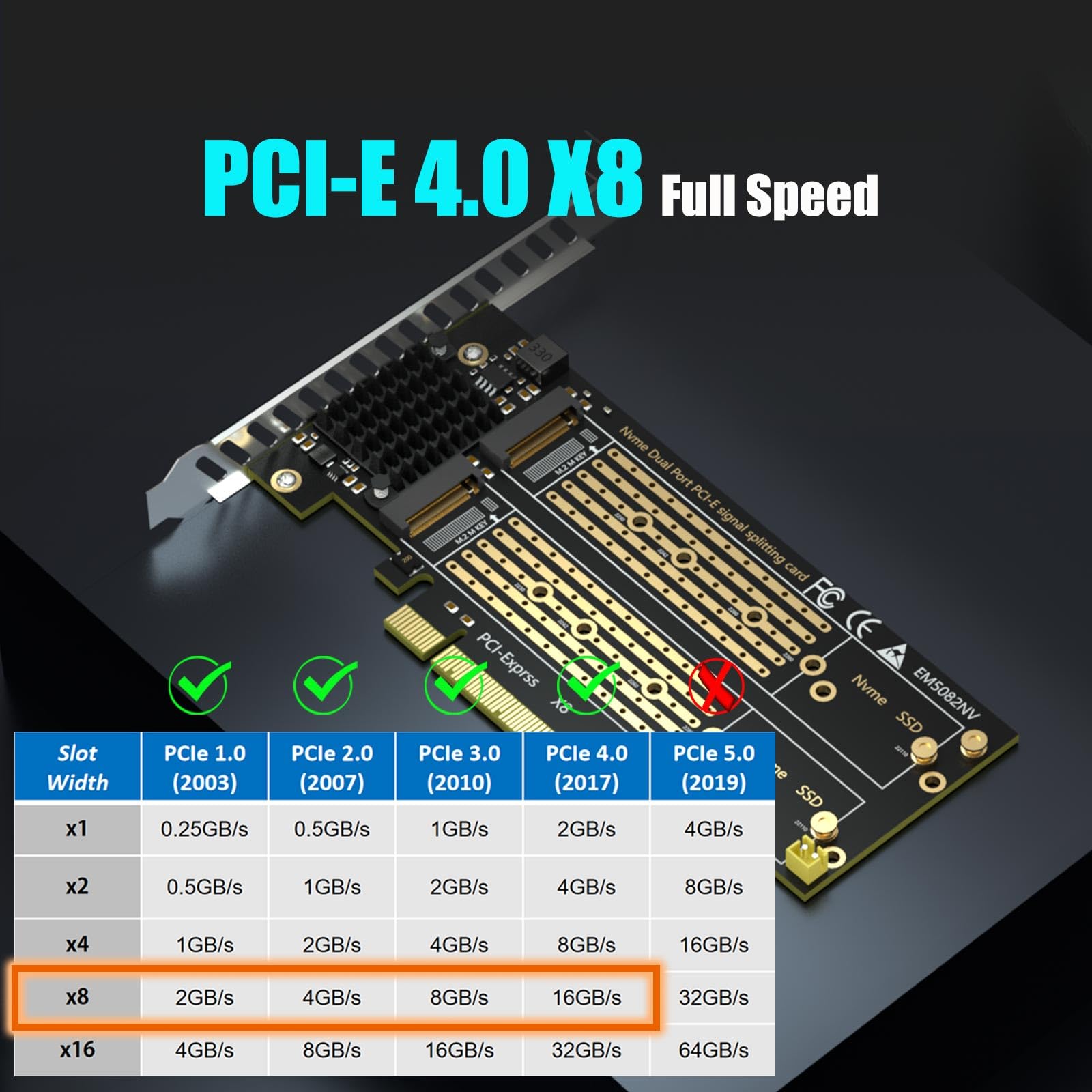
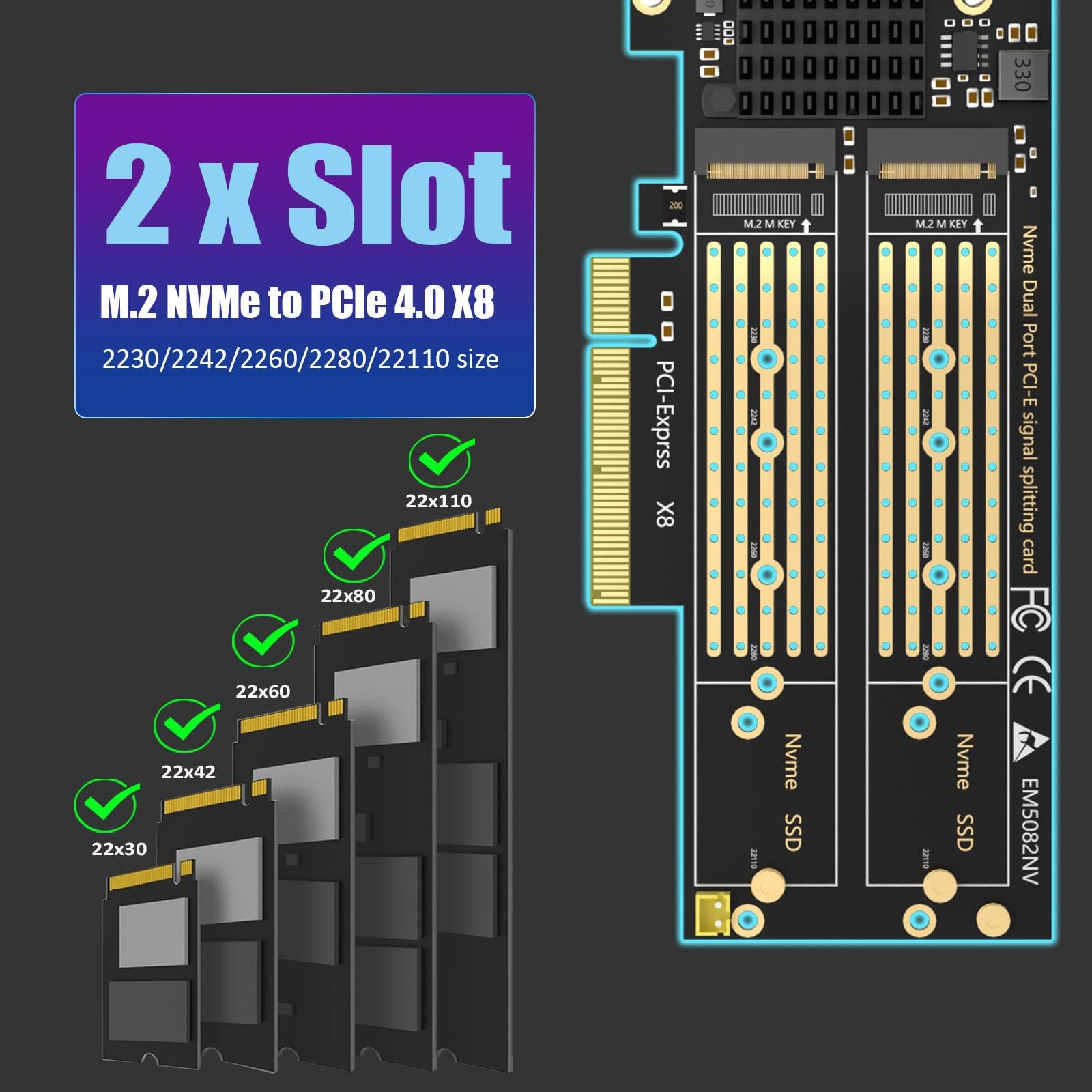
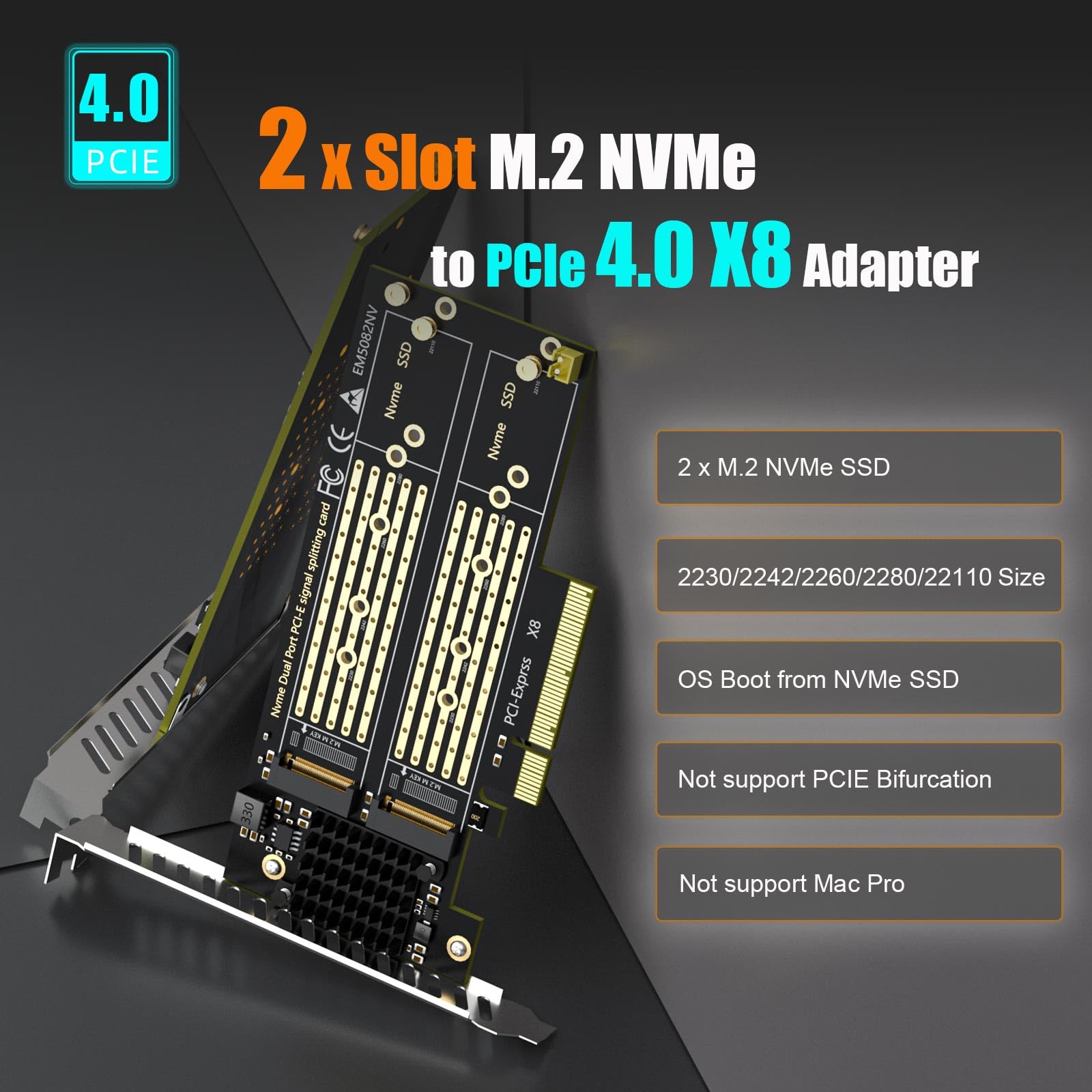
The GLOTRENDS PA21 is a high-performance PCIe 4.0 X8 adapter enabling dual M.2 NVMe SSD installation (supporting multiple sizes) with soft RAID setup via OS tools. Designed for Intel/AMD platforms with PCIe bifurcation motherboards, it delivers blazing 64Gbps bandwidth and broad OS compatibility, empowering professionals to maximize storage speed and capacity effortlessly.



| ASIN | B09PGDMWKH |
| Best Sellers Rank | #12 in RAID Controllers |
| Brand | GLOTRENDS |
| Customer Reviews | 4.1 4.1 out of 5 stars (498) |
| Date First Available | December 30, 2021 |
| Item Dimensions LxWxH | 5.91 x 2.13 x 0.12 inches |
| Item Weight | 4.6 ounces |
| Item model number | PA21 |
| Manufacturer | glotrends |
| Operating System | Linux, Windows, Mac OS (Not support Windows 7/ Mac Pro 5.1) |
| Product Dimensions | 5.91 x 2.13 x 0.12 inches |
J**N
Love it
Works great for me I'd definitely recommend it
D**A
It works - requires bifurcation motherboard
Not sure if I spelled that right, bifurcation. This card does not do its own bifurcation. If your motherboard dose then make sure it can bifurcate by 4, the slot you put it into. I would have had to use this in the first x16 slot, which my GPU occupies, in order to get x4, but I couldn't fit the GPU into the second slot so I had to buy another .. well, 2 of these that actually DO bifurcation on the adapter itself. I ended up not using this, I'll figure out a use for it in the future, because my second slot cannot X4 bifurcate, only x2, so watch out for that. The first slot can do x4 but the second slot on the mobo is only x2, this is something I didn't expect to run into and I didn't find any information about it so you have that info here now. If you want to make sure all of your nvme show up in your OS, get a board that does the bifurcation on-board, not forcing the motherboard to do it as a feature. You'll be glad you spend the extra money and it will cost quite a bit more for that. Also, what I did was get pcie gen 3 cards with 2x nvme slots on each. I have pcie gen 4 but the way I set this up the nvme are just a tad bit faster than my gen 4 nvme I have on board. I did raid0 on the entire set which grants me a bit over full speed of my gen 4 drives. This was a cheaper alternative since I am doing raid0 but if you're not doing raid0 then it will be much slower if getting gen 4. Safest bet is gen 4 all the way through, of course.
B**N
PCIe 4 Claims Are False!!!
TLDR: It does what it says it will - however, it is not designed to operate at pcie 4. It will function, but if you do not want to have issues or operation errors when trying operate at pcie4 speeds, go look elsewhere. If you are dead set on this one, only use this at PCIe 3 speeds or lower. Longer version: I purchased this for a custom 2u server build out thinking this would hold true to the pcie4 claims. I purchased an ASRock Rack B650D4U, 96GB of ECC DDR5, and 5x Micron 7450 Pro pcie 4 M.2 NVMe SSDs. Enabled a setting in bios to verify no PCIe errors were occurring, checked to make sure all the drives were showing up, and booted up a copy of Proxmox. Right after the kernel loaded, the screen was full of PCIe errors whizzing by. The Micron SSDs mentioned earlier that were attached to glotrends card were sitting idle, empty, and hadn't been formatted yet, were throwing so many errors it was hard to read what was going on. Go back into bios and force the speed for the SSD's attached to operate at PCIe 3 and all of the errors are gone. I got what I paid for - cheap and counting on you not to verify claims.
B**A
It was missing the stands offs and screws but Glotrends made good
The board is great, affordable and easy to use and works well. It would probably be a good idea as other have mentioned to use single sided M.2 drives as there may be clearance issues for double sided drives due to the design of the board. Like some others have experienced, my order was missing the stand offs and screws that were supposed to be preinstalled on the board. I contacted the Glotrends and they shipped the missing screws the next day. It took a while but I eventually got them and everything works fine. They were very responsive and stand behind their product and I commend them for that. In the end, the board is working great and I am satisfied with my purchase.
A**F
Works as advertised
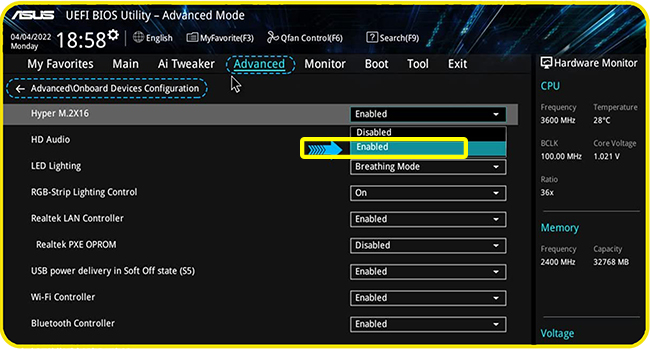
Worked as advertised. Moved my GPU to the second slot in my ASUS ROG X870-A Gaming Wifi board and put this card into the primary PCIE 5.0 slot and set bios to bifurcate x4/x4/x4/x4. This freed up the other 3 NVMe slots on the mobo. Immediately recognized the three NVMe drives I mounted and they were running full x4 speed. Just remember that in order for this to work, your motherboard needs to support bifurcation.
J**Z
They are of great quality.
This is a great product.
N**.
Much smaller than the alternative
Took a while to find this, but someone finally made one! I'd previously been using Asus's 4-drive card, which is absolutely massive. Unfortunately, that one cuts down on the case selection due to its massive size, and I've been wanting to move my server to a smaller, rack-mount chassis. I've included a picture for comparison. This seems to work great. Note that you will need to have a motherboard that supports bifurcation (x4x4x4x4, if you want to use all 4 slots). One thing to keep in mind is that if you are using NVMEs with chips on the back <22110 in length (i.e. 2280 and shorter), there might be interference with the screw for the drive on the other side. I've included a picture showing the screw sticking out the back. Note that I don't know how common NVME drives with chips on the back are. Fortunately, only 2 of my NVME drives are double-sided, and they are 22110 in length, so I was able to install them without an issue by putting them on opposite sides of the card (rather than next to each other). This is because the 22110 posts are permanently attached to the card, so don't require a screw on the other side. Also, for clarification of how 2280 and smaller drives are installed, see attached pictures - it took me longer than I'd care to admit to figure this out.
D**V
Make sure your PC supports bifurcation
Fantastic product. Does what it says. I am using it to add 4 m.2 drives to my server. This card supports bifurcation, but you have to make sure your PC supports it, otherwise you will not be able to use all the drives
L**T
molto soddisfatto su una scheda madre pcie gen 3 con biforcazione. 2 x Fikwot SSD NVMe 4TB e 1 Samsung MZ-V9P2T0C 990 PRO SSD 2TB
M**Y
Doesn't work well with X670E-E MB. Don't waste your time playing with bifurcation modes or searching for a solution, you'll get only one m.2 working at best.
H**.
Ich setze die Karte in einem Minisforum MS-A2 ein welche dort ohne Probleme funktioniert. Das Bifurcation funktioniert einwandfrei.
A**T
Ottimo, non rallenta la velocità della memoria montata.
A**R
Works
Trustpilot
1 week ago
4 days ago



