
DOWNLOAD THE APP


Customer Services
Copyright © 2025 Desertcart Holdings Limited
DOWNLOAD THE APP

⚡ Elevate your workspace with Dell’s ultimate Thunderbolt 3 dock — power, speed, and multi-display freedom in one sleek package!
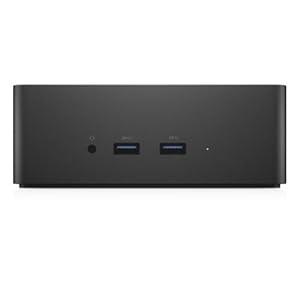
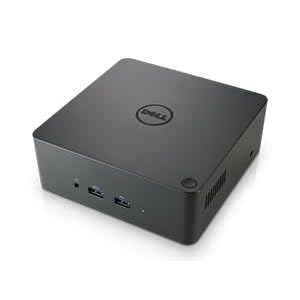
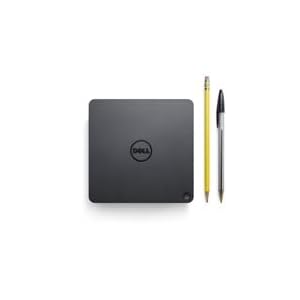
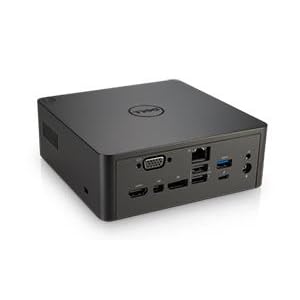
The Dell 3GMVT TB16 Thunderbolt 3 Dock is a professional-grade docking station designed for power users and workstation clients. It supports up to three displays including one 5K at 60Hz, offers ultra-fast 40 Gbps data transfer via Thunderbolt 3, and delivers robust 240W power to keep your devices charged. With versatile ports including HDMI, VGA, DisplayPort, USB 3.0 with PowerShare, and Gigabit Ethernet, it ensures comprehensive connectivity. The dock also features a security lock slot and LED indicators, making it a reliable and secure hub for your Dell Latitude, Precision, and XPS laptops.

| ASIN | B06XN6XWD7 |
| Batteries | 1 Lithium Ion batteries required. |
| Best Sellers Rank | #14,533 in Computers & Accessories ( See Top 100 in Computers & Accessories ) #894 in Laptop Docking Stations |
| Brand | Dell |
| Color | Black |
| Customer Reviews | 3.6 3.6 out of 5 stars (817) |
| Date First Available | October 15, 2015 |
| Is Discontinued By Manufacturer | No |
| Item Dimensions LxWxH | 10.63 x 7.76 x 5.53 inches |
| Item Weight | 1.81 pounds |
| Item model number | 3GMVT |
| Manufacturer | Dell Marketing USA, LP |
| Product Dimensions | 10.63 x 7.76 x 5.53 inches |
| Series | FPY0R |
P**O
Seems like a hit or miss, mine was a hit!
I am using this with a Dell XPS13 connected to two U2715H monitors (startech USB-C adapter to dual display port), so my review is based off of that. When I first installed the device, I was running the latest BIOS from Dell's website and was having issues where the USB ports would stop working within less than a minute. After installing the Asmedia USB driver, the issue went away, but your mileage may vary as there are mixed reviews online. I have not had a single issue since then and I absolutely love being able to turn on the device while having the laptop closed. I was sceptical based on others experiences, but knew that if I wanted a compatible dock it's best to go with one straight from the manufacturer themselves. I would have given it a four stars for the gigantic 240W brick, but that's not a reason to do so, as it does not affect the usability of this product.
J**H
Does not work correctly with Dell Precision 5510
I can say that HDMI works @ 4k, DVI works at (at least) 2560x1600, and power delivery works. What doesn't work are the ethernet and USB ports. Ethernet was originally recognized and worked. After reboot the adapter doesn't even show in network devices, but is still listed in the Device Manager. Windows has blue-screened twice now with "Attempted execute of noexecute memory" while trying to reinstall or remove the ethernet driver from Dell's website. Same when trying to just uninstall it from the Device Manager. My next step is to try to remove it in Safe Mode. Whee. I have a wired Logitech trackball and a wireless Logitech K800 keyboard that I've previously been using on this laptop with no issues. When plugged into the dock, the trackball stops responding after less than a minute and the keyboard lags, misses keypresses, or repeats the last key it recognized until you hit another key. Occasionally, it stops working entirely. Windows is fully up to date, I've installed all the latest drivers and BIOS (1.30 as of now, originally tried with 1.29), have the power settings set to high performance mode, USB selective suspend is disabled, and I've rebooted more times than I can count. I bought this for my work laptop, so I could easily disconnect and take it with me when I am on-call. It doesn't really serve that purpose if I still have to plug my keyboard, trackball, Jabra wireless headset receiver, and a USB ethernet adapter directly into the laptop. UPDATE 2017-09-12: The screen on the dock's HDMI port (4K TV) which I have set as my primary monitor goes black for a second or two every so often. I haven't timed it but it feels like it's a few times per hour and I'm not sure if they're evenly spaced. My windows/icons don't get shoved to the other monitors so the adapter/monitor isn't "disappearing" as if it'd been unplugged, the video signal simply goes black and then returns to normal. I did manage to get the Ethernet adapter uninstalled, but still can't get it to actually show up in the networking devices so it's unusable.
R**H
Add incredible value to your XPS latptop!!!
This seller delivered superb value and expedience; I live in Colorado, placed my order late in the afternoon of August 14, 2017, and received the item in my mailbox on August 17, 2017, with no expedited shipping or preferential treatment. The item I bought was "used" but one could hardly tell other than the lack of manufacturer packaging. I received the dock in a vanilla brown box with no instructions or manufacturer packaging, but, the item itself was still enclosed in the adhesive protective plastic that a new item would arrive in. The device functions superbly and as advertised. Computer Kings was even kind enough to follow up with an email to contact them directly with any issues encountered in the transaction before seeking help from Amazon, without any indication from me that the device had any problems. I appreciate the "prime" level of service without needing to spend full MSRP to get a device in two days. A+ seller. Would have no qualms about buying from them again. Onto the device itself... Comes with the dock and a 240W power brick. The brick itself is MASSIVE, surprisingly so. Plan accordingly. Other than that, I have plugged in a DAS Keyboard, logitech wireless mouse, two Dell monitors (one via HDMI, the other via VGA, a nostromo gamepad, and an HP printer to the dock. The dock then connects to my Dell XPS 15 9550 via the included thunderbolt 3 cable. I do currently have Windows 10 installed on this laptop but frequently use Fedora as my main OS-- will update if decide to reinstall Linux as my dedicated OS on this machine, but for now, am content with the Windows 10 setup. From the setup described as above, I am able to charge the laptop with only the connection to the dock, while having a dual monitor setup not including the laptop screen itself. So far, absolutely no issues with the displays or the dock itself-- everything is working flawlessly. Will update after my wireless keyboard and mouse show up from Amazon (OnTrac was late as usual, requiring a customer service contact with Amazon to rectify the situation). I will update this review to reflect my experience after some more use, including use of the wired ethernet connection as well as the wireless keyboard and mouse I bought. As for now, could not be happier with this unit itself-- everything worked out of the box by just plugging in the cable. Granted, I have the most current bios and drivers for the machine installed before trying to connect the unit, so, I cannot attest to what your mileage might be.
Z**2
La verdad el producto funciona pero no esperaba a que llegara con el cable Thunderbolt dañado de su carcasa protectora. Hasta tiene un ligero doblez el conector USB-C. Lo bueno que se puede reemplazar esa pieza pero esperaría al menos una forma de contactar a este proveedor IT Discount Center para saber si me pueden enviar el reemplazo de ese conector, nada más.
A**X
Product works perfectly, but requires some fiddling to get it working, you will need to install drivers and update your computers bios with downloads from Dell’s website
H**O
A primeira conexão foi bem ruim, apesar de eu usar um notebook Dell. Após a instalação de vários drivers, o funcionamento ficou perfeito. Uso um Notebook Precision 7670 com Windows 11.
M**D
Keep refreshing and crashing, needs lots of drivers. Firmware can't be updated unless you have certain Dell PCs that can update it.
D**.
I should have listened to the other reviews on here. This dock is garbage. First, it appeared to work until we tried HDMI. The HDMI and the USB ports didn't work until we installed the Dell drivers. Running the software to update the TB16 firmware completely froze the laptop. I never could get the GigE port to work. This device is just not worth the hassle. After it gave me this much grief and then failed when in front of the client, it was time to return it. We ordered a Startech for $100 more. I haven't received it yet, but my expectations are much higher. Watch for a review on that!
Trustpilot
1 month ago
1 month ago