
DOWNLOAD THE APP


Customer Services
Copyright © 2025 Desertcart Holdings Limited
DOWNLOAD THE APP

🎯 Elevate your creative game with color precision that commands attention!
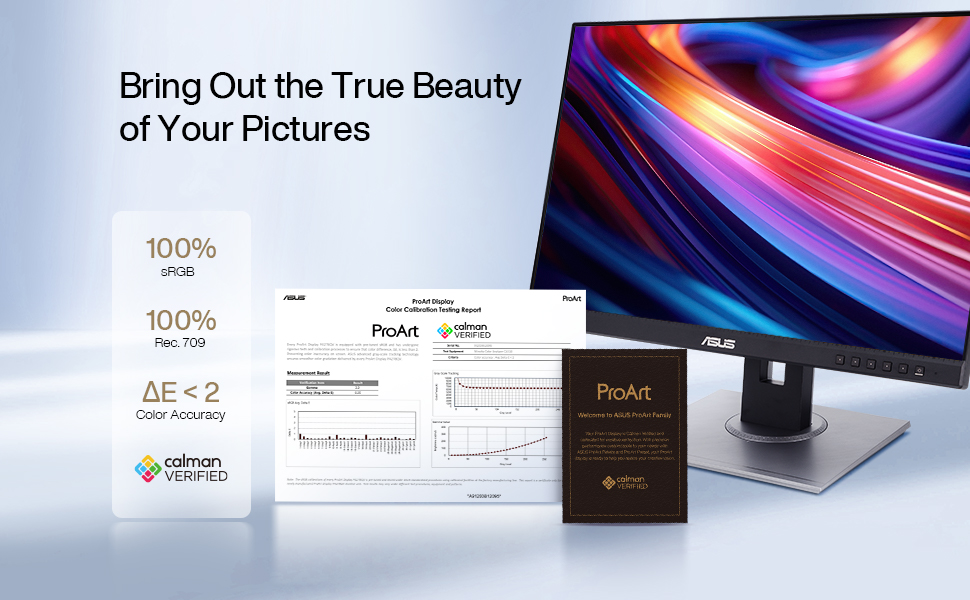
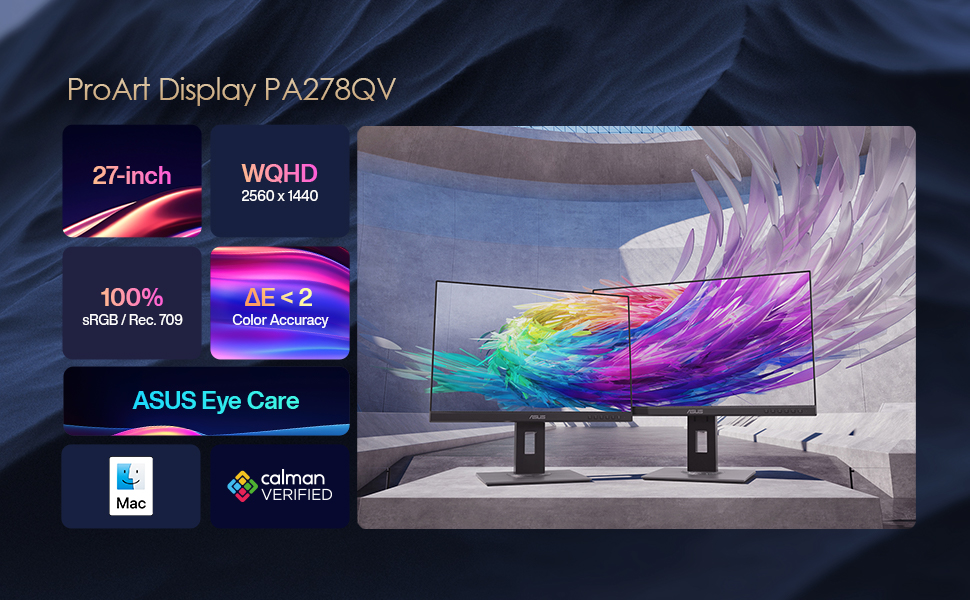
The ASUS ProArt Display PA278QV is a 27-inch professional-grade IPS monitor featuring a crisp WQHD (2560x1440) resolution, 100% sRGB and Rec. 709 color accuracy verified by Calman calibration, and a smooth 75Hz refresh rate with Adaptive-Sync technology. Designed for creative professionals, it offers advanced color tuning via ASUS ProArt Preset and Palette, ensuring true-to-life visuals and seamless performance for demanding workflows.



| ASIN | B0886LBL8R |
| Are Batteries Included | No |
| Batteries | 1 AA batteries required. |
| Best Sellers Rank | #1,935 in Computers ( See Top 100 in Computers ) #77 in Computer Monitors |
| Brand | ASUS |
| Color | Black |
| Computer Memory Type | DIMM |
| Customer Reviews | 4.5 4.5 out of 5 stars (2,634) |
| Date First Available | 20 May 2020 |
| Graphics Card Description | Dedicated |
| Hard Drive Size | 128 GB |
| Item Weight | 5 Kilograms |
| Item model number | 90LM05L1-B01370 |
| Lithium Battery Energy Content | 2.6 Watt Hours |
| Lithium Battery Packaging | Batteries contained in equipment |
| Lithium Battery Weight | 5 Grams |
| Manufacturer | Asus |
| Number Of Lithium Ion Cells | 4 |
| Number of HDMI Ports | 1 |
| Number of USB 3.0 Ports | 4 |
| Product Dimensions | 8.66 x 18.5 x 29.53 cm; 5 kg |
| Resolution | 2560 x 1440 Pixels |
| Screen Resolution | 2560x1440 |
| Series | ProArt Display PA278QV |
| Standing screen display size | 27 Inches |
| Voltage | 28 Volts |
M**Y
Amazing Monitor with true colors
It is an amazing monitor, I wish if I went for the 4K one.
A**G
So good
Best quality and price
T**R
Highly recommend
Very good quality and crisp screen. Brightness does need to be adjusted a little to not hurt my eyes but I have not yet played around with the built in settings and configurations. But it is adjustable to get the screen that suits you the most.
A**D
Love it
I love it, but the colors are not accurate
D**T
Best value professional monitor
Best value professional monitor you can buy, in fact I ended up buying 4 for my office for my creative team to use. These are perfect if you're doing color-sensitive work like photo or video editing. The specs are out of this world - 2k resolution (IMO you don't need more than that) & IPS display along with other colour features, plus it's very adjustable.
A**R
🔥🔥👌
Best in the market
G**O
Does not overstrain my eyes
I use it for image retouching and general work on my computer. It’s OK fir my eyes with brightness down to 0% and only manipulating contrast depending on the ambient light. I trust the colour accuracy which is important for my purposes. I can say that the anti-glare properties are goo too. It’s not magic though (this applies to all such monitors I have tested) so if you have a lot of light in the room, you may need to use a higher brightness setting.
R**Y
Avoid if you have an M4 pro Mac
This monitor works perfectly with my M1 MacBook Pro, but is completely broken with my new M4 Pro MacBook Pro. Every single time I connect via USB-C, I have to restart my laptop to get it to work. It's clearly a Thunderbolt 5 compatibility issue that ASUS hasn't fixed. For a premium display, this is unacceptable. The constant restart requirement makes it unusable for professional work. Works fine with older Macs, but don't waste your money if you have an M4. ASUS needs to fix their Thunderbolt 5 compatibility immediately
A**L
This is a stunning display, and phenomenal value for money when considering its quality build and colour calibrated performance. It is the second ASUS ProArt Display I have owned and is my first choice for photography, design & graphics on a budget, without sacrificing build quality or colour calibrated performance. Also perfect for general computer use of course. The CALMAN Verified Colour Calibration at the factory means photography and colour test charts display accurately out of the box. There are also additional USB ports for additional connectivity purposes. The integrated speakers are not the greatest, but useful for speech from YouTube or casual radio streaming, ZOOM/FaceTime (camera required) or similar for example. There is also easy access to an extensive menu control for custom adjustments if required. I chose this 2K monitor for my Mac Mini as there is compelling evidence online that a 2K display, such as this, can prove advantageous over some 4K monitors, due to displaying the appropriate size of text and icons natively without the need for additional processing overhead. I would urge you to view Hunter Kings YouTube Review: Why I RETURNED my 4k Monitor // MacOS Scaling Explained. He goes to great lengths to explain the complex advantages of choosing 2K over 4K, which in some circumstances may be appropriate for you as it was for me also. I use my ASUS ProArt Display exclusively for editing of photography, graphics, and general browsing and computer use. I would urge you to consider researching a 2K monitor offering this colour accuracy and port expansion, over a more expensive 4K monitor that doesn't. 4K may offer you no operational or practical advantage for the additional costs. HIGHLY RECOMMENDED.
L**Z
Contra: Viene sin el cable HDMI. PROS: Excelente pantalla. Ya la tenía en mi estación de trabajo en un estudio de diseño y he querido comprarla para trabajar desde casa. La lectura de color es perfecta y la calidad de imagen increíble. Perfecto para diseñadores.
H**N
Fantastic 16:10 monitor which is a rarity these days
G**X
L'Asus Pro Art Pa278Qv è un monitor dal costo molto contenuto, preso in offerta si rivela uno degli affari migliori di sempre. I vantaggi: Supporto incredibilmente flessibile Prezzo competitivo La luminosità di picco supera le stime Contro: Rapporto di contrasto di base mediocre Nessuna porta USB-C Altoparlanti poco convincenti Non è passato molto tempo da quando un monitor pre-calibrato con precisione cromatica garantita faceva salire la pressione sanguigna. Il prezzo del PA278QV è meno preoccupante, in quanto è inferiore a quello di concorrenti simili, ma include anche la certificazione Calman e Pantone e la garanzia di un Delta E inferiore a due. Il Delta E è una misura dell'accuratezza del colore, e un valore inferiore a due significa effettivamente che è così preciso che anche un professionista valuterebbe i colori perfetti. Tuttavia, è diventato quasi irrilevante, dato che molti monitor da gioco di modeste dimensioni hanno valori medi di Delta E inferiori a uno. I punti di maggiore differenza per i display destinati ai professionisti della progettazione sono invece gli spazi colore che coprono e la loro qualità. Il ProArt copre gli spazi sRGB e Rec.709 (in parole povere, Rec.709 è l'sRGB per gli editor video) e lo fa in modo completo. Inserendo la modalità sRGB, copre il 94,9% di sRGB con un volume del 98,4%. Il ProArt non ha la flessibilità necessaria per coprire le gamme cromatiche Adobe RGB o DCI-P3, aggirandosi intorno al 70%, ma Asus offre un controllo del colore più avanzato grazie alla "regolazione del colore a 6 assi". Questo permette di accentuare il bilanciamento del colore rosso, ad esempio, senza influire sullo sfondo bianco e sarà una manna dal cielo per chi ama regolare i colori all'ennesima potenza. Asus offre un OSD intuitivo. Questo utilizza cinque pulsanti sulla cornice inferiore dello schermo che cambiano a seconda del contesto del menu e, grazie a un'etichettatura visiva chiara e a una risposta immediata ai comandi, è facile giocare (c'è sempre un'opzione di reset nell'OSD se si esagera). Essendo un pannello IPS, il PA278QV è più adatto alla visualizzazione di bianchi nitidi che agli sparatutto in prima persona, ma Asus offre ai giocatori il supporto della sincronizzazione adattiva fino alla frequenza di aggiornamento massima di 75 Hz. Si consiglia inoltre di attivare la criptica opzione ASCR (Asus Smart Contrast Ratio) di Asus nell'OSD, che aumenta dinamicamente il mediocre rapporto di contrasto statico di 866:1 del pannello. Il ProArt non ha la flessibilità necessaria per coprire le gamme cromatiche Adobe RGB o DCI-P3, aggirandosi intorno al 70%, ma Asus offre un controllo del colore più avanzato grazie alla "regolazione del colore a 6 assi". Questo permette di accentuare il bilanciamento del colore rosso, ad esempio, senza influire sullo sfondo bianco e sarà una manna dal cielo per chi ama regolare i colori all'ennesima potenza. Asus offre un OSD intuitivo. Questo utilizza cinque pulsanti sulla cornice inferiore dello schermo che cambiano a seconda del contesto del menu e, grazie a un'etichettatura visiva chiara e a una risposta immediata ai comandi, è facile giocare (c'è sempre un'opzione di reset nell'OSD se si esagera). Essendo un pannello IPS, il PA278QV è più adatto alla visualizzazione di bianchi nitidi che agli sparatutto in prima persona, ma Asus offre ai giocatori il supporto della sincronizzazione adattiva fino alla frequenza di aggiornamento massima di 75 Hz. Si consiglia inoltre di attivare la criptica opzione ASCR (Asus Smart Contrast Ratio) di Asus nell'OSD, che aumenta dinamicamente il mediocre rapporto di contrasto statico di 866:1 del pannello. A parte il basso rapporto di contrasto - che non ha fatto alcuna differenza apprezzabile nell'uso generale - si tratta di un pannello eccezionale in un supporto incredibilmente flessibile, il tutto supportato dalle garanzie di cui ha bisogno un professionista che lavora nello spazio colore sRGB o Rec.709. Da notare che se si registra il monitor presso Asus entro tre mesi dall'acquisto, l'azienda estenderà la garanzia di tre anni a cinque anni. Considerando il prezzo eccezionalmente basso, non ho esitazioni ad assegnare all'Asus ProArt Display PA278QV un parere ottimo.
X**Z
The ASUS PA27CV is one of the best monitors I’ve ever added to my editing setup. I ordered it for video and photo work, and right out of the box, the factory calibration was so accurate that after running a full calibration with my Calibrite ColorChecker Display HL, there was virtually no difference. That’s a huge testament to how well ASUS has tuned this display for color-critical workflows. The monitor delivers stunning image quality with rich, natural colors and excellent uniformity across the panel. It covers 100% of the sRGB color space and supports HDR10, making it ideal for both creative and technical tasks. Skin tones look lifelike, gradients are smooth, and there’s no visible banding or color shift. Whether I’m grading footage from my FX30 or retouching photos, I trust what I see. Build quality is top-tier. The stand is sturdy and fully adjustable—height, tilt, swivel, and pivot—so it’s easy to dial in a comfortable and ergonomic setup. The bezels are slim, giving it a clean, modern look, and the matte screen finish reduces glare without dulling the image. The USB-C connectivity is a major plus: it powers my laptop, transmits video, and handles data—all through a single cable. That keeps my desk clean and efficient. ASUS also includes their ProArt Calibration technology, which stores color profiles directly on the monitor’s internal chip. That means I can switch devices without losing calibration, and it reduces signal distortion between the display and the source A. It’s a thoughtful feature that shows ASUS understands the needs of professionals. If you’re looking for a monitor that’s ready for serious creative work straight out of the box—and still holds up under hardware calibration—the PA27CV is a fantastic choice. It’s accurate, reliable, beautifully built, and priced right for what it delivers. I’d recommend it to any editor, photographer, or content creator who wants true-to-life color and a hassle-free setup.
Trustpilot
2 months ago
1 week ago