
🌍 Stay cozy, save energy, and control your home from anywhere!
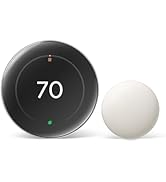
The Google Nest Thermostat is an ENERGY STAR certified, programmable smart thermostat featuring dual-band Wi-Fi connectivity and Bluetooth Low Energy. It enables remote temperature control via the Google Home app, offers smart HVAC system monitoring with maintenance alerts, and supports voice commands through Google Assistant and other Matter-certified platforms. Designed for easy DIY installation, it helps busy professionals optimize home comfort while reducing energy costs.



| ASIN | B08HRPDBFF |
| Backlight | Yes |
| Batteries | 2 A batteries required. (included) |
| Batteries required | Yes |
| Best Sellers Rank | #424 in Tools & Home Improvement ( See Top 100 in Tools & Home Improvement ) #1 in Home Programmable Thermostats |
| Brand | |
| Color | Charcoal |
| Connectivity Protocol | Wi-Fi |
| Connectivity Technology | Bluetooth, Wi-Fi |
| Control Method | Voice |
| Control Type | Remote Control, Voice Control |
| Controller Type | Amazon Alexa, Android, Google Assistant, iOS, nest |
| Customer Reviews | 4.0 4.0 out of 5 stars (28,337) |
| Display Type | LCD |
| Included Components | Documentation bundle, Mounting screws, Nest Thermostat, Steel plate |
| Item Weight | 5 ounces |
| Item model number | G4CVZ |
| Manufacturer | |
| Model Name | Google Nest Thermostat |
| Mounting Type | Wall Mount |
| National Stock Number | GA02081-CA |
| Number of Batteries | 2 A batteries required. (included) |
| Power Source | Battery Powered |
| Product Dimensions | 1.21"D x 3.3"W x 3.3"H |
| Screen Size | 2 Inches |
| Shape | Rectangular |
| Special Feature | Programmable |
| Specific Uses For Product | Heat Pump |
| Specification Met | Energy Star |
| Style | Programmable Wifi Thermostat |
| Temperature Control Type | Heating, Cooling |
| UPC | 193575007670 |
| Voltage | 24 Volts |
| Warranty Description | 1 year. |
A**S
Works great, but follow the setup instructions
We recently purchased this thermostat and like how convenient it is to use with our Google Home app. I had some difficulty getting it to work initially but it was my own fault for not following the setup instructions more carefully. I failed to correctly select the HVAC system I use and the thermostat gave me an error message that didn't exactly correspond to the problem. Once I got it figured out with the help of Google Home support representative, Kep, it works very well. So, the bottom line is make sure you carefully follow the setup instructions.
F**2
Great thermostat and relatively easy to install and use.
When our old Nest thermostats stopped being supported by Google, we had to upgrade because we typically adjust these from our phone while we're away. These are slick looking and easy-to-install replacements. You use the Google Home app for installation (not the Nest app) and if you follow the instructions... line for line... you'll do fine. Make SUPER sure you seat the wires well. In my first installation, I didn't seat the "heat" wire deep enough and I spent the next hour trying to figure out why and ended up having to so a factory reset on the thermostat and start from scratch. Once I figured out what was wrong, it installed easily. The 2nd one was a piece of cake after the first one.
J**A
Fancy Set Back Thermometer w/ Horrible Instructions - And Not Expandable
UPDATE: Nest Accuracy Just spent 40 minutes chatting with some at the Google store regarding the accuracy of their Nest thermostat product. Asked what I thought was a pretty straightforward question - how accurate is the temperature and humidity data shown in my Nest app? Just installed a new AprilAire whole house humidifier and wanted to quantify the change. Well, it seems there isn’t much documentation available… Was told that they thought the temperature was accurate to 1% - and the same applied to its humidity setting. Pointed out that 1% was probably not an issue at 50% humidity, but would be miles off at a 10% environment. They did offer to sell me another one, I guess to benchmark it to my existing Nest (which might or might not be refurbished), but I declined. Shame consumer products not getting the support they deserve - especially one that directly impacts household environmental quality. Bottom line: Is this thermostat accurate - don’t know. If you’re like me, and would like to know what you’re getting into before you start a project, Nest thermostat installation will be frustrating. Picking one out to begin with is confusing - C wire, no C wire, etc - hooking up fairly straight forward, the tough part is getting the thing to eventually work… There is literally nothing in the box that helps sort any of this out - you will learn/fail as you go along with the on line set up and thousands of YouTube tutorials. Google saves $1 per unit by not including directions and leaves it up to the Nest “community” to walk you through it. Hopefully. After diagnosing we had a wiring issue (wire broke trying to jockeying it into the baseplate) we ended up with a persistent E294 error code. Again, Google saves money by not having any on line live chat or call center and we ended up getting by with one of the YouTube “experts” advice (disconnect and set up again) which finally worked after a couple hours effort. The most telling sign that Google underplays how easy this is to install is how quickly they route you to an installation company to make your headaches go away. The end result is a fancy set back thermometer (which we already had) that connects to your phone, spies on your activity, and encourages you to let your power company decide how comfortable you are going to be. The only benefit I see in this device is potentially easier programming - and seeing and adjusting comfort levels away from home. Spouse works from home, so setback features fairly minimal during the day, but knowing that system was not running properly (which recently happened when out of town) is nice. UPDATE: Much like the Ring doorbell we recently installed, Nest makes it impossible (so far) to easily add a second user to their account. Trying to add myself as a second user, the Nest said there was something wrong with the thermostat and would require yet another factory reset - which I am not ready to do as it has already taken over two hours just to get it working in the first place. Signing in as my spouse, can finally see the pretty basic control panel for the Nest thermostat. Don’t see any system health features (like battery life) or any programming suggestions (like eco mode) that would add value to this product. Without a sizable rebate from our electric utility, probably would have never purchased this product and waste several hours installing and troubleshooting. Support is nearly nonexistent and/or unreliable sourced. UPDATE 2: After battling with the Nest for a week, decided we had to invest more $$$ in a remote temperature sensor. Our Nest is stationed in corner of dining room and therefore sees little traffic to activate it. Having a warm Summer, was getting tired of Nest going Eco on us and letting house get into the 77-78 degree range, especially since it was set to 74. After fiddling around with the remote sensor, it eventually dawned on us that we had just purchased an early generation Nest, built several years ago, which would not recognize any sensor we tried to pair it with. We, wrongly assumed in this case, a brand new Google Nest would be, brand new (latest generation). Had the pleasure of paying $6 to return this useless accessory.
T**H
Do research before you decide to buy
I was looking for a basic, smart thermostat for our cabin so I could monitor the temperature over the winter in the event of heating issues or someone kicking the door in and it freezing inside; and also, because we turn the heat way down while not there, I could turn it back up on the way there and have it already warm when we arrive. As I read reviews on this thermostat, which I kept going back to when I reviewed others, it seemed like most complaints were about needing a "c" wire to the thermostat and Google not disclosing that. I can't speak to that as I'm not sure it's absolutely necessary, I knew nothing of wiring a thermostat to a furnace. I went into it though assuming I needed a "c" wire and researched different ways to do it. There were other complaints like displayed temperature inaccuracies, but at the end of the day I went with the basic Google Nest in sand color (looks pink to me). I'm glad I spent the time researching ahead of time and, so far, glad I didn't listen to the "don't buy this product" reviews. Does exactly what I want it to do, easy to use, displays perfectly accurate temperature, and was easy to install (again, glad I researched quite a bit and was prepared). Now for my install experience: Just for the record, my cabin furnace is heat only, so I only really needed 2 low voltage wires from the thermostat to the furnace. The existing cable had 3 wires however, one of which (the green one) was not hooked up at either end. FYI, take the advice of the "how to" videos and take a picture of the wire locations on the old thermostat before removing them, and make sure the furnace breaker is off too. The green wire, as I researched, is usually for operating the furnace fan separate from when it's on for heating or cooling, something I, and probably most people, don't use. The white and red wires were hooked to their corresponding letter coded (R&W) spaces on the thermostat and furnace. I had purchased a plug-in 24v transformer with a long set of wires, based on my previous research, to use as the "c" wire, which I learned supplies power to the thermostat. I intended on plugging it into a nearby outlet, running the wire alongside some doorframe trim, which would hide the wire, and into the wall behind the new thermostat. This, I think, would have worked just fine. I also learned though, from watching another "how-to" video just before I started the project, that all furnaces have a 24v connection space along with where all the other thermostat wires would go. So I just hooked the unused green wire to the "c", or 24v, spot on the furnace and to the "c" connector on the Nest thermostat. *The Nest comes with wire identifying stickers and I did label this wire on both ends to indicate it's now the power wire. Once the wiring was done, turned the breaker back on and followed the install directions from the Google Home app. The only minor issues I had was that the display was in Celsius, not Fahrenheit, and it took me awhile to figure out that this needed to be changed via the phone app, not the thermostat. There may be a way, but I couldn't figure that out. Also, was a little nervous because of the previous reviews I read when the initial temperature displayed about 4-5 degrees above the actual temperature, but by the time I cleaned everything up, it was right on. In Google's defense, it did indicate it takes a little bit to adjust itself. Very happy with it and glad I picked this one-so far anyhow.
J**E
Not as user friendly as I wish it had been to set up with no C Wire, but, it did get done.
My home has 1960s construction with two-wire thermostat wiring, and it would have been prohibitively expensive and inconvenient to rewire. This had prevented me from buying a smart thermostat for quite some time. The Nest attracted my attention specifically because it advertised itself as not requiring a C-Wire. However, when I got it installed, it immediately started nagging me about not having adequate power, losing wi-fi all the time, and requesting a C-wire or Nest Power Adapter. Gee thanks. I was ready to rip it right back out and go buy another non-smart programmable thermostat like the one I had just replaced. I almost returned the Nest, and bought a different thermostat right away, but I'm glad I didn't, because Google actually emailed me shortly afterward and said they had detected I was running a Nest with no C-wire, and offered to ship me their C-Wire adapter free of charge. I figured why not try it. It was slightly confusing to install, but I sorted it out within a day of mulling it over and searching the Internet for my specific zone controller. After a power test from the setup menu, it detected the new adapter and it seemed to be satisfied with its power situation at that point. (Sheesh, why not just include the adapter in the first place?) As far as using the thing, it's super convenient to be able to request power changes verbally without walking to the wall unit. The physical unit's menu was intuitive enough to figure out. Gently nudge it on the right side and then slide your finger up or down as though it had a dial. A light tap selects the current option. The included instructions could have been better, but luckily I'm young enough to be able to intuit the controls - it seems like the designers were sort of counting on everyone already being familiar with how invisible touch-input controls should operate. As far as function, it's a thermostat. It seems to be doing its job. I verified its temp read the same as the battery-operated unit that it replaced, so, it was temperature-consistent, at least in that moment. It keeps the heat low until I tell it to call for more. That's all I really ever want out of any thermostat. Is it going to save me money? Not really. My dumb thermostats were already programmed to do this, just fine. But it will save me a few trips to the hallway. For now I'm calling that a win. I would probably buy again. I do wish more players in the industry would compete in the "no-C-wire" market space. Surely there are hundreds of thousands of homes that don't have modern wiring in them, like mine. Nobody has time or money to re-run wires through finished walls when a simple wiring hack like Google came up with will suffice. Good on Google for providing this, by the way.
B**G
Temp uP
I recently installed the Google Nest Thermostat in my home, and while it has proven to be a reliable and efficient device overall, there were a few initial setbacks that required professional assistance. Here's my review based on my experience: Installation and Setup: 3/5 The installation process for the Google Nest Thermostat was relatively straightforward, thanks to the instructional video provided. However, I encountered difficulties during the setup that only resulted in the fan turning on rather than the complete functioning of my AC system. As a result, I had to seek professional help to rectify the issue. It would have been helpful if the setup instructions were more comprehensive and addressed potential troubleshooting scenarios. Performance and Functionality: 4/5 Once the installation and setup issues were resolved, the Google Nest Thermostat performed admirably. It effectively regulated the temperature in both my upstairs and downstairs areas, providing a comfortable environment throughout my home. The thermostat's ability to learn and adapt to my preferences over time was a notable feature that enhanced its functionality. Connectivity and Internet Dependency: 3/5 One aspect that proved to be a challenge was the dependency of the Google Nest Thermostat on a stable internet connection. In instances when my internet was down, the device experienced numerous issues. It would have been beneficial if the thermostat had more robust offline capabilities to ensure uninterrupted operation even without an internet connection. User-Friendliness and Interface: 4/5 The user interface of the Google Nest Thermostat is intuitive and easy to navigate. The device offers a sleek and modern design, with a clear display that provides relevant information at a glance. Controlling the thermostat through the mobile app was convenient and straightforward, allowing me to adjust settings remotely. Energy Efficiency: 4/5 One of the key advantages of the Google Nest Thermostat is its energy-saving capabilities. By automatically adjusting the temperature based on occupancy and learning from my usage patterns, it helped optimize energy consumption in my home. This feature not only benefits the environment but also saves money on energy bills in the long run. Conclusion: Overall, the Google Nest Thermostat is a reliable smart home device that effectively regulates temperature and offers energy-saving benefits. However, the initial installation and setup process proved to be more challenging than anticipated, requiring professional assistance. Additionally, the device's dependence on a stable internet connection may present issues during internet outages. Despite these hiccups, once properly installed and connected, the thermostat performs admirably and provides an intuitive user experience.
M**N
Easy Installation, Remote Access
The Google Nest Thermostat arrived well packaged and was straightforward to install. Setup through the app was simple, and the thermostat connected without issues. Being able to monitor and adjust settings remotely has been convenient. The display is clear, and basic scheduling functions work as expected. From an installation and usability standpoint, it has performed reliably so far.
R**Y
hard pass
Ok so i don't put smart devices in my personal home, but have them in other locations. . I got this simply because amazon would deliver it in 2 hours and a cold front was coming this week and knew my elderly mom who can't see the old style small lcd well and gets confused on auto, cool heat, fan on off, mode , so i knew i'd be getting phone calls about coming over to fix whatever control got messed up. Get the ecobee. no contest. So let me hit you with my review of this (keep in mind i didn't even read about it, there was amazons, ecobee the old standby but more $, honeywell , emerson, then the other brands and nest. I wanted this to be quick so i figured it's ecobee which i have in other places or this one. I would have tried the amazon one but it seemed new. Wyze has good apps but they're a services (cloud,etc) company they'll be upselling you. With google device you know they're all sucking every last bit of privacy out of you but anyways the review: 1) the *swipe* to change setting is horrible, it's some over engineered eye candy at the sake of simplicity and efficiency. That's my bad, as soon as i installed it i said oh oh she'll never figure this out and frankly i wouldn't even want to use it. Big tip don't buy this for the elderly the swipe thing besides being overly stupid, will probably be hard for them to understand. Wait i swipe then i tap side whole thing is ludicrous....buttons...they're simple and work. Anyways luckily the app was easier for her to figure out which brings me to 2) the app, it's just generally crappy, it has that crappy feel of a huge company producing something, works, complete, but not really special or specially crappy, somewhere in between. I have somehow between her phone and mine ended up with multiple locations and double thermostats on mine. Hers had a missing cool icon when you'd go to heat. I'm sure that's something with her phone but just sayin...ecobee app is smooth, smooth setup, polished. 3) the app setup, ok do i use the nest app? it's a nest device right? no you use google home, silly but ok, how do i control via web? oh you login to nest. Ok is this google or nest. Anyways you get the drift. The app is newb city, needs an expert mode. By the time you buy this you should have already looked at your thermostat wiring understood if you have a c wire (it's not hard open the thermostat and look most of them are hinged, read the doc), probably first 5 google hits will explain it. Anyways you should have already done this. There's a long string of setup screens to skip if you're not a newbie, i didn't at a glance see expert mode to skip all that (take a picture of your wiring, etc,etc). It may be possible to setup it up via the stat itself but i don't think so as upon powering it up it said use the app which is just going to walk you through a bunch of questions like "you didn't connect this to your welder outlet right?", i didn't bother checking closely got crap to do. ecobee you can set wifi,etc everything right there, done, then get on to important stuff. Apps get tiresome discovering bluetooth, scanning network, login to google, let me know your location, blah blah blah ecobee if you don't want to fart with that, will walk you trough the screen then you can put in the wifi there. 4) it's google nuff said. You get nothing but an over the top feeling of privacy invasion everything from the app scanning your network to multiple opt in screens (which that seemed to check out ok...opt in not opt out), to emails to explore the rest of the google ecosystem. For web ui you need to (i know i know you just set this up with google home) but now you login to nest. (presumably, unfortunately i got home and decided i'd rather not have the app on my phone but can't login to nest until i'm back over there as I need to see the nest screen to be able to key in some comfirmation to login to nest ui). Frankly i'd have sent it back but cold front arrives tomorrow. It'll work for now I'll replace it later. Edit: so it's 7 months later. Themostat was showing "offline" in app. Go over there "offline" no wifi, ok well it was on wifi 4 hours earlier. ok restart "offline", now keep in mind unlike ecobee you can't do jack on the therm itself. So back to the 3rd rate, app. So get this, after couple restarts, it says you must "remove" and "reinstall" the thermostat in the app, like from scratch....now keep in mind it's on the wall. Now you gotta remove it to scan the barcode because hey it's been 6 months and if it doesn't work out you'll do this repeatidly including telling it what wires are what. W...T....F....so after go through all that the thing won't blow cool air and yes i specified the wires correctly and keep in mind it had been installed 7 months. Anyways i'll cut to the chase, jerked it off the wall ran down to HD got basic honeywell plain jane 25 dollar thermostat, in business 5 minutes later. My original review instincts were correct, horrible product. Go ecobee, emerson, wyze has good apps but they're really about the upsell. Spring the the ecobee but i have 3 properties, i put dumb stuff in all of them and rely on separate wifi thermometers to tell me temps so it doesn't turn into clustermesses like this.
Trustpilot
2 weeks ago
3 weeks ago



