
DOWNLOAD THE APP


Customer Services
Copyright © 2025 Desertcart Holdings Limited
DOWNLOAD THE APP
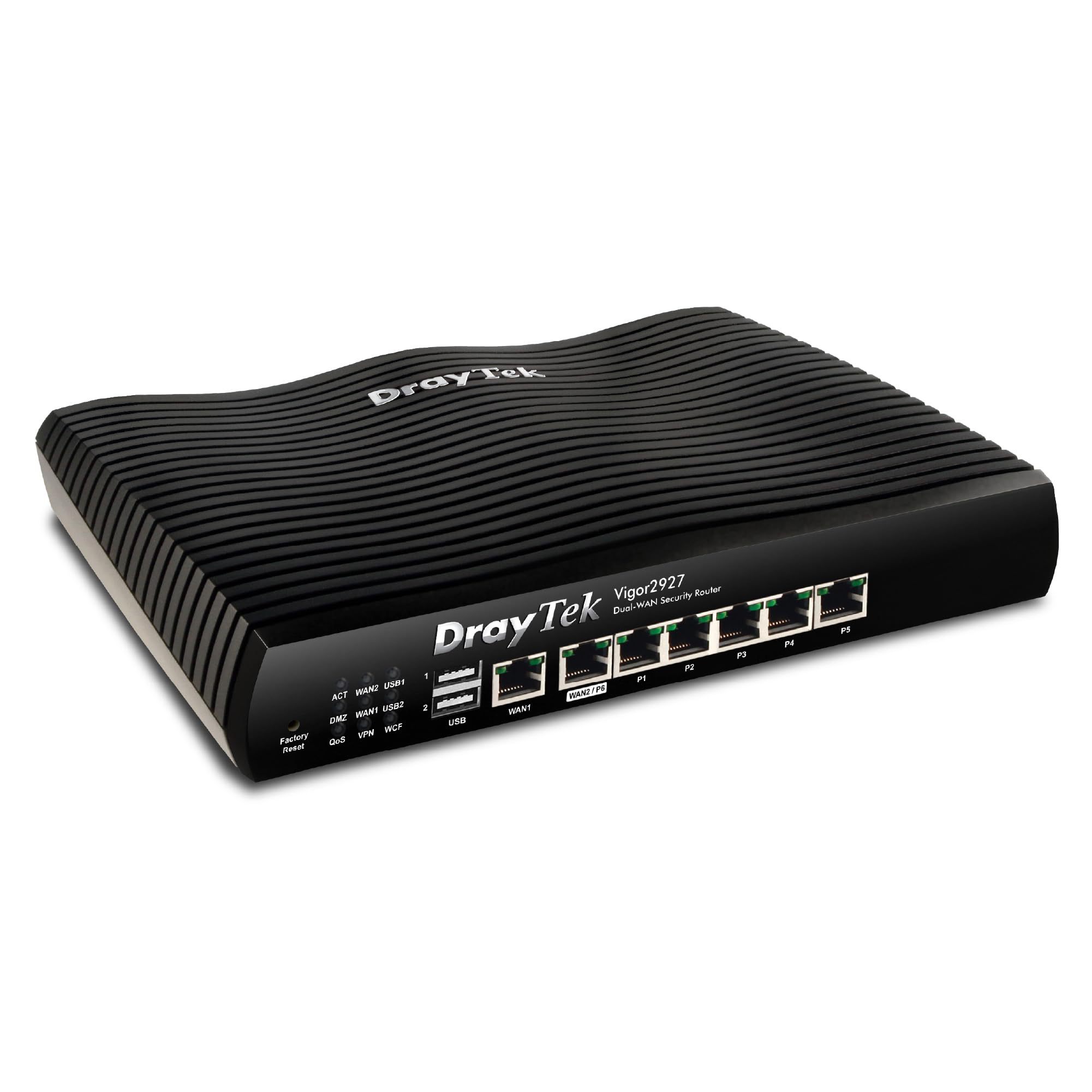
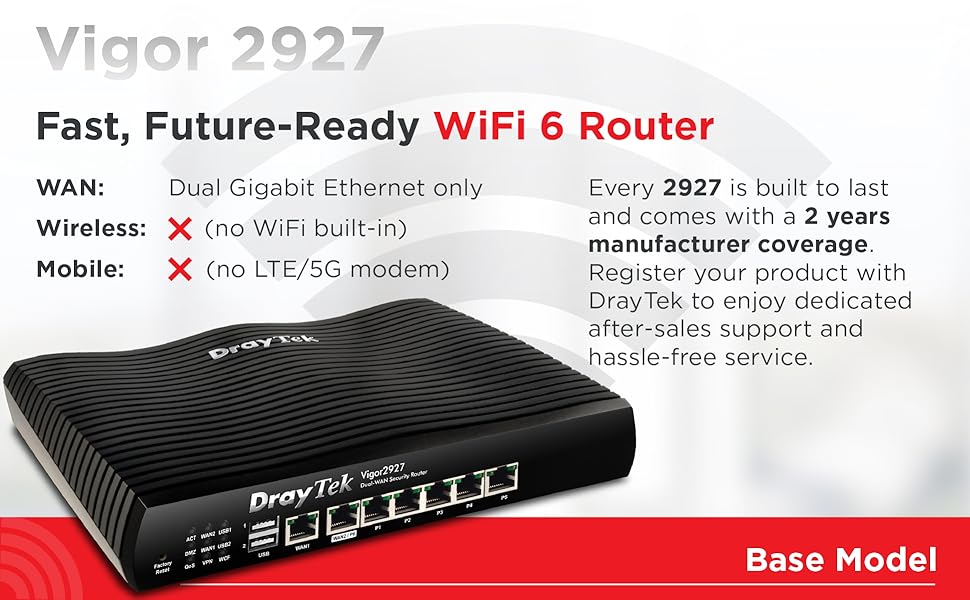
🚀 Power your network like a pro—never miss a beat with the Vigor 2927!
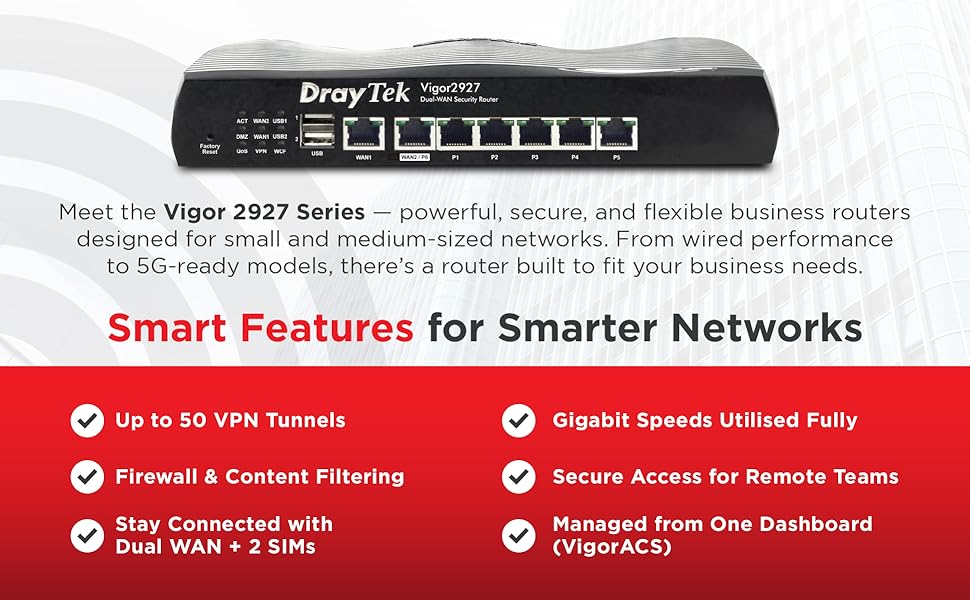
The DrayTek Vigor 2927 is a powerhouse dual-WAN router designed for SMBs and professionals demanding ultra-fast, reliable internet. With combined Gigabit throughput up to 1.8Gbps, support for 50 VPN tunnels, and advanced features like customizable hotspot portals and VLAN segmentation, it ensures seamless connectivity, robust security, and smart failover. Ideal for fibre broadband users seeking to eliminate buffering and maintain productivity during outages.


| ASIN | B08C3VRM6M |
| Are Batteries Included | No |
| Batteries | 1 Lithium Ion batteries required. |
| Best Sellers Rank | 29,759 in Computers & Accessories ( See Top 100 in Computers & Accessories ) 214 in Routers |
| Brand | DrayTek |
| Colour | Black |
| Customer Reviews | 4.3 4.3 out of 5 stars (75) |
| Date First Available | 30 Jun. 2020 |
| Guaranteed software updates until | unknown |
| Item Weight | 2 kg |
| Item model number | VAP805-K |
| Lithium Battery Energy Content | 2 Kilowatt Hours |
| Lithium Battery Packaging | Batteries packed with equipment |
| Lithium Battery Weight | 2 Grams |
| Manufacturer | DrayTek |
| Number Of Lithium Ion Cells | 5 |
| Number of Lithium Metal Cells | 5 |
| Operating System | ZyNOS |
| Product Dimensions | 28.3 x 35 x 7.3 cm; 2 kg |
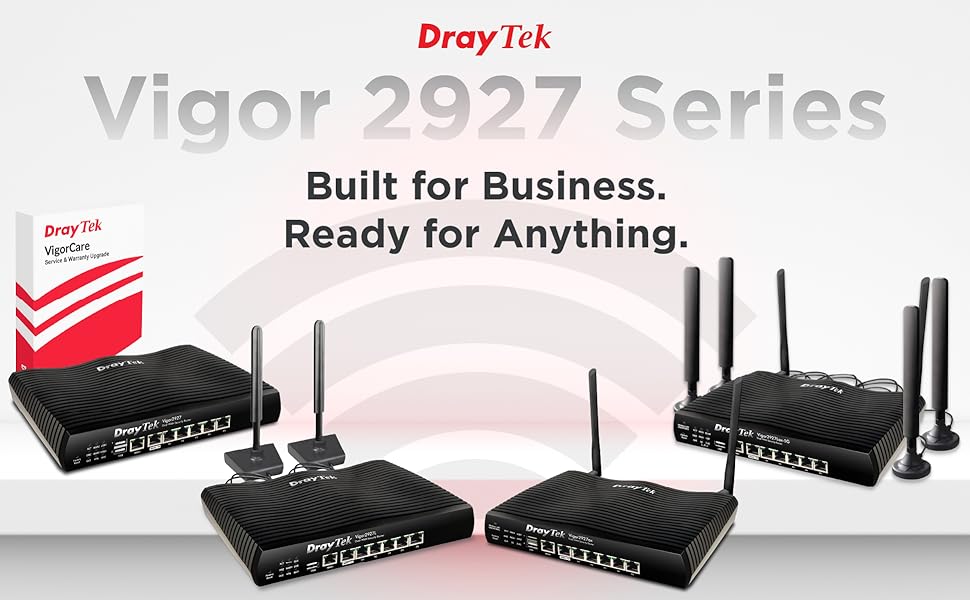
| Series | Vigor 2927 |
| Voltage | 220 |
| Wireless Type | 802.11ac |
R**.
A capable Dual-WAN router that takes on giga fibre throughput - it's the end of buffering!
I saw that I'm well within my return window. But this DrayTek router is NOT going back! My old DrayTek was doing well, but a recent outage by my broadband supplier that lasted from a Friday until Monday morning had me trying to bully my old DrayTek into taking my iPhone with a 5G connection on it. It didn't really workout that well. The old DrayTek, a Vigor2820, could take two WAN connections but one of them had to be an ADSL and the other an ethernet type connection. I wasn't able to do my work during this period of Internet outage and that justified my search for a backup broadband solution. AND a new router that would take two ethernet WAN connections and do an automatic failover so that if the primary broadband should fail, the backup broadband should work. My primary broadband comes in over the telephone line and is a fibre connection. So I wanted my secondary connection to turn up using a different method, but I didn't fancy paying the costs of a cable type connection. Remembering that I had a 'spare' 5G SIM, I decided to go for a 5G router as my backup broadband. That SIM would be relatively cheap to run in the background, and I can share extra data to it from another connection if any outage would be prolonged. So I went for the ZTE 5G CPE MC801A as my 5G router, and I'll get around to reviewing that later. This new DrayTek Vigor2927 takes on both WAN sources in a fantastic way! It was easy enough to set up, and I had initial hiccups in doing this and this was largely because in my process, I'd left the old Vigor router as still connected to the network. Those routers were having a punch up in the background but order was restored when I disconnected the old router. And now, whilst watching a video online, I'm able to test failover by manually disconnecting the primary broadband. The video kept on playing for about 30 secs. Then I got the buffering spinner thing for about 20 secs or so. And then the video continued to play! Brilliant :-) Come on the next primary broadband downtime! I'm likely not to notice it now. Another huge benefit to switching out the router is that the old router wasn't able to cope much with the faster fibre connections and so watching videos sometimes involved a bit of buffering. I imagined that the problem was at the other end. It wasn't. The new router sorted that out and buffering is more or less, a thing of the past :-)
C**L
Fully compatible with BT Full Fibre 900
My BT hub3 failed on my home business fiber network twice - 7 days to replace the PSU! This network has no wifi and the Vigor plugs straight into BT full fibre 900 modem - jt needs a user name/password from BT but frankly I mistyped it first time and it still connected! It is completely compatible with the Yealink W70B cloud VOIP access point BT supply. No real evidence of this but the web connection does seem a lot more responsive.
D**L
Excellent Additional Features
Only setup this morning, so it's not a well tested review yet. I used to have a Vigor 2920 that served me well. However due to ever increasing internet speeds the WAN to LAN throughput wouldn't cope with Virgin's 352mbps service. I then used a Cisco RV042g for a number of years. All seemed to be running fine but odd issues with loosing internet connectivity kept re-occuring despite firmware updates. I was also never really that happy with the failover detection - I often had to manually switch over to my other WAN service on occasions where the internet appeared up but web-browsing would stall for example. I was pleased with the 2927, sufficient WAN to LAN for up to 900mbps speed on each WAN port. But a few features that I didn't see highlighted in other comments/reviews: - You can set thresholds for latency/jitter/packetloss as failover conditions! I often get the issue with Virgin that packet loss is high, which doesn't impact web browsing or downloading at all. But anything like Zoom/VoIP will suffer. That's an awesome addition, I've not had the chance to test it though. - Latency/Jitter/Packet loss are reported on the summary screen. - LEDs can be switched off! No more having to tape up LEDs, mine's in my home theater so when the projector is on that was always annoying. - Draytek's free Dynamic DNS service. I used No-ip.com since 2001, however the ever expiring free domains were always frustrating to renew. I'll update this review as I get more family with the unit, but so far really nice touches/additions.
P**R
Best load balancing router for home user
I have been using Draytek router for years. Till now Draytek 2925 without wireless feeding two broadband connections as load balancing to a Tp link eap wired mesh system which worked flawlessly for last few years. Recently upgraded one broadband connection to virgin media 1gb fibre and 2925 could reach about 300mb which was still good enough but not using the full potential of 1gb connection. Upgraded to latest 2927 wired model. Changed settings from load balance to failover with virgin media as active line and slower second broadband connection as failover. Separated LAN ports of router to keep wired desktop and other stuff separate from WiFi devices (can easily do this in router settings) and connected to link eap to this new router. Had old ASU’s routers (in Amish setup)which got connected to another lan port on 2927. Now I have two separate mesh systems connected to 2927. Wired connections give full 1gb speed and wireless much much faster. Best part is the failover setup. If main internet connection drops there is no lag and 2927 switches over to standby line in less than a second. Which means if you are on a teams video call or watching Netflix there is no drop in connection. With lots of IoT devices and streaming on several devices you will not notice buffering or a connection drop off. A brilliant piece of kit. Highly recommended. Not too difficult to set up even for the first time users of Draytek routers.
S**G
Très bon firewall physique. Machine stable et sûre pour protéger votre réseau domestique ou petite entreprise. Demande malgré tout un peu de temps pour le parametrage via l’inferface dédiée. Bonne qualité de construction. Ne chauffe.
G**D
Zoals verwacht voldoet de router prima. De doorvoer snelheid is zoals beloofd 1 Gbps. Heel veel instellingen mogelijk, waaronder VPN naar het thuisnetwerk vanaf internet.
P**Y
Volevo abbandonare il mio vecchio drayteck 2762 essendo passato dalla vdsl alla ftth, visti i costi, ho pensato di buttarmi su altre marche , ma con delusioni su tutti i fronti, lenti, firmware bacati e molto altro. Ho trovato un'offerta di questo drayteck 2927, conoscendo già la marca. Appena arrivato,programmato e tutto riprsitinato alla perfezione, vpn comprese , velocità da manuale. Non mi dilungo per le specifiche, basta scaricare il manuale dal sito drayteck per vederle. Nota non da poco ha anche elaborato correttamente ipv6 pd di aruba. Grazie ad amazon per avermi accettato i resi degli altri router. PS la programmazione non è da neofiti ma, neanche da super smanettoni alla mikrotik.
T**R
Der Vigor 2927 ist nach langer Suche mein absoluter lieblings Router. Er ist leicht zu installieren und überzeugt durch seine Leistungsfähigkeit. Man schliesst seine beiden DSL und Kabel Internetverbindungen an und der Vigor fängt schon an zu funktionieren. Das tolle ist er wechselt automatisch zwischen den beiden Internetverbindungen hin und her. Wenn eine Verbindung abbricht oder gestört ist erkennt das der Router in Millisekunden und wechselt ohne Zutun zur verfügbaren Leitung. Insgesamt eine Empfehlenswerte Anschaffung. 5 Sterne 🤩
C**R
Professionell und günstig
Trustpilot
3 days ago
2 months ago