
DOWNLOAD THE APP


Customer Services
Copyright © 2025 Desertcart Holdings Limited
DOWNLOAD THE APP

🚀 Elevate your productivity and play with panoramic precision!
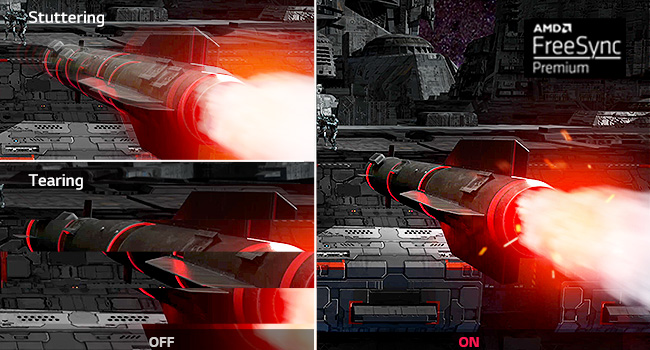
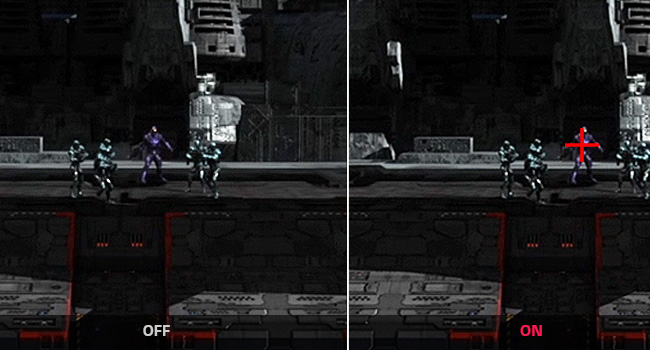
The LG UltraWide 34WP65C-B is a 34-inch curved QHD (3440x1440) VA monitor featuring a 21:9 aspect ratio that offers 33% more screen space than standard FHD displays. It boasts a rapid 1ms response time, 144Hz refresh rate, and AMD FreeSync Premium for smooth, tear-free visuals. With 99% sRGB color accuracy and HDR10 support, it’s ideal for professionals in content creation and gamers alike. The ergonomic stand with height and tilt adjustments and a virtually borderless design enhances comfort and focus, making it a top-tier choice for multitasking and immersive entertainment.


| ASIN | B08DWD38VX |
| Adaptive Sync | G-Sync |
| Additional Features | Curved, G-SYNC Compatible, Height Adjustment, High Dynamic Range, Tilt Adjustment, Ultrawide Screen |
| Aspect Ratio | 21:9 |
| Best Sellers Rank | #61,459 in Electronics ( See Top 100 in Electronics ) #1,435 in Computer Monitors |
| Brand | LG |
| Brightness | 400 candela_per_square_meter |
| Built-In Media | 2 x HDMI, DisplayPort |
| Color | Black |
| Color Gamut | 99 |
| Compatible Devices | Monitors |
| Connectivity Technology | USB |
| Contrast Ratio | 1000:1 |
| Customer Reviews | 4.3 out of 5 stars 2,737 Reviews |
| Display Resolution Maximum | 3440 x 1440 Pixels |
| Display Technology | LED |
| Display Type | LED |
| Hardware Connectivity | DisplayPort, HDMI |
| Has Color Screen | Yes |
| Image Contrast Ratio | 1000:1 |
| Is Electric | No |
| Item Dimensions D x W x H | 9.7"D x 38.5"W x 20.5"H |
| Item Type Name | Gaming Monitor |
| Item Weight | 16.8 Pounds |
| Manufacturer | LG Electronics |
| Model Name | 34GP83A-B |
| Model Number | 34GP83A-B |
| Mounting Type | Wall Mount |
| Native Resolution | 3440x1440 |
| Number of Component Outputs | 2 |
| Picture Quality Enhancement Technology | sRGB color gamut, HDR 10, AMD FreeSync Premium |
| Pixel Pitch | 0.23 |
| Power Consumption | 80 Watts |
| Refresh Rate | 144 Hz |
| Resolution | QHD Ultra Wide 1440p |
| Response Time | 1 Milliseconds |
| Screen Finish | curved |
| Screen Size | 34 Inches |
| Screen Surface Description | curved |
| Specific Uses For Product | Gaming, Multimedia, Personal |
| Total Number of HDMI Ports | 2 |
| Total USB 2.0 Ports | 2 |
| Total USB 3.0 Ports | 1 |
| Total Usb Ports | 2 |
| UPC | 195174002872 |
| Viewing Angle | 178 Degrees |
| Voltage | 120 Volts |
| Warranty Description | Limited: 1 Year Parts & Labor |
| Warranty Type | Limited |
H**R
A cheaper 34GN850-B
This was an upgrade to my Viotek GNV34DBE ultrawide monitor. The performance to this monitor is very similar to the slightly more expensive 34GN850-B. One thing is that you do not get a USB uplink cable in the box; just the Displayport and power adapter. My monitor has one stuck pixel on the upper left which I cannot RMA because LG is stingy with how many stuck/dead pixels must be on the display to warrant a RMA. Picture quality is pretty good as it is an IPS. But because it is an IPS, especially a Nano IPS, it lacks contrast VA panels typically have. It's noticeable in dark environments such as night time, but I don't notice it that much during the day and I can live with it as I expect IPS displays to not have great contrast. The brightness this monitor can display is good enough for the most part, except in direct sunlight (but your mileage may vary). One thing for sure is the lack of black level smearing and inverse ghosting, which means more clear picture when in motion while playing video games. The 160 HZ option is nice to have, but not that amazing if you're coming from a 144 Hz montior. The inputs are ok, 2 HDMI 2.0 and 1 Displayport 1.4 (not 1.2 as I have found some people have said). Stick to Displayport please, as it is the only input that can support 144 hz and 160 hz. I have mounted this monitor with a monitor arm, so I got nothing to say about the stand. At the end of the day, this monitor is very good and is will be good enough until mid range GPUs can support 3440 x 1440 160 hz at max details, or until the warranty runs out and the monitor spontaneously dies.
T**E
At full price, totally worth it. On sale, it's a steal!
I am used to having between 3 and 6 1080p monitors to create a curved experience while having usable screen real estate. The problem I had was the monitor bezels and the fact I was trying to make flat panels appear to curve. I saw this on sale for some $500 off and bought it. I was like a kid waiting for Santa and when it arrived, I couldn't wait to get it hooked up and game! It was too large for my desk. Nothing else would fit! No worries, I have another desk, glass, that will more than accommodate this large monitor. With anything, there are pros and cons, so lets get to it. Pros: The adjustable height stand is a must-have. Once you set it's height, it stays. The assembly was easy yet frightening at the same time. The base was a sinch to assemble. Virtually no glare at all The curve allows for a nice natural turn of the head while still allowing great peripheral visuals while looking at the center. The refresh rate is perfect. While there are higher refresh rate monitors out there, this is the largest monitor I've had that doesn't make me sick to my stomach. Freesync Pro works. That's it. It works for G-Sync on Nvidia cards as well as AMD's Freesync. This is a must-have as it prevents any screen tearing (where the motion on the screen changes quickly, it splits the image horizontally) without the performance hit that VSync creates. Its beautifully designed. Picture in Picture! YES!! You can hook up a Fire stick and a computer and watch a football game while playing a video game. More on my experience with this in a minute. Cons It is huge when it comes to width. Make sure you have the space, with some to spare, before purchasing. Running games at high settings and the monitor at its standard resolution requires a beefy graphics card. It's somewhat harrowing to put the monitor on the stand by yourself. Get a second person. Due to the curve, I didn't even attempt to lay the monitor face down and attach the base. The backlighting should be brighter. Otherwise, what's the point? While it has DTS:X Headphone support, there are no speakers. I'd be happy with the bare minimum for system sounds, but it does pass the DTS:X Headphone sound from the computer through the monitor to a headphone jack just to the left of the power/menu button. I'm not happy with the menus not having an exit option. You have to wait for the menu to time out and close. Now, back to the Picture in Picture statement. I spent $3,000 on a Samsung Ark 55" gaming monitor. Weighing in at 90 lbs, I got the beast unboxed and everything plugged in. It looked fantastic. The problem with the Gen 1 version is no Picture in Picture; in fact, you cannot split the screen or anything you would expect. So, back to the store it went. Now, for $2,000, you can buy the 2nd gen Ark and get all four inputs on screen at once, but I just don't think it's worth it. If you need to rotate that big monitor or need four inputs on screen, go for it, but for me, I love this LG at a 32:9 aspect ratio!
J**M
It's the monitor that actually does what it says
The monitor specs are quite clear and fortunately there are many good YouTube videos unboxing and demonstrating what it's capable of doing so I don't speak about them. I didn't purchase this monitor for gaming even though I did played some high FPS and HDR games on it just to test it out. It does exactly what it says and that's why I gave it five stars. The HDR capabilities are quite bold and practical. It works perfectly with windows 11 while the display is set to always HDR. The refresh rate works like a charm and the picture quality is close to fantastic which is why I use it (video editing & designing). The contrast is that high that it really bothers my eyes if I lock at the white screen display even though it's only a HDR 400 certified. If you use the monitor to watch HDR streaming contract, be happy that HDR would be automatically picked by the streamers as the default. I bought a VESA desk mount but I didn't see any use for that because the monitor has a very practical and pretty stand. For the settings out of the box, you might need to spend some time to get the monitor screen and other functionalities based on your preferences but it's super initiative and easy with user friendly menus adjustable by one single small joystick located at the back side of the screen. This monitor is not the best of it's class but for the price and such quality, it's definitely worth buying even more so if you happen to buy it while it's discounted (as I did, thx to Amazon). Delivery of the monitor was nice and fast as usual (someone knocked the door and handed to me after singneture). I haven't checked the color accuracy because I was super happy with the outcome I set it up and compare to my reference monitor at work (Benq), the picture quality is superb (the Benq is a 4K monitor and almost two times more expensive). Would I recommend this monitor? Definitely yes, if you can afford it.
B**T
Beautiful Image/Build Quality But 21:9 Needs Better Support
TLDR: Love it IQ is amazing (Coming from an Acer Predator which some would argue has one of the better IPS panels available) hoping 21:9 becomes more widely accepted in games. I came form 2 27" monitors and def. prefer this. Wish USB Hub was on the side NOT the back but otherwise very happy with this purchase. Also wish this has at least a built in speaker but thats just a nitpick at this point. If you are looking at this monitor as a potential purchase, just do it and if you are on the fence about curved monitors hop off the fence and join in, I think it actually adds to immersion plus can save some space. Coming from a 27" Acer Predator XB271HU IPS monitor I was worried because I always thought the predator had one of the best looking IPS panels I've seen and this is my first curved monitor. Image: For Gaming: Awesome Image Quality and color representation and contrast however be prepared for a lot of games not FULLY supporting 21:9. Most game menus and or cinematic's will play with black boxes on the sides but this hopefully will change as this aspect ratio becomes more prevalent. Lastly even without overclocking this screen I have no ghosting. For Movies/Video: Again same issue as most content providers like Netflix, Amazon Prime etc. dont natively support 21:9 so you will have some black bars however you can use some browser addons such as Ultrawidify which will stretch the image to fit without cropping and to me it does not look bad.. HDR: Meh Windows HDR sucks, some games suppport it but most of the time with a few exceptions its not worth it and looks better without it turned on Build: I love the look and build quality looks solid but I gotta say the stand it comes with kinda sucks I thought the predator stand was much nicer. Up/Down Tilt Down (A little) Tilt Up (A Lot) it seems to tilt up a LOT further than it will tilt down which kind of sucks because it is sitting on a table higher than my but no biggie. Lastly and most importantly the USB hub on this doesn't seem very well thought out at least to me. I preferred my predator where it had the USB hub inputs on the left side. This monitor they are located on the back right by the video inputs and its much more of a hassle to quickly plug in/out something.
J**J
Do NOT Buy - Defective on Arrival
TLDR: Defective on arrival. No one was willing to make it right. I should’ve bought the Samsung G9 instead. As soon as this arrived I noticed it had a stuck pixel. There’s a random red pixel that stays on the screen. I’ve done all of the troubleshooting methods including using different computers and various cables. At this price point it’s really disappointing to have this defective right out of the box. I’ve owned another LG monitor and it worked great. I liked this monitor as well, but it’s been an inconvenience trying to get this issue resolved. LG doesn’t allow a replacement option through Amazon. My options were to either return it for a full refund or deal with LG customer support. Since I got it on sale I couldn’t just return it and reorder a new one without having to pay the price increase(sale ended by the time this arrived). I reached out to Amazon support to see if I could pay for a new one and return the old one and get the difference in price back. After transferring me around the company for an hour I was told that Amazon would not honor the original price and I’d either have to pay the increased price or deal with LG. As I use this monitor for work I don’t have the luxury of just sending it back for repair and being without a monitor for an extended period of time. After speaking with LG support they stated there was nothing they could do except have me submit a repair request. They suggested I contact Amazon. Overall I’m highly disappointed and do not recommend purchasing this monitor. Considering the price point of this monitor having it arrive defective and then not offering an option to replace it isn’t acceptable in my opinion. I ended up paying the increased price and returning the old one. When I was first looking at monitors I had it narrowed down to this one and one other. At this point I wish I had just ordered the Samsung Odyssey G9 instead. It has nearly identical specs, was around the same price, and had good ratings on the build quality. This LG monitor, while good, hasn’t been anything amazing and definitely has not been worth the hassle. After I returned the defective one I considered getting the G9, but now that the sales are over the price difference between the two are significant and as I use this for business I couldn’t justify paying that much more. If you are using this for personal and/or gaming use though then I’d say go with the G9.
C**S
Puts my old monitor to shame.
Pros + This is the first monitor in nearly a decade that did not come with a single dead pixel on my first attempt. + Minimal backlight bleed and minimal IPS glow (again super surprised I lucked out with this panel on my first try.. Must be some good quality control with LG on this product. + 10Bit color looks amazing, the colors pop + 144hz w/ gsync is super smooth, even more so than my acer x34 w/ native gsync module. Also no flickering w/ gsync enabled. + HDR10 - Don't underestimate it, the panel is bright enough that it actually really looks good in certain games like Mass Effect Legendary Edition, and No Man's Sky. While some games look superior in SDR. Try it out for yourself I was pleasantly surprised. Also disable HDR in windows when not using it in gaming as it washes out the colors of desktop. + The OSD menu is the best menu i've ever used on a monitor. I was effortlessly able to navigate through the whole menu on the first attempt without any training or practice. + Price is decent for what you get, my acer x34 cost 1200 at launch and I paid 799 for this. + Zero ghosting, fast response time, no noticeable input lag + Ultrawide (once you go 21:9 you don't go back) Slim bezels. Also 98% Of my games do support ultrawide resolution. If people tell you otherwise they don't own a ultrawide monitor. + Best resolution IMO, not too hard to run as 4k, while still giving quality image. Can run most of my games at around max refresh rate. But i do have a beefy rig 3080 + 5800X. Cons - While the stand is nice and a bit smaller than the acer x34 stand, it's still a large stand and takes up a ton of real-estate on your desk. (easily fixable with an affordable desk monitor arm, which I already had) - One year warranty? isn't nearly long enough for a monitor of this price. - No built-in speakers. This isn't a deal breaker but it was nice to keep the desk looking clutter-free, I bought some new speakers though that give superior sound in every single way, so good trade off. 10/10 Rating, best monitor I have ever owned. Great Quality control (or maybe I just got luck). Hopefully I get a long life out of this monitor like I did my acer x34.
L**7
Great picture quality and speed.
I bought an LG 34GP83A-B. It works as advertised (with the exception of the setup). I had a Dell 34" UltraSharp wide-screen monitor that has been great for 5+ years. I needed a second wide-screen monitor. I chose this one based on the great price at the time I bought it and based on feedback from friends using the same brand. Pros: The picture quality is at least as good as the Dell I had, if not better. Very pleased with the picture quality. The monitor performance is great. I don't use demanding gaming apps that would require me to take advantage of the overclocking to 160Hz. 144Hz is sufficient for me. I have not tried to use the screen splitting option yet since I have my own pre-existing app that manages it for me. I'll follow up later and update this post after I use the split-screen option from LG. Pro/Con... The pro is it has cable management. It is on the back of the monitor stand if you want to use it. The con is it is too small and weak to support all the cables. I didn't use it for my setup. Setup: I had it as a con, but changed it since the main issue was not the fault of the monitor or LG. The biggest aggravation was the setup. I have two monitors connected to this PC. A 27" BenQ and this one (LG). When I first connected it, both monitors showed as separate monitors. The resolution on the LG defaulted to 1920x1080. I updated my drivers and rebooted. No change. This time my system literally saw both monitors as 1 monitor. Weird. I downloaded the latest driver for my Windows version from the LG website (34GP83A-B.AUS). Attempted to install it and received an error this was not an LG driver. Downloaded again to see if perhaps it was a file issue. Same error. Upgraded my graphics card driver (Nvidia GeForce 3090), rebooted, and the monitor worked. A PCI-to-PCI driver upgrade appeared to fix the issue. However, LG needs to fix its driver or provide a different one. An additional minor issue for me is the monitor stand. The base "feet" are a little flimsy and stretch out in front of the monitor in a "V" shape. Takes up to much desktop space. I am able to work around it, but would advise others to keep this in mind when planning your desk layout. Received a response: "The LG 34" UltraGear Curved WQHD Nano IPS 1ms 144HZ HDR 400 Monitor with G-SYNC Compatibility, Model # 34GP83A-B is a Plug and Play Monitor. Plug and Play is a feature that allows you to add a device to your computer without having to reconfigure anything or install any manual drivers...^Ivan" -- The comment is true. If my PCI-to-PCI adapter was already current, then the monitor would have worked as a plug-and-play. At the time, I didn't know this was the issue initially and struggled with the LG driver for this monitor. My recommendation is still to resolve the LG drive incompatibility issue. 2/11/2023 Additional comments after some time using the monitor. Input Selection: I saw some complaints about the button-style controller that allows you to change monitor settings, including the input source. It did take a minute to get used to it, but it works fine for me, and have no issues with it. Work laptop: I use the DP cable for my personal PC and the HDMI with my work laptop. My work laptop (HP ZBook) has a port replicator that only uses DP connections. I use an HDMI hub to plug all my HDMI connections from my monitors with a DP connection back into the port replicator. This did not work with the LG monitor. Received the same odd errors I had above with my PC and, if I reboot, none of the screens (including the laptop would work). I bought a DP to HDMI converter, bypassed my HDMI hub, and plugged my LG monitor HDMI connection directly into the port replicator using the DP to HDMI converter. Everything works as normal now. The only minor issue is when my laptop goes to sleep and I wake it up, I have a 50/50 chance of the LG monitor not coming on. I disconnect the port replicator from my laptop and plug it back in. LG monitor wakes up. It's a minor workaround. This does seem to coincide with other comments about sleep issues with the monitor. I hope this helps others who are trying to use this for work. I'm using Nvidia RTX Desktop Manager to configure split screens on my LG monitor without any issues. I plan on using this for a few months and then will update my post later. So far the monitor has been great!
K**E
You Will Not Regret Ascension
This is a review for the LG 34GP83A. I saved up for months to get an ultrawide curved and I'm enamored with the quality that LG has delivered. Shopping for a monitor is a really confusing endeavor - the naming scheme is bonkers, it's hard to understand what combination of specifications meet your needs, and there's seemingly no satisfactory quality control. That last point is crucial. You're spending top dollar on a screen that may have dead pixels, backlight bleed, stuttering, flickering, cracks, chips, or any dozen other imperfections. And some companies won't offer you a replacement because they allot a certain number of factory imperfections. It makes you feel like you're gambling. It's ridiculous. I'll make this as simple as I can for those of you like me who are only looking for a monitor to game on. This monitor runs at 144 Hz at 1440p, which is the current "sweet spot" for gaming. There are higher resolutions out there, but most games aren't optimized to run at this many frames per second at 4k. As someone who has owned a max 60 FPS 1080p monitor for the past decade, the upgrade is tremendous. Games run so beautifully smooth, like nothing you've seen before. Just be sure to "enable" your monitor because out-of-the-box they don't run at the advertised refresh rate. On Windows 10, go to Settings > System > Display > Advanced Display Settings > Display Adapter Properties and click on the "Monitor" tab to choose 144 Hz. You also need to use the included display port cable. 21:9 is the aspect ratio which is what defines the ultrawide experience. Most movies are filmed in a 21:9 ratio (hence the black bars). I find it absolutely incredible at immersing me into the game. Not all games are supported at 21:9, in which case you'll play with vertical black bars on either side, which is not a problem at all since the game itself still runs beautifully. For games that are supported, though...hoo-boy, I can never go back. I primarily play empire-building and RTS-style games. Games like "Total War: Warhammer 2", "Age of Empires II", "Frostpunk", "Civilization V", and "XCOM 2" were meant to be played on a screen like this. As soon as you get your monitor make sure to run a dead pixel check using sites like lcdtech.info. NOTE: WIPE YOUR MONITOR WITH A MICROFIBER BEFORE TESTING. I want to let the world know that I'm an idiot who thought that three motes of dust were dead pixels. At this price point, there should be no excuse for factory imperfections and you deserve the monitor you paid for. In summary, this monitor makes me happy to come home from work every day. I enthusiastically recommend it.
Trustpilot
1 week ago
1 month ago