

Desert Online General Trading LLC
Dubai, United Arab Emirates
Desert Online General Trading LLC
Dubai, United Arab Emirates
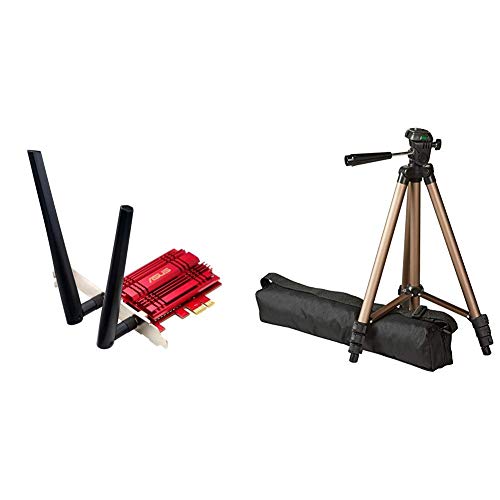
Style Name:AC1300 Mbps Dual Band  |  Pattern Name:Wi-Fi double bande + Tripod with Bag ASUS PCE-AC56 Carte PCIe Wi-Fi double bande AC1300Asus PCEAC56 AC1300 400867 Wireless Dual Band PCI Express Adapter 2 Antennas External Base 90IG00K0BM0000 Enterprise Computing Wireless Adapters
M**G
Very good but Win10 users, read my review.
First of all this is pretty cool. I'm getting three times the speed I used to whilst using a TP-Link plug socket solution. However I notice some people having trouble with Windows 10.The issue I've noticed with this is actually Windows' fault. By default the power settings for Wifi Cards, for some dumb reason, have "turn this off to save power" function ticked as on.So, go to Device Manager, find "Broadcom" right click and choose properties... power management and UN-TICK the box. Otherwise, you'll be downloading a game on steam for example, it'll get 1GB of it, then drop connection.Since I made that alteration it's been perfect. I was able to run Spotify, Steam downloading a game, watching a twitch stream and using youtube in chrome all at once and didn't notice any problems.My only beef is, the LED on the device is pretty bright and it's BLUE, and Wifi traffic tends to cause it to flicker on and off to show it's status, so it can get annoying. I'll be covering it up I think.
M**Y
Worked out of the box on Ubuntu, and very fast too. Choose your PCIe slot carefully.
I bought 2 of these adapters to evaluate against some (more expensive) alternatives in a small Linux cluster running Ubuntu. Unlike some of the other cards, where I had to compile the device drivers from C source code, these cards worked out of the box.It's also very fast and I am achieving 9.42Gbs which is close to the theoretical maximum allowing for overheads. Benchmarks attached.I've installed it in a spare PCIe 3.0 x8 slot and I've noticed that a few reviewers have commented that they are achieving much lower speeds and I did some research and experimentation to find out why.This card ideally needs to be placed in a PCIe 3.0 slot with x4 speed to achieve its potential. I moved it to a PCIe 2.0 slot, in the same computer, and the bandwidth dropped to 7.4 Gbs. This isn't a fault of the card, the same thing would happen with other 10 Gbe adapters.On some motherboards some of the PCIe slots are wired for lower speed than their physical width, or installing multiple PCIe cards can reduce the number of available channels across the entire bus, for example installing a powerful GPU may reduce, or even disable, other slots. So I advise you to consult your system manual for the configuration and select the slot carefully.
E**.
Outdated Drivers on Disc and ASUS website not working
Basically the drivers on the disc are from 2016, with these drivers my 5GHz network is not showing up in available network devices, the cheaper ASUS PCE-AC56 which only has 2 antennas was able to pick up the 5GHz network easily, both my 2014 and 2018 mobile phones can connect to the 5GHz band when placed directly next to the adapters antennas. The PCE-AC88 should not have worse performance than the PCE-AC56, but right now it does. I think this is because of the outdated drivers, so I got to the ASUS website to get the newest driver from 2018, but haven't been able to for days because you click Download, a new tab opens and after 5 seconds your met with the message "dlcdnets.asus.com took too long to respond. ERR_CONNECTION_TIMED_OUT"Even if they can ever be bothered to maintain their website again and i can download the driver, if it can't make the adapter discover and connect to my 5GHz network like the much cheaper PCE-AC56 can easily, I will be sending it back.
T**N
Lovely looking and well designed
Got this as had continuel Internet drops so router had to be sited in the hall miles away from my media centre. So ethernet cabled was no longer feesible and WiFi was my only option and thought get good quality. I found it very easy to fit but I would so having built my own PC. For those with little experience just open PC having removed power supply and look at motherboard for vacant slot, it's like a key so pretty obvious how this fits. Put cover back on and boot up PC, your computer will most likely return a message saying "Detected New Hardware" but may not install the drivers as at this stage there will be no Internet connection. This is when you use the CD that comes with the adapter to install the software. Once installed boot up the software and scan for signals and once completed select your service and enter your password key and it will then connect. In my opinion my Internet connection is just as fast using this card as before using cable so very pleased. I recommend connecting the supplied aerials to the exterior of PC or anywhere in open area. A bit expensive but hey ho you get what you pay for and this seems utter quality.tj
D**C
Good stuff
Great quality. Moved house and the phone socket is not near where I put the pc so I had to switch to wifi rather than running cables. This has done the job perfectly. No increase in ping times vs using ethernet, no issue with signal strength, no issue with reliability, no issue with speeds, no issues with packet loss. I can download on it, stream for hours and game on it wit no issues at all. I use 5ghz for most things and 2.4ghz for streaming as my streaming device doesn't support 5ghz. No issues with any of it.The external antenna is great as I can put them up on the table instead of being stuck behind the pc and it makes it easy to move around a bit if you need a better signal. Cable for it could have been slightly longer but its easily long enough to get from a pc on the floor up to a desk.Of course your performance may vary depending on how much interference you have and how many other people are using wifi nearby on the channel you have chosen. Use something like "inssider" to scan the wifi in your area and see which channels have less people on them and then use those channels. Avoid *partially* overlapping other wifi networks as this just causes both networks to see each other as noise, if you have to use a channel that overlaps another network then you are better to use the SAME channel as them so that you completely overlap, the 2 networks then see that it is another wifi network rather than interference and can live together better to share the bandwidth rather than if you have a partial overlap of your signal which just results in them constantly fighting each other as they think it's noise.
Trustpilot
2 months ago
2 weeks ago