We remain fully operational. Our teams are working around the clock to ensure your deliveries continue safely.

DOWNLOAD THE APP


Customer Services
Copyright © 2025 Desertcart Holdings Limited
DOWNLOAD THE APP

🎯 Level up your controller game — don’t get left behind!
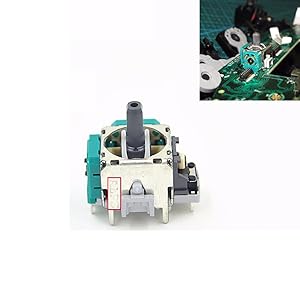
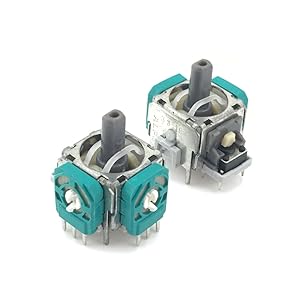
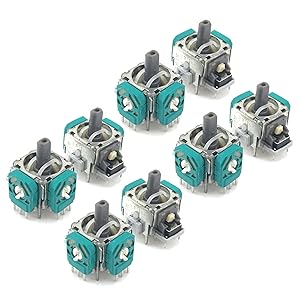
This 8-pack of 3D analog joystick thumb sticks offers a cost-effective, professional-grade replacement solution for Xbox One, Xbox Elite, and PS4 controllers. Designed to fix common joystick issues like drift, dead zones, and loose sticks, these 3-pin analog components require moderate soldering skills for installation. Ideal for gamers and tech-savvy users looking to extend the life of their controllers without buying new ones.
| ASIN | B07NM7GW91 |
| Best Sellers Rank | #5,199 in Video Games ( See Top 100 in Video Games ) #7 in Xbox One Game Joysticks |
| Customer Reviews | 4.1 4.1 out of 5 stars (1,289) |
| Date First Available | March 21, 2019 |
| Item Weight | 1.06 ounces |
| Item model number | LA068 |
| Manufacturer | Onyehn |
| Product Dimensions | 3.15 x 1.97 x 0.59 inches |
H**S
These Are A Good Value, First Time Doing This? Please Read
I bought a set of these for a standard white wireless xbox one controller. As far as quality goes they seem well built, and the one I installed has worked well for me. It might be a slight bit looser than the OEM joystick that came with the controller but that doesn't bother me. There are no dead spots in the new joystick and the drift that I had before installation is now gone. From the reasearch that I have done it is very difficult to find OEM joysticks. If you can find them they most likely will be much more expensive. I think that all of these generic joysticks probably come from some factory somewhere, there maybe duds in whatever product you end up buying whether its this product or another. They all seem to be very similar. For the price I couldn't be happier. If you want to use this product or another similar product you need these items listed below. 1. Most importantly understanding what you are getting into. DO NOT ATTEMPT THIS IF IT IS A NECESSITY FOR THE CONTROLLER TO WORK AGAIN, OR LIKE BRAND NEW. If it is a necessity please save your money and buy a brand new controller. That is not to say that if you do this project your result will not be good or like brand new. You could have a controller that works better than it ever did, but there are no guarantees with this sort of project, it may be a useless piece of garbage after attempting to fix it. This process took me about an hour to do, but I have experience fixing electronics and SOLDERING. There are quite a few videos on youtube how to install one of these joysticks. I highly recomend watching 2-3 videos to see how people have done it. 2. You need a good soldering iron. Please do some research as to what kind you should get. Weller makes some good irons. 3. You Need Solder Wire, it is important make sure you buy electronic solder not any other type for welding, sweating, ect. 4. You NEED desoldering wick if you want to replace the joystick, because the old joystick is not coming out without this. Personally I use 2.5mm wick that is just my preference. I recomend ordering at Home Depot, its $3 for 5 ft (which is way more than enough). 5. Electronic soldering flux makes this process actually happen. The desoldering and the soldering both may require small amounts of flux. Flux helps to direct the solder into the holes where it needs to go or help it transfer from the board into the desoldering wick. I certainly needed it with the solder I was using. *6. This is not mandatory but I like using and a soldering stand aka "helping hand". Its a simple little stand with 2 clips on it to hold the board in place while working on it. Hopefully this list helps you in your quest to fix your controller. Good Luck!
T**X
They worked for my Xbox one elite controller
Ok. So my Xbox one elite controller had left side stick drift. Before I ordered these I did everything I could to try to remedy the issue but to no avail. Cleaned with alcohol, blew out with compressed air multiple times and nothing. Still had stick drift. I figured that I would try these replacements. I didn't solder, I just simply removed the inner piece (looks like a disc made out of plastic and metal) I watched a couple YouTube videos to see process. I didn't completely disassemble, although I did in the past for my previous attempts. I took apart the controller enough to bend the green compartment open just enough to remove the disc. I then opened the new units I received (the ones I'm reviewing), removing the green cover, took out the new disc, put it into my controller then put it all together. Works perfectly. If it fails I will update this review but so far so good. Saved myself a lot of money and now I have 7 discs left (2 per unit minus the one I swapped) just in case it happens again. Just order these, watch a YouTube video on how to take the controller apart and you can save a bunch of money and time. Wish I got these from the start.
K**L
Great item
These are some of the best ones I have purchased. I have used 6 of them so far and no bad ones. I used them in PS4 controllers and after calibration they were almost perfect. I have not tried them on Xbox, so I can't say how they will work. But I will definitely buy more for PS4 controllers.
R**M
Fixed Stick Drift, but Now very sensitive controls.
I recently purchased the Onyehn 8pcs Controller 3D Analog Joystick Thumb Sticks Replacement to fix the joystick drift issue I was experiencing with my controller. The replacement sticks worked well to solve the initial drift problem, which was a relief. The installation was straightforward, and the parts fit perfectly without any noticeable defects.However, after using the new joysticks for a while, I noticed a significant downside. The joysticks are extremely sensitive, making it challenging to perform precise movements, especially in games that require fine control. This high sensitivity makes it hard to maintain steady aim or perform delicate maneuvers, leading to a somewhat frustrating gaming experience.In summary, while these replacements effectively fixed the drift issue, the overly sensitive response might not suit everyone, especially gamers who need precise joystick control. If you're just looking to eliminate drift, these might work for you, but be prepared for potentially increased sensitivity that could impact gameplay.
D**S
Works for maybe 1hr then goes out
Works for maybe 1hr then goes out, makes basketball games shoot automatically. I put 1 in then 20min later had to replace with 2nd 1, little while later same thing. Just buy a new controller and be stress free.
C**G
Terrible replacements, super sensitive
Had a couple controllers that had broken or worn sticks. Decided that I wanted to replace them, instead of just buying brand new controllers. The left picture and the video show the difference between the OEM sticks and these replacement sticks. When testing the sticks, the replacement stick on the left showed to be super blocky, while the OEM on the right, was at least mostly circular. The difference is very noticeable in game. It feels like there’s only eight directions you can go with the replacement joysticks, and it’s super sensitive. The picture on the very right is a controller where I replaced both analog sticks with these replacement sticks. These replacement sticks (imo) might be fine for movement/the left analog stick, but definitely not for the camera/right analog stick. You could probably mess around with some software to fix these if you wanted to. Honestly, I would just use these to replace the potentiometer on the OME stick. Not the best quality, but at least the price was somewhat decent.
E**Z
Cumple las expectativas..
M**K
Have bought 3 extra xbox controllers and all had the same stick Continuous drifting issues. I managed to ended up fixing one and replace another two and worked well after. Have to know the basics of desoldering and soldering the new peice but I had no issues. We now have 4 working controllers and we don't need to consider buying new ones again!
M**A
The only beef a had when I received it was the fact that they don't self center but once installed on the PS4 controller and put back together it works great and it does self center, I guess when the PS4 covers are in place it limits the travel so It does self center, not sure if it acts this way with Xbox controllers but works great with PS4.
F**E
J’ai regardé des vidéos sur le net pour voir comment remplacer la pièces. Vous aurez besoin d’outils spécialisés pour les visses, un bon fer à souder, une pompe à soudure et de la patience. Le plus difficile est de retirer l’ancienne pièce. Maintenant elle est comme une neuve ☺️ Manette de XBOX One
S**S
They showed up thrown together in a bag. A lot of them have prongs missing on the bottom and are deffective. Ive had to switch out 4 so far on one controller and only had it a week.
Trustpilot
1 week ago
2 months ago