Buy anything from 5,000+ international stores. One checkout price. No surprise fees. Join 2M+ shoppers on Desertcart.
Desertcart purchases this item on your behalf and handles shipping, customs, and support to Australia.
🛰️ Navigate your world with pinpoint precision—because every second counts!
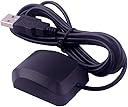
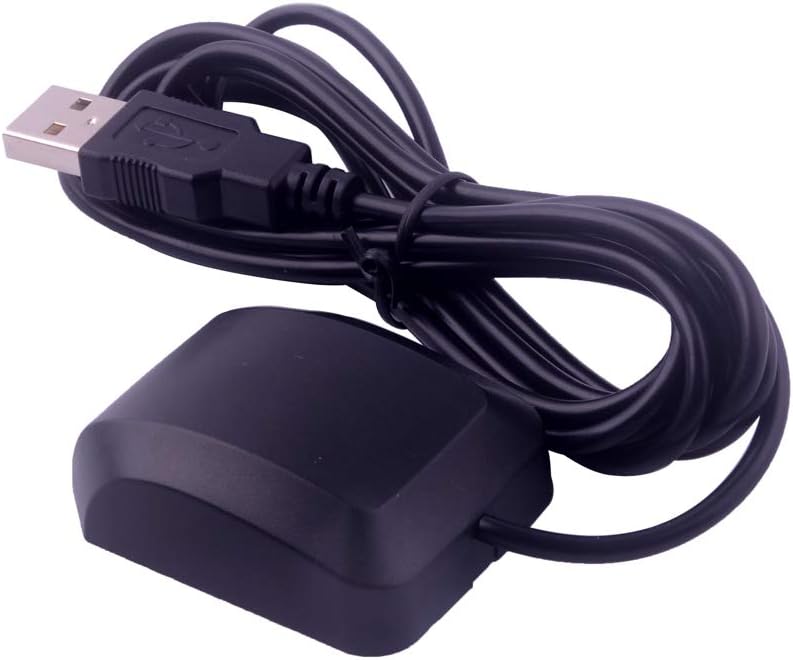
The VK-162 Remote Mount USB GPS Dongle is a compact, high-accuracy external GPS receiver designed for Raspberry Pi, Linux, and Windows systems. Featuring rapid satellite acquisition and an external antenna for enhanced signal strength, it delivers reliable geolocation data ideal for professional mapping, navigation, and development projects. While plug-and-play on Linux, Windows users can easily install drivers to unlock full functionality.


| ASIN | B07FKRXXSM |
| Are Batteries Included? | No |
| Best Sellers Rank | 13 in GPS Module Receivers |
| Box Contents | 1 x VK-162 G-mouse |
| Brand | DIYmalls |
| Brand Name | DIYmalls |
| Compatible Devices | [PARTIAL] Bus, Windows, [potentially] Android |
| Compatible with Vehicle Type | Car |
| Connectivity Protocol | NMEA 0183/NMEA 2000 |
| Connectivity technology | USB |
| Control Method | Remote |
| Country of Origin | China |
| Customer Reviews | 4.0 out of 5 stars 150 Reviews |
| Display Type | LCD |
| Human Interface Types | Mouse |
| Item Weight | 54 g |
| Manufacturer | DIYmalls |
| Manufacturer Part Number | WI0576 |
| Map Coverage Type | Europe |
| Model Name | VK 162 |
| Model name | VK 162 |
| Mounting Type | Panel Mount |
| Network Connectivity Technology | USB |
| Operating Systems | Android, Windows |
| Product Features | Works without paid services |
| Screen Size | 10 Inches |
| Screen size | 10 Inches |
| Special feature | Works without paid services |
| Sport Type | Boating |
| Supported Satellite Navigation System | GPS |
| UPC | 747356634090 747356629911 |
| Unit Count | 1.0 count |
| Vehicle service type | Car |
S**Y
Great USB GPS, works with a lot of software out the box
This is a USB GPS system that uses an UBLOX chipset and everything just worked (I used on a Linux box as a time server), the software recognised the device and the unit sits outside on the windowsill and has decent sky view so several GPS satellites are always in view. Now everything that supports NTP (network time protocol) at home has a stable time source.
A**A
Easy to get data
Works well attached to a raspberry pi 5. Very easy to configure and get running and does a good job for a budget receiver.
A**R
DOESN'T WORK!
says plug & play for Raspberry Pi's, does not work on p3/4. tried suggested command line, no different. messaged seller for suggestions, no reply. Now what?
R**.
easy to use, but less accurate than my phone
Was easy to get working under Linux (Ubuntu), just install gpsd and tools, run `cgps -s` and it works. It took longer for me to find the right sequence of commands than to actually run them! Getting the first satellite fix took a while, probably 3-4 minutes, but subsquently it started much faster, within 1 or 2 seconds. Using it from my back garden facing up into the sky, it could only see 17 satellites (and use 9), giving an accuracy of +/- 20 metres. This didn't improve after waiting for ~10 mins. My phone can see 30 satellites (and use 19), with an accuracy of +/- 3 metres. I wouldn't complain about this except the product description says 'very accurate'. The magnet is nice and strong, I'd probably trust it on the roof of a car. The sticker looks metallic, but it's all plastic so it shouldn't scratch paintwork. The cable is a bit over 2 metres long which is plenty. Overall it's easy to use and has a nice magnetic mount, but if you need precise positioning you'd need to spend a bit more. If the accuracy was a bit better (+/- 10m or better) it would be 5 stars for sure. I'll do some more testing and update this review if I can get better results.
T**M
This GPS dongle works with Astroberry Linux on the Raspberry PI4
The dongle registers in Windows as a U-Blox7 when loading the correct drivers. It does not need drivers on the Raspberry PI4 running Astroberry which is derived from Ubuntu Linux (Debian). Stop the Astroberry internal gps emulator with these commands: sudo systemctl stop virtualgps sudo systemctl disable virtualgps Plug in the dongle and reboot the PI. It is detected and any of the bundled GPS applications in Astroberry will decode the signals from the dongle. Make sure the dongle can "see" the GPS satellites by having it near a window or out in the open and it should give 3D global positioning.
M**M
GPS Clock for Timing
I purchased a number of these USB “mice” to serve a precision time clocks in race timing application. These devices are based on the U-Blox7 chipset, which makes them very universal. I would have liked a magnetic base to hold the GPS module but easy enough to DIY. For timing we used a widows application called GPS2Time. This application extracted the GPS codes that give UTC time. Together now all GPS clocks lock to within 7mS of each other, making for a good synchronised time across all timing points
T**M
Works with raspberry pi 4B, 32-bit Debian Bullseye, out of the box.
J**S
Does not contain any Software for Computer.
Site for Download and Password comes with unit BUT Site does not contain any software just another Marketing ploy.
S**F
Sehr guter Service
Der Verkäufer hat sofort rückabgewickelt und den Kaufpreis erstattet, da das Produkt defekt war. Toller Service!
M**I
Antenna GPS esterna
fuzniona perfettamente ed è utilissimo. Il lungo cavo permette che venga posizionato lontano dalle periferiche USB 3.0 che potrebbero disturbare il suo funzionamento con le loro interferenze
A**X
Rápido, eficaz.
No tarda en encontrar los satelites, incluso en el interior tiene cobertura. Preciso en la ubicación. Falta probarlo con lluvia. No muestro foto porque el producto es tal como aparece en la imagen.
R**T
Sonde de qualité, fonctionne sous linux
Objet bien fini, contrairement à ce que semble montrer la photo. Cette sonde est certainement étanche, et en plus elle est magnétique. Elle fonctionne sous linux avec gpsd: Installer gpsd: sudo apt install gpsd gpsd-client python-gpsd xgps Puis tester la sortie qui peut-être USB0 ou ACM0: cat /dev/ttyACM0 Si c'est ACM0, ça devrait raconter plein de chose. Sinon essayer avec USB0. Exécuter gpsd avec usb0 ou acm0, selon le résultat du test précédent: gpsd -N -D6 /dev/ttyACM0 & Normalement ça marche. Ce qui peut être vérifé avec xgps
C**N
funziona bene
ottimo per windows preciso come gps
Trustpilot
2 days ago
2 weeks ago