🎯 Elevate your creative edge with precision and power in one sleek display
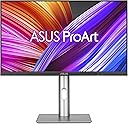
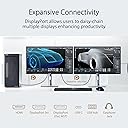
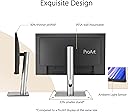
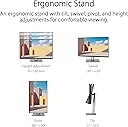
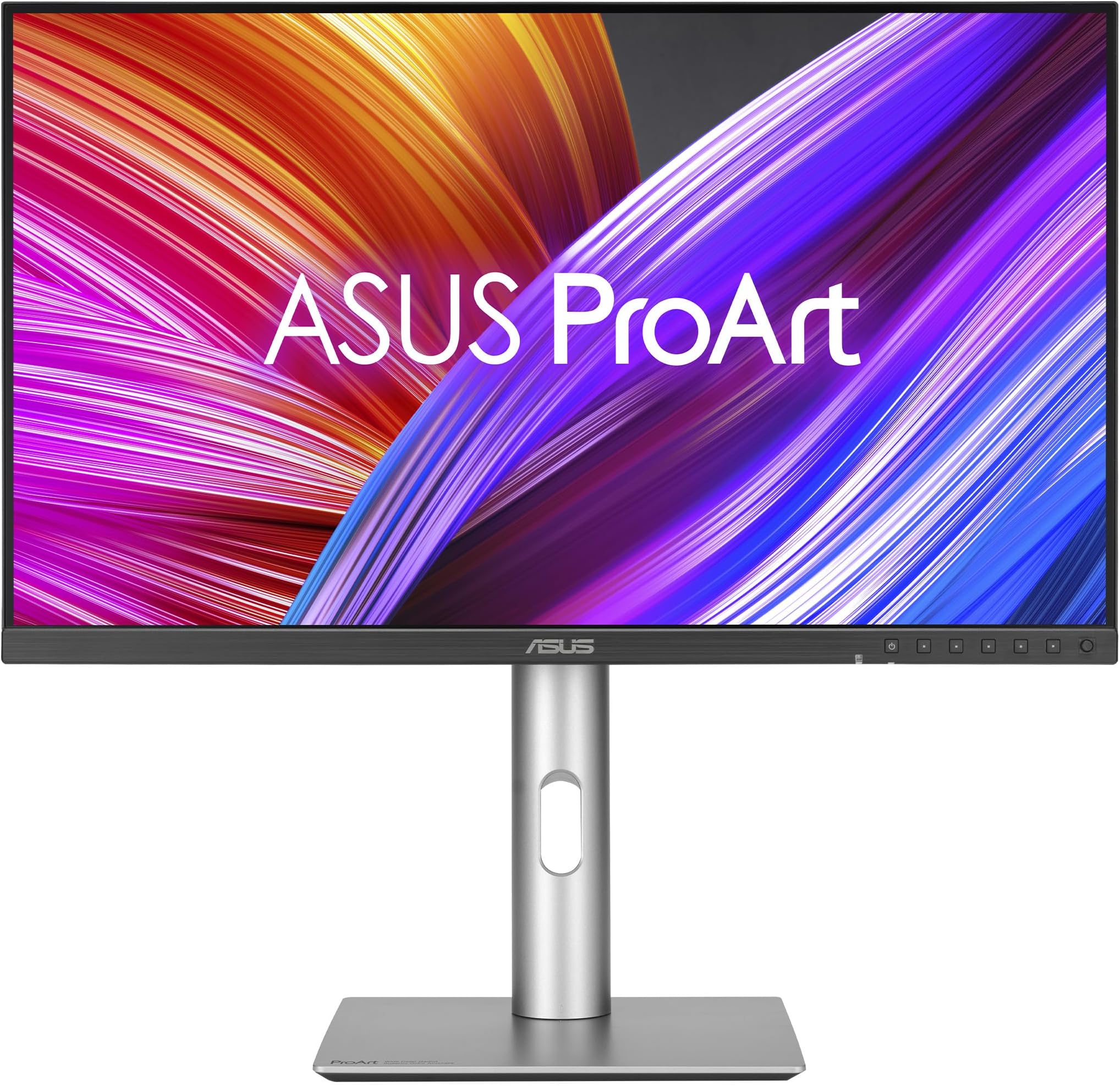
The ASUS PA24ACRV is a 24-inch QHD professional monitor designed for video editors and creatives who demand color accuracy and versatility. Featuring 95% DCI-P3 and 100% sRGB coverage, factory-calibrated to Delta E < 2, it delivers true-to-life colors. Its USB-C port supports 96W power delivery and DisplayPort MST, minimizing cable clutter. Ergonomic adjustments and an ambient light sensor optimize comfort and viewing experience. Plus, it comes with eco-conscious packaging and a complimentary 3-month Adobe Creative Cloud subscription, making it a smart, sustainable choice for professionals.


| ASIN | B0CVSM1XFX |
| Are Batteries Included | No |
| Brand | ASUS |
| Colour | black |
| Customer Reviews | 4.4 4.4 out of 5 stars (32) |
| Date First Available | 22 May 2025 |
| Graphics Card Interface | PCI Express |
| Guaranteed software updates until | unknown |
| Item Weight | 5.6 kg |
| Item model number | PA24ACRV |
| Manufacturer | ASUS |
| Number of HDMI Ports | 1 |
| Operating System | Windows 10/11 |
| Processor Count | 1 |
| Product Dimensions | 17.78 x 54.86 x 38.86 cm; 5.6 kg |
| Resolution | 2560 x 1440 Pixels |
| Screen Resolution | 2560x1440 |
| Series | PA24ACRV |
| Standing screen display size | 24 Inches |
| Wattage | 40 watts |
�**�
I’m particular about design. It took me 5 tries to find a monitor that met my needs. Thought I’d write up a review in case it’s helpful to someone else. No one has paid me for this review. Keep in mind I am using a monitor to extend the display of my MacBook Pro. My needs: I am a writer and wanted to be able to have multiple pages documents open at the same time. I also do some graphic design and wanted to have true colors represented on the screen. I live in a small cabin so this monitor would also need to serve as my TV—high streaming quality and beautiful resolution is a must. They pretty much only make 4K monitors in the 27” size and those are too large for me to use as a work screen and also too large for my space. That left me trying to figure out what smaller monitor would have a high resolution--it took multiple tries. I also am sensitive to light and wanted something that wouldn’t hurt my eyes after being in front of it for long hours. Dell 24 Plus Monitor - S2425HSM CONS There is no option to hook up a USB-C or thunderbolt cable on this monitor. Thus you can not charge your laptop by plugging it into the monitor. This monitor is designed so that you plug an HDMI cable into your laptop and then into the monitor. HDMI cables are bulky and don’t bend as easily as a USB-C or Thunderbolt cable. HDMI cables do not charge your laptop. USB-C or Thunderbolt cables are more bendy and charge your laptop directly from your monitor. You cannot have your MacBook in clamshell mode (laptop closed) without having your laptop charging cable plugged in. Thus instead of one USB-C or Thunderbolt cable you have the bulky HDMI and your laptops power cord. When I had all the cables hooked up it felt messy and it was all sort of awkwardly mashed into the desk riser I built. The text resolution of this monitor was pretty pixilated. Downloading Better Display and creating a virtual screen helped a bit. PROS 144Hz refresh rate The streaming quality wasn’t as good as some of the monitors I’d try later on but it was pretty darn good! Speakers are great. Pretty much no eye strain! It’s so odd but I completely fell in love with this monitor despite the fact that it really didn’t meet any of my core needs. I loved the color, the sleek design and the ease of the mini joystick on the monitor itself. The menu on this monitor via the joystick was really enjoyable and adjusting the settings produced effective results (more so than the U2424HE which I’ll review next). I actually liked the menu options on this (adjusting the color, brightness, gamma, screen mode etc) better than any other monitor. I loved the 16:9 ratio which I would return to when all was said and done. I barely was able to return this monitor because I was weirdly attached to it. I’d say this is perfect for a high school or college student. As far as budget monitors go, this is a really great option. If it had a USB C option I doubt I would have returned it or bought a thousand other monitors trying to find the right one. Dell UltraSharp 24" Hub Monitor - (U2424HE) CONS This monitor supposedly has better resolution than the Dell S2425HSM. I put them side by side and played the same show. No matter how I adjusted the settings, the U2424HE looked overly red. And the resolution wasn’t that much better, if at all. Text did appear to be slightly sharper but it wasn’t a significant difference. Contains a USB C Port but would not allow me to put laptop into clamshell mode without having laptop power cord plugged in. Only 60Hz refresh rate PROS None. I can’t recommend this for anyone. ASUS ProArt 24” (24.1” viewable) 16:10 HDR Professional Monitor (PA248CRV) CONS Text still wasn’t as sharp as I’d like. I didn’t like the screen ratio. But I didn’t know how much I would miss the 16:9 of that first Dell until I tried this one. This is more of a personal preference than a mark against the brand. It does have more vertical space if that is important to you. PROS It features a USB-C port (one step down from a Thunderbolt cable) that handles video, data, and charging simultaneously. Streaming quality was decent. Better than both Dells, not as good as BenQ or Asus PA24ACRV. Daisy chaining and comprehensive USB hub with 4 ports. No noticeable eye strain after adjusting settings a bit. I got very close to keeping this one but I couldn’t get over the ratio. It is a decent monitor though so I ended up giving it to a friend. BenQ MA270U 27” 4K 3840x2160 CONS At this point I was about at my wits end and thought that I’d have to get a 27” to get the resolution that I was after. I tried to use this as my work monitor and it was overwhelming. I know a lot of people use a 27” monitor but that was too much for me. 4K panels often require much stronger backlights to push light through those tiny pixels, which can be brutal for light-sensitive eyes in a small space. No matter what I did with the settings it was too bright. This monitor supposedly has blue light blocking technology built in. Look—if eye stain is an issue for you, what I realized is that less is more. Some of these high resolution monitors achieve true colors by using a lot of light, and no amount of filters, screen shade, night shift, blue light glasses etc, is going to help with that much light coming at you. Even when I took the opacity waaaaay down and had all the filters on I still felt like I was being radiated. This monitor is very large and heavy. Not great for a small desk set up in a small cabin. It about crushed my desk riser. PROS Really beautiful colors and crisp text. Super cool software download (from BenQ website) that allows you to adjust settings. No need for clunky buttons. Compatibility with Apple. I ended up giving this monitor to my partner to use as his new TV in the living room. Sitting back from it a few more feet, it’s easier to appreciate. ASUS ProArt Display 24” (23.8 inch viewable) 1440P Professional Monitor (PA24ACRV) This is the one I ultimately kept for myself. CONS My main complaint is that the physical design of the monitor feels a bit outdated. Sort of 90’s. Dell did a really great job condensing their buttons on their monitor to the one mini joystick. On the Asus monitors it’s a bunch of buttons across the bottom right side of the monitor. Feels clunky. These should be accessed through the joystick or hidden. Speakers are pretty awful. PROS 16:9 ratio It has very sharp text. The silver color of the monitor base is the same as my MacBook Pro. USB-C Power Delivery (A step down from Thunderbolt—working great for me). I only have ONE cable plugged in to the monitor and no need for the powercord for my laptop. Daisy Chain capability with multiple USB ports for mouse, external hard drive etc. and other types as well. Pixel Density (123 PPI). Standard 24" monitors are usually 1080p (~93 PPI), which macOS struggles to scale, leading to "gray/blurry" text. Much higher resolution than the Asus PA248CRV that I had tried. Text is crisp. Even crisper after implementing Better Display. Seriously try Better Display. Ask Ai how to set it up. Spending $21 for the pro version of this software can make a monitor like this feel like a much more expensive monitor because macOS assumes most of these monitors are a low-resolution screen. It doesn't use its high-quality "Retina" scaling. Using this software helps these monitors reach their potential. This monitor has a deeper black than the Dell monitors I tried where the text appeared to be a gray. Colors are vibrant and photos are incredibly vivid. Resolution quality is great in Adobe/Design work and during streaming. I noticed that when I’m streaming from Safari as opposed to Chrome, the quality is significantly better.
D**H
You could call me a monitor enthusiast at this point. I own everything from old CRTs, a range of VA and IPS panels in both ultrawide and 16:9, to a $1000 LG Ultragear OLED. And yes, a couple nice Asus Proart IPS panels like this one which I use for both gamedev and pixel art, and gaming because they are versatile and can handle high desktop hour-counts in a way that OLEDs still can't. So my primary gaming monitor is a 21:9 LG Ultragear OLED. It's fantastic, but as most people know by now, not every game supports 21:9 natively, and additionally that is a 40" 3440x1440 monitor so the pixel density could be much higher, and that basically prevents me from using DLSS because you really don't want to resort to DLSS on a monitor with about ~100 PPI. To that end, I wanted a more pixel-dense 16:9 monitor with the best color quality I could get for a reasonable price, so that I could play obligate 16:9 games (such as Persona 5 Royal) or performance-intensive games that require DLSS on my GPU (such as the Oblivion Remaster). Enter this Asus Proart 1440p 24" IPS panel. It's pixel dense, the colors are potentially very good for an IPS panel. There is a bit of a warm tint from the factory, but that is easily resolved with a small teak to the built-in RGB Gain setting. HOWEVER, this is not an especially contrasty monitor. I not only have OLEDs and VAs with better contrast ratio (which is expected), I even have affordable IPS panels with a comparable or better contrast ratio. It's not exactly bad for an IPS panel, it's just not great in that particular way. Now having said that, it does accomplish what I wanted. The accurate colors, high coverage, and extensive controls built into the monitor allowed me to tune it to make games look very good. This is the first monitor (other than my OLEDs ofc) where I was able to tune it to get correct calibration images in every game without game-specific tweaking. It is indeed very pixel dense, and allows me to use more aggressive DLSS in demanding games without undue blur or artifacts, while keeping convincing scenery and rich colors. This did take manual tweaking however, since professional accurate colors and pretty in-game colors are not always the same, and this by default isn't calibrated to be PRETTY, it is calibrated to be ACCURATE. It can take work and knowledge to mostly accomplish both at the same time, but at least this monitor has the quality and controls to allow that to happen. In other words, this monitor has potential to be very good, but you need to know what you're doing if you want to use it for real-time content like games.
A**X
I also have the 27” version and this is my context for the review. I run this monitor off a mbp m1 . First the good - display resolution is great, and I find the display is easier on my eyes for reading small text at 1440p pn this smaller monitor than the 27. - the eye care function is great and works well - color calibration out of the box is fine for my photo and illustration client output. - srgb and adobe srgb modes are great - usb c mode works fine Now the bad - returned 1st unit as in dynamic dimming mode half the screen flickers, turned that mode off and it was fine. Problem with panel? Or damaged in shipping? - the eye care mode can’t be set as a shortcut, so it’s 3 levels into a menu and annoying to switch in and out of. - on my second unit the monitor is not auto detecting display port vs usb c. Having some issues with reliability of dport putout and asus is currently helping me with this. asus customer support is doing a great job, but think the monitor maybe faulty. the second montior came with a “quality checked by….” Sticker on the box, which wasnt on the first box. So I am unsure if this second one is an amazon return? Don’t think I can blame asus for this second unit, as it looks like it might be an amazon return shipped out again. Loving the monitor but it’s too expensive for these kind of problems so unsure of if I should return or buy something else. It is a great monitor but maybe I’ve just had bad luck?

J**.
This monitor is excellent. The color range is wide and very accurate, which is perfect for me as a graphic designer. It also matches the colors on my laptop really well, so working between both screens feels seamless. Great choice if you need reliable color performance. Value for money
S**K
Nice displays. Sharp colors, nice stands , high quality .
Trustpilot
1 month ago
3 days ago