





GuliKit
Product ID: 738006651
⚡Electromagnetic sensing
🎮Precision Hall Effect tech
🛠️Compact 32g design
Desertcart purchases this item on your behalf and handles shipping, customs, and support to Australia.
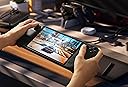
🎯 Elevate your Steam Deck game with pinpoint precision and zero compromise!
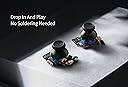
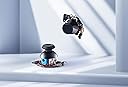
The GuliKit Hall Effect Joystick Module for Steam Deck OLED features advanced electromagnetic sensing technology for precise, drift-free control. Compact and lightweight at 32 grams, it offers a seamless upgrade to your handheld gaming experience. Ranked #79 in PC joysticks and boasting a strong 4.3-star rating, this module is a trusted choice for gamers seeking professional-grade performance.


| ASIN | B0DP61XVJP |
| Best Sellers Rank | #5,704 in Videogames ( See Top 100 in Videogames ) #79 in PC Joysticks |
| Customer reviews | 4.3 4.3 out of 5 stars (161) |
| Item model number | SD05 |
| Product Dimensions | 4.06 x 2.03 x 3.05 cm; 32 g |
J**A
ÓTIMO PRODUTO...
ÓTIMO PRODUTO... RECOMENDO O VENDEDOR!!!
N**N
Good but fiddly
Installing them is easy, they are fiddly to calibrate the little button is hard to press. Make sure you move the little cable when installing them otherwise it can catch and make noise. You also need to go into desktop mode and calibrate them there too using the console command thumbstick_cal Got my dead zones down to about 3400 couldn't get them fully centre but I think that's coz I didn't take loads of time to get them perfect
J**Z
10/10
Una maravilla
D**D
Parfait pour remplacer ceux du SteamDeck
Remplacement idéal des Joystick de base du SteamDeck OLED, en effet, la techno Hall garantie qu'il ne drifteront jamais. Le remplacement est relativement simple (il faut quand même démonter le Steamdeck, mais ça n'annule pas la garantie si vous faites attention en le faisant), pas de soudure à faire pour récupérer le fonctionnement capacitif du joystick puisqu'ils sont livrés avec leurs propre pad.
D**D
Works great
Finally decided to install these after having them for months. Installation was super easy. The hardest part was separating the back of the shell of the steam deck after removing the screws. Don't forget to calibrate the sticks before closing the system back up. There are tiny little buttons on the board you need to press while in the calibration settings in order to get the best deadzones out of the sticks. The shoulder buttons function the same as the original ones as well.
Trustpilot
2 months ago
3 days ago