Desertcart purchases this item on your behalf and handles shipping, customs, and support to Australia.
๐ Print Bold. Print Fast. Print Smart. Own the future of multicolor 3D printing today!
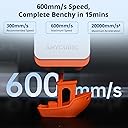
The Anycubic Kobra S1 Combo is a professional-grade multicolor 3D printer capable of printing up to 8 colors simultaneously by combining two ACE PRO units. It features a blazing 600mm/s coreXY motion system, a high-temperature 320โ hotend, and a heated bed up to 120โ, enabling versatile filament compatibility including ABS and ASA. The intelligent ACE PRO drying system ensures filament reliability, while built-in AI monitoring and belt tension sensors guarantee precision and reduce print failures. With ultra-quiet operation at 44dB and seamless remote control via the Anycubic app, this printer is designed for millennial professionals seeking speed, quality, and multicolor innovation in one sleek package.


| Best Sellers Rank | #41,417 in Industrial & Scientific ( See Top 100 in Industrial & Scientific ) #58 in 3D Printers |
| Brand | ANYCUBIC |
| Color | Black |
| Compatible Devices | Laptop, Personal Computer, Smartphone |
| Customer Reviews | 3.6 out of 5 stars 229 Reviews |
| Item Weight | 56 Pounds |
| Material | Metal |
| Product Dimensions | 18"D x 18"W x 20"H |
J**Y
A very capable color 3D printer - love the ACE Pro with drying
Prior to this purchase, I have been using my Creality CR6-SE for 4-5 years with great success, but I wanted to start doing multi-color printing. Like many of you, I read some worrisome reviews and held off buying the Anycubic Kobra S1 Combo until just recently. Now that I've used it for a few weeks, including doing multi-color printing of my own (Openscad-based) designs, I thought I'd write a review and let you know I find this printer to work wonderfully with PETG (which is what I always use). Mine was delivered by Amazon's "heavy item" team and arrived in great shape. No dents or other issues. Assembly was easy and I took my time to make sure I did it all correctly. I felt the instructions were clear and adequate. My first prints of the Benchy failed due to poor bed adhesion, but I then washed the bed with Dawn detergent and hot water and haven't had any issues since. I do wash the bed now and then, just to be safe. I've printed some pretty challenging, small, multi-color keycaps that really came out great. See photo. These have very fine text lines that need good bed adhesion and I'm very impressed with the results. I've also printed some large items (adapters for small 250g reels) and didn't have any warping or lifting (with brims turned off). The ACE Pro has worked well with cardboard reels so far, but I do intend to print the thin plastic "rims" to avoid the potential of cardboard dust creating some issue down-the-road. Some people have complained about this or that, but I think it's easy to configure the ACE Pro with generic filaments and you can also set the order the colors are printed in the slicer and adjust the purge waste. There are two places you set the bed type. The first one seems stuck on "Smooth Plate", but scrolling down there is another place to select "Textured PEI". I adjust PETG to print at 240C rather than their default 230C which seems a bit too cool in my experience. I have found the bed-levelling to work well almost every time. Strangely, a couple times it somehow started with "zero" Z so that the nozzle basically scraped the build plate, but did no harm. I can't explain how/why this can happen, but it did. I just aborted the print and restarted and the auto-leveling worked fine on the second try. I certainly suggest you monitor your print jobs as they start and see that all is well. When you gain more experience with your machine then you might launch print jobs remotely with your phone, but that's not my workflow. BTW, I don't use Anycubic cloud service to print. The Anycubic Next slicer is able to connect to my home Wi-Fi network and I can submit print jobs directly from the slicer. So, this is a great printer and seems really well built to me. I'm fine with the clear/lexan/lucite door and top cover. Glass would have just made the machine even heavier. Also, I've directly compared prints from the Kobra S1 Pro and a Bambu Labs and I'd say they're equivalent.
B**.
Ace pro biggest let down for a good printer
I am very disappointed with this purchase. I am not new to anycubic products. I have 3 photon mono x resin printers that still go strong to this day. I have the M3 resin printer which is even better, and i have the Kobra plus which i loving call my beast. I have never regretted any anycubic product tell i got the S1 combo. I bought it cause i was interested in its capability to print up to 8 colors. I purchased the combo 1st the purchased an additional ace pro so i could upgrade it to 8 colors. However out of the box was non stop issues. The printer itself is great. Anycubic excels with its printers. However where this falls short and the reason for the 1 star is the ace pro. Out of the box it had issues reading filament. I got it working but that was only temporary then the โbrokenโ or โabnormal filamentโ errors kept happening on one of the ports no matter what filament was used. Tech support tried to help but nothing they suggested seemed to work. They aggreed to replace the ace pro (which im still waiting on a return label since they wont replace it tell they recieve the original one back). In the mean time my second ace pro arrived. Out of the box it seemed great. I didnt have the same issues but 11 percent into the print the filament jammed in the buffer. The machine did not stop it just started grinding. I shut it off manually and agter all i went through with the 1st unit quickly found the problem. The buffer was practically exploded from 1 jam. So that is 2 ace pros and not a single full print on this machine. The small parts of the main print that you could see looked awesome. But, 2 ace pros have not lasted long enough to complete 1 job. So, if you are looking for a 4 color printer i cant recommend anything that uses the ace pro. To me that thing is garbage. Im hoping i get a replacement for the first and get the buffers to repair the second and get this running and maybe it will get a better review later. But as of now unless the ace pro gets serious revamping itโs not worth the aggravation to buy this machine.
W**L
Excellent Printer with Pro Features, Minor Multi-Color Trade-offs
The Anycubic Kobra S1 has been a big step up for me coming from older machines. Unboxing took some time โ most of the instructions are actually about carefully removing and unlocking everything packed inside. I also bought the version with the 4-color add-on, which was secured inside the machine. Itโs impressive how well they fit everything in one box, but expect setup to take a few hours rather than the quick start the manual suggests. Build quality is outstanding and a huge improvement over my older XYZ and Monoprice printers. Once assembled and you get familiar with a few small nuances, itโs very easy to use. The phone and PC apps make it simple to browse thousands of premade models and start prints quickly. Print quality is top notch. Iโve logged about 300 hours without a failed print yet. Speed is solid as well, though multi-color printing slows things down since each color switch adds time and waste. If your project allows layers of a single color in sequence, it helps minimize both. The printer is quiet, reliable, and large enough to handle up to ~11" objects on the diagonal โ plenty of room for most projects. Maintenance is minimal, usually just wiping the plate with an alcohol wipe before each run. One quirk: the machine โpoopsโ a bit of filament out the back each time it primes. Luckily, a free โpoop chuteโ design is available in the app to redirect the scraps. Overall, the Anycubic Kobra S1 is well worth the price. The combination of build quality, print reliability, and ease of use make it an excellent choice for anyone looking to step up from older entry-level printers, though keep in mind that multi-color printing trades efficiency for aesthetics. Strongly recommended.
J**A
Its great until you have to fix an issue!
This is my first 3d printer, I have no prior experience and no other printer to compare to. I have printed around 400 hours and have had my printer for a bit over a month, with mostly successful prints. Any issues were usually my fault (no supports, not cleaning build plate), or attributed to the filament or humid environment I keep the printer in. That is another item I want to bring up because it was a concern before I bought this. I keep this in my uninsulated garage in central Florida, its almost almost always around or over 90f, and humidity is easily over 50% daily. Any print issues are not major to me, I do not have a high demand for quality, but they look good to me, even in my not ideal environment. I do worry that when winter comes, I will have some issues because I think the printer would rather be warm than cold, time will tell. I did not want to bring it into the house for noise reasons, and also for contaminant reasons, but its really not too loud and I do not really notice any smells, at least with PLA. The main reason I cannot give this a 5, and I contemplated a 3, is how brutal it was to clear a clog in the extruder! Holy cow, I was about to give us and say F this this and send it from whence it came/junk it, but I persevered and was able to make it work after many hours sweating in my garage. If you had bad hands, bad eyes, bad hand/eye coordination, lack of patience, lack of experience with disassembly, I cannot recommend this. I am sort of a glutton for pain so now that I was able to overcome that obstacle, I feel more confident in possibly doing it again, but so much can go wrong! I really think something I did as part of my "repair" will surface itself a few months from now as a bigger issues ( screw not tight enough, or cable not routed correctly, or damage that was done to wire housing), because its really hard to get in there and service. Speed is good to me, wifi connection has been stable, but a few times I had to go back to the machine and reselect the wifi. I do not like how much the machine seems to shake itself, I know some of it can be a factor of a bad table, but I think the machine is just not made with heavy enough "structural" members to handle the acceleration. The software has been very usable for me, no issues. One major issue that I sort of had to just ignore is that you cannot use matte PLA (maybe other matte materials work, not sure) with the Ace pro. It will lose grip and prints will fail. I tried many things and a few different filaments, same result. I had plans to ONLY print in matte, but that bubble was burst after week 1...oh well. You can use use matte PLA if you use the external spool holder, you just can't use it with the ace pro. Oh and no TPU in the ace pro, and no abrasive materials, which is also sad because I had wanted to print with some wood PLA. After my issue with the extruder, I feel more confident in one day in the not so distant future, upgrading the nozzle to a 3rd part hardened steel one to be able to print those abrasives. I have been bitten by the 3d bug, and I think i will one day own more than one printer, its really a lot of fun. In a way it feels like the printer is a worker that I need to keep busy lol, If I isn't printing, then imma wastin'. ABP. Always Be Printin'
N**W
Great printer so far with minor trade offs
This is my second S1 and first with an ACE. I already have two Bambu Lab printers. I was so happy with the S1 that I got this one instead of committing further to the Bambu Lab ecosysem. Set up is really easy if you can follow the directions and basically prints perfect right out of the box. The biggest thing for me is the consistent quality of the prints. I haven't yet had a badly failed print that I didn't cause myself. This is by far a better value than the A1 in at around the same price. The Core XY means really consistent prints at higher speeds than possible on a bed slinger since your print isn't flying back and forth at high speeds. The ACE has been great so far on the few prints I've done with it, and I like how much easier it is to load filament over the AMS lite from Bambu Lab. I also like the small footprint and the overall look of it. The only thing I'd change is to make the front panel clear rather than smokey so I can see the progress at a glance. Since I only print in PLA I'm toying with the idea of just removing the doors completely. Anycubic is new so there are some trade offs that I didn't expect coming from the Bambu Lab A1. Namely getting parts is slow so order replacement nozzles and stuff long before you actually need them. Also the firmware out of the box is bad. Really bad. Lots of connectivity issues and it's riddled with poor spelling and grammar. These are minor as they have already improved a lot in the latest releases and they will likely improve further. And finally the printer is slow to start... it spends a lot of time leveling and preheating before getting to that all important first layer, but the annoying thing about the pre start is that you can't cancel it until it actually starts. So when I send a job and have that "oh crap I forgot something moment" you're stuck waiting. Overall I am very happy with the printer and hope that it has the longevity and reliability that I need.
R**T
Check it over before use.
The reason I give 4 stars originally is I had received this printer that day and it's missing a few screws the build plate is damaged where it looks like the print head had contacted it. I know it has two sides but getting a newish machine this is sad. I am missing one blue lock which I have those. The main feed line had filament and the head was clogged. I have no idea what had happened to the power cords but they are missing the grounding part of the power cords. I don't want to sound negative, I do really like the brand. I do have other anycubic resin printer and wash and cure 3. No issues. I try to print my first print and found the print head tip was floppy so I removed the cover and silicone sock and found the assembly was broken just below the heat sink and it looks like the part was damaged with pliers. Even if I have to buy a new print head/ heat sink assembly I do like how there is plugs so the whole cable don't need to be un routed and re strung disassembling the whole machine like I had to with my ender 3. I do like the build quality otherwise my pettyish issues and know that I didn't spend the 700 plus dollars so it may be refurbished. The head and pei bed plate damaged is sad but I do see a lot of potential. Even though my first print after installing the new hot end assembly had failed i see the intermittent 40-60mm/sec. And then when I see the detail of what is being printed I am feeling a whole lot better. I recommend all anycubic things I had played with so far. As hard as I had tried to make this thing work I had to return because no matter what I had tried this device would not do anything consistently. I think out of a dozen or so attempts I got 2 benchy. I wanted this to work but when you received a return for nearly 700 and it was damaged like it was this was a red hand from the start. I am somewhat disappointed with fdm at this time. I still think my 40 dollar anycubic photon mono 2 that I bought on Facebook market place is the best printer I had experienced. I had returned this and mabe in the future I may try again with the fdm setup.
O**E
Quality, Reliability, Ease of Use
So, Iโve been using my Kobra S1 for 8 months now, and have roughly 1,000 hours of print time on it. I have had no mechanical issues with my unit and once I got past a brief learning curve (had not used a 3d printer previously) things have been pretty much a breeze. Occasionally I have had to do some additional study on slicing and set-up but that has even been a fun challenge. Iโm a believer in Anycubic filament, and I have tried several brands and filament types, but always back to the Anycubic product. Iโm an old guy and this is a hobby for me, printing mostly projects for my wife. It has been a great purchase, a fun purchase, and one where I continue to learn. I am also quite impressed by the quality of build and reliability of this unit. Count me as a happy printer!
T**6
Decent printer for single color, do not recommend for multicolor prints at all
I run a print farm so I need my printers to work flawlessly 99% of the time. Picked up two of these on a whim to add to my current multicolor capability. For single color prints, the printer is honestly pretty good and the quality is comparable to many of the other big name printers. Cons: The design of the ace pro to load filament is horrible. If you try to load filament and it is not perfectly straight (which is difficult considering it comes curled on a roll), it will miss the entrance hole and jam up inside the ace. You will then be forced to disassemble the device or try to yank it out depending on how jammed up inside it is. Color swapping is a problem. I was met with constant extrusion abnormal, and clogging errors when it starts the first filament change. This happened dozens of times on both of my kobras. I have thousands of different rolls in my warehouse to try, carboard, plastic, etc and this was a constant issue that resulted in countless failed prints on both of my devices. The only possible person I would recommend this printer to is if you do NOT get the acepro, and only use it for single color printers loaded straight into the device. Even then, starting prints if you choose to autolevel and flow calibrate before every print takes at least 50% more time than every other printer I own.
Trustpilot
2 weeks ago
5 days ago