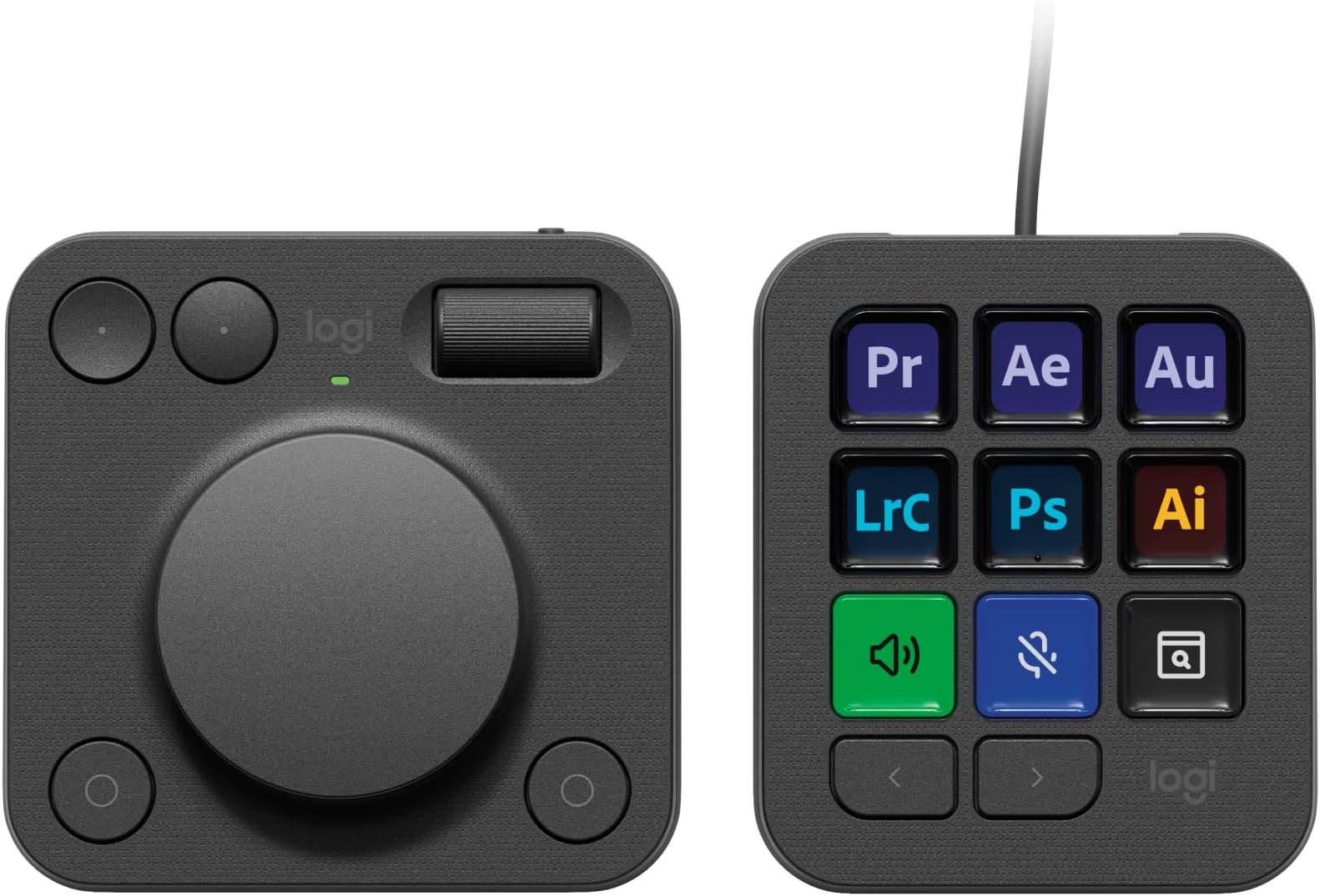
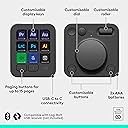
mich haben Streaming Decks schon immer fasziniert, doch waren mir alle bisher bekannten Produkte zu unproduktiv. Ich habe mir dieses Produkt NICHT für Foto Shop, sondern zur Steigerung meiner Produktivität. Sei es Excel, PowerPoint, Word, 3D Druck oder technische Zeichnungen. Sprich ich habe das GEN 1 Produkt abseits seines Hauptzwecks gekauft und ich wurde absolut nicht enttäuscht. Es hat allein jetzt kurz nach Release mehr Funktionen und Möglichkeiten, als ich vermutet habe.Das Produkt hat auch seine negativen Seiten, welche ich nicht außer Acht lassen möchte. Nachdem es ein Logitech untypisches Produkt und dann noch in der ersten Generation ist abzusehen, dass viele Funktionen nicht oder nur eingeschränkt funktionieren (So wie es bei fast allen GEN 1 Produkten im aktuellen Zeitalter der Fall ist).MX Creative Keypad:Pro:- Displays sind schärfer als angenommen- aktuelle Werte wie Lautstärke, Uhrzeit, Kalenderwoche sind sichtbar- Farben (Hintergrund, Text, Symbole) und Abbildungen sind frei wählbarEinstellung und Hinterlegung der Befehle:Es gibt weit aus mehr Einstellungen als gedacht. von Mediasteuerung bis hin zur Eingabe vorgefertigte Texte. Alle Grundeinstellungen habe ich euch in die Abbildungen eingefügt. Es sind so viele, dass ich die nicht alle abtippe 😂.Was mich am meisten überrascht hat, war die unnormal einfache Einstellung und die fast Intuitive Einfügung meines Philips Hue Zuhauses.Negatives:- Die meisten meiner Abbildungen habe ich selber machen müssen, da diese meist grafisch in unterirdischer Qualität erstellt worden sind. Dennoch erstellt Logitech die Abbildungen der Programme, was ein unglaublich hilfreicher Schritt sein kann. Ich wollte dennoch eine scharfe Abbildung und habe daher aus Google Abbildungen heruntergeladen oder diese selber erstellt und auf die Tasten gelegt. Wolla, geile Taste.- Zeitaufwand ist super hoch. Für meinen Prusa Slicer habe ich 2 Seiten a 9 Tasten belegt. Die Shortcuts zu erstellen dauerte nicht lange, dafür habe ich die Abbildungen der Tasten alle selber erstellt und daher 3-4 Stunden gebraucht um alle 18 Tasten so einzustellen wie ich es haben möchte.MX Creative Dialpad:ich habe mich Stunden / Tage / wochenlang über dieses Produkt informiert und empfand das Dialpad als weniger interessant. Doch weiiiiiiit gefehlt. Das Ding ist unnormal praktisch.Pro:- zwei Drehregler, die super steuerbar sind.- konvexe und konkave Tasten sind super bedienbar.- jede der Tasten ( auch die unten Rechts) sind frei wählbar- egal wo ich mich befinde, ich habe Zugriff auf den Action Ring und kann alles damit regeln.Con:- Technisch wäre der große Drehregler auch als Drehknopf möglich. Damit könnte man den Action Ring ( in der Theorie) öffnen, mit dem Drehregler auswählen und auch bestätigen. Solch eine Funktion würde ich mir bei einer GEN 2 wünschenMeine Meinung:Ich finde das Produkt für diesen Preis unglaublich gerechtfertigt. Ich würde es auch für mehr kaufen, da es meine Produktivität erheblich steigert. Ich liebe es mich damit zu beschäftigen.In Zukunft werde ich meine Tastatur nur noch zum Tippen nutzen. Kein copy and paste mehr, keine Duplizierung. Ab sofort nur noch mit der MX Creative weil es einfach schneller und flüssiger in den Flow passt. Zoom, scrolle werde ich nur noch mit dem Dialpad machen und habe dazu noch viel mehr Regelungen, welche unglaublich schnell und einfach zur Verfügung stehen.Es ist das beste Produkt in meinem Homeoffice!!!!Hier noch ein paar Einfügungen:- GRÖßTES CON: bei der Keypad ist es nicht möglich einzelne Tasten auf andere Seiten zu Projektieren.- Beide Geräte sind frei einstellbar, ob Funktionen in einer Applikation oder überall anders gleich sein sollen- Man kann, wie andere das Gegenteil behaupten, schrittweise Zoomen. Hierfür muss man sich nur reinfuchsen und die passenden Einstellungen finden 😉 OS > Mausscrollen > Control horizontal and vertical mouse > auf und ab > haken bei: Beim Scrollen Modifikator hinzufügen > CTRL > Speichern. Anderenfalls kann man ihn auch als teuren Briefbeschwerer nutzen 😉- Es ist und bleibt ein GEN 1 Produkt. Daher gibt es nicht viele Einbindungen für Standardprogramme wie Excel, word, Pptx und co. Aber diese währen eh auf den Workflow anderer angesetzt. Daher macht die Einstellungen selber. Investiert ein Wochenende damit, somit habt ihr es perfekt auf euch zugeschnitten.- Bitte Keine Beschwerden über 2024 und Kabelbindung und Batterien. Logitech hat euch damit einen super großen Gefallen getan. Schaut euch doch mal die Technik an. Das Keypad hat 9 helle Tasten. Mit einem Akku würde es jeden dritten Tag geladen werden müssen und das würde mich persönlich super Stören, auch wenn sonst auch alles in meinem Homeoffice kabellos ist. Was ist nun der Unterschied vom einem Akku und Batterien? - Ich bin kein Fachmann, aber ich weiß, dass Akkus bei Produkten, welche Sleep Modes haben deutlich länger halten. Daher müssen wir diesen ebenfalls nicht all zu oft welchseln.NACHTRAG: ich wollte heute eine Arbeitsumgebung für Fusion 360 erstellen. Doch die Mx Creative erkennt das Programm nicht. Meine Vermutung: wenn das Programm geöffnet ist, steht im Menü unten (Maus liegt auf dem Programm und drückt nicht auf das Programm) und da steht nicht der Programmname. Dennoch arbeite ich viel mit Fusion und muss eine Lösung finden. Dennoch ist das Gerät super