🚀 Upgrade your legacy printer to network powerhouse—because your office deserves seamless printing!
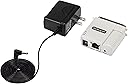
The StarTech.com Ethernet to Parallel Network Print Server converts traditional parallel printers into network-ready devices with 10/100Mbps LAN speeds. Compact and easy to install, it supports a wide range of protocols and operating systems, enabling multiple users to share printers effortlessly. Ideal for offices, government, and education sectors looking to extend the life and functionality of legacy printers while ensuring reliable, centralized print management.


| ASIN | B0D9KCWSJC |
| Best Sellers Rank | #4 in Computer Networking Print Servers |
| Brand | StarTech.com |
| Color | White |
| Customer Reviews | 4.0 4.0 out of 5 stars (18) |
| Date First Available | July 16, 2024 |
| Item Dimensions LxWxH | 2.2 x 2.1 x 0.9 inches |
| Item Weight | 1.6 ounces |
| Item model number | PM1115P3 |
| Manufacturer | StarTech.com |
| Operating System | Linux |
| Product Dimensions | 2.2 x 2.1 x 0.9 inches |
A**T
Works great as long as you have a basic understanding of networking
This adapter was able to turn our Zebra ZP450 UPS Label printers into network printers and we couldn't be happier with the results. Since Zebra does not even have a factory option for a network card on the 450, we are limited to USB, Parallel, or Serial. When you have an entire warehouse full of computers all trying to ship material, the absence of the 450's networking really start to show. Of course, you can connect the printer to one computer over USB and then share it out over Windows, but what happens when that computer is offline? What about when it gets shutdown accidentally? Or even when it's time to replace it? This adapter eliminates all of those concerns. The first step is just to power on the adapter (not connected to the printer) and connect an ethernet cable from it to your computer. On Windows, go to control panel and change your ethernet adapter's IPv4 address to 192.168.0.15 and subnet 255.255.255.0. Navigate to 192.168.0.10 in your web browser and the adapter/print server should show up right away. From within here, you can change the IP Address, DNS name, and other settings. I would recommend changing everything else besides the IP, and then doing that last. Once you have it all set, connect the adapter to your printer, power it back on, and try to connect to it over the network. If you're successful, the only step left is to install the printer like any network printer except for the changing the protocol to LPR. StarTech has some fantastic documentation on all of this, so make sure that check that out too.
T**T
works
Did what it was supposed to do
U**N
Making a Vintage Printer Useful Again
The ethernet to parallel print server completely restored my wide-carriage MX-100 from ballast to a printer useful for software debug. It worked the first time and the Window 10 driver was already installed although the driver was labeled as an IBM wide-carriage printer. The dot matrix graphics were also supported by the printer server and the Microsoft driver.
J**T
so-so
didn't work as a replacement for an old hp parallel jetdirect. YMMV
G**L
Worthless garbage
Garbage. Installing the software corrupted my Dell laser printer software and it took hours to get everything back. After all that, while it did show up on my network, I could never print to it.
S**S
Easy Config, Simple to Employ
Great for when those Parallel printers need an IP address! Easy enough to configure, then put into place. The ones I've used have been up and working for at least 5 years now.
A**L
Funciona a la perfección
J**A
Work for a month
One month later not working
Trustpilot
1 month ago
1 week ago