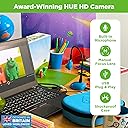
🎬 Animate your ideas, own the spotlight, and never miss a frame!
The HUE Animation Studio Complete Stop Motion Kit is a professional-grade, all-in-one animation solution featuring a 720p HD USB camera with manual focus, flexible gooseneck stand, and cross-platform software for Windows and macOS. It includes a mini stage, sound effects, and a 64-page full-color animation guidebook, all housed in a durable, eco-friendly carry case. Recommended by educators and STEM-authenticated, this kit empowers users aged 7+ to create high-quality stop motion films with ease, backed by a 3-year manufacturer’s warranty.


| ASIN | B0D1VW2XJF |
| Are Batteries Included | No |
| Best Sellers Rank | #88 in Webcams |
| Brand | HUE |
| Built-In Media | Animation Book, Carry Case, HUE Animation Software, HUE HD Camera, Mini Stage with Background |
| Camcorder Type | Webcam |
| Color | Green Camera with Carry Case |
| Compatible Devices | Personal Computer, Laptop |
| Connectivity Technology | USB |
| Customer Reviews | 4.0 out of 5 stars 1,555 Reviews |
| Display Resolution Maximum | 720p HD |
| Effective Video Resolution | 480 Pixels |
| Exposure Control Type | Automatic |
| Features | Time Lapse, USB, color |
| File Format | MP4 |
| Flash Memory Speed Class | V6 |
| Flash Memory Type | Internal flash memory |
| Flash Memory Video Speed Class | V6 |
| Focus Type | Manual Focus |
| Form Factor | Handheld |
| Has Image Stabilization | No |
| Image Aspect Ratio | 16:9 |
| Lens Type | normal |
| Manufacturer | HUE |
| Maximum Aperture | 1.8 f |
| Model Name | HUE Animation Studio |
| Model Number | ASC003 |
| Operating System | Windows, macOS |
| Sensor Type | CMOS |
| Shooting Modes | Time Lapse |
| Style Name | with Carry Case |
| Supported Audio Format | AAC, MP3, PCM |
| Video Capture Format | MP4 |
| Video Resolution | 720p |
| Warranty Description | Manufacturer's warranty |
| Water Resistance Level | Not Water Resistant |
| Zoom | Digital |
B**T
Sturdy equipment, easy to use, engaging toy that sneaks in all kinds of education opportunities!
I bought this to use with y niece (10) and nephew (8). I thought it would be fun to use first for making Lego movies, but later for illustrating math concepts. When it arrived, I just could not resist! (It's my camera, after all, right?) As soon as I started playing with it, I thought of dozens of ways we could use it at the nonprofit where I work, to create engaging social media mini-movies. Before it arrived, I was worried about how well it would hold up. Having played with it, I'm very confident that it will be a functional tool for both user groups for a good, long time. It is very easy to set up! The camera is very stable and the adjustable position gooseneck base is strong and holds its position fine. The focus ring is easy to adjust, too. I like that we can take the pictures by pressing the spacebar on the laptop if we want, which means I can let the kids move the pieces and I can take the shots quickly for them, to move the process along. We can also take the pictures with the button on the camera base, which is handy when the little guy wants to be in charge. If your kids don't know where to start, or if you want to explore a lot more about what you can do with stop-motion, I definitely recommend the book from the same company. Also, check out the company's website, which includes all kinds of great tutorials that make it all even easier. (I also bought the Square Trade warranty when I bought the camera. Now that I see how sturdy and easy-to-use the whole camera setup is, I doubt that we'll ever need that!)
C**G
Just what we wanted
After a few bumpy attempts to get this camera working, we couldn't be more pleased. The problem had to do with the USB connection as the PC (Win7) on which it is used had an internet access dongle attached to the adjoining port and apparently the two were crossing wires somehow or using too much horsepower. When the camera was plugged into a port on the back of the computer it worked fine. The software installed on the second try--the first problem may have also been due to the internet connection giving out because of the camera being installed next to the dongle. You do have to register the software online to get full use of it (otherwise only 30 day trial) and it's for one computer only. The software is very easy to use and intuitive so there is really no learning curve. We especially wanted this camera because of the shadow box we are using to film our 'movie'. In order to get the right lighting and angles we needed a camera with flexibility and this one does the trick. We can position it as we need due to the long flexible neck which then stays as it's set for multiple frames until we change its position. There are other extras in this kit, but nothing we needed for our movie. We just needed the flexible camera and the software and are very satisfied with both. Having not used other software of this type I can't compare it, but it seems to offer decent editing capability, allowing you to drop or re-position frames, etc. You can take the pictures via the button on the camera itself or the keyboard/mouse, which we preferred so as to not move the camera when we didn't want to. I'm glad it worked out because I didn't see any other options that didn't cost a fortune or were basically toys. Because of the shadow box where the movie scene is, using a camera on the computer itself wasn't an option for us. We are satisfied with this purchase.
S**R
No problem for my 9yr old daughter. Great product!
The good: It took me just a handful of minutes to install the software. Within the hour I had done my own dry run with the camera to understand the basics, gave my daughter a quick verbal how-to, and she had created her first stop motion video. EXCELLENT value for a kid who is interested in making stop motion movies. We really didn't have a use for the little chunks of clay or whatever that is... she is making movies of her American Girl Dolls and the high quality is truly surprising! These are not deal-breakers! I would buy the camera again right away even if none of these items were improved. BUT - 1) Life would be easier if, when you plug the camera into the USB port, it shows up as the default. I'm sure there is a way to do that, but my own laziness has kept me from delving into settings to try to figure out if that's a possibility. All it takes is several clicks to select your camera every time you connect it, and my daughter seems to have no problem going through that so I'm not going to change her current MO lol. 2) The camera comes unplugged WAAAAYYYY too easily from the base. If you touch the camera you have about a 50% chance of breaking contact/communication and you have to multi-click to select the camera again. If you try to LIFT the camera by the neck instead of the base you are about 100% guaranteed to lose it. This means a lot of unnecessary re-selecting and clicking. Seems like any person's natural inclination is to lift it by the neck instead of the base...so I bet this is a common problem. If your kid doesn't need to ever reposition the camera, then this will not ever be something that you're aware of. 3) Might be nice if it was lighted. But not much of an issue.
D**S
Very Disappointed
To put this in perspective, I have two sons and the younger one received this for X-mas. The older one received all the parts for a gaming computer that we had to put together. We put together the gaming computer and had little or no difficulties. We did have one stick of RAM that was a problem but got that figured out pretty quick. On the other hand, this product has been a terrible experience. First of all, the DVC/CD that came with it wouldn't "auto start" on any of our computers. My only guess is that it is defective or won't work on Windows 10...probably the first. Shouldn't be a big deal, just download the software. However, unlike most places these days, you can't simply download the software. You need a software license. Figured out that there is a number on the back of the book that will allow you to get a software licence online. Did that, downloaded the software and figured I was good to go but no. When you load the software it asks for the license number again. Put the one in that i just received and wouldn't work. Had to contact customer service and get a "off line" licence number because they had a server down or something. But...you just couldn't put it in because the software won't prompt you for a "off line" license unless your computer is truly off-line so i had to disconnect from our WiFi to get that option. Did that and finally got the software after an hour+ worth of frustration. After all of that, I plugged in the camera and got an error message even though it is supposed to be plug & play. Tried it on three different computers and got the same message. Apparently the camera is defective. Spent another hour interacting with customer support via e-mail when it is clear the camera is defective. I saw this product working at a science fair and know my son would love it but really disappointed that the company apparently needs to study up on quality control and consumer software management. I will say that the support people have been responsive and I will update this review if we ever get a working camera.
J**L
Easiest way to get animating...
This is a great setup. The camera is easy to use (truly plug and play!), the software is excellent (more on that), and the packaging is great. Overall, this is a fantastic kit to get anyone - child or adult - into stop-motion animation. First, it's nice to see a product that focuses on production, rather than consumption. We do a lot of consuming, but this kit encourages you to make animations! Second, the camera and software enable me to take everyday things - pieces of fruit, fabric, cutout paper, etc. - and turn those into the props of engaging and silly animations. It's a playful activity to do with children and friends, and it's really been made quite easy with Hue. Finally, the software - I'm amazed at how easily people understand animation and how quickly they are off and running with this kit. I am in Education, and I show a lot of future teachers and researchers this tool. They are amazed at how quickly they are animating. And, they tell me children understand this in a matter of seconds ... a testament to the design of the software and overall animation kit. It's a great rig, and you should totally get one. Happy animating!
A**E
Buyer Beware......
Let me warn potential buyers of the install process for Hue Animation. In short, the process sucks! It's kludgy, complicated and cumbersome. Unlike other software installation where you simply insert disk provided and follow the directions, the Hue product requires you to go on a SCAVENGER HUNT. Let me outline the ridiculous install process: • First, you will need to go to the Hue website to register the "promocode" provided • Second, you will receive an email with a 35-digit license key that you will need to activate the software • Third, you will hit "download" embedded in the email • Fourth, you have to find the downloaded Hue program within your laptop (or mobile tablet) and select run • Fifth, you need to install the camera using the disk provided Hopefully that works if not you are in more trouble. You are basically left to figure this out all by yourself after step two above. You should note that the camera only works when attached to a laptop (or another mobile tablet). That is, the camera is not a standalone piece. Of course, the great people at HUE do not tell you that upfront. Imagine downloading the software onto a desktop and have to drag the unit around as you film your subject. Lastly, if you have an older OS like Vista or XP, the program doesn't work. You may need to UPGRADE your PC (we bought a new laptop....) in order to use a $70 program. That's what I call " a tail wagging the dog". You can read the raving reviews about the ease of use and its nifty features. The product performance is good once you get past the torturous installation process. Just be prepared for a couple of hours of frustration.
N**S
Worth it
Perfect animation works really great even for a web camera
V**D
Not Just For Lego Animation
The Hue was purchased as a gift for my 12 year old son. He has spent quite a bit of time making videos, variously using his Nintendo 2DS, the webcam built into the laptop, and also my wife's I-phone. He used to spend a lot of time making Flip Notes on his DSI and loves to draw. When my son recently started using the 2DS to make stop motion videos with construction paper and collage cutouts, my wife and I looked into finding a better video camera. The 2DS is a small, hand held video game. The stop motion feature is nice, but the pictures are taken with the device always being held in my son's hands. This results in some shakiness and light variation in the final visual product. After looking at more expensive digital cameras, we settled on the less expensive Hue. I know a lot of the reviews for the Hue were about Lego animation, but it seemed this would work well for other stop motion animation and even cartoon drawing. My son used it right away. He made a couple of stop motion construction paper videos. When I asked him how it worked he said, "Good." He then elaborated that the software that came with the camera was helpful. It allows him to choose the frames per second speed and to delete single frames, one at a time, if he isn't satisfied with the image quality. It also has a sound editing feature. The 2DS does not have its own sound editing. Being an artist myself, I thought we could try an animation project together. I had drawn a birthday card for my father in pencil and I wanted it to be bolder so I planned to draw over the pencil with black pen. I thought it would be a fun way to test the camera myself by doing this in stop motion. The stop motion worked well. The camera is small and lightweight. It is at the end of a flexible stand. It is about the height of a small desk lamp, so we had to set it up on a couple of boxes to get the distance from the subject matter where we wanted it. My son clicked the mouse to take the pictures as I drew over my pencil lines with black pen in very small increments. After a while, we stopped and watched our video to see how it was turning out. We were able to adjust our amount of clicks per move and to adjust the frames-per-second speed to improve our results. We also jumped right back in where we had left off and began adding new material. The project turned out well visually. It appears as though a line drawing is being done by magic. Every so often when my son clicked the mouse the computer would lag, but I think it was due to our computer's memory being nearly full. I am looking forward to adding sound and doing more animation projects with my son! There are many other features I would like to explore.
Trustpilot
1 month ago
5 days ago