Desertcart purchases this item on your behalf and handles shipping, customs, and support to Australia.
⚡ Triple your screens, triple your hustle.
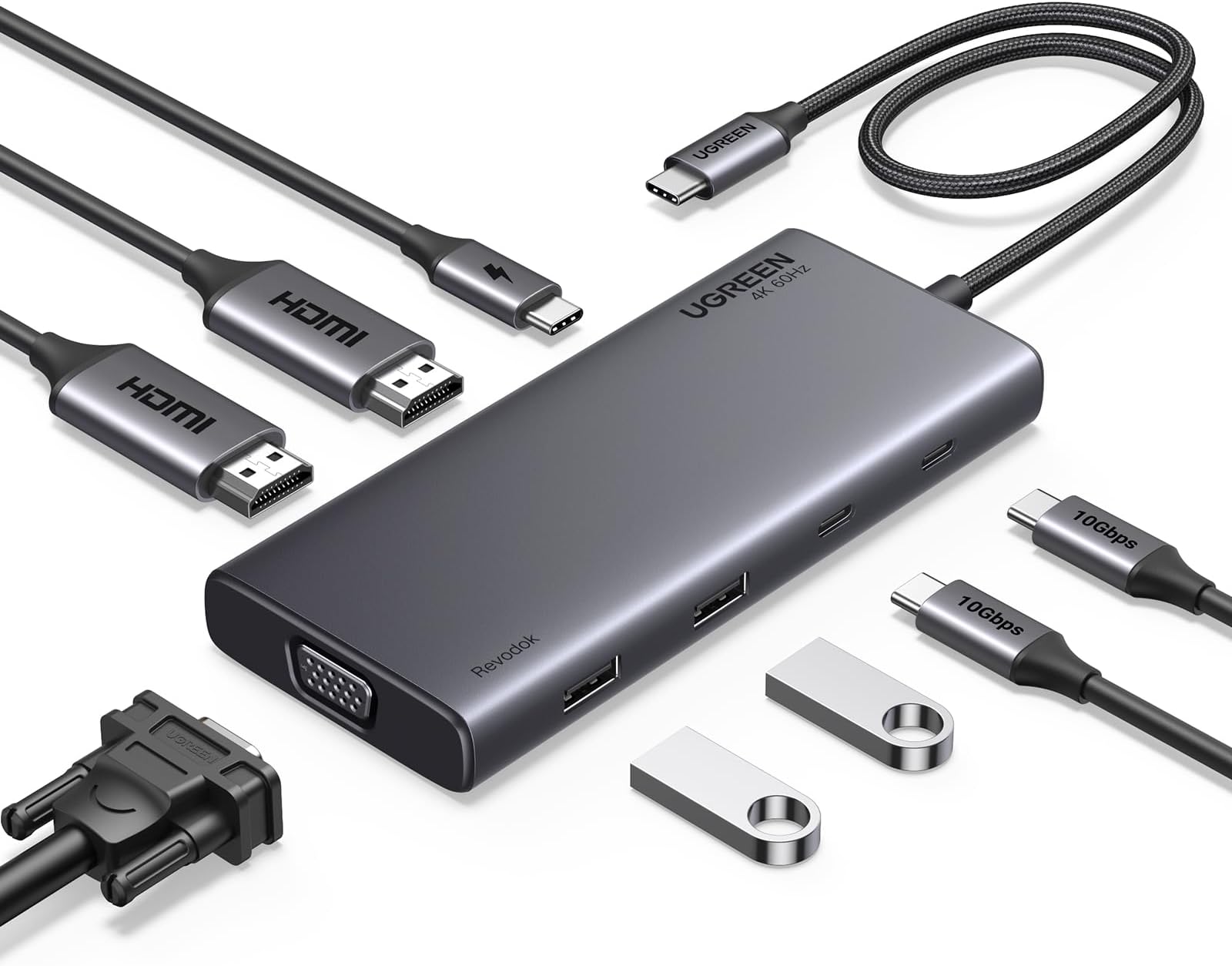
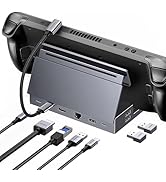
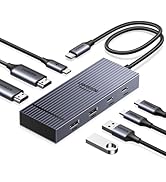
The UGREEN Revodok USB-C Docking Station is a powerhouse hub designed for professionals craving maximum productivity. Featuring 9 ports including dual HDMI, VGA, and ultra-fast USB-C/A data connections, it supports triple display setups and delivers 100W power delivery to rapidly charge your laptop. Compatible with a wide range of USB-C laptops, this sleek space gray dock transforms your workspace into a seamless multitasking powerhouse.


| ASIN | B0CR6KNF3X |
| Best Sellers Rank | 19,860 in Computers & Accessories ( See Top 100 in Computers & Accessories ) 198 in Docking Stations |
| Brand | UGREEN |
| Brand Name | UGREEN |
| Colour | Space Gray |
| Compatible Devices | ['laptops', 'monitors', 'hard drive', 'USB flash drives'] |
| Compatible devices | ['laptops', 'monitors', 'hard drive', 'USB flash drives'] |
| Country of Origin | China |
| Customer Reviews | 4.2 out of 5 stars 528 Reviews |
| Hardware Interface | USB Type C |
| Hardware interface | USB Type C |
| Manufacturer | Ugreen Group Limited |
| Manufacturer Part Number | 35588 |
| Model Number | 35588 |
| Number of Items | 1 |
| Number of Packs | 1 |
| Number of Ports | 9 |
| Number of ports | 9 |
| Product Warranty | 24 month |
| Total HDMI Port | 2 |
| Total USB Ports | 4 |
| Total USB ports | 4 |
| Unit Count | 1.0 count |
| Wattage | 100 watts |
R**1
Amazing product and great HD display
I bought this to allow me to to have 2 displays for my work laptop via USB C ports . The device is plug And play and works a charm. This does not have a switch so wouldn’t work for two laptops or PCs in case you want to use for that reason . One can still do this by spending a bit more and get a switched dual display ones or follow this below instructions /// If your screen support dual HDMI ports or has 1 HDMI port and 1 analoge VGA ports , there are ways you can do this for your home PC and have it working . All you need is get a UGreen switched USB ports for camera , keyboards and mouse , speakers ie anything USB device . Now The switched Ugreen ports are about a tenner these days and have two usb outbound wires. Plug one to PC and one to to the display device I am writing about . Connect all the HDMI wires for the PC directly into relevant ports on the PC directly . Use the switched ugreen device to flip the USB input devices . Rem you don’t need to do this if you spend a little more and get a dual PC switched ugreen docking station . I have done this as I already had a ugreen usb switched device and didn’t want to spent a fortune . The current device is about 30 quid and worth every penny . Rem if you want your laptop to charge , one will Need to provide a 100W power input and it is not inbuilt into the device . I also faced problems with keyboards not working and once display wasn’t either . I thought it was this device . I then ordered another new brand and connected it to my Dell laptop and faced similar problems with display but keyboards worked then . This made me think as a laptop issue rather than a device issue . I rebooted my laptop and has been great since . I also observed as part of PnP ( USB C plug and play) feature sometimes the keyboards are not identified and all we need to do is wait and logon using laptop and it will auto fix itself after . It has been 2 weeks since I have been using this device and has been sailing smooth. Hope this helps.
B**L
For me good quality
For me good quality, I bought this to go with my new BOSGAME P3 Mix Mini PC, AMD Ryzen 5 7640HS (up to 5.0GHz), 32GB DDR5 1TB SSD, USB4 40Gbps & 4K Triple Display, Dual 2.5G Ethernet, WiFi 6E, Compact Desktop Cube. Specifically for it's USB 4 MST multi screen capability. It works well
H**G
Appears to do whats its meant to
I wasnt expecting this to work to be honest, but was pleasently surprised when i plugged everything in and it did. There was a couple of niggles, i had to swap my screen inputs around to be able to get my second screen to work, i also get a slow charge warning on my laptop. On the odd occasion the usb devices that are plugged in don't work, i normally fet 2 out of tge three working again, but never all three. Have to resot to plugging it directly into my laptop. I also wish the trailing lead was a bit longer.
J**N
Runs perfectly for quad screen on Lenovo P16v
I am very impressed with this. Have 3 external screens and with the the local screen, essentially a quad screen setup on a Lenovo P16v Gen 2 laptop All screens connected and running as extended screens on windows 11 from just one usb-c port. Simple plug and play with no issues straight out of the box. Now replaces a Lenovo docking station for less sockets and tidier desktop.
M**Y
Very useful accessory for the Surface pro.
I bought this as an accessory for my new Surface Pro, and I am currently using it as I type this review. When I use the Surface Pro at the "home station" in the house, it allows me to connect 1. Two additional 27" screens, and, 2. A wireless mouse Everything was just plug and play, and has worked without issue since Day 1.
J**E
did not work
did not work would like to return
P**L
Great product t
Amazing docking station, small and very portable, without out of fashion jack slots, this contains usb c and usb,which helps me to connect my 2 screens without excessive cambling around the work desk.
A**R
A great little hub for £30
This Revodok Pro hub comes in compact packaging and cost £29.99 at time of review. UGREEN is a relatively well-known brand in computer peripherals, and having used their stuff before I had an expectation of quality. Thankfully, this hub is better than 90% of the cheap junk you see from no-name manufacturers. Build quality is good all-round, as is the overall design and styling. The ports are all easy to use with one hand (you don’t have to hold onto the unit while doing it), and are not too grippy or loose. Clearly this is designed for use with portable devices rather than a desktop, due to its relatively small number of ports and short cable. Talking of ports, they are as follows: Data via 2 x 10Gbps USB A ports, and 2 x 10Gbps USB C ports Video via 2 x 4k HDMI ports, and 1 x VGA port Power via 1 x USB-C 100W PD charging port (no data) As you can see, not exactly a plethora but all the basics are covered, except for ethernet and a 3.5mm audio jack. In testing they all performed to specification, with the 100W port being just 10 watts off which is perfectly normal. In terms of video you can connect a monitor to both HDMI ports in 4K@30Hz max,which now makes cross-screen multitasking possible. It will display up to 4K@60hz when just one port is used. Check the detailed product description to make sure it will suit your multi-display needs. The VGA port is standard, I was only able to test it to 60Hz, but the output was fine (or as fine as analogue can be, anyway). The overall build quality is very good for the money, I have no complaints really. For £30 I can recommend this, as long as you don’t need the audio or ethernet ports.
T**R
Does what it needs when I am setting up at work.
Allows me to quickly connect the keyboard, mouse and monitor to the work laptop when I am at work at a different office.
A**O
GRAN DOCK STATION, COMPLETA
En la era de los portátiles ultradelgados y minimalistas, la disponibilidad de puertos en los dispositivos ha disminuido considerablemente. Esto puede resultar en un desafío para quienes necesitan conectar múltiples periféricos simultáneamente, como ratones, memorias USB, monitores externos y cargadores. Es aquí donde entra en juego el Hub USB Multiconector, un dispositivo que promete ampliar las capacidades de conexión de cualquier portátil o equipo de sobremesa. Diseño y Construcción Este Hub destaca por su diseño compacto y elegante, lo que lo hace ideal para acompañar a portátiles modernos. Su construcción parece robusta y duradera, ofreciendo una buena resistencia al uso diario. Además, su formato ligero lo convierte en una opción fácilmente transportable, lo que es ideal para usuarios que se desplazan con frecuencia. Funcionalidad El Hub ofrece una variedad de puertos que cubren la mayoría de las necesidades actuales: - **Dos puertos USB-A**: Estos son los puertos estándar más comunes, compatibles con una amplia gama de dispositivos como ratones, teclados, y memorias USB. - **Dos puertos USB-C**: Cada vez más populares, estos puertos son esenciales para dispositivos más modernos, ofreciendo una mayor velocidad de transferencia y mayor versatilidad. - **Un puerto USB-C adicional para cargas de hasta 100W**: Este puerto es especialmente útil para cargar dispositivos mientras se sigue utilizando el Hub, asegurando que no te quedes sin batería mientras trabajas. - **Dos puertos HDMI**: Permiten conectar monitores externos con resolución 4K, lo cual es ideal para configuraciones de trabajo con múltiples pantallas o presentaciones. - **Un puerto VGA**: Aunque puede parecer algo anticuado, este puerto es esencial para conectar proyectores o monitores más antiguos, lo que añade una capa extra de compatibilidad. Rendimiento Los puertos USB-A y USB-C ofrecen velocidades de transferencia de hasta 10 Gbps, lo que los sitúa en la vanguardia de la tecnología actual. Esta velocidad permite transferir archivos grandes en cuestión de segundos, siempre y cuando el dispositivo al que esté conectado sea compatible con estas velocidades. Sin embargo, es importante tener en cuenta que, si el equipo no soporta estas velocidades, se producirá un cuello de botella, limitando el rendimiento. Conclusión El Hub USB Multiconector es una solución versátil y completa para aquellos que necesitan expandir las capacidades de conectividad de sus equipos, ya sea para trabajo, estudio o entretenimiento. Su variedad de puertos y la inclusión de opciones tanto modernas como tradicionales lo convierten en una herramienta indispensable para cualquier usuario que necesite conectarse a múltiples dispositivos al mismo tiempo. La alta velocidad de los puertos USB es un gran punto a favor, aunque la experiencia de uso dependerá de la compatibilidad del equipo con estas velocidades. En resumen, este Hub es una excelente inversión para mejorar la productividad y la funcionalidad de cualquier portátil o equipo de sobremesa.
C**N
Funciona para dos monitores
Excelente producto Ugreen siempre es calidad. Lo ocupo con una laptop con windows, para tener dos monitores adicionales. Todo funciona al a perfección.
T**T
Oldukça kaliteli
Oldukça kaliteli ve işlevsel. Hiçbir sorun yaşamadım. Bu güncel serilerde genel olarak ürünlerin kablosunu bira uzatmışlar, kimine göre hoş kimine göre kötü. Beni rahatsız etmedi.
R**R
Passt alles
Passt alles, aber Hinweis: Nur USB-C und kein Thunderbold. 2 Full-HD-Bildschirme (27 Zoll) sind wohl zu viel für das Dock. Die Monitore werden nicht richtig erkannt. Hab jetzt einen Bildschirm am Dock und einen über HDMI am Laptop angeschlossen, das klappt gut. Hätte ich mich aber informieren müssen daher keine Kritik am Produkt sondern nur ein Hinweis für euch, damit Ihr nicht denselben Fehler macht.
Trustpilot
2 weeks ago
2 weeks ago