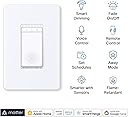
💡 Elevate your space with smart dimming that speaks your language.
The TP-Link Tapo Matter Smart Dimmer Switch S505D is a UL-certified, single-pole smart switch featuring 2.5A current rating and 2.4GHz Wi-Fi connectivity. Matter-certified for seamless integration across major smart home platforms, it offers full 0-100% dimming control, voice and app management, customizable schedules, and security-enhancing Away Mode. Designed for easy installation with guided app support, it transforms traditional lighting into a connected, intuitive experience backed by a 2-year warranty.


| ASIN | B0C2B8SP3W |
| Actuator Type | Push Button |
| Best Sellers Rank | #1,093 in Tools & Home Improvement ( See Top 100 in Tools & Home Improvement ) #14 in Dimmer Switches |
| Brand | Tapo |
| Brand Name | Tapo |
| Circuit Type | 1-way |
| Color | White |
| Connectivity Protocol | Wi-Fi |
| Connector Type | Screw |
| Contact Material | Copper |
| Contact Type | Normally Closed |
| Control Method | App, Touch, Voice |
| Controller Type | Amazon Alexa, Android, Google Assistant |
| Current Rating | 2.5 Amps |
| Customer Reviews | 4.5 out of 5 stars 1,552 Reviews |
| Included Components | Tapo S505D×1, Wall Plate×1, Wire Nuts×2, Screws×2, Quick Start Guide |
| International Protection Rating | IP00 |
| Item Dimensions | 5.04 x 3.33 x 1.78 inches |
| Lower Temperature Rating | 32 Degrees Fahrenheit |
| Manufacturer | TP-Link |
| Material Type | Plastic |
| Model | Tapo S505D |
| Mounting Type | Pole,Wall Mount |
| Number of Items | 1 |
| Number of Positions | 1 |
| Operating Voltage | 120 Volts |
| Operation Mode | Off,Smart Switch |
| Specification Met | UL |
| Switch Type | One-way |
| Terminal | Screw |
| UPC | 840030708206 |
| Unit Count | 1.0 Count |
| Upper Temperature Rating | 104 Degrees Fahrenheit |
| Warranty Description | 2 year manufacturer |
| Wattage | 150 watts |
K**W
Smart upgrade for home lighting!
I installed this 2‑pack of Tapo S505 smart light switches around my house and I’m really happy with how well they work. These switches let me control lights remotely via the Tapo app, or with voice commands using Alexa, Google Assistant, or Siri, which is super convenient when my hands are full. The Matter compatibility means they integrate smoothly with other smart home systems and work reliably even when the internet is down — local control is responsive and fast. The schedule and timer features are great for automating my lights, and setup with the app was straightforward (just make sure you have a neutral wire in the switch box). Overall these switches are a great value for making regular lights “smart”, and the 2‑pack gives you flexibility for multiple rooms. Perfect for anyone upgrading to a more connected home!
S**Y
Great switches that are easy to install, look great and have great dimming.
These worked great for my application - dimming undercabinet LED lights. I connected this to a 24V dimmable LED driver (B0CPLLMKHH) that supports triac dimming and fits in a single gang box. The driver was connected to 24V dimmable FCOB LEDs (B091KG5K1Q) that will be in some aluminum channel. No flicker, no noticeable delay and super easy setup. I already have several light switches from Tapo, but these were the first Matter ready ones, so I was surprised when I opened my phone and Google assistant was asking for the number or to scan the QR code. I scan the code, named the device and it was done. Then when I opened Tapo app, it too just wanted me to name the device and location. I will say that the Tapo app handles the dimming better in that as you are dragging the slider the lights dim live whereas in Google, you have to let go of the slider for it to actually send the value to the switch. I also tested the voice command and it worked as expected, so that is great too. The switches come with faceplates that have hidden fastners, which I like, however I don't use them anywhere else in the house, and these switches will get in a multi gang box, so they will end up in the trash, which is a shame. Overall, I'm very happy with my purchase.
S**V
Works Great with Matter Connectivity, Easy to Install
This smart light switch works great and has been very reliable so far. Installation was straightforward with clear guidance. The Matter connectivity works as expected, and setting up schedules is easy. One thing to note is that the physical position of the switch does not change when turning the light on or off—the small indicator light on the switch is the only way to tell its current state. Overall, a solid smart switch and I would recommend it.
D**B
Slim, Smart, and Simple
I recently installed the TP-Link Tapo S505 smart switches in my home, replacing an older 3-gang setup, and I’ve been really happy with how smoothly everything went. One of the first things I noticed is how much slimmer these switches are compared to older smart switches I’ve used. That might not sound like a big deal, but when you’re cramming three switches into one box with a bunch of wires, every millimeter counts. The reduced thickness gives you way more room in the back for wire management, which made the install way less stressful. And since they’re UL certified, I felt confident they’re safe to use without cutting corners. Wiring was surprisingly simple—especially the fact that either black terminal can be used for line or load. That’s a small but huge win because it means you don’t have to stress about matching the exact wire to the exact terminal. For someone who’s done a few DIY electrical jobs, that flexibility saves time and guesswork. The app setup was fast and intuitive, and within minutes, the switches were online and responding. I already use a bunch of TP-Link devices, so I’m familiar with their app, but even if you’re new, I think you’d find it straightforward. Bonus: once they were in the Tapo app, they showed up instantly in Home Assistant, which I use to control everything. No weird delays or pairing issues. The only thing to remember is that these need a neutral wire, so they won’t work in older setups that don’t have one. But if you’ve got the neutral, these switches are a solid choice—especially at this price. They’re reliable, responsive, and blend well into my smart home setup. I also like using the scheduling and timer features to turn lights on/off automatically.
M**F
Easy Installation, Accurate Calibration, and Thoughtful Design
I’ve installed multiple smart switches, and this TP-Link Tapo Matter Smart Dimmer was one of the easiest. Before shutting off the breaker, I removed the wall plate and used a multimeter to identify line and load. After cutting power, I labeled the wires using the included stickers, removed the old switch, and disconnected the pigtail ground from the existing ground bundle. The Tapo dimmer uses a long ground wire instead of a ground screw, which made installation straightforward. Everything fit back into the box cleanly. Setup in the Tapo app was quick and intuitive. Tap the plus icon, add a new device, and follow the prompts. One important tip: don’t skip calibration. I did initially, and the dimming levels weren’t correct. Running calibration afterward fixed it immediately and made the dimming smooth and accurate. You can also set custom brightness percentages if you want precise control. Build quality feels solid, and the design is clean. A standout feature is the subtle glowing ring when the light is off—it’s surprisingly useful in a dark room. If you don’t like it, the ring can be disabled in the device settings. The only downside is cosmetic: if you’re replacing a switch that uses a double faceplate, you’ll need to reuse your existing plate or buy a matching double to avoid mismatched covers. Bottom line: easy installation, reliable performance, and thoughtful features. Highly recommended.
T**E
Heavyweight champ of Matter-over-WiFi switches & dimmers.
Reliable switch, great firmware, app, and customer service support. This is the switch that you would expect from an excellent networking company! Well done Tapo / TP Link! I have approximately 30 of the dimmers and 3 or 4 of the on/off switches running in a Home Assistant-controlled smart home. For those of you with HA - your best bet is to go through HACS and download the Tapo Controller. If you're not using Home Assistant, well...what are you thinking? The dimmers & switches are ultra-reliable, fast-acting, and seem to have some baked-in self-healing WiFi routines. Nice work software/firmware team! Even after power is cycled on multiple breakers, the switches continue to try to re-establish their WiFi connection. Over a few days, they all return to the "white circle", fully connected status. If you're impatient, you can press the right button below the main switch on each of these to power cycle the switch and re-initiate the WiFi connection process. Some of these dimmers I am running as no-load remotes to control multiple other bulbs and switches. Even in those applications, response time is almost instant. The command always goes through and usually with imperceptible delay. Okay, so I've had these installed for about 20 months now and I haven't been without issues. I had an overnight failure of ten, yes 10 of the dimmer switches right around the 18-month mark. They were on separate circuits and kind of all over the house, some were right next to another dimmer that did not fail in the same junction box with the same hot/neutral/ground lines attached. While it looks a little like a failed firmware update, I just don't know for sure. There was no storm or electrical activity that night and nothing else in my electronics-heavy home was damaged. Anyway, TP Link honored the 2-year warranty. Yes, I had to jump through a few hoops, mostly answering honestly too many questions and return shipping is on the buyer to get replacements. It also took about a month, which is too long TP Link! But I did it all through the proper channels and TP Link did replace the failed switches with brand-new units. Overall, this is a really solid product from a reliable company. I do think at a budget price-point, this is the best choice for Matter-over-WiFi for North American smart home users. Would Matter-over-Thread be better? Almost certainly! It's just not available yet. (Hint, hint TP Link.)
S**E
TP-Link Quality Switch
I had started on my smart home journey many years ago and had initially used Belkin Wemo switches for my light fixtures. The Wemos never worked well, and I had switched them all out a number of years ago, replacing them with TP-Link Kasa switches, which have been trouble free and worked great with both Alexa and the Kasa app. I have 5 Kasa dimmer smart switches and I recently decided to add another one. In my search on Amazon I did find the Kasa switch but also saw that there was a newer model, which is this Tapo model. It looks to be the same as my Kasa switch, but also supported Matter. The Tapo switch looks and installs just like the older Kasa model. With installation, it's straight forward, but key is having the neutral wiring as not all homes have them. You will also need to be a distinguish between the line and load wires (not important in older switches), so having a non-contact voltage tester would be helpful. The hardest part of the installation is tucking away the wires to get the switch to fit inside the wall box. The snap on cover plate gives the switch a nice clean look. With the switch installed, the next step is adding it to the app. It does not work with the old Kasa app, but the good news for me was that the Tapo app will work with my older Kasa smart devices. I downloaded the Tapo app and signed in with my TP-Link account, and it immediately populated all of my Kasa devices. Adding this switch was easy, just clicking on the "+" button and selecting the product. It found it right away and only took a few minutes. I have always liked the Kasa app and the Tapo app looks to be even better, as it's intuitive, though I will need some time to try out the features. On my Alexa, I did unlink my Kasa skill and then linked the Tapo skill, though not sure if I really had to do that. Alexa found the Tapo switch right away and works as expected in controlling it. As Tapo supports Matter, I did also add it to Apple Home Kit. None of my older switches support Home Kit, so this is the only smart switch on Home Kit. To add to Home Kit, it just requires the QR code from the device, which I did not find in or on the box, so I initially thought it's probably on the back of the switch, which didn't make much sense to me. However, in looking at the device in the Tapo app, there was an option to show the QR code, so problem solved. Adding to Home Kit was also quick and easy once I had the QR code. I have over 2 dozen TP-Link smart devices in my home setup. All of them are in the Kasa line except for this new Tapo switch. I can attest to the quality of their devices and am happy that TP-Link is continuing to bring new functionality to their line.
N**L
Reliable Control with a Future-Proof Build: TP-Link Tapo Matter Smart Dimmer
The TP-Link Tapo Matter Smart Dimmer Switch is a standout because it finally brings the reliability of a major brand to the open Matter standard. If you are looking for a switch that feels like it will last as long as the house, this is a top contender. Durability and Build Quality • Physical Construction: The build is impressive. Unlike budget smart switches that use thin, creaky plastic, the Tapo feels dense and premium. It has a nice weight to it that suggests high-quality internal relays. • Tactile Feedback: The main paddle provides a crisp, satisfying click. It avoids that "mushy" feel found in cheaper alternatives, which is usually the first sign of a switch that will fail after a few thousand presses. • Software Longevity: A huge part of durability is "future-proofing." Because this supports the Matter protocol, it isn't tied to a single app that might become obsolete. It will stay compatible with Apple Home, Google Home, and Alexa for years to come. • Terminal Strength: The wiring terminals on the back are sturdy. When tightening the screws during installation, the housing doesn't flex or crack, ensuring a solid, safe electrical connection that won't loosen over time. Real-World Performance • Smooth Dimming: The digital dimming curve is very refined. It doesn't "step" or flicker between brightness levels, which actually helps extend the lifespan of your LED bulbs by preventing sudden voltage spikes. • Connection Stability: TP-Link is a networking company first, and it shows. The Wi-Fi radio inside is resilient, meaning it won't "burn out" or constantly drop offline, which is a common death sentence for generic smart switches. • Aesthetic Finish: The plastic is UV-resistant, meaning it won't turn that ugly yellow color after a few years of exposure to sunlight in your room. Pros • Matter support ensures it works with any ecosystem you choose. • Solid, tactile buttons that feel like traditional high-end hardware. • Very responsive; almost zero delay between the app command and the light changing. • Fade-in and fade-out features add a "luxury" feel to your lighting. Cons • Requires a neutral wire, which may be an issue for older homes. • The back of the switch is slightly bulky, requiring a bit of "cable tetris" in crowded electrical boxes. Verdict The TP-Link Tapo Matter Dimmer is a "buy once, cry once" piece of hardware. It offers incredible value because it bridges the gap between a high-end mechanical switch and a sophisticated smart device. It’s built to be used every day for a decade, not just a couple of years.
Trustpilot
1 day ago
2 months ago