




SATDOCK2REU3
Product ID: 48073256
Details
- BrandStarTech
- ColourBlack
- Hardware interfaceUSB 3.0
- Hardware platformMac PC
- Product dimensions12.7L x 5.1W x
⚡5 Gbps Speed
💾2-Bay Cloning
🔒Secure Erasing
🚀 Clone, Erase, Dominate!
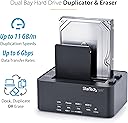
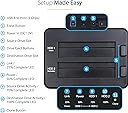
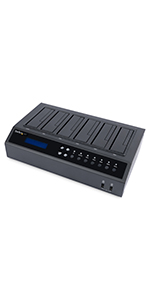
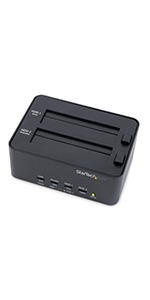
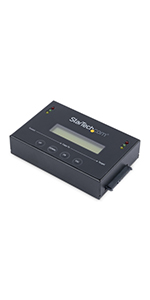
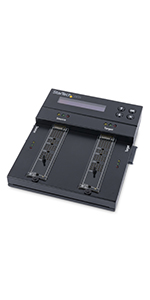
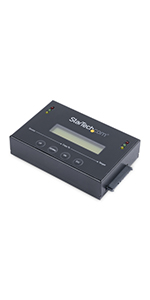
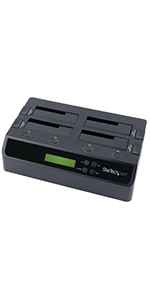
The StarTech.com Dual Bay Hard Drive Duplicator and Eraser is a versatile external docking station designed for seamless cloning and secure data erasure. With support for both 2.5" and 3.5" SATA drives, it offers a user-friendly, toolless design and operates at lightning-fast speeds of up to 5 Gbps. Ideal for IT professionals, this device ensures data security and efficiency, backed by a 2-year warranty and lifetime technical support.



| ASIN | B00G6TG5YE |
| Best Sellers Rank | 14,508 in Computers & Accessories ( See Top 100 in Computers & Accessories ) 17 in Hard Drive Docking Stations |
| Box Contents | 1xUSB 3.0 Cable,1xUniversal Power Adapter,3xPower Cords (NA/UK/EU),1xUser Manual |
| Brand | StarTech |
| Brand Name | StarTech |
| Colour | Black |
| Compatible Devices | Desktop, Laptop |
| Customer Reviews | 4.6 out of 5 stars 951 Reviews |
| Data Transfer Rate | 143.5 Megabits Per Second |
| Enclosure Material | Metal, Plastic |
| Global Trade Identification Number | 00065030852654 |
| Hardware Interface | USB 3.0 |
| Hardware Platform | Mac, PC |
| Hardware interface | USB 3.0 |
| Hardware platform | Mac, PC |
| Item Dimensions L x W x H | 12.7L x 5.1W x 2.5H centimetres |
| Item Type Name | Drive Dock |
| Item Weight | 0.42 Kilograms |
| Item Width | 4.1 Inches |
| Manufacturer | StarTech.com |
| Manufacturer Part Number | SATDOCK2REU3 |
| Material | Metal, Plastic |
| Memory Storage Capacity | 4 TB |
| Model Number | SATDOCK2REU3 |
| Network Connectivity Technology | SATA, USB |
| Product Warranty | 2 Year |
| Product dimensions | 12.7L x 5.1W x 2.5H centimetres |
| Supported Devices Quantity | 2 |
| The Standard Size of the Hard Drive or the Bay the Hard Drive Is Compatible With (in inches) | 3.5 Inches |
| UPC | 065030852654 |
| Unit Count | 1.0 count |
M**1
Quality Product.
Excellent bit of kit for cleaning up Hard Drives and restoring them to working order, easy to use with full instructions for all sizes of drive.
J**S
A Must Buy!
1. The StarTech cloning dock (SATDOCK2REU3) is well made and nicely labelled for ease of use. This replaces my earlier model (SATDOCK22RU3) which would not transfer data from a Seagate HD to the new SSD Samsung 850 Pro. See my review of the Samsung SSD 850 Pro regarding problem and what not to do. StartTech, who by the way are outstanding with their prompt and comprehensive replies to even minor questions, advised the SATDOCK2REU3 uses a completely different chipset compared to the SATDOCK22RU3 (Prolific - PL2775 vs. the older JMicron - JMS551). 2. Using the SATDOCK2REU3 enabled the transfer of data from the Seagate Barracuda HD to the Samsung without problem. However, there is one issue that could be addressed by StarTech. This concerns the docks inability to transfer data from a higher capacity to a lower capacity drive! With the Samsung Data Migration V.2.7 software, drive capacities are irrelevant; what counts is the amount of data actually needed to be transferred. A source drive, for example, of 500Gb containing just 85Gb data will transfer to a 250Gb drive (anything on the receiving drive is automatically erased). This is something seriously needed for standalone cloning docks. 3. Otherwise, the StarTech dock is king and warrants 5-stars! If you need it - definitely buy it.
K**L
Great cloning device
I purchased this device to clone my (Windows 10) 128Gb drive which was running out of space. I removed my PC's original SSD and cloned to a greater capacity (500Gb), new Crucial SSD. The stand alone cloning process worked very well; however as my original drive had a C: partition and an adjacent "recovery" partition, within Windows 10 disk management I could not simply extend my C: partition to utilise the extra storage space which registered as "unallocated" space on the new drive. I purchased a partition manager software product and this resolved the issue with a few clicks. Very happy that this device enabled me to DIY upgrade my PC which is now performing much better, with tons of free space on the C: partition. When I did have a query regarding the cloning process, StarTech support were very quick to respond and very helpful. Overall very happy with the product and service.
O**E
Ideal for cloning from a hard drive to an SSD
I have upgraded a number of computers from SATA hard drives to SATA solid state drives. This duplicatoricator has been very useful to clone the hard drive to the SSD, so that the operating system, applications and data can be simply transferred. The duplicator has two slots for source and destination disk respectively it is even possible to clone a 5.25" hard drive to a 3.5" SSD. The duplicator can also be used to connect a drive to a computer via USB Note that this duplicator does not work with IDE drives.
D**1
the instructions are pretty bare. I had to use a few YouTube ...
I ordered this to use for business purposes. Obviously I was not planning to use the dock too frequently, as this product doesn't last as long with continued use as more expensive products, which I already knew before purchasing. I tested it out on an SSD hard drive which I knew had issues, just to bench test it and see what it could or couldn't do. Doing so bought up two key issues...the instruction manual, and also the labeling available on the front of the device. When you first start using this device, the instructions are pretty bare. I had to use a few YouTube videos just to compensate for my lack of knowledge and, gain a bit of confidence before using it. Once confident enough, the first thing I wanted to try was the erase method. There was not a lot of input on the internet surprisingly about how to erase an entire hard drive. My intention was to place the hard drive to a starting point where it may be possible to restore to it's original settings, before faults occurred by erasing the faults and any other information that maybe still be on the hard drive that was preventing it from functioning, where I had already tried check disk and disk management, which had already failed to this point. This is where I found the issues with both the manual and the labeling on the device as they both supply such basic of information where further research was required. After attempting completion of erasing the entire hard drive, needless to say this had not worked. The hard drive had too many errors before the dock was able to complete the task in hand. Also to note that all the lights had gone out on the device, to the point where I did not know if I had any power going to the device. This resulted in me having to turn the dock off and on just to see if I hadn't broken anything. Everything was good. The dock function was the next bench test. Due to my particular model of laptop, I found the dock had to be switched off before the laptop could find it. It was no good having the power switched on while the laptop was starting up, You had to turn the dock completely off, wait for the operating system to load, then turn it on. *NOTE: this was for my particular model of laptop. Other devices may have a different reaction, and also the hard drive was still in place within the dock before it was switched on. Everything on the dock method worked fine and even disk management was able to find the hard drive. The duplication method works as described. Currently running my original operating system on a new hard drive as we speak, and it's as if nothing has changed. All my settings, and programs are in the same space except now I have more space available. You will need to go into disk management to extend the hard drive, but that is probably the only minor thing you will have to worry about. It only received 4 stars as the labeling on the dock and the instructions within the manual are basic and for something that would have such a huge impact on most devices, I would've thought StarTech.com would've put more effort within these particular areas despite it being a budget device. But saying that, for the price offered and the fact it is a budget device and you get what you pay for. It is still a very useful piece of equipment and I would recommend this item to any start-up business, gamer and also to anyone who would like a useful method to back up their information and memories, delete sensitive information, and also use as external dock for more storage space if required.
B**S
A genius bit of kit. SATA cloning could NOT be easier
This StarTech kit is really really easy to use and needs no connection to a PC; so having removed a sluggish old SATA HDD and bought a fast SSD NB there are SLOW SSD's about; so Read/Write speeds are crucial. Just place to donor(old) SATA drive in the rear slot and the blank SSD in the front and press clone. The unit lights up and tells you exactly what progress you are making. It takes approx 40 mins. to complete. The unit will take the HDD and perform an exact copy; so (1) The SSD can be inserted into the laptop etc ready to boot. (2) A small HDD transferred to a large SSD will only use the same volume as the original. However getting the C:/ drive to fill the SSD can be easily achieved with a simple partition manager. e.g. Mini Tool Partition Wizard. Genius Kit
W**M
Clones without need for downloaded software.
I used this to clone my PC's HDD and also to clone my PVR's HDD without any need to download any software. It is a tad expensive but worth it if you have to use it more than a dozen times.
R**.
Great device
This is a brilliant device to backup your hard drives.
Trustpilot
1 month ago
3 days ago