


Desertcart purchases this item on your behalf and handles shipping, customs, and support to Australia.
๐ Upgrade your workflow with speed and style โ donโt get left behind!
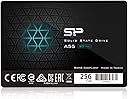
The Silicon Power 256GB A55 SSD combines ultra-fast 500 MB/s SATA III transfer speeds with advanced 3D NAND and SLC Cache technology, delivering reliable, long-lasting performance in a slim 7mm form factor. Designed for ultrabooks and laptops, it features robust data protection technologies and a 3-year warranty, making it the perfect upgrade for professionals seeking speed, durability, and peace of mind.


| ASIN | B075RJS55D |
| Additional Features | Shock Resistant |
| Best Sellers Rank | #2,396 in Internal Solid State Drives #43,178 in Computer Internal Components |
| Brand | SP Silicon Power |
| Built-In Media | 1 x Silicon Power Slim A55 Solid State Drive |
| Cache Memory Installed Size | 256 GB |
| Color | 3D NAND Performance |
| Compatible Devices | Desktop, Laptop |
| Connectivity Technology | SATA |
| Customer Package Type | Standard Packaging |
| Customer Reviews | 4.7 out of 5 stars 8,974 Reviews |
| Data Transfer Rate | 500 megabytes_per_second |
| Digital Storage Capacity | 256 GB |
| Enclosure Material | silicon |
| Form Factor | 2.5-inch |
| Global Trade Identification Number | 00886576030432 |
| Hard Disk Description | Solid State Drive |
| Hard Disk Form Factor | 2.5 inches |
| Hard Disk Interface | SATA 6 GB/s |
| Hard Disk Rotational Speed | 5400 rpm |
| Hard-Drive Size | 256 GB |
| Hardware Connectivity | SATA 6.0 Gb/s |
| Hardware Platform | laptop |
| Installation Type | Internal Hard Drive |
| Item Dimensions L x W x Thickness | 3.9"L x 2.75"W x 0.28"Th |
| Item Type Name | Silicon Power 256GB SSD A55 TLC 7mm (0.28") Internal SSD Solid State Drive (SP256GBSS3A55S25) |
| Item Weight | 50 g |
| Manufacturer | Silicon Power imports |
| Media Speed | 300-500 MB/s |
| Mfr Part Number | SP256GBSS3A55S25 |
| Model Name | A55 |
| Model Number | SP256GBSS3A55S25 |
| Number of Items | 1 |
| Read Speed | 500 megabytes_per_second |
| Special Feature | Shock Resistant |
| Specific Uses For Product | personal, gaming, business |
| UPC | 027075288911 886576030432 |
| Warranty Description | 3-year warranty |
W**.
Great for re-purposing an older machine
Great for refurbishing an old machine you have laying around and sending it out the door with a new lease on life. Used for my nephew's computer I build him for Christmas, with an AMD FX 6300, 8gb of RAM, Asus MA-970 chipset motherboard with garbage ASMedia hard drive controller. It actually sped the thing up nice with a legit copy of Windows 10 (using the Windows 7 key for authorization as it was tied to the motherboard on an OEM license). Nary an issue, works great, and was nice and fast. Great for: Kid's computer non-production machines for net use light to medium-duty Laptop machines you are gifting away, to friends, family, or grand-ma Storage for media files (get the bigger model, but check prices against more known brands first) Not to great for: Content creation, or other heavy-duty multimedia work like video editing or game design. Get an NVME or high-end sata drive for that, you'll thank yourself later. Saving large pictures when working with 4k or higher, get something like an NVME drive for this again. Conclusion: For all those times when it doesn't pay to spend the extra 10~20$ to get a super-fancy brand, as not everyone needs that nor will notice the difference, these drives fit the bill. I have no complaints and have had a few SP brand drives without any issue. Just go in knowing that, while they're much much faster than any hard drive could ever hope to be, they're not the fastest thing out there, nor will they set any speed records. The top-half of the drive is plastic, vs some other drives that have a complete metal enclosure. The drive does not go fast enough to warrant metal for heat-dissipation, so as not to worry, otherwise it wouldn't be designed this way. This is a solid mainstream drive and is marketed as such. No gimmicks, no run-around. To that end, I got what I paid for, no hassle & no complaints what-so-ever. If your drive gets slow after an unplanned shutdown (as all Hard Drives or SSD's can), please open an Administrator-level command prompt (CTRL+SHIFT+CLICK) and type "CHKDSK /F C:" (provided C: is your SSD), and press enter. If it asks to do it after a restart, press Y and hit enter. Then save your work and restart the machine and wait patiently for a minute or two (or less!) while the machine checks the drive for loose files laying about. The machine will be faster after it auto-restarts upon completion. This holds true for any drive OF ANY BRAND in a modern computer, and is due to the fact that an unplanned shutdown will mark the disk as dirty making the drive double-check where everything is, causing quite a bit of wait time for the CPU, resulting in slower performance and hitching in games or other applications. So write down that command and keep it for later incase the power goes out or the machine locks up or gets slow. --Best of luck and GREAT PRODUCT!
E**S
Big speed boost for aging desktops and laptops without breaking the bank
Big speed boost for aging desktops and laptops without breaking the bank The Silicon Power A55 256GB SSD is one of those hidden gems in the budget tech world. Iโve installed this drive in multiple systems over the yearsโfrom decade-old Dell Optiplex towers to midrange laptopsโand each time itโs given new life to hardware that was nearly unusable with traditional hard drives. Boot times drop from minutes to seconds, applications load instantly, and overall responsiveness feels like a brand-new machine. Installation is straightforward. The drive is a standard 2.5" SATA III unit with a slim 7mm profile that fits perfectly in most laptops and desktop brackets. Windows recognizes it immediately, and if youโre cloning an existing drive, tools like Macrium Reflect make the process painless. Silicon Powerโs optional SP Toolbox utility is also handy for checking health status and firmware updates. Performance-wise, itโs impressive for the price. Expect around 500 MB/s read and 400 MB/s write speedsโmore than enough for typical users doing office work, web browsing, and media playback. The SLC cache feature helps maintain steady write speeds, and I havenโt noticed any stuttering or throttling during daily use. Itโs also completely silent and shock-resistant, making it ideal for portable setups. A few considerations: the enclosure is plastic (not metal like Samsung or Crucial drives), and sustained write speeds can dip during heavy sequential transfersโso itโs not meant for video editing or large-scale rendering. But for normal computing tasks, itโs flawless. Bottom line: If youโre upgrading an older PC or laptop, this drive is one of the smartest, most cost-effective upgrades you can make. It delivers big performance gains, runs cool and quiet, and offers excellent reliability for the price. Perfect for breathing new life into aging hardware.
S**E
Dust the old cobwebs off of your computer. This is a great computer speed upgrade.
I have an old laptop for use at home. At the moment I really cannot afford a new computer. But my laptop is 10 years old, and slow. What to do?! One way to speed up your old computer significantly is by upgrading from an HDD to an SSD. As far as I have read, it's the best way to upgrade computer performance. I thought I'd try it. I was skeptical, especially when I first got it, because it was light weight compared to any disc drive I have ordered in the past. I'd never ordered an Solid State. The physical installation was easy; it is a standard size laptop drive. But I was still skeptical because for 256GB it is a good price. I ended up cloning my old hard drive to this new one, and after a few bumps and bruises (my own cloning understanding issues) I was able to get the image off of my HDD to this SSD. First boot? It was brilliant! I booted my computer and was delightfully pleased. It's fast. It boots into Windows 10 with lightning speed. It makes my laptop feel like a new computer. I'm excited about this purchase and about being able to run Windows and Linux without the frustrating latency. I feel like I have a new computer. I haven't benchmarked the speeds yet, and I may not have to, because the response time is so much better for me that I am pleased regardless. I'd definitely recommend this drive.
I**N
Second SSD and so far so good
UPDATE: It's been 6 days since I installed this and it's running flawlessly. No issues and still 99.8% life left after installing Windows 10 two times. Only reason I installed it again was because I wanted to have the boot partition created on the SSD as the older one on my HDD from previous installs was corrupted and causing issues. This might not be blazing fast compared to other SSDs out on the market, but for the budget minded, this still allows me to reboot Windows 10 and log into my machine in under 25 seconds. The longer part is actually as my machine goes through the BIOS bootup, verifying what devices are connected, but once I see the Windows logo appear on my screen, in under 10 seconds I have a log in screen and the log in is practically instantaneous. Remarkable drive for the low price and well worth it. This was a replacement for an SSD that I previously ordered from Amazon (Kingston 240GB) that failed within 2 days. After getting my refund, I searched some more and finally decided upon the Silicon Power 256GB SSD 3D. Reviews were about the same across many of the different brands of SSDs I was looking at with all seeming to have a somewhat worrying failure rate, more so on some than others. But, I took the gamble on this one and so far, 3 days in, not one issue. A sign that the Kingston was probably bad out of the box was made more evident with the install of the Silicon Power drive. I couldn't get the Kingston to be recognized. And when I finally did, it was sporadic if Windows 10 install could format it or not. I would create the partition, then try to quick format it and it would hang and not do anything. Eventually, I was getting data cycle redundancy errors on it within the 2nd day and it finally crashed and wiped everything off of the SSD drive. Luckily, I still had my older Windows 10 install to boot into. With this drive, I plugged it in and my old Windows 10 installation found it immediately. I set it up with MBR (that's all my motherboard can handle) and then formatted it and within about 20 minutes, I had a new Windows 10 install up and running. Since then, I have been monitoring it with SP's software and so far, it's been running very well with no issues. Windows 10 on my HDD takes over 60 seconds to boot. With this SSD it's definitely less than 30 seconds. Firefox on my HDD takes 10+ seconds to launch and then refuses to acknowledge keyboard input for another 15 seconds. On the SSD, it's back to the way it was if not faster. FF launches instantly and immediately accepts and responds to keyboard input now. I'll keep monitoring the drive. The software to monitor it is free and excellent. Hoping I won't need tech support on this drive, but so far, I'm very pleased with this purchase. Mind you, it's not the top of the line drive in regards to speed, but for the budget minded person that wants to help bring an old system back to some semblance of life, this is definitely a good choice so far for me.
S**.
Don't let the low price fool you...
Over the years, I have built, rebuilt, and repaired thousands of computers and typically have only used Samsung or Crucial SSD drives. However, as my customers seek lower prices, I have transitioned to less expensive SSDs such as Silicon Power or ADATA. Both are still very reputable brands and make quality products. I can certainly say that for these Silicon Power SSDs. - Build Quality of these are on par with other brands; lightweight, with a sturdy plastic housing. No issues mounting in hard drive caddy, so installation was a breeze. - Installed Windows on the 256GB using a USB, took about 15 minutes to install and setup. Afterwards, Windows booted in under 7 seconds on an older 2nd gen i5 laptop. - Write speeds are below what you can expect from the higher end Samsung and Crucial drives, but not significantly. This honestly won't affect or be an issue for the everyday consumer. Nontheless, definetely a huge step up from traiditional mechanical drives. Overview: Don't let the lower price fool you. Silicon Power is a fairly well-known brand that has been around for roughly 18 years. There are about 5 major NAND manufcaturers and it's likely that you'll see some of the same internal components in these as you will in more expensive SSDs. It's all about branding and marketing. Read/Write speeds on these is great at this price point and can defintely breath new life into your older machines. I will continue to buy and recommend these Silcon Power SSDs.
G**S
Best drive for the money! MUST BUY! 1gb/s read and 775mb/s write in raid0
MUST BUY!!!! DO NOT PASS THESE UP, and DO NOT LISTEN TO THE BAD REVIEWS - THEY CLEARLY HAVE THEM SET UP IMPROPERLY!!! Ok so first and foremost, anyone claiming speeds arent withing a few megabytes of rated numbers then there is an issue with the way it is set up in YOUR system, and not a reason for a bad review. First, make sure that the drive(s) are AHCI enabled in BIOS, and not set to IDE or some other setting, and if you dont know what that means or dont know how to do it well then thats also not SPs fault and not a reason to give less than 5 stars. Second, make sure that you are using STATA III cables rated to handle 6gb/s transfer speeds (Notice i said "gb/s" and not "GB/s" BIG difference in those abbreviations). Third, make sure that the SSD has T.R.I.M. enabled in OS and lastly, Forth, make sure the drive is properly aligned (and i dont mean when you install it), especially if you clone your OS onto it and use it as your boot drive. If it isnt properly aligned regardless of the rest of the settings youll be lucky to get anything over what a standard HDD transfers at, if that. Now, with that out of the way, these drives are awesome especially for the money. They cost about half what the comparable Samsung drive or Corsair drive costs, yet performs identically. I tested singled drive, and got 535Mb/s R and 515Mb/s W. Then of course i tested them for the real reason i bought 2 (because lets face it why buy 2 and not use in RAID?) and tested the setup in RAID 0, 4k aligned, AHCI, and got 1Gb/s R and 775Mb/s W. WOW. Just a few megs shy of what my Samsung SSDs performed at. Again, better than expected performance for less than half the cost of the bigger brands. 4k reads were 300Mb/s which jumped to over 500mb/s at 8k and 161mb/s writes which jumped to ~300mb/s at 8k. After 32k, write performance was sustained at AVERAGE of 550mb/s peaking at 775mb/s and my reads were at 874 meg/s, however 1 more increment up to 64k and reads were sustained at 1gb/s consistently regardless of block size (64k through 4mb) I didnt rate support because i dont use it nor will i in the future, so.... yeah, but im sure they are fine and do what they can within their obvious limits. Hope this review helps someone, anyone, everyone!
P**R
Boots up fast and runs fast
I installed it on an Acer15 inch laptop (Acer V3-571-6698) I bought in 2012. I replaced the hard drive which came originally with it windows 8 preinstalled. It kept crashing and became very slow. I took out 8 screws (2 for the cover,2 for the hard drive enclosure and 4 for the hard drive) and it took about 5 minutes to install it. I downloaded windows 10 and installed it without the serial and since I had already upgraded the windows 8 to windows 10 and apparently Microsoft registered the laptop in my e mail account ( I have an outlook email)the windows 10 was automatically activated and the laptop was good to go. I installed a several apps and the laptop was up and running so fast I could not believe it. The 256 GB SSD cost me $34 and it was worth every penny. This SSD is really great and a great piece if you want to upgrade an old laptop. It is so small and thin it will fit an ultra book. Sorry it won't fit laptop fitted with pci hard drives. It will fit any laptop which came with a 2.5 HDD or any 2.5 inch SSD. It will fit bigger laptops (mine is like 6 lbs or ultrabooks) It is worth every penny. I don't know the reliability or MTBF.
A**M
Best value SSD out there - installation can be frustrating, learn from my mistakes!
I got the 256GB SATA drive, and it's by far the best value SSD out there that I could find. Performance-wise it might not be the fastest, but for my needs (and on my old motherboard which only gets SATA I speeds anyway) it is perfect. Excellent customer service from the company, too. I thought I had a problem with the first one I received (in hindsight it was probably working just fine) and the company sent a new one super fast, no hassle at all. With my Windows 10 now on the SSD, it feels like a new machine. Installation tips: I am not a hardware or computer expert and do not profess to be, and I did the installation myself on a desktop and learned a lot in the process (mostly through Google and message boards). This isn't a detailed installation guide, just a few tips I learned. So here's how you can learn from my mistakes and avoid some frustration: 1. If your computer doesn't see your drive, and you can't see the drive in disk management or in BIOS, go into BIOS and make sure your SATA ports are not disabled. I had this issue and took me forever to realize this was the problem. In hindsight it should have been obvious, but I was learning my way through all this so I didn't think of it. 2. You will also likely need to go into BIOS and make sure your SATA operation is set to AHCI. BUT (and this is important) if your settings are not on AHCI and you switch to them in BIOS, you will get a blue screen on startup and crash. You will need to use the command prompt (as admin) first to ensure a startup in safe mode by typing "bcdedit /set {current} safeboot minimal", THEN restart and go into BIOS, switch over to AHCI, restart in safe mode, and go back into command prompt as admin, type "bcdedit /deletevalue {current} safeboot", restart again, and you will be all set. After doing that, I was finally able to see both drives in the boot order. 3. If you want to move your Windows OS from an existing drive to your SSD, you can try to clone it and maybe you'll have no problem, but after trying multiple clones with different programs and having them fail every time, I finally just did a fresh install of windows from a USB (or other media device) and was glad I did. Don't waste your time with cloning and just do the fresh install. It could save you countless hours of frustration. I don't know if that will help anyone or not, but I hope it will. And if that all sounds WAY too complicated to you, find a friend who is well versed in computer hardware, buy them a case of their favorite beer, and plead with them to do the installation for you.
M**7
STUPENDI!
costano poco, anzi pochissimo! vanno come i san disk e li sto montando in ogni dove. vanno tutti alla perfezione!
E**E
Good price for the
laptop boot time significantly decrease. I had the product for more than 3 weeks and no problem yet. Good price for the product
A**R
Reliable Performance and Value!
I recently upgraded my laptop with the Silicon Power Ace A55 256GB SATA SSD, and I couldn't be happier! The installation was straightforward, and the performance boost is remarkable. It boots up my system in seconds and significantly speeds up file transfers. The 500MB/s read and write speeds make a noticeable difference, especially when running applications or multitasking. The 3D NAND technology adds durability and reliability, which is a plus. Overall, this SSD offers great value for its price. Highly recommend it for anyone looking to enhance their desktop or laptop's performance without breaking the bank!
A**I
Very good economical upgrade for a old pc.
Cheap, effective and worth the money and try. Attempted speeding up old machine by installing ubuntu 20 lts. Performance looks very impressive so far.
P**E
Great value
Very fast and cheap drive
Trustpilot
2 days ago
1 month ago