


๐ฆ Print Smarter, Ship Faster, Stay Ahead!
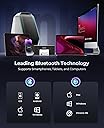
The RealWriter 129 Bluetooth is a compact, ultra-fast thermal label printer designed for professionals who demand seamless wireless printing across multiple platforms. Featuring Bluetooth and USB connectivity, it supports major shipping marketplaces and uses cost-saving direct thermal technology with a lightweight, portable design. Perfect for on-the-go label creation via the intuitive MUNBYN Print app, it delivers reliable, ink-free printing at speeds up to 72 ppm with a 2-year warranty.






| ASIN | B09M8KR5S1 |
| Additional Printer Functions | Print Only |
| B&W Pages per Minute | 72.0 |
| Best Sellers Rank | 39,153 in Business, Industry & Science ( See Top 100 in Business, Industry & Science ) 63 in Desktop Thermal Label Printers |
| Box Contents | Labels, Paper |
| Brand | MUNBYN |
| Brand Name | MUNBYN |
| Color Depth | 1 bits_per_pixel |
| Colour | Gray |
| Compatible Devices | Tablets |
| Connectivity technology | Bluetooth, USB |
| Control Method | App |
| Controller Type | Android |
| Customer Reviews | 4.2 out of 5 stars 554 Reviews |
| Dual-sided printing | No |
| Duplex | Manual |
| Hardware Interface | Bluetooth |
| Ink Colour | black |
| Item Dimensions D x W x H | 8D x 21.3W x 9.4H centimetres |
| Item Type Name | Bluetooth Thermal Label Printer |
| Item Weight | 720 Grams |
| Manufacturer | MUNBYN |
| Maximum Copy Speed Black and White | 72 ppm |
| Maximum Sheet Capacity | 100 |
| Maximum Supported Paper Size | 110 mm |
| Model Name | ITPP129 |
| Model Number | ITPP129BU-GY-UK |
| Model Series | 129B |
| Model name | ITPP129 |
| Network Connectivity Technology | Bluetooth, USB |
| Other Special Features of the Product | Bluetooth thermal label printer |
| Paper Size | A6 centimeters |
| Print media | Labels |
| Printer Output Type | Monochrome |
| Printer Type | Thermal |
| Printing technology | Thermal |
| Processor Count | 1 |
| Product Warranty | 2 year manufacturer |
| Scanner Type | Portable |
| Special feature | Bluetooth thermal label printer |
| Specific Uses For Product | Label Printing, Business/Online Sale |
| Unit Count | 1.0 count |
| Warranty Type | limited warranty |
| Wattage | 12 watts |
M**E
Hands down the best label printer I have used
I have to say, what a great little printer. I went from a ยฃ200 zebra label printer for a few years, and just had trouble getting the labels for it as they where out of stock everywhere. So, i decided to make a quick purchase of this Munbyn label printer as a temporary machine until I can get more labels for my Zebra. Well, it looks like i'm not going to go back to using my Zebra as this is a far better printer for a quarter of the cost and I only wish I went with a Munbyn before! Cheap labels, great printer, easy to set up! 100000 stars!
A**M
Speeds up process and adds professionalism to orders
One of the best investments I've made for the packaging process of a small business. Really speeds things up, and its also so useful for more than just shipping labels. Perfect for thank you notes, instructions, additional info, and labelling items. Adds a lovely touch of professionalism. I've been using for over a year now and its been a delight. No issues at all, except the occasional times I've needed to reinstall the software on my laptop when its suddenly stopped detecting the printer - not sure why. But from my phone there have been no issues at all and works smoothly via Bluetooth. Its going strong with no signs of degrading and has been worth every penny.
B**Y
Good product. Works well.
Easy to use and set up. Great product.
B**A
SAVE YOURSLEF THE PAIN WHILST YOU CAN!
DONT BUY THIS It worked fine for me when I first bought it as a quick and easy solution to printing custom labels to whatever the customer orders. I haven't used it in a while and had to update the app and its been incredibly frustrating. Something that's ment to bring ease to my life has brought so much pain. I follow everything to resolve but the printer won't print straight, doesn't recognise the labels, prints only half the text! I finally get it centre and then the next label it only prints half, cos its over heated. Can't batch print. I am looking forward to throwing it out. DONT BUY, SAVE YOURSELF WHILST TOU CAN!!!
C**W
Superb Print Quality but Bit of a Nightmare Trying to Set it Up for Laptop
This is a really great little printer and I'm glad I invested in it. The print quality is excellent, the labels it prints are clear and great quality. The thermal works really well and the heat it uses to create the label doesn't smudge at all. It prints straight away too, no warm up time needed. The size is great as it means it can be put on a shelf and you're good to go once it's set up. It prints 6x4 sticky labels which is great for eBay, Vinted and other selling sites. I haven't had any label feed issues, it goes through great. My only issue was in setting it up. I got it to work fine on my phone and the app is okay, easy to navigate etc. I couldn't set it up on my iPad and it took forever to get it to work on my Windows laptop. I got there in the end but it just wouldn't recognise the printer to start with. I downloaded all the necessary driver via the Munbyn site and it still wouldn't work. I had to uninstall the driver 3 times before it would work properly. The instructions aren't the best and the video guide is utter rubbish. Still, as I said, I got there in the end. Still, overall very good, no need for expensive ink and super handy to have. One star off because of the faffy laptop installation but otherwise recommended.
K**Y
Small bestie
It's amazing product will buy again
J**N
Great Little Printer
Great little printer. Purchased for personal use, saves visits to ever decreasing number of post offices. Labels can be generated via Royal Mail website and even collected by Royal Mail from your home for a nominal fee. Relatively easy to set up. Did have issues with downloading driver from Munbyn website and had to locate driver elsewhere but once set up no issues.
I**C
Clear printing and easy install eventually... Read fix for myself
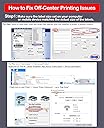
Bought official Munby paper, as I've seen third party rolls not work with the unit. So best save you the headache and buy official paper. Followed install steps. Downloaded their "Labelife" wireless app and worked straight away,.. "Yay!" But then I downloaded the local USB desktop software version for desktop and had an absolute nightmare of hours trying to get it to work hardwired. I added it as a default printer on Win 10 machine. It showed up with no errors, but got "load the driver" sort of message upon opening this program. Checked, driver was installed with no issues. Instal. re-instal following steps, installed earlier driver... etc...etc. ANYHOW... Here's my fix and maybe yours hopefully if you did as I did. FIX: Turn on Print spooler (Automatic) in the services and start it up also. You may have to restart your machine? Yes, I had turned mine off and to manual operation many years back to save a miniscule amount of processing power and completely forgot.... Dooh! TIP: (If you need to rotate and print the postage label so the image and printout is clear) You really want to do this in Adobe rather than rotating it in a 3rd party program, as the print quality can be bad that way. Open PDF with Adobe - View\Rotate view\Counter "OR" clockwise\ and when it turns. Click on Edit\Take snapshot\ and outline the image you want to crop, And whilst it is highlighted blue click on print at the top. Oh and I made my own sturdy bog roll label dispenser... Haha!... "Works a treat" Hope that helps someone out.
Trustpilot
1 month ago
1 month ago