Buy anything from 5,000+ international stores. One checkout price. No surprise fees. Join 2M+ shoppers on Desertcart.
Desertcart purchases this item on your behalf and handles shipping, customs, and support to Australia.
โจ๏ธ๐๏ธ Tap into the future of typing and control โ your hands, your rules!
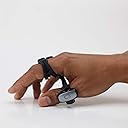
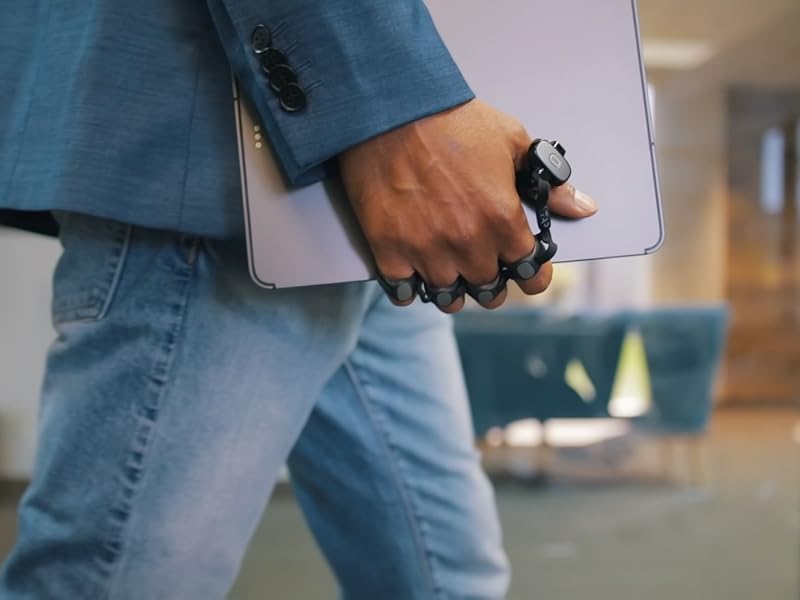
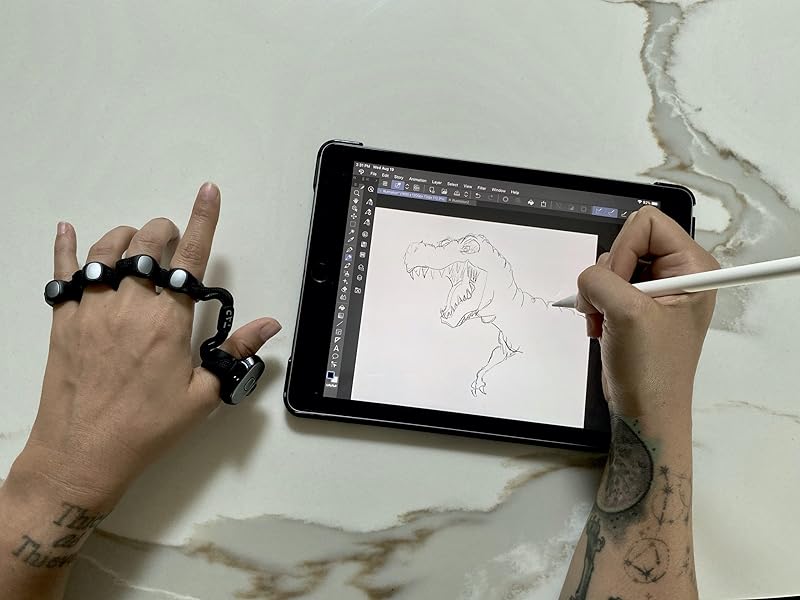
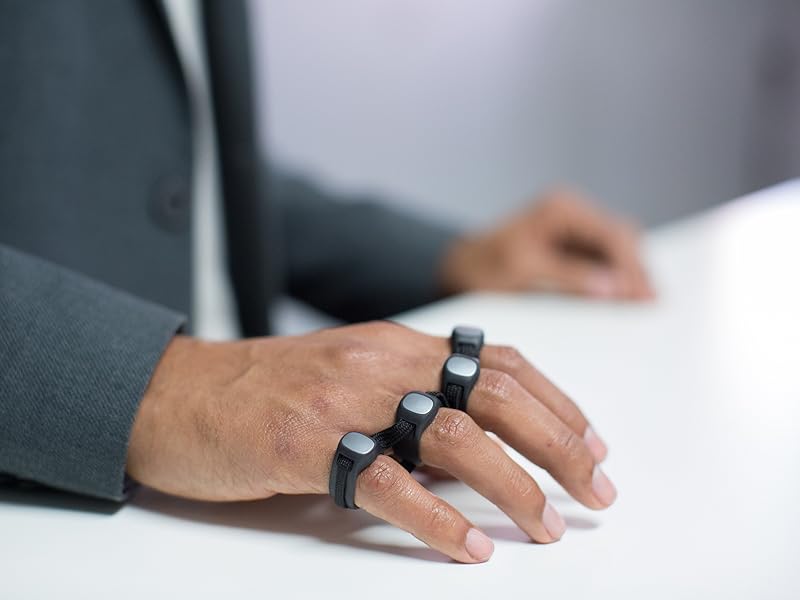
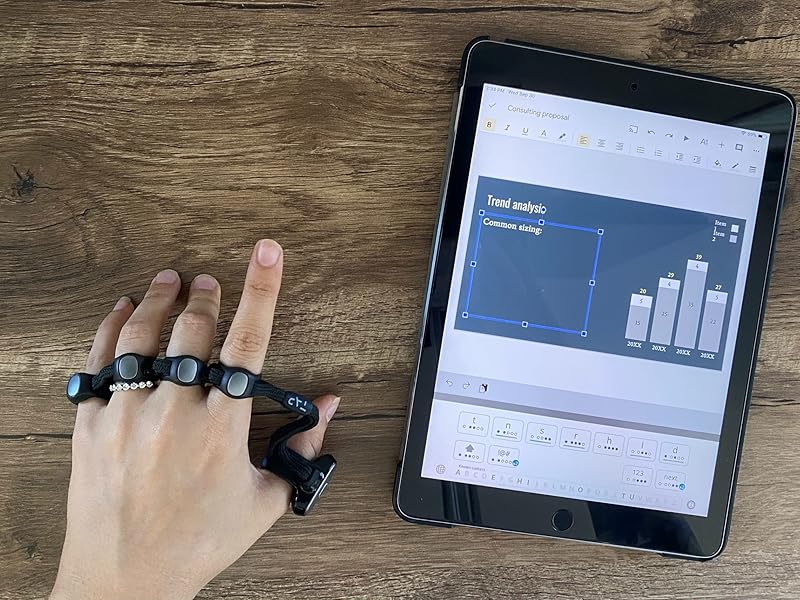
The Tap Strap 2 is a cutting-edge wearable device combining keyboard, mouse, and air gesture controls into one sleek, ambidextrous unit. Compatible with a wide range of devices and languages, it offers customizable input through the TapMapper tool. Lightweight and made from soft TPU, it enables seamless typing and navigation in any environment, from VR to smart TVs, powered by a rechargeable lithium-ion battery.


| ASIN | B09C2K7L73 |
| Antenna Location | Everyday Use, Multimedia |
| Best Sellers Rank | #914,577 in Electronics ( See Top 100 in Electronics ) #1,137 in Tablet Keyboards |
| Box Contents | Support software, USB C cable |
| Brand | TAPWITHUS |
| Brand Name | TAPWITHUS |
| Button Quantity | 2 |
| Colour | Black |
| Compatible Devices | PC, Projector, Smartphone, Tablet |
| Connectivity Technology | usb |
| Country of Origin | USA |
| Customer Reviews | 3.3 out of 5 stars 158 Reviews |
| Enclosure Material | Plastic |
| Hand Orientation | Ambidextrous |
| Keyboard Description | Indoor |
| Keyboard Layout | QWERTY |
| Manufacturer | Tap Systems, Inc. |
| Manufacturer Part Number | 1 |
| Mechanical Keyboard Switch Model | Mecรกnico |
| Model Number | 1 |
| Number of Keys | 3 |
| Power Source | Battery Powered |
| Product Features | Ambidextrous |
| Recommended Uses For Product | Everyday Use, Multimedia |
| Special Feature | Ambidextrous |
| Switch Type | Mechanic |
| UPC | 852325008052 |
| Unit Count | 1.0 Count |
| Warranty Description | 12 months |
K**R
Product is very fantastic, and seller was very cooperative
Although the delivery was delayed, communication from seller was very proper and product is very good.
N**S
Love it. I'm becoming a power user
I bought both the Tap XR and Tap Strap 2. Love it. They could do a lot of work in the software department but cant complain. They have an amazing friendly support staff always ready to help as you really need it with this thing to get started. Very excited about the future of the company. I hope they keep the support and customer service up (I had to replace my XR the first one had an issue and did not work) and make enough money to develop this into a better stable product with all the software bugs taken care of. Main complaints top of my head (and I could write a really long list since I use it daily) -Android TapManager does not work. Very buggy. I personally cant even get pastbthe tutorial that keeps resetting but even skipping it pops it back up preventing you from starting the app. (Luckily I had a spare iphone, without it this would be almost useless) -There is no Desktop version of the tap manager. I think a PC version as with most power users preference of OS due to these sort of things would be great. Really need a desktop for many reasons. I would like to create maps and test them on the same computer. - I do not like the hardwired shortcuts on tap manager. Some of them take main finger maps away for something I would never use. Still not sure why I would want to turn off the tap with a finger shortcut when theres a big button for it. Or take a photo one a device that has no camera...etc... -That's the biggest ones. But still live it. Still 5 stars.
T**E
Better to use a wireless mouse. Decent otherwise.
TLDR: You can type on a keyboard and move a mouse using gestures via sensors only you can't see either of them. Keyboard can make sense if you had one for both hands, otherwise I'm confused. Mouse function is pretty much a gimmick. It's not a hands-free mouse, you still need a surface to use it. You can map gestures via the app supposedly - I havn't tested the app. If you want a wireless mouse option just buy a bluetooth mouse and keyboard combo. A few of those keyboards can fold up nowadays as well. ------------------ My initial idea was to use this alongside a Vufine display so I could use a keyboard and mouse function hands-free. The Tap-Strap overall feels good. It's lightweight and responsive just it takes time to get used to. There is supposedly an application you can download for it. I didn't download it myself but you're supposedly able to remap the functions of the sensors and create shortcuts depending on the task. The mouse system is a thumb sensor you have to move atop a surface to use. Ideally you're supposed to move your hand as if you were holding a mouse. In practice I just don't thing it's a good system. I would have preferred a thumb-controlled ball or something else. I don't really know who this was designed for, to be honest. I guess the gesture control works fine for keyboards. I just feel the system is too bare for what it's aiming to solve.
C**J
Definitely Shouldn't be sold as a Keyboard.
I'm a lifelong wearable computing enthusiast, and I'm old enough that most of my life the outlook has been bleak. This device is amazing...ly close to being usable. I'm a moron, and I was able to memorize the alphabet using their great tutorials and mnemonics in just a few days of 15-minute sessions. And then I ran into the wall, because this device cannot be used as a keyboard. If you double tap e, it inputs e, backspace, exclamation mark. If I am using a program that's not a word processor, which treats e, backspace, and exclamation as different commands, this will severely mess things up and be fundamentally unusable. I'm not smart enough, nor interested in trying to memorize a new set of taps for every single program, and even so, that doesn't solve the issue. And without double-tap and triple-tap working as they should, you don't have enough chords for the entire keyboard. The developers have been repeatedly told of this problem for literally years, and they just ignore it, claim it must work this way. If you don't like it, they say, disable double-taps and then you have a device that also isnt' a keyboard, because it hasn't even got most of the characters available. Can you imagine if your mouse had to perform the single-click action on every double-click? It wouldn't be useable except in EXTREMELY limited circumstances. This device is exactly that. If you imagine yourself using this to type in a word processor or messaging app AND NOTHING ELSE you'll love it. It's super cool and it's actually fun to type on. It makes me so sad that I can't make it my daily use keyboard because it's just ... not one, and the devs could fix it with one very tiny optional setting they steadfastly refuse to add, for *years.* Honestly. I'm only writing this because I'm super sad at what a useless device it is, and how much potential is just squandered.
T**K
What a let down
I was very excited to get my hands on the tap strap 2, but every step of the process is riddled with unreliable apps, annoying settings, and ergonomics that are out performed by an Adzerd Smart Ring for 20 bucks. Starting with the app, the app is by far the worst part of this experience as it disconnects frequently, and once disconnected you must either completely clear the app data from your device or you uninstall and reinstall it to reestablish connection. And you NEED the app to change your settings, which are also compromised. The settings allow you to configure multiple presets and switch between them witch is nice as it is just a wearable keyboard and mouse on your hands. But the device is soo sensitive that inputs will execute accidentally frequently. This can be mitigated by setting all commands to 2 - 3 taps, but not only can the switch commands not be switched as they are locked by the manufacturer, but they are also 1 tap. Meaning you might accidentally switch your settings and have to constantly try to set them back to your custom configuration. Ultimately i expected this device to allow me to multitask and execute commands while my hands are occupied, but if you don't have a stable surface to tap or something in your hand, the tap accuracy significantly drops, and you won't be able to instinctively operate this device without having to troubleshoot every time you use it. Again the Adzerd ring is what i wanted this device to replace. Its accurate, doesn't need an app or presets, doesn't need a specific surface to operate and can be used even while typing. I'm turning my music on and scrolling through tiktok as i type this, yea good luck doing that with the tap strap 2. Also the mouse feature is clunky and annoying to use too, but of course it is lol.
J**Y
Hard to learn, needs surface like youd have a keyboard on anyways.
I'll start with a quick positive, this is the most portable keyboard and mouse you can find. This is not an air keyboard by any means which I still somehow thought after watching a few videos, that's on me. This dramatically ruins the AR experience. You need a hard flat surface like a desk to use this on. If you're going to have a surface you might as well have a keyboard and mouse in most cases. If you had only one usable hand (or needed to free up one) this might be neat. That's the only circumstance I can see. However, you'd still likely be better off with a keyboard and mouse operated with one hand, even switching between the two...unless you're mobile! (You'll still need to find a surface to tap on) I don't often use my phone with still fixed ergononical surfaces, so it's useless there; and I always use my computers with still surfaces, where there are far more positives to a keyboard and mouse. The air mouse is impossible to use, as to click you move your wrist which is also how you move the pointer. The surface mouse is pretty cool, but requires more cooridination than a regular mouse, as your thumb indepentdantly is the x,y input. Your cursor/thumb is prone to move (not unlike in air mouse mode) when you move any of your other fingers to click, as your hand is all well connected together, unless you keep consistent pressure down on your thumb. This get tiring quickly, unlike a mouse meant to let your hand rest precisely a-top, not moving when you lift your hand or click a button. If you could disengage the mouse movement from your hand before clicking with an extra gesture it might work, but then you've gotta do multiple gesture to click once... Still works alright as a one handed keyboard once you learn it, with surprising accuracy (still less convenient then typing with one hand with fixed position hard keys if you can have space for a keyboard.) Other than for fun, there's just no real point in learning a less accurate, slower, less convenient device. It's a step in the right direction, but there's a few miles to go. Inputs devices can only be made better with consistency/accuracy#1, memorability/speed#2, ergonmics#3, features#4(extra function(fn) or macro buttons),Style#5 This device hits misses #1 Might actually win number #2 if I spent enough time (as I already know how to type, comparitively) Is uncomfortable after short term use so likely missing #3 for most people (experience may vary) #4 Has a world of possiblities if they provision the right type of macro software with a slick interace, not fully applicable yet #5 Looks Awesome, you could wear this around anywhere in this day and age and it would inspire only curiosity, it's very exciting product. (too bad it doesnt work just anywhere you want i.e. walking, at least just yet)
Trustpilot
2 weeks ago
2 months ago