Desertcart purchases this item on your behalf and handles shipping, customs, and support to Australia.
✍️ Transform your iPad into a creative powerhouse with Paperlike!
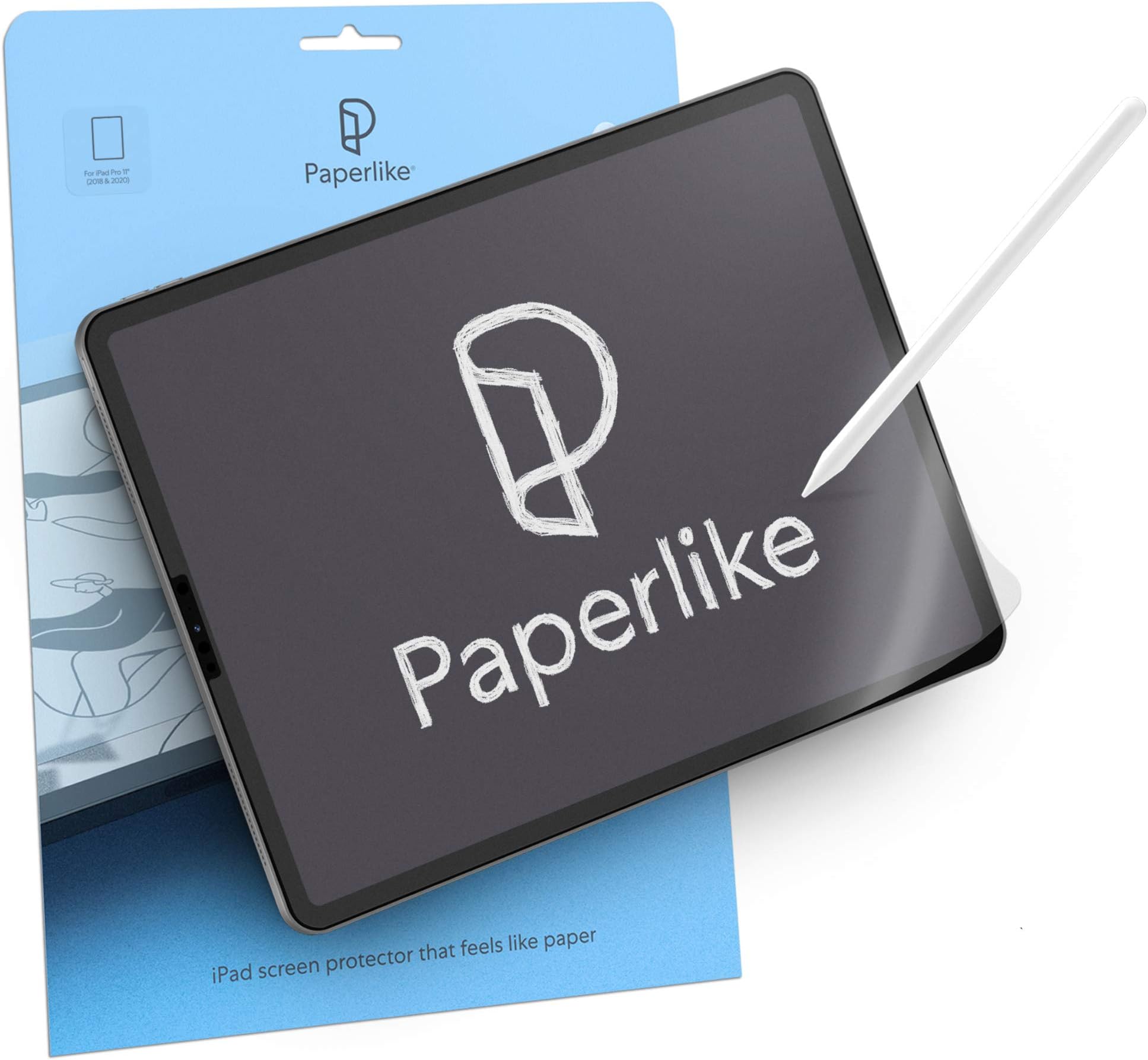
Paperlike Screen Protector for iPad Pro 11" (2018) and iPad Air 10.9" delivers a unique paper-like texture that enhances precision for drawing and note-taking. Compatible with Apple Pencil 1 & 2, it reduces tip wear while maintaining touch sensitivity. Featuring Nanodots anti-glare technology, it ensures clear, vibrant visuals without reflections. The package includes two protectors and a full installation kit, making it a must-have for professionals and creatives seeking superior accuracy and comfort.


| ASIN | B08245816Q |
| Best Sellers Rank | #23,439 in Computers ( See Top 100 in Computers ) #465 in Tablet Screen Protectors |
| Brand | Paperlike |
| Brand Name | Paperlike |
| Clarity | 10 |
| Color | Clear |
| Compatible Devices | Default |
| Compatible Phone Models | Default |
| Compatible Tablet Computer Models | Apple iPad Air (4th generation) |
| Compatible devices | Default |
| Compatible phone models | Default |
| Customer Package Type | FFP |
| Customer Reviews | 4.3 out of 5 stars 10,431 Reviews |
| Finish Type | Default |
| Global Trade Identification Number | 04260470099096 |
| Included Components | Alignment Tool |
| Item Dimensions L x W | 24.7L x 17.8W centimeters |
| Item Hardness | 9H |
| Item Weight | 10 Grams |
| Item hardness | 9H |
| Manufacturer | Paperlike |
| Material | Default |
| Model Name | PL2-11-18 |
| Model Number | Paperlike 2.0 |
| Number of Items | 2 |
| Part Number | PL2-11-18 |
| Product dimensions | 24.7L x 17.8W centimeters |
| Screen Size | 11 Inches |
| Screen Surface Description | Smooth |
| Special Features | Anti Glare |
| Unit Count | 2 Count |
| Warranty Description | 1Year |
| Water Resistance Level | Not Water Resistant |
K**G
Worth to buy
Super easy to install
M**D
Very ggood
Changes the way of writing on ipad
S**L
So hard to implement but cool on writing
Sorry but it takes so much to implement and If you paste it like in the video, it doesn’t aligned. After second implementation it fitted. For the writing performance it is truly amazing and no fingerprints. Reallly liked it
A**K
Received as described
I like it, having different experience after applying this on my iPad 11 Pro
A**A
وصلني مقاس خاطئ
احببت انه يوجد ورقتين وليست ورقة واحد فقط 😍 ، ولكن للاسف طلبت 11 inches و وصلني 10.2 inches .. عندنا اجرب المنتج الصحيح سأقوم بالتأكيد بكتابة تعليق ..
R**M
Not paper like at all
I have tried two other brands before and I tried this brand previously. The texture used to be really similar to paper with good friction and matt finish. But this, the screen protector is like a normal plastic screen protector. No texture. This is the worst paper texture screen protector I've ever bought. It's sad seeing the quality drop.
A**E
Way overpriced for the quality
Looks like a scam to me….for this price. Got a couple of years back better product for a quarter price. Don’t fall for it
M**Y
Don’t buy this product
Ver bad quality and worst customer service
L**S
Good but hard to clean
The product is good and has a really good feeling when you are drawing, but every day you have to clean and it is a bit hard to clean, you really have to scrub a bit with the towel.
B**.
Be very careful while installing
Installation is quite the delicate and tedious process. I'm glad they give you two of them but my plan was to use them at different times, not to have one as a backup in case I messed up installing the first. The guide on installation is easy to follow and I did it mostly right but I did end up with two small bubbles which I can sometimes notice when looking at the screen. It doesn't ruin the experience or get in the way of using the touch screen at all regardless of whether I'm using my finger or the Apple Pencil. It does feel like paper which is cool but sometimes it actually feels quite smooth. The longer you use it the more it will wear down and you will eventually get smooth spots which are still rougher than the screen itself but smooth compared to when its new. I wanted this because drawing on the iPad without something like this feels unnatural and it's far too easy to slide my pencil across the screen and have far less control over delicate strokes. With Paperlike it feels much more like paper and the resistance allows you to feel enough feedback to really feel as though you're interacting with the medium that the app you're running is emulating. It feels like pencil on paper or paint brush on canvas. It's great. One thing they don't tell you is that it's great for reading books on iPad as well. When turning pages I really feel more like I'm reading a paper book than a digital one. I've always preferred paper and analog tools but I'm more likely to buy and read digital books now with the Paperlike screen protector on my iPad. It's easy to clean. You just take the same sort of cloth you'd use to clean your iPad's naked screen and use it on the Paperlike. Yes, you will get fingerprints on your screen if you touch it with your hands just like using the normal screen so you have to clean it periodically. The Paperlike does dim the screen and dull the colors just a tiny bit but unless your work demands absolute perfection when it comes to color accuracy or you're some superhuman that can't handle a negligible change in brightness/color then you won't notice it unless you're specifically looking for it. I'm glad it comes with two because eventually the first will wear out and I'll need to apply another and the second time I'll hopefully learn from the mistakes I made with the first and make sure there are no small bubbles that end up under the screen. But like I said, even if you do end up with a couple small bubbles you'll most likely be able to live with it and in most cases it isn't worth removing the Paperlike and reapplying a new one. The difference is negligible.
F**L
Disappointing
If you like your screen to be high quality i dont recommend you buy it. Even the feeling when i’m is not that much of a difference. It also requires a lot of care, since it gets scratched so easily. I had a super glass screen protecter before it, and i regret it sadly.
S**N
Way too expensive for what it does. Application method is the worst I have seen in the industry.
I bought this product after experiencing writing on an e-ink tablet that had an amazing feeling. Hoping to recreate the same feeling but with the added functionality of the iPad I got this product, but did it ever disappoint. Too expensive for what is basically just a matte screenprotector and the method of applying it is overcomplicated and just asking for misalignment with the screen. Definitely save your money on something more useful that this plastic throwaway product.
S**N
Sehr gute Folie mit normalen Einschränkungen, empfehlenswertes Produkt!
Ich finde diese Folien sehr gut. Es ist klar, dass wenn man mit einem Stift auf der Folie schreibt, das dies Spuren hinterlässt. Wer also erwartet zwei Stunden auf der Folie zu malen, zu schreiben oder zu kritzeln, ohne dann mit einem Pflegemittel drüber zu gehen und dann immer noch eine perfekte Folie zu haben, der wird enttäuscht werden, immer und immer wieder. Das anbringen der Folien nach schauen des Installationsvideos ist auch für Ungeübte gut zu meistern. Ich bin sicher nicht das Maß der Dinge, ich habe aber diese Folien nun bei nahezu allen unserer Praxisipads angebracht. Wir haben das normale Ipad 2018 bis zum IpadPro, es ist mir immer gelungen blasenfrei die Folie aufzubringen. Bitte vorher einfach die 4,5 Minuten nehmen und das Installationsvideo, welches per QR Code zu scannen ist, anschauen, dann geht das auch sehr einfach. Die beigelegten Feuchttücher zur Reinigung kann ich nicht empfehlen, die schmieren mehr als was sie reinigen. Ich nehme da lieber meinen Diplayreiniger von Worx, der geht allemal besser. Immer drauf achten, wenn Ihr einen Displayreiniger beim IPad verwendet, dass dieser ohne Alkohol ist. Die Haptik ist tatsächlich dem von leicht rauhem Papier sehr ähnlich. Das Schreibgefühl vom Original Apple Pencil, wie auch Alternativprodukten empfinde ich als sehr gut. Gibt es Spuren? Ja die gibt es, natürlich, es ist eine angeraute Folie auf welcher wir mit einem Stift drücken, natürlich gibt es Spuren. Nehmt einen alkoholfreien Displayreiniger, geht da drüber und dann sieht es wieder besser aus. Ich arbeite als Lehrdozent an einer staatlich anerkannten Schule, schreibe alle meine Notizen auf dem IPad seit über einem Jahr. Die Folie sieht dafür noch sehr gut aus. Ich werde sie vermutlich in einem Jahr ersetzen müssen, aber zwei Jahre sind für mich eine gute Halbwertszeit. Beim streichen über das IPad spürt man natürlich ebenfalls die rauhe Fläche, wer haptisch sehr sensibel ist, der kann dies durchaus als unangenehm empfinden. Bei nicht vollständig laminierten Displays, wie dem des Standardipads 2018 nehme ich auch eine leichte Verzögerung der Toucheingabe war. Bei durchlaminierten Displays bemerkte ich davon, auch bei großer Fokussierung auf das Detail, davon nichts. Die Brillianz der Farbdarstellung wird leicht abgemildert, dennoch werden die Farben naturgetreu dargestellt. Das Display spiegelt nicht mehr so stark, was ich persönlich als Bereicherung empfinde, dennoch geht etwas Brillianz verloren. Wer also viel mit Fotos arbeitet muss sich überlegen was ihm wichtiger ist, die Papierhaptik oder die maximale Brillianz. Wie gesagt, die Farbdarstellung verändert sich nach meiner Wahrnehmung nicht. Aus meiner Perspektive ist dieses Produkt für die Verwendung des papierlosen Büros unbedingt zu empfehlen. Alternativprodukte habe ich nicht getestet.
Trustpilot
4 days ago
3 days ago