Desertcart purchases this item on your behalf and handles shipping, customs, and support to Australia.
🚀 Elevate your creative workflow with storage that keeps pace!
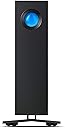
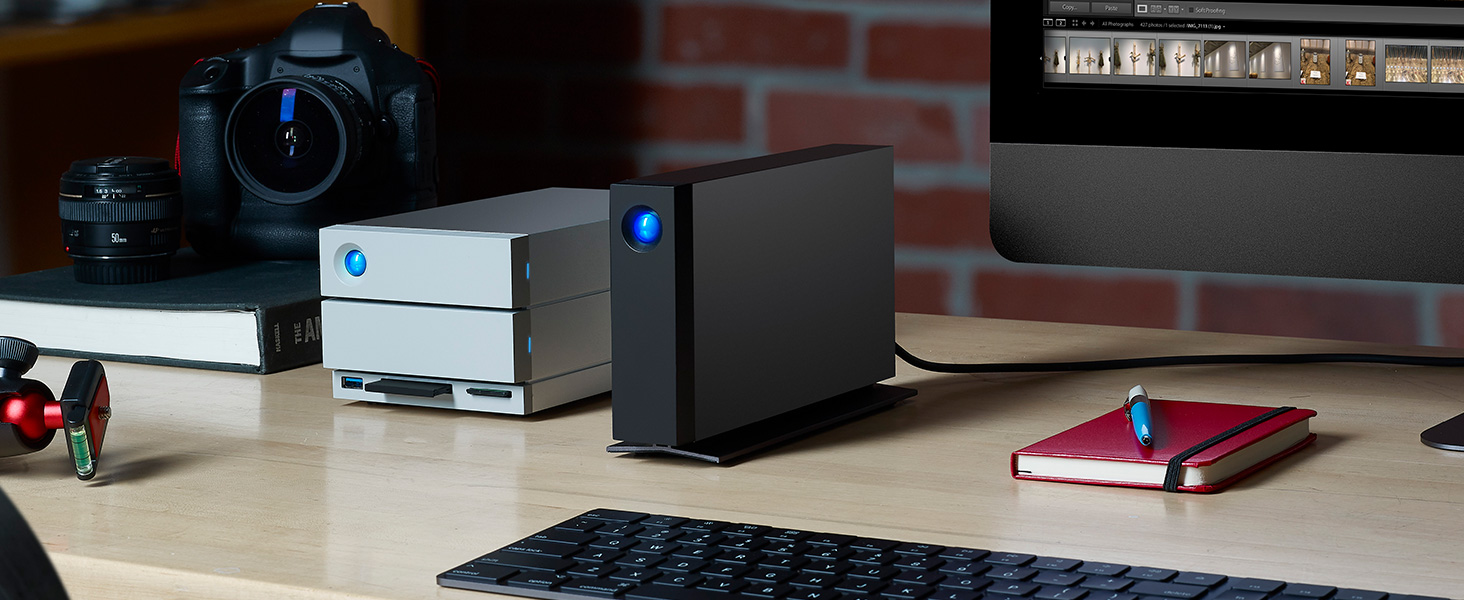
The LaCie d2 Professional 16TB external hard drive combines enterprise-class BarraCuda Pro reliability with ultra-fast USB 3.1 Gen 2 Type-C connectivity. Designed for creatives on Mac and PC, it delivers 260MB/s transfer speeds in a sleek aluminum enclosure that minimizes noise and vibration. Included is a 5-year warranty with Rescue Data Recovery services and a complimentary one-month Adobe Creative Cloud All Apps membership, making it the ultimate storage solution for professionals who demand speed, capacity, and peace of mind.


| Additional Features | Data Recovery Service |
| Asin | B08C8CHZTY |
| Best Sellers Rank | #74 in External Hard Drives |
| Brand | Seagate |
| Built In Media | LaCie d2 Professional 16TB USB 3.1 TYPE C |
| Cache Memory Installed Size | 16 |
| Color | Black |
| Compatible Devices | Desktop |
| Connectivity Technology | USB |
| Customer Package Type | Standard Packaging |
| Customer Reviews | 4.4 4.4 out of 5 stars (1,102) 4.4 out of 5 stars |
| Data Transfer Rate | 260 megabits_per_second |
| Digital Storage Capacity | 16 TB |
| Enclosure Material | Metal |
| Eu Spare Part Availability Duration | 5 years |
| Form Factor | 3.5-inch |
| Global Trade Identification Number | 03660619409051 |
| Hard Disk Average Latency | 4.17 milliseconds |
| Hard Disk Description | Mechanical Hard Disk |
| Hard Disk Form Factor | 3.5 inches |
| Hard Disk Interface | USB 3.0 |
| Hard Disk Rotational Speed | 7200 rpm |
| Hard Drive Size | 16 TB |
| Hardware Connectivity | USB Type C |
| Hardware Platform | Mac, PC |
| Installation Type | External Hard Drive |
| Item Dimensions L X W X Thickness | 9.5"L x 7.1"W x 4.8"Th |
| Item Length | 18.85 centimeters |
| Item Type Name | External Hard Drives |
| Item Weight | 1.4 kg |
| Item Width | 6 centimeters |
| Manufacturer | Seagate |
| Media Speed | 260 |
| Mfr Part Number | STHA16000800 |
| Model Name | D2 Professional |
| Model Number | STHA16000800 |
| Number Of Items | 1 |
| Read Speed | 260 megabytes_per_second |
| Specific Uses For Product | storage |
| Upc | 763649148129 |
| Warranty Description | 5-year limited manufacturer |
User
Great quality, trustworthy.
I am a professional photographer and I trust LaCie to create drives to keep my work safe. Very trustworthy.
User
Outstanding
The 20TB LaCie d2 comes with an Exos X24 disk. To achieve good performance, use the OS's native file system.
User
External Hard Drive Desktop
I have used LaCie d2 Professional storage devices for several year and have not had any problems with them. Would highly recommend for both PC and Mac.
User
DON'T WASTE YOUR MONEY - SLOWEST DRIVE EVER
Hands down one of the slowest, most disappointing storage devices of any kind! I am writing a fairly long review (which I never take the time to do), and I know it may appear to some as a mad rant...my goal is to share that this is not user error or due to a specific issue with a file type or specific software application. The poor performance is consistent regardless.I am a commercial director and editor. I've worked with all kinds of storage systems, from RAID to NAS to small portable hard drives. I was looking for something easy to stay on my desktop that I could quickly dump footage to following shoots, so that I could clear my portable SSDs.I would say to call this "professional" or "fast" is comical, but after having this for 10 months, I lean more towards an outright lie. When I purchased this, I was editing on a fully loaded 2019 i9 MacBook Pro. I've now been using it with my fully spec'd out M4 MacBook Pro. Whenever I unlock my computer, the drive rumbles and takes several minutes before it shows in Finder and is accessible. It doesn't matter if I have just plugged in my computer or if my computer was on the lock screen with the Lacie already connected and powered. Every time there is a massive lag. You may think, Oh, that's inconvenient but after it connects, it probably is fine. NOPE. Even after it has been connected, every time I click to access the root folder, it lags; clicking subfolders easily takes 10-30 seconds (sometimes over a minute) for the folder to expand and display files.It doesn't matter if I am editing photos, graphic files, HD video, or 4k videos, RAW, mp4, proxies...it is consistently slow across the board, no matter what. My original workflow plan was: onsite dump cards to my SSDs, come home, and immediately back up all files to the Lacie to clear SSDs, edit off the Lacie so there is a consistent folder structure and organization (instead of editing off of SSDs then dumping once the project is complete). The read/write is so slow and inconsistent that you cannot edit using files stored on the Lacie. It doesn't matter if I am in Premiere Pro, After Effects, doing photos in Lightroom - using Affinity Designer, Adobe Illustrator, Photoshop, Logic, or doing something browser-based like uploading photos for a website edit. There is no correlation between a specific software application or file type - the inconsistency is the same across the board. Even after importing files into Premiere or Lightroom, the speed is so slow and inconsistent that files regularly buffer or take forever to display.I am not just a creative professional; my background is in custom software development, and I have extensive experience with networking hardware. I have tried everything I can to troubleshoot, isolate any potential issues, and optimize this in hopes that it would perform as described. I've owned so many Lacie drives over the years, and it just feels like the reliability and their focus on quality products continue to not be a priority for the company. I know I am being critical, but this was a $634 investment, not a cheap, no-name brand solution. I have conceded to keeping it unplugged and only using it for final backup storage once I am completely done with a project.I hope this helps some other small business professionals or creatives considering spending their hard-earned money on a product that is not "professional" nor "fast." Avoid this product and find another solution that actually does what it says it's supposed to.
User
Great Customer Support
I am giving this seller 5 stars for their great customer support. The first drive I received did not work, the driver installation failed for Windows 7, 10, and 11. It would show up in my list of USB devices but did not show up as a hard drive in either of the OS I previously listed. I submitted a return request which was immediately approved and they sent me a new drive a few days later. The new drive works perfectly.
User
Large capacity backup and reasonably fast
Didn’t dislike anything. It’s exactly as expected. I have a couple of them to perform backups of faster drives. They are large enough to hold 4 dated backups of files which are duplicated on the two backup drives. Monthly, I make a fresh backup and swap it with the other backup drive in my safety deposit box. So, at all times I have 4 months of backup versions offsite and 4 on-site waiting for me to remove the oldest backup and make a new backup. Then swap again to safety deposit box. Works great.
User
High Speed and High Capacity Storage at a Reasonable Price
I purchased this Lacie D2 to provide external backup to a QNAP NAS. The read/write speeds are excellent for a single external HD no doubt large due to the fact that this unit has a 20 TB Seagate Ironwolf Pro HD. The Lacie d2 works perfectly, is quiet, and was an excellent choice for high capacity and high speed backup protection.
User
Just skip it. It doesn't work.
Purchased the 24TB and it does not mount to my iMac or my MacBook Pro. Really frustrating that this is the second faulty drive from them.
User
Muy silencioso y robusto
Me llego rapidisimo, en 24h y muy bien empaquetado. Muy buen producto, rapido y fiable sobretodo si los comparo con mis anteriores HD de western digital de 5 tb que iban como una tortuga.
User
Un look très professionnel
Même si ce HDD ne peut rivaliser en vitesse pure avec les SSD, il est néanmoins très rapide et silencieux, on perçoit juste un petit bruit de grattage quand il travaille.Il est présenté comme Un disque dur externe professionnel et durable ,dont la principale fonction est la sauvegarde.Sa capacité de 4 To est déjà confortable, et permet de voir venir.Son revêtement en alu permet une meilleure dissipation thermique.Son voyant bleu en fonctionnement ne me dérange pas du tout.Sa connectique via USB C autorise de très bons débits pour un HDD.La capture ci-jointe sousCrystalDiskMark en est la preuve.Son prix ne le met pas forcément à la portée de toutes les bourses, mais peut être justifié en regard de sa qualité apparente.Très satisfait pour le moment, en ce qui concerne la durée réelle d'un tel produit, Wait and see ...
User
Perfect for Videos FCPX
I sailed from the Gold Coast, Qld with video cameras, drojnes and a macbook, plus this HDD. It worked flawlessly and stored all my FCPX libraries, edited footage, fast and flawless. Great !
User
Rápido y estable.
Con la membresía de 30 días paga por si mismo la mitad de su valor.
User
perfect
perfect
Trustpilot
4 days ago
3 days ago