

🚀 Elevate your video presence with pro-grade 4K clarity and crystal sound!
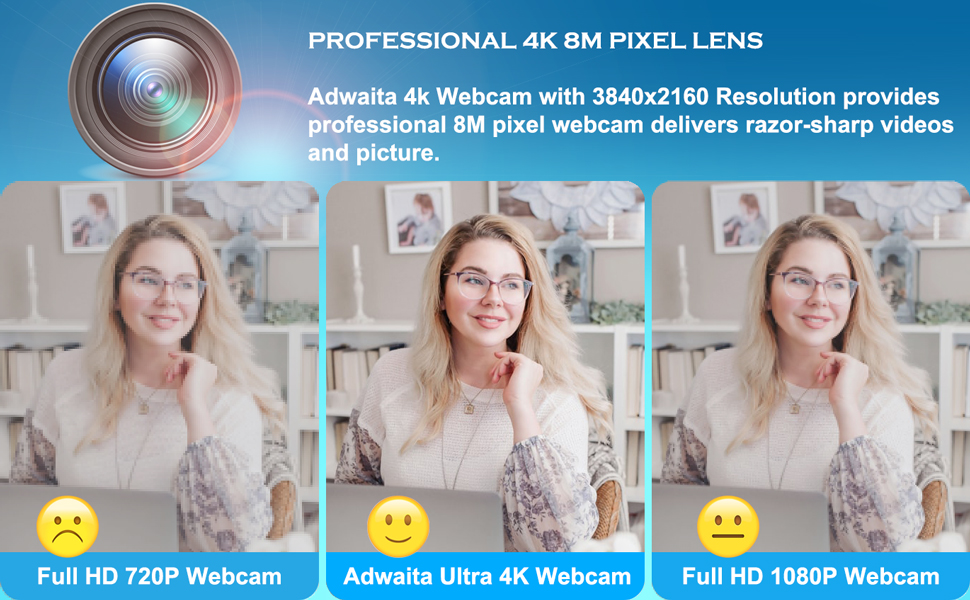
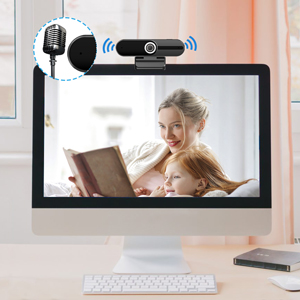
This 4K Webcam features an 8MP CMOS sensor delivering ultra HD video at 15fps (4K) or 30fps (1080p), enhanced by HDR and automatic light correction for consistently sharp images. Dual built-in stereo microphones with noise reduction ensure clear audio capture up to 6 meters. Compatible across multiple platforms with plug-and-play USB connectivity, it includes a privacy shutter and mini tripod for versatile, secure use—ideal for professional video calls, streaming, and content creation.






| ASIN | B089N2V7BZ |
| Customer Reviews | 3.7 3.7 out of 5 stars (1,131) |
| Date First Available | June 3, 2020 |
| Item Weight | 5.9 ounces |
| Item model number | BENEWY |
| Manufacturer | Adwaita |
| Package Dimensions | 4.92 x 3.07 x 2.44 inches |
N**E
Nice webcam, works pretty much as expected
Wanted a 4K webcam for video conferencing (potentially for a group of people, but apparently not right now) and occasional indoor video filming. This webcam has decent build quality and works pretty much as expected. It has a fixed focal length, so it won’t auto focus and blur images here and there. I tried it with zoom video conferencing (be sure to set the mic and video to this USB cam). The video quality is pretty good. The camera zooms in more than the built-in cam so you’d better sit a bit further away. I guess this is designed for video conferencing with a group of people. The mic coming with the camera has an OK quality, quite similar to the built-in mic for my laptop. Voices from 4 or 5 meters away could be heard with good clarity. It also works very well for exercise filming with the flexibility of adjusting the angle and checking the outcome in a large screen at the same time. It would be perfect if there were a remote controller for the camera. Considering the price, I won’t complain much about that though. The only con I found is that the adjustment of the view angle is not smooth enough. Hope that will improve as it gets twisted more.
K**D
High Quality Video Streaming made affordable and easy.
This webcam streams great looking 4K UHD video right out the box. Plug it in windows recognizes it instantly and makes it available as a new video source in OBS Studio. It was that easy. I was able compare it to my other video sources and even though it’s 8MP the quality of the picture fantastic. I had more definition, better focus and more balanced lighting out of the box than with my 12MP camera at capturing 4K video with the same shot. It was not up to the level of a 24MP video camera but for a webcam this is pretty awesome for the money. I also have to have a tripod mount on my webcams for streaming wider shots smoothly, and this one does. Running multiple cameras via OBS Studio for a live rock band on a venue stage 30 feet across by 20 feet and I used it for the wide angle, up high shot. Even with top notch pro lighting fixtures, spots and beams moving around the stage in so different colors at a live concert venue with an extremely dynamic range of light levels, it performed a lot better than any other webcam and was up to par with most of my UHD NDI sources. I needed to get something inexpensive and quickly to use as another usb source in the live-stream Musical performance and it ended being a really great find. It will be a permanent fixture in my rig now, I am so impressed I may need to get a second one of these.
V**3
Pretty good camera
I haven't use it long, just got it actually, installed it very easily on Windows 10, just plug and play basically, the bottom of the clip to attach it to the top of the screen is non-slip, which makes the camera sits sturdily on top of TV screen which I use for my PC. The picture quality, from what I've seen is pretty good, a bit on the yellow side maybe but that could be lighting issues as well, time will tell. The built-in microphone don't have the well know "Boost" setting in windows and the volume of the mic isn't the best but it does work quite well nonetheless. Overall a good camera for it's price.
D**E
Great webcam (though technically NOT 4k nor 8MP)!
DAY 1: Tested on Linux and Windows 10 desktops (using Webcamoid and the default Camera app, respectively). The max resolution I get in both applications is 3264x2448 ~= 7,990,272 pixels, around 304k less than the 3840x2160 = 8,294,400 pixel (4k UHD) resolution that is widespread. So while not technically performing at 4k nor 8 megapixels (which would be exactly 8 million pixels) on these OSes and in these apps, it's close enough. The max FPS I get on Linux is 20 @ 3840x2160 (the Windows app did not support setting nor viewing the FPS as of this review). All said, I definitely notice a difference between this webcam and my older circa 2011 0.8 megapixel and 720p webcams (especially the clarity, color accuracy, and ability to handle low light settings). Very pleased with this product so far! ADDITIONAL OBSERVATIONS: * "Setting up" the webcam was effortless (I use quotes because I didn't need to do anything other than plug the cord into a USB port, switch webcams [since I have more than 1] and install webcam software on Linux [but not Windows] in order to use it). * The privacy cover and tripod are great additions and very easy to setup. The privacy cover is on a hinge and easy to operate. The size of the tripod is tiny, but has 3 flexible "legs" that allow you to adjust it into infinite positions. * The view angle is narrower and closer than my other webcams (which I prefer as it allows me to control what is AND ISN'T in view in meetings more easily) and is noticeably wider when in photo mode vs video mode in Windows' Camera app. * The webcam seems to perform better in Linux than Windows (particularly the clarity and ability to handle low light settings and shadows - its handling of shadows in Windows' Camera app is good but not great).
S**K
Clear image, low framerate
I was using my laptop's built-in camera and bought this as an upgrade. It's MUCH clearer than what I was using, so I'm happy with it. While it can technically record at 4k, it can only shoot at 15 frames-per-second while doing so, so it's not very practical for 4k recording. At 1080p it can shoot at 30fps, but I do notice that it's blurs if you move too quickly. Shaking my head "no" causes my face to turn to a complete blurry mess. It's also fixed-focus, so you don't have to deal with bad auto-focus that a lot of cheap cameras have, but it also can't zoom which is a little disappointing. Overall the camera is fine. It's much better than the camera I was using, but it's definitely not perfect.
W**.
Got it, plugged it in, microphone didn't work. Asked for return, the return process with UPS is one of the most fiddly package returns I've ever experienced in my life. They want me to fill out a form in triplicate using a 14 page instruction document then put in a ziploc bag before they'll even take my parcel. Save yourself some time and do not buy this product.
J**K
Never really took notice of the importance of having a good webcam until now. I was very hesitant about buying a new camera because I have a lot of acne scars. So I thought that I can stick with my laptop’s poor quality camera that blurs out my acne. But when I got this new webcam, I was surprised that although the quality is so much better, the camera doesn’t show my acne scars. Aside from my story, the camera quality is very good and the microphone is working like it’s supposed to. It’s better and more clear than my laptop microphone. There are some problems with echoing during meetings because the microphone is very sensitive but aside from that the microphone is great. As for privacy, there is this little light that turns red when the camera is not in use and turns green when it is actively used. For additional privacy measures, I like that the package comes with a mini clip-on webcam cover so you can cover the camera lens when the webcam is not in use. The webcam also comes with an adjustable stand so that it can be placed on the table. However, I have it on my monitor and it’s very easy to install. Hope this helps.
A**Z
We've got these $250 Logitech Brio's at work which are hard to get your hands on (a lot of camera's are out of stock with everyone working at home!) I thought I'd give this a try, as I find my Logitech C933 really doesn't give nice skin tones. Pros: INCREDIBLY sharp picture. Instant setup, auto detected by Zoom, Discord, Roll20.net, Teams. Quite small - Professional looking Microphone is decent for the price! Autofocus is spot on - Didn't actually even notice it, which is the sign of fantastic autofocus. White balance is great - No "red" face like a lot of similarly priced units 4K gives you a lot of cropping room in a 1080p Stream Works perfect with OBS. Comes with a cute little Tripod! Improvements: With darker backgrounds in low light situations, it tends to overexpose your face. (In OBS, turning "Backlight Comp" to 0 fixes this) Noticeable grain in darker environments - But at 4K its easy to smooth out. If you select 1080p it does wonders for the grain/noise. 4K is at 4:3 aspect ratio. Good for video conference for one person, but not for a boardroom. Gets a little blurry at the edges.
G**Y
Auto white balance skews very red out of the box and it will fall back with the slightest disturbance. The easiest way to set (and reset) is to hold a white object (sheet of paper) in front of the lens. (An app like OBS allows you to turn auto white balance off and to make other adjustments). Image quality is quite good for the specs. Fit and finish are nice. The camera is about the size of a finger. Stays put. An LED shows red as long as the camera remains connected and it turns green when the camera is activated. (Internal microphone and record "pause" button on the unit not used or tested).
J**E
Not a real 4k Focus is 2m from the cam.... So when you use it... You are a bit blurry but the wall behind you is sharp.
Trustpilot
1 month ago
4 days ago