Desertcart purchases this item on your behalf and handles shipping, customs, and support to Australia.
🚀 Elevate your live streams with pro-level switching power!
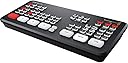
The Blackmagic Design ATEM Mini Pro is a compact, professional HDMI live stream switcher featuring 4 high-quality HDMI inputs, advanced transitions and keying effects, and a built-in audio mixer. It supports direct streaming via Ethernet and recording through USB-C, making it ideal for business presentations, eSports, education, and corporate events. Designed for both beginners and pros, it delivers polished multi-camera productions with ease.


| ASIN | B086R79PBC |
| Best Sellers Rank | #36 in Audio & Video Selector Boxes |
| Brand | Blackmagic Design |
| Cable Type | HDMI |
| Color | black |
| Compatible Devices | Camera |
| Connector Type | Auxiliary, HDMI |
| Connector Type Used on Cable | Auxiliary, HDMI |
| Customer Reviews | 4.7 out of 5 stars 1,989 Reviews |
| Global Trade Identification Number | 09338716006797 |
| Item Dimensions D x W x H | 4.07"D x 9.35"W x 1.38"H |
| Item Weight | 1.2 pounds |
| Manufacturer | Black Magic |
| Mfr Part Number | SWATEMMINIBPR |
| Model Number | OB02411 |
| Number of Ports | 4 |
| Power Source | DC power supply |
| Unit Count | 1 Count |
| Warranty Description | Manufacture |
W**H
Prosumer price. Pro output.
I do live video for a living for large production companies, and bought this for my own small production company. Out of all the switchers I use professionally, the ATEM MINI PRO is, by far the best small scale solution at the pro level. We use them for video switching to projectors and monitors at entertainment and corporate events while simulcasting to live streams or tv. The learning curve is not difficult and operation is simple enough that a complete novice can take it out of the box, watch a couple YouTube videos and start streaming with it in a very very short time. With some practice, one could op it like a pro. Sometimes on corporate shows we leave these running for days at a time with no issues. With everything you need for polished, professional output, you can’t go wrong with this switcher, and you don’t even need to use software control from a laptop to do it. The Mini Pro can be used as a standalone solution. Transitions, audio mixing, and much more can be controlled right from the unit which is ready to stream via ethernet or record to any portable drive via the USB-C output. Use software control and you get some more cool features like drag and drop graphics and more. It also frees up an hdmi input if you were using one for graphics. You connect to the computer, phone, or tablet using the USB-C output AND either directly to the computer or through a router. Now the USB-C becomes two-way communications and using the ATEM Software Control, you send your graphics down that connection, freeing up an HDMI input! You can also set the colors, do more in depth audio tweaking, drag and drop graphics, up and downstream keying and more. Also he Mini Pro, unlike many of its competitors , has 2 stereo audio inputs, with noise reduction, eq, compression and more. You can also use the camera audio through the HDMIs. A very cool feature is you can set it to make camera cuts automatically to whomever is speaking, with it reverting to a different angle when no one is speaking. My typical small event and live edit set up is: ATEM Mini Pro HDMI inputs 1-3: Cameras HDMI input 4: video playback, IPad. ( iPad can also be used as a camera) USB-C: graphics and Software Control All in all a great product.
M**.
Near Perfect—Just Missing an On/Off Switch
⭐️⭐️⭐️⭐️⭐️ (5/5 stars) Near Perfect—Just Missing an On/Off Switch This switcher is a powerhouse for live streaming. I use it for multi-cam worship broadcasts and retail AV setups, and it handles HDMI inputs, transitions, and streaming with ease. The interface is intuitive, the build is solid, and the integration with ProPresenter and PTZ cams is seamless. Only gripe? No dedicated power switch. You have to unplug it to turn it off, which feels like a small oversight on an otherwise pro-grade device. Pros: Flawless HDMI switching and streaming Compact and durable design Works great with ATEM control software Plug-and-play with OBS, Zoom, and ProPresenter Cons: No physical power switch
J**D
It's magic
Outstanding! Simple to set up and works better than I expected.
G**N
Great price for feature set. Easier to use than software driven capture/streamers.
These units are really amazing and have a lot of features. They're like a Cricket phone for audio-visual staff (volunteers) who are not technical or easily confused by too many tasks / demands during a livestream broadcast. Easy to accomplish the basics but has a lot of advanced features if you want to dig in and make things a lot fancier. One major note of caution: the picture in picture feature is essentially broken for practical use. The macro-workarounds are nice and all but the PiP has been lacking the feature to just save a custom sized PiP for a second HDMI feed to populate that PiP window. The PiP buttons cannot be re-programmed to run the macros for you either -- the buttons are hardcoded to the useless values supplied by the manufacturer -- these values yield a super tiny PiP box which is not broadcast ready. This issue has been known for years and is unaddressed by Black Magic.
I**R
A small switcher that packs a punch. Pro features but only has hdmi inputs.
Great little switcher. Definitely impressed with the capabilities of this atem mini pro. Being a pro Technical Director, directing shows on Grass Valley, Sony, and Tricaster switchers, makes me extremely critical of switchers and their form factor and functionality. Only a few buttons, and only hdmi inputs has its limitations. But using this switcher out the box, with the atem software that was already installed on my laptop, was able to do everything I expected and so much more. Was using it for a sub-switch for talent, controlling what they see on their screen like a down stage monitor, was originally using my 8th ME row with macros but was too many simultaneous clicks and I needed the row for other tasks. So I threw the atem mini pro in there, and was able to install switching software on tablet, and another person could easily do my sub switch from the tablet! Freaking amazing! When I saw that black magic added the multi view to the atem mini, to this new pro model, I immediately purchased it. It’s a small console, and everything has to plug directly into it, which makes a small console on a desk look sloppy. But has the power and functionality of the bigger atems all squeezed into this tiny package. I’m sold! HDMI isn’t a pro format. But this switcher is a pro switcher, with all the pro options of the more expensive Atems, packed into a little package. It actually has some features that the expensive atems don’t. The ability to record on 2 thumb drives with usb c dongle. And the ability to stream directly to web without using a computer. I’m happy. If you’re a pro or aspiring pro that uses console switchers and only need 4 inputs, this switcher packs a punch. Especially at this price point. On, some of my small jobs, I’m using this instead of my $50k tricaster because it’s smaller and quicker.
B**S
4.5 years later and still runs like day one, but missing some modern features
This Blackmagic ATEM Mini Pro delivers exactly according to its technical specifications, and the long-term reliability is great - I am 4.5 years in, and it still works just as well as the day I bought it. That said, it does lack some of the built-in conveniences found on newer competitors like the Osee GoStream. This model only allows for one direct output stream, so if you want to push your feed to multiple platforms simultaneously, you have to subscribe to a third-party service like Castr. There is also no built-in SD card slot for easy on-board recording, and it lacks separate rows of physical buttons for Preview and Program, which can make live switching a bit more tedious. It is an incredibly durable, rock-solid workhorse, but you just have to be aware of its workflow limitations compared to newer options on the market.
J**G
This is a great little HDMI switcher
Wasn't sure what to expect as this was my first foray into HDMI switching. I'm pleased! The Blackmagic Design ATEM interface with a computer is nearly a requirement to get access to all of the features. I would recommend it. We thought we'd use the Ethernet for a direct connection to Facebook Live, but that didn't work out. You'll have to look outside of the Blackmagic Design support world to find out how to do that. We chose to go with the streaming service, Resi, instead. We connect our ATEM Mini Pro to the Blackmagic Design Streaming Bridge, via Ethernet cable, to get access to another HDMI output for "program" out. That frees up the HDMI output on the ATEM MIni Pro for multi-view. We use the USB 3.0 out to communicate with the laptop loaded with the control software. Audio is easy to use and you also get access to the embedded audio coming from your video cameras. We have three different grades of camcorder and all of them sync up just fine and look great. Using the keyers takes some training, but YouTube has a ton of tutorials for this device. For a small multi-camera set-up, this switcher is just what you need. So far, we're really pleased with it.
E**E
If you want to scale up your virtual presentations, this tool is a must.
This is my second ATEM. I used the first one so much that I wore it out. This one works great. I’m on 4-9 Zoom calls a week, plus monthly workshops, podcasts, and occupational keynote speeches. I’m able to put my slide deck on one laptop and Zoom on the other. Plus, I can use other cameras and my phone as a camera. I can switch smoothly between all of these devices. My clients rave about my virtual presentations.
C**A
Muy buen producto
Un producto de muy buena calidad, se pueden realizar transmisiones en vivo de una manera muy profesional y tener el control multicamaras en un solo botón!! 100% recomendado para streaming.
T**N
Pratik
Küçük stüdyomuzda canlı yayın için aldık. Pratik tak çalıştır. Tavsiye edilir.
V**S
I am afraid to leave such a good review because the developers might get full of oneself
It is so awesome and intuitively. Only downside is that, it doesn't have a power on/off button. Also: in order to connect an external disk ( I am using an USB-C hub with an external USB-A hdd ), the HDD needs to be formatted as "exFAT" and you do not need additional setting, just be sure that your desired monitor is on and sound too and press "rec".
C**N
Ottimo prodotto
Ottimo prodotto ma trovato a minor prezzo
R**S
Qualidade premium e funciona perfeitamente
Este equipamento é de nível profissional, com características importantes na produção de vídeocasts. Excelente aquisição.
Trustpilot
3 weeks ago
1 month ago