Desertcart purchases this item on your behalf and handles shipping, customs, and support to Australia.
⌨️ Elevate your Mac workspace with silent precision and sleek stability!
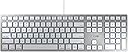
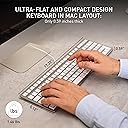
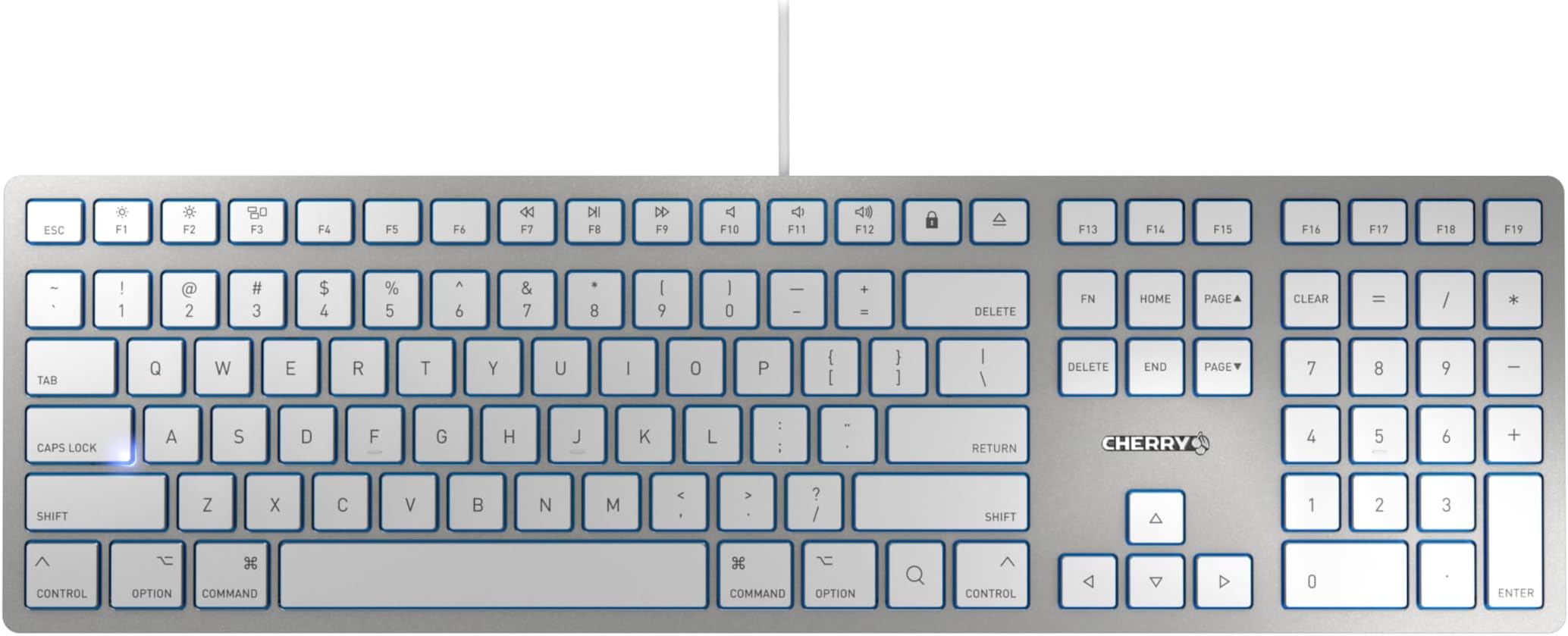
The Cherry KC 6000 Slim for Mac is a wired USB-A keyboard featuring 110 tactile scissor-switch keys designed for quiet, comfortable typing. Its ultra-slim silver/white chassis includes a numeric keypad and a weighted metal plate for stability. With 12 dedicated Mac function keys and adjustable rubber feet for tilt, it offers a minimalist yet highly functional typing experience tailored for Mac users seeking reliability and style without wireless hassles.


| ASIN | B07P8D2M6M |
| Additional Features | Hotkeys and Media Keys, Quiet |
| Antenna Location | Office |
| Best Sellers Rank | #2,051 in Computer Keyboards |
| Brand | Cherry |
| Built-In Media | USB Cable |
| Button Quantity | 110 |
| Color | silver |
| Compatible Devices | Apple Macbook Pro / Air, Macbook Pro, Windows, iMac |
| Compatible Operating System Family | MacOS, Windows |
| Connectivity Technology | USB-A , WIRED |
| Customer Reviews | 4.2 out of 5 stars 203 Reviews |
| Enclosure Material | Metal |
| Global Trade Identification Number | 04025112090158 |
| Hand Orientation | Ambidextrous |
| Item Dimensions L x W x H | 17.32"L x 5.12"W x 0.59"H |
| Item Type Name | computer keyboard |
| Item Weight | 1.5 pounds |
| Keyboard Description | Scissor |
| Keyboard Layout | QWERTY |
| Keyboard Plate Material | Metal |
| Language | English, English, English, English, English |
| Manufacturer | Cherry |
| Mechanical Keyboard Switch Model | Scissor |
| Mfr Part Number | JK-1610US-1 |
| Model Name | KC 6000 SLIM Keyboard for MAC |
| Model Number | JK-1610US-1 |
| Number of Items | 1 |
| Number of Keys | 110 |
| Number of Packs | 1 |
| Number of Sections | 2 |
| Power Source | Corded |
| Recommended Uses For Product | Office |
| Series Number | 6000 |
| Special Feature | Hotkeys and Media Keys , Quiet |
| Style Name | Classic |
| Switch Type | Tactile |
| Theme | Mac, Office |
| Unit Count | 1 count |
| Warranty Description | 3 Years |
A**R
Ok keyboard that rattles
UPDATE (1 Month) I was really annoyed at the rattle and I even contacted the Cherry technical support but they were’t entirely helpful other than giving me a clue as to what was causing the problem. The rattling was caused mainly by the stabilizer bars on the big keys, especially the space bar. On mechanical keyboards you can easily take a key off and lubricate it. So I took the space bar off and put some Vaseline to the stabilizer where it hooks in to the base and where it connects to the key. I know, you’re supposed to use silicone lubricant, but Vaseline works better because it’s thicker. This helped a lot, so I lubricated all the big keys and any others that rattled. Now it’s an almost perfect keyboard, so I raised the rating to 4 stars. (-1 star because I shouldn’t have to take the keyboard apart to lubricate it—I have other keyboards that don’t rattle right from the manufacturer). IMPORTANT: Taking off scissors keys is a hassle and you can mess up a key pretty easily by taking it off. The little scissors mechanisms can come loose and come apart—they’re kind of small and difficult to put back together and properly reseat. If you apply too much pressure at any point you can break the tabs on the scissors or the keys. Also, on older keyboards, I’m sure the plastic becomes more brittle as it ages and it’s even easier to break something. There are lots of videos for replacing scissors keys for other keyboards and the exact mechanisms may be a little different but the concepts are the same. ———————————- Original review I was looking for a keyboard to use with a MacBook and a PC for general office and personal work. I wanted a wired, light-up keyboard that I could plug into my hub and would work with both laptops. I don’t want a Apple magic keyboard because they are Bluetooth only. And Apple doesn’t make a wired keyboard anymore. At first I tried a mechanical keyboard. It took a little getting used to as I always used my laptop keyboards before. And it was ok, but the dealbreaker was the noise. Even with the Gaetron blue switches it was really loud. Then I tried the Cherry KC6000. It’s much quieter and the keys are really nice—the spacing is really good and they have a good feel. I really liked just typing on it. There’s no backlight, but it’s white and the keys are pretty visible. The one thing that’s really kind of annoying is that it rattles when you type on it or shake it—it’s not the keys, they’re pretty quiet, and it’s an overall solid keyboard, but people could hear the rattle over my headset when I was typing. Then I tried using it on my kitchen table with a cloth placemat. That keeps the rattle down but now I notice the space bar rattles and is really loud. Overall, it just has a really cheap feel. So then I tried the Satechi W3 and that one was completely quiet. The keyboard spacing is a little tighter (which I don’t like), but it’s backlit. I’ll go with and it even though it’s more expensive. Bottom line I would not buy it again. It’s an ok keyboard to type on, but the rattle and the cheap space bar make this not a great keyboard. I can’t recommend.
C**X
So far, so good - Reviewed on 09/22/2020
First, I have both Mac and PC, using one keyboard that I “A/B-switch” back and forth on both platforms. Like any Mac user, I prefer the aluminum chassis Apple keyboard. But, mine was just war torn from years of use and eventually died. I decided to just try to find a good keyboard, but, without spending tons of money. I’m mean, I’m sorry, but I’m not spending $60.00 to $100.00 dollars for a keyboard, unless I had luxury to spend on one that was specifically designed for say, Logic Pro, or a Reason Backlit keyboard. But, if you know your macros, then these things seemingly become more of a luxury item. I do prefer wired keyboards, as I don’t want to spend on batteries and nor do I want add to the environment of waste. Yes, while I did consider at solar one, I tend to not like WiFi or BluTooth mice and keyboards. Also, they’re making some nice mechanical keyboards, as well, but those tend to be a bit clunky, and loud, even with the nicer switches. Anyway, I searched, high and low, considering things that might interest me. There are a bunch of keyboards, but the prices is either too high, or the quality is too cheap when you start going lower. Then, I did research for Cherry [a German company], searched for them here on Amazon. Voila, I bought this keyboard. It has weight, the design seems solid and feels as good as my old Apple keyboard and it’s totally quiet. Like, really quiet. For the price, the keyboard is pretty damn nice. Now, one caveat is, it does not have tilt, built into the board. However, they do give you four rubber feet you can install to give you the tilt, if you need it. This means if the first set of rubber tilts fail, you have second set to replace them. So, look for them in the box. I also thought this was an interesting decision because, if you’re a laptop user who has gotten used to the flatter plane of typing you’ll be happy right out of the box. But, more importantly, for what I spent on this keyboard, $34.00 US, and the price at what you’d buy other keyboards, this is exceeding my expectations, so far. I’ll update later if it fails. But, so far, I’m surprised more people aren’t buying these as a replacement to the Mac keyboards. If I don't report back, I'm probably really happy and I just might buy a second one to have as back up. PS: I’m using OSX Yosemite, and WinXPro 64 and it’s working both of my older systems, as well as a newer iMac. Also, there is also a Windows specific version that you can also buy, which is black. But, I can’t attest to its quality. I can only go by my own experience that I like the Mac version. UPDATE as of 12/27/2022: This keyboard is still alive and kicking out the words and macros. Fairly heavy use, daily, since I bought it back in Sept of 2020. Once in a while during hotter days, the silicone under the keys seem to swell a bit, which might hinder your typing, a bit. But, overall, it's fine.
I**S
Probably should have spent the extra for genuine apple
Not bad, could use a couple usb ports— saved some bucks over the real deal, not sure it’s worth the savings— Apple keyboards are hard to match.
D**U
High quality keys, quiet and very solid
I've tried plenty of cheap Chinese keyboards where the keys have this tiny rattle to them and keys sometimes don't register if you hit them too lightly or if you don't hit the keys dead center. Not with this keyboard form Cherry. The feel is very similar to genuine Apple keyboards where the tactile feel is crisp, and the thump when the key hit the bottom is quiet yet felt solid. This keyboard definitely feels like something that's punching above it's weight. The only shame is that for some reason it doesn't work with my KVM switch. It works fine when plugged into the computer directly so I'm not gonna fault this keyboard for that. For its price there's no reason to use any of the Chinese keyboard with funny brand names.
B**E
Quiet
I'm in love with this keyboard. Glad to have discovered Cherry products. The ALLCAPS light is one of my favorite features. The feel, durability and quietness of the keyboard are all excellent. Would buy again.
L**E
Not lasting long
After 5 months, not functioning well. Only used this for office use.
M**S
Quiet, thin, wide, cute!
I love this Cherry keyboard. I have another one at work, but I really wanted the same one for my home. I love the thin buttons; it makes it easier and smoother for me to type, also making it a lot quieter. The color is cute, silver with white buttons, goes well with my white desk. I’ve also gotten so used to the lock button instead of control,alt,delete. It’s super convenient. Only difference, is this one says “option” instead of “alt,” so it threw me off. I guess it’s a Mac thing vs windows. I love!
S**N
Good except for one problem
I use MS-Word for Mac a great deal, and I use the Fkeys in Word. When I hit F8 to start selecting text in Word, a Youtube video which I had paused starts playing. When I hit F8 again, it stops. I’m working in Word, and the browser showing the Youtube video doesn’t even have the focus. I’ve dug around a bit and discovered that if I hit the Fn key and F8 simultaneously, then F8 works the way I want. IMO there should be a setting so I can use F8 (or any other Fkey) in Word without having to hit the Fn key first. I contacted tech support at Cherry’s U.S. office. On 2/27/26 their support guy emailed that he would contact Cherry’s head office in Germany. As of 3/7/26 I haven’t heard anything. I’m inclined to blame the head office rather than the guy in the U.S. office, but the fact remains that I don’t have a solution. At this point I regret buying the keyboard.
R**T
damaged keyboard
the keyboard came damaged at one corner, with one key missing and other key not functioning properly.
Z**E
Uitstekend toetsenbord.
Het toetsenbord voelt degelijk aan en werkt uitstekend. Er is een handige zoom toets aanwezig die inzoomt op je muis positie. In de handleiding staat heel duidelijk uitgelegd hoe je dit instelt. Met de bijgeleverde rubber voetjes kun je de hellingshoek van het toetsenbord beter instellen. Een aanrader, zeker voor deze prijs.
C**R
Does the job
Got this to replace the wireless imac keyboard, with would need charging at the most inconvenient time or lost link to the imac. Wireless wasn't important feature, consistentl operation is! happy with it, super high quality and never had a problem, which is what you want from a keyboard.
A**I
Almost same look & feel as old apple one
Great! was looking for replacement for old apple wired keyboard (that has broken). So this one is pretty much close to it, worth the price.
D**R
Toucher agréable, bonne finition
Je l'utilise pour l'E-Sport, les touches sont résistantes et ne bloquent pas quand on tape fort dessus. Une version 75% serait idéale si elle existait.
Trustpilot
1 month ago
1 month ago