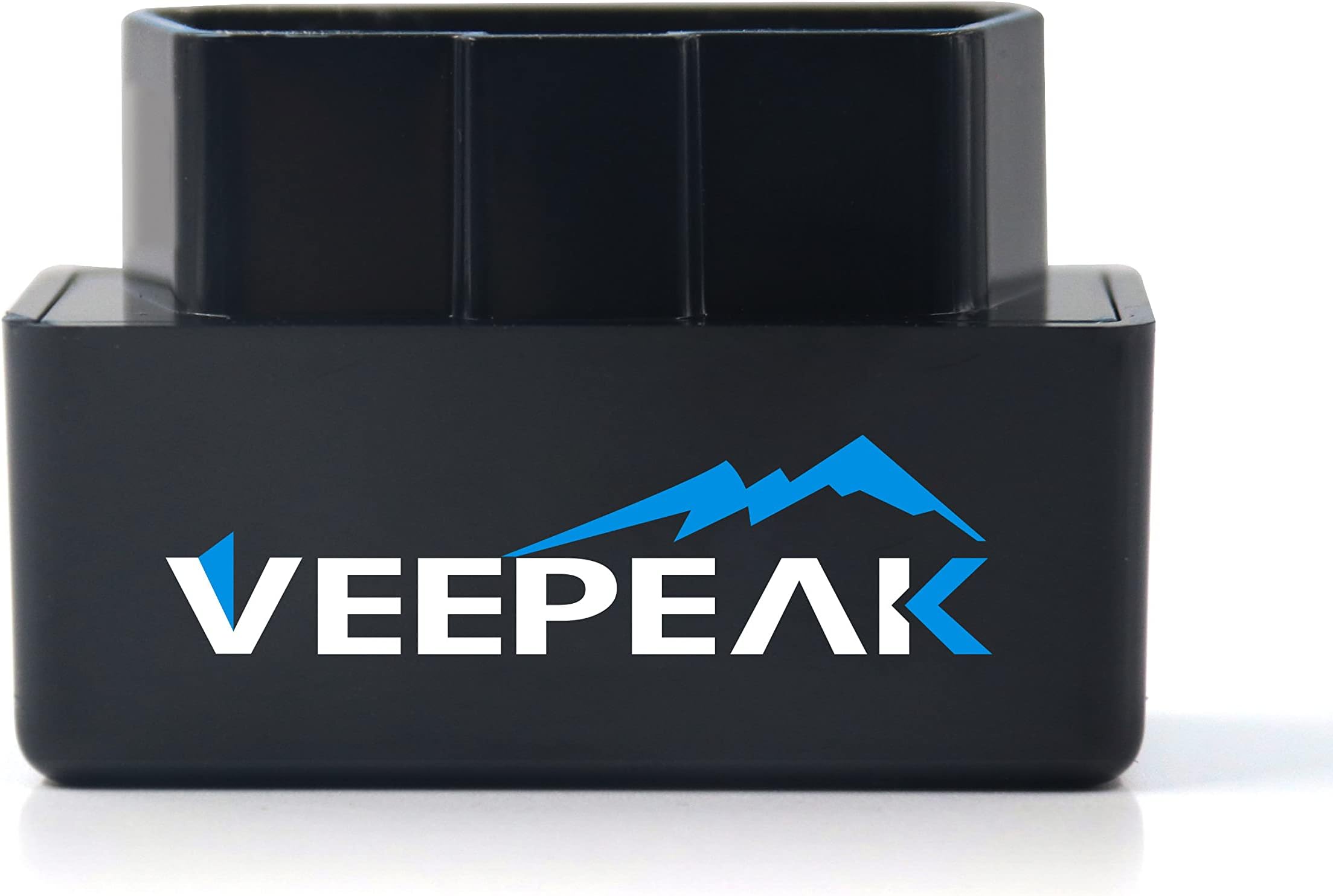


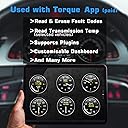


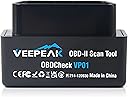
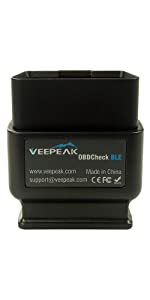
OBDCheck VP01
Product ID: 14776324
Details
- BrandVeepeak
- Power SourceOBD II Port
- Operating SystemAndroid IOS
- ManufacturerVeepeak
📊Real-time sensor data & trouble codes
📶WiFi connectivity, no Bluetooth
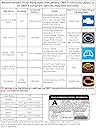
🚗Compatible with 1996+ cars & light trucks
🚦 Unlock your car’s secrets with a tap—drive smarter, not harder!
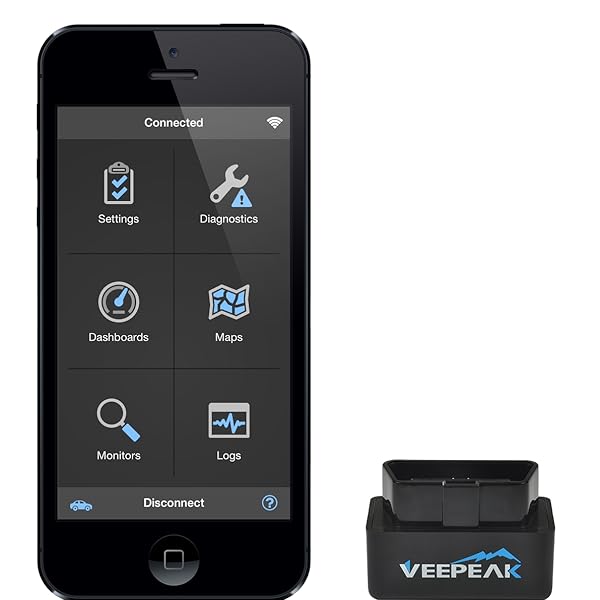
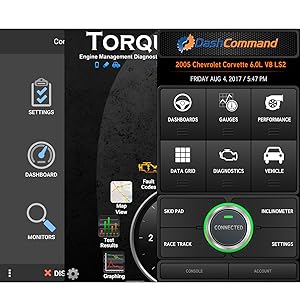
The Veepeak Mini WiFi OBD II Scanner is a compact, lightweight diagnostic tool compatible with most cars and light trucks from 1996 onward. It connects via WiFi to iOS and Android devices, enabling users to read and clear engine trouble codes and monitor real-time sensor data through popular third-party apps. Designed for convenience and broad compatibility, it empowers drivers to proactively manage vehicle health with professional-grade insights on the go.


| ASIN | B00WPW6BAE |
| Best Sellers Rank | #864,609 in Automotive ( See Top 100 in Automotive ) #2,381 in Code Readers & Scan Tools |
| Brand | Veepeak |
| Brand Name | Veepeak |
| Customer Reviews | 4.2 out of 5 stars 7,691 Reviews |
| Item Weight | 9.07 g |
| Manufacturer | Veepeak |
| Manufacturer Part Number | OBDCheck VP01 |
| Manufacturer Warranty Description | Manufacturer warranty for one year from date of purchase |
| Model Number | OBDCheck VP01 |
| Operating System | Android, IOS |
| Power Source | OBD II Port |
L**S
Easy, simple to use, and inexpensive
Summary: This unit has an amazing price considering its capabilities. The set up is simple, the device works flawlessly, and the amount of data provided is invaluable. This scanner has already saved me a lot of money, and I cannot find a single drawback to the unit. 5 / 5 stars. Review: First off, I am not a mechanic. I have been getting a check engine light on my car and I loathe the idea of taking it to a mechanic where I will be told I need a new transmission when the problem is actually a frayed wire. Obviously, some automotive issues are unavoidable, but I like to know what is going on with my vehicle without having to rely on some mechanic with a criminally biased opinion. That is why I decided to buy this scanner. I have to say, for the price of this scanner, I was skeptical. Now that I have used it for a month or so, I can say I am incredibly happy I decided to make the purchase. The scanner arrived in a tiny box with a miniature instruction pamphlet. The instructions walk you through how to connect the device to your phone, but that is it. Any interaction you have with the scanner other than the initial connection will be done through the app you choose anyways. The set up on the phone to allow the use of the scanner and the cell network simultaneously was very simple and I haven't had a problem with it since. The scanner can also be connected to a laptop computer but I haven't tried that yet. The scanner itself is fairly compact. Once I plugged it into the car, you wouldn't even notice it was there unless you were looking for it. The connection is pretty snug, so it sometimes takes a bit of force to take it out, but not enough that I have any concern about breaking anything. When I leave the scanner plugged in, it stays fairly warm (even with the car turned off) but I haven't noticed an appreciable drain on my battery yet. I am always travelling for work and I leave it plugged in while I am gone for a week or more each time, so the battery drain must be fairly negligible. Once the app is opened, it does take about 10 seconds for the phone to start receiving data, but that may be related to the app I am using as well. I opted for one of the paid apps (OBD Fusion) to allow me to customize the dashboards and use automatic Dropbox data logging. I have used this scanner in 2 different vehicles and I can move it back and forth seamlessly. I initially ordered this to diagnose a check engine light and a rough idling engine. After using the scanner to check the trouble code, it showed that there was a problem with the idle air solenoid. I followed the air lines through the engine and sure enough, there is a broken air line in the engine. Simple $5 fix that would have been hundreds had I taken it to a mechanic. This thing has already paid for itself dozens of times over. The information the scanner can give you depends on the car it is plugged into (and likely the app you use) but the scanner is capable of giving a LOT of information. In addition to all the diagnostic tools, depending on the app, it can show (in real time) your speed, engine RPM, battery voltage, coolant temp, instantaneous MPG, lots of good information. Again, I am not a mechanic, so I do not understand many of the reports the app can generate, but the list is extensive. Pros: 1- Price: Given the plethora of information the scanner can provide, and how much money it can save you in the long run, it almost feels like I am getting this scanner for free. 2- Connectivity: The connection is easy to set up and requires no correcting after that. It is simple and user friendly. 3- Size: The scanner is very small. Many other scanners I've found are a few inches long, but this scanner has a very thin profile. Once it is plugged in, I can't even see it under the dash. Overall I am very happy with this purchase and even if it did 10% of what it does, I would still be happy. For the price, I am incredibly impressed. It has saved me a lot of money and the initial investment is miniscule to begin with. I would absolutely but this product again.
R**B
A very affordable, but capable device. Fits my needs perfectly!
My intention with this device was to use it with DashCommand on IOS. When using IOS devices, there are limited choices for Bluetooth, so Wifi is the way to go. Pairing was pretty simple and I had the Veepeak up and running with DashCommand in no time. So far, I have tried on two different vehicles, first a 2004 Nissan 350z and secondly on a 2005 Jeep Grand Cherokee limited. In both cases, the device worked perfectly. The first time I tried with the Z, I did have trouble with the device, what I found is that the mount for the OBD2 port in the car has a bit of play. I have found that it works best if I plug it in partially, then while hold the actual OBD2 port from the back side, if I push the Veepeak in, it makes connection and works perfectly. This is not an issue with this Scan tool, but should be something to look for. If the OBD2 port in your vehicle has some movement, you might need to do the same. While there is the slightest amount of delay with some of the gauges in DashCommand, I think you will find that almost all of these devices will do the same. There are a couple devices on the market that reportedly have faster update times, they are considerably more expensive. In the end, you have to decide if they are worth it. For my needs, this device works well and I don't believe I have a need for a more expensive solution. As always, "your mileage may vary". For basic data capture, and capturing / resetting check engine codes / lights, this product will work perfectly!
M**E
Great tool, requires add on software that can be downloaded for free
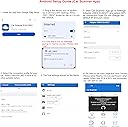
Plugged in the OBD scanner and then installed the software. I used the free car scanner software for my iPhone. Recommend installing the software first and then plugging in the scanner to your car and lastly connect your phone’s WiFi to the obd scanner. If not your software may not detect the presence of the scanner. The only confusing part was which vehicle to select from the software. I selected the generic vehicle for Toyota and it was able to read the obd data. I had a check engine light and another light for traction control and I wanted to understand the issue. I found most all of the errors came from the vacuum system. There was a hose that came loose which I repaired weeks before the warning lights. So it seemed that the warning lights came out of nowhere. I reset the warnings and have driven the car for several hours with no additional errors appearing. I have installed the scanner a few times to see if additional rods were logged and it was clear. This scanner was very helpful to understand what generic lights were caused by. It seems like a warning light can be from a significant error or from several minor error conditions. Mine appeared to be from the vacuum leak and nothing else that had built up with the disconnected hose. I had been interested in buying the obd scanner but didn’t have a need until now. The software is key to read the data and you can use free software if you are mostly concerned about error conditions and resetting them. Apparently some conditions cannot be reset through software and require a dealer visit. This tool will help you determine if a visit to a mechanic is required and well worth the money spent.
R**R
Look no further, this Widget Wins!
I tried a few others but this is the winner among cheap, functional widgets! I have used this in several cars and DuraMax trucks. I have the WiFi version which works and connects truly seamlessly. It requires an app (not included) and the one that I use is OBDCarDoctor using the free version on my iPhone; The Android version of this app is not as good, you may want to try a few to find the OBD app you like best. I got these for my daughters, as well, and more of them for our trucks at work. I haven't tried the Bluetooth version but the WiFi works super with everyone's phones. This device allows me to read lots of information from the car's ECM dynamically, especially useful is reading real outputs for temps/volts/pressures all those things that are only monitored by idiot lights in the car. I am able to read and CLEAR any trouble codes while driving(!). This has been incredibly helpful when I've had a Duramax that went into "Limp" mode on a trip. I was pulling a trailer, so limp mode meant effectively undriveable; but clearing it allowed normal operation. I was able to simply clear the code (Exhaust regen serv) and drive it normally to a shop to get the issue addressed. THIS is the reason that I always have this device in the vehicle. Before doing this, you should seek advice about clearing the code presented. Clearing is "ignoring" a fault and SOME codes should NOT be ignored as doing so could lead to damage. Be aware of the meaning and impact of any code before deciding to clear it. Some things should not be ignored! This is a great tool, used wisely it can be a trip saver!
M**Y
Car owner MUST HAVE!!!
The Veepeak Mini WiFi OBD II Scanner Adapter has been a true lifesaver for keeping my car in top shape. This compact diagnostic code reader is incredibly user-friendly, and it offers an invaluable insight into my vehicle's health. The wireless connectivity via WiFi ensures that I can easily check and clear engine trouble codes on my smartphone or tablet, providing real-time information that's helped me tackle car issues promptly. Its compatibility with a wide range of vehicle models is a significant advantage, and the ability to monitor various engine parameters has allowed me to save on maintenance costs. In summary, the Veepeak Mini WiFi OBD II Scanner Adapter is a must-have for any car owner, offering an affordable, efficient, and user-friendly solution for staying on top of engine diagnostics and ensuring peace of mind on the road.
N**!
Dropping connectivity, Device shows up in Wi Fi Settings was WiFi_OBDII with Skype WiFi next to it
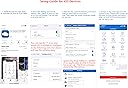
iPhone 6 IOS 9.3.2 App, OBD Fusion Car 1999 Mazda Miata Followed the instructions to set the IP address in the phone to 192.168.0.11, Subnet 255.255.255.0. Router/Gateway 192.168.0.10. They tell you to set it this way static to allow your cellular data to work. The instructions say to set it to WiFi (when there are about 5 different connectivity options over WiFi in particular OBD Fusion App.) The only WiFi option is available if you select 'Custom on the App' There it allows you to change the IP of in the App and it specifies to set it to 192.168.0.10. I can do this and connect but it only stays connected for about 1-5 minutes then drops and throws up a 'Connection Failed error" gives me the option to select Dismiss or Reconnect. I select Reconnect and it loops back to the same error. I can get it to reconnect again by removing and reconnecting the dongle from the OBDII port or shutting of the key/engine and turning it back on again. But then it drops. The phone is never more than 3 feet from the OBDII Port. One thing I find strange is that when in settings on the iPhone the VeePeak shows up as WiFi_OBDII just as the instructions say it would but right below it in smaller text it shows "Skype WiFi" I do not know why. I do have Skype on my phone and Skype WiFi. I will remove skype WiFi from my phone and then try this and update my review. If removing Skype WiFi App does fix my connection issue with the Veepeak then does that mean I can't use it? UPDATE: I have sent this back into Amazon. Hopefully the replacement will work.
P**P
No issues with WiFi and worked for me.
My daughter's car check engine light came on. I attempted to read the code with my OBD-II wired code reader that I bought a few years ago from Harbor Freight and kept getting a link error. I verified that the reader worked with my truck but I couldn't get it to work in her car. I had a local auto shop check their code reader worked so I decided to purchase a new code reader to replace mine. This one came in a blister pack package in a padded envelope. It included clear instructions as well as recommendations for apps based upon your phone. I used it with a IPhone 4s and a couple of different free versions of the apps. I noticed some reviews were negative based on issues with the wifi but my connected without any problem. I believe the apps were OBD II doctor and fusion OBD II. I was able to immediately connect via wifi and read the code with both apps. I eventually paid for the full version of fusion so that I could erase the code and it also allows for much more monitoring processes. I'm still learning about some of the functions but for the most part, I just use the code reader to determine the problem and to clear the lights while I troubleshoot and repair. This particular code was a P033 (I think) that corresponded to cylinder 3 misfire. The problem ended up being fuel injector related which I fixed with a couple of tanks of gas with SeaFoam added. 3 weeks and no return of the check engine light. I do not leave the reader connected all the time, just for maybe an hour while troubleshooting and reading codes so I didn't notice any problems with it getting hot as others have mentioned. Overall Recommendation: YES, I would recommend this item. I paid full price for this product. My reviews are honest and reflect my opinion on the product based on the advertised price regardless of the price I paid. If after extended use, there are any significant changes or the product fails to perform as expected, I will update my review. Thank you for taking the time to read my review and feel free to ask any questions. If you found this review helpful, please click “Yes” below.
N**Y
It works, open wifi blows
CANBUS systems, this unit does NOT support canbus systems. If you have that, this unit will only be able to partially see your vehicle. I'm not sure about app support for the higher level units that support Canbus, but see plenty of reviews of not being able to see codes that higher end readers can. This is by design and you are literally getting what you paid for. Got a new android head unit for my vehicle, it refuses to pair with my super nice OBDMX+ (which has a crazy fast refresh rate) and so I got this one since I usually run torque while driving to monitor some things on my truck. Be aware the refresh on this unit is fairly slow. It was kind of surprising to me how slow. I could monitor throttle position, push the pedal to the floor and count "1 Mississippi, 2 Miss" and it would change to 100%. My other unit, granted more expensive, would be almost instant. So I will make due for now, least I can sort of monitor the vehicle which is better than nothing. That said, I dislike that the Wifi is open (my fault I didn't read reviews, in this day and age who seriously sells a product with open wifi network?) With my truck on and idling that means someone can have easy access to anything on my android head unit without me being able to stop them. They could have easily setup WPA2 encryption with a random generated password on a sticker on the device. If you just use this unit to diagnose issues, it won't be an issue!
K**I
Stable WiFi Connection
So far I have used only one Android app with this OBD Checker, namely "Car Scanner", and though I am still learning the ropes, I can attest that it works as advertised and flawlessly in my Suzuki Spacia (2018).
G**P
Perfetto per iphone
Lo uso spesso con iphone, per poter continuare a accedere a internet basta impostare manualmente i parametri di connessione e potrete avere wifi/3g attive contemporaneamente. NON VE LO DIMENTICATE ATTACCATO! Non si spegne a auto spenta quindi ricordatevi di scollegarlo
J**9
Works for me on a 2010 X-Trail, ST31, manual
I recently purchased the Veepeak Mini WiFi OBD2 Scanner for use on an Australian delivered 2010 X-Trail, ST31 (Series 3) with the OBD Fusion app on my iPad. I found it was easy to set up and use and would recommend it to others who want a good quality WiFi OBD2 scanner.
M**O
Superior a otros, rápido al conectar. Crea su propia red Wifi. iphone y android. Mejor que bluetooth
Funciona perfecto con la App Car Scanner gratuita incluye todas las funciones. Me ahorró miles de pesos. Los Ford dan un mensaje a veces, muestra que no está disponible la asistencia de arranque en pendientes y se prende el foco de ABS. Con este scanner logré ver que el sensor de la rueda izq delantera estaba desconectado y ese era todo el problema. También por eso el módulo ABS se desconectaba por no saber la velocidad de la rueda izquierda. Obligatorio tenerlo.
M**H
Perfect!!
Engine check light lit up on my 2005 Mercedes SLK 350 AMG. Mercedes 'offered' to have a look - it would take a week to book it in and would cost some £80+VAT. I needed to know what it was and wasn't wanting to pay the best part of £100k, plus taking time out of work, driving there and back again etc. Researched OBD2 readers and decided to get the Veepeak via Amazon Prime, it arrived the following day. I downloaded OBD Fusion software from OCTech whilst sat in the drivers seat. I followed the instructions, it all worked perfectly. Read the code and it was in the air injection system, which was logical as the check light lit up after I had replaced some of the pulleys at the front of the engine and noticed the following day that I had inadvertently pulled a small rubber hose off one side of the air injector itself. Job done! Faster than going to Mercedes, about a week faster and now I have a cool tool to interrogate any other issues in this car or my wifes Mercedes or anyone else whilst also being able to monitor engine operations whilst on the move with the OBD software.
Trustpilot
1 month ago
2 months ago