Desertcart purchases this item on your behalf and handles shipping, customs, and support to Australia.
🔐 Elevate your front door security with smart, sleek, and seamless control.
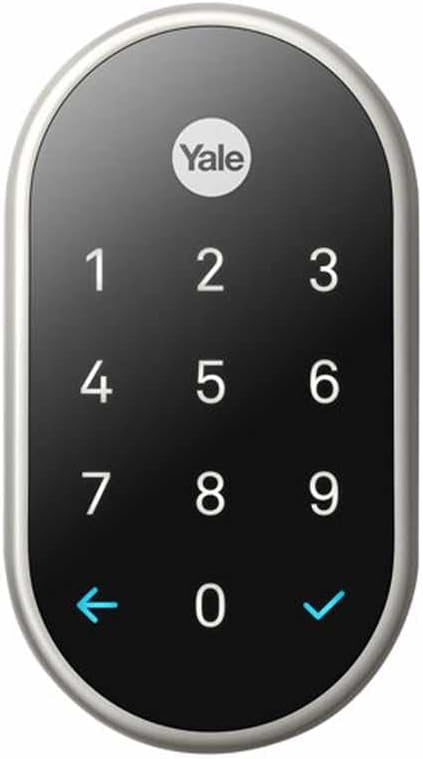
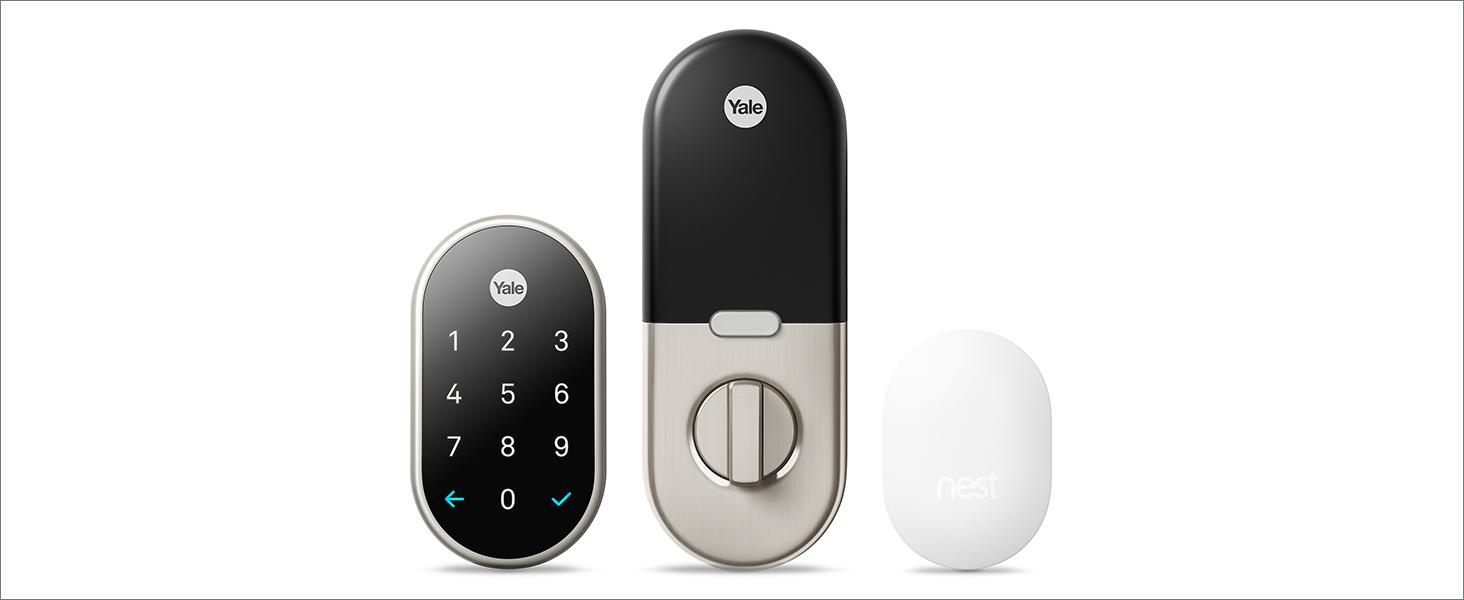
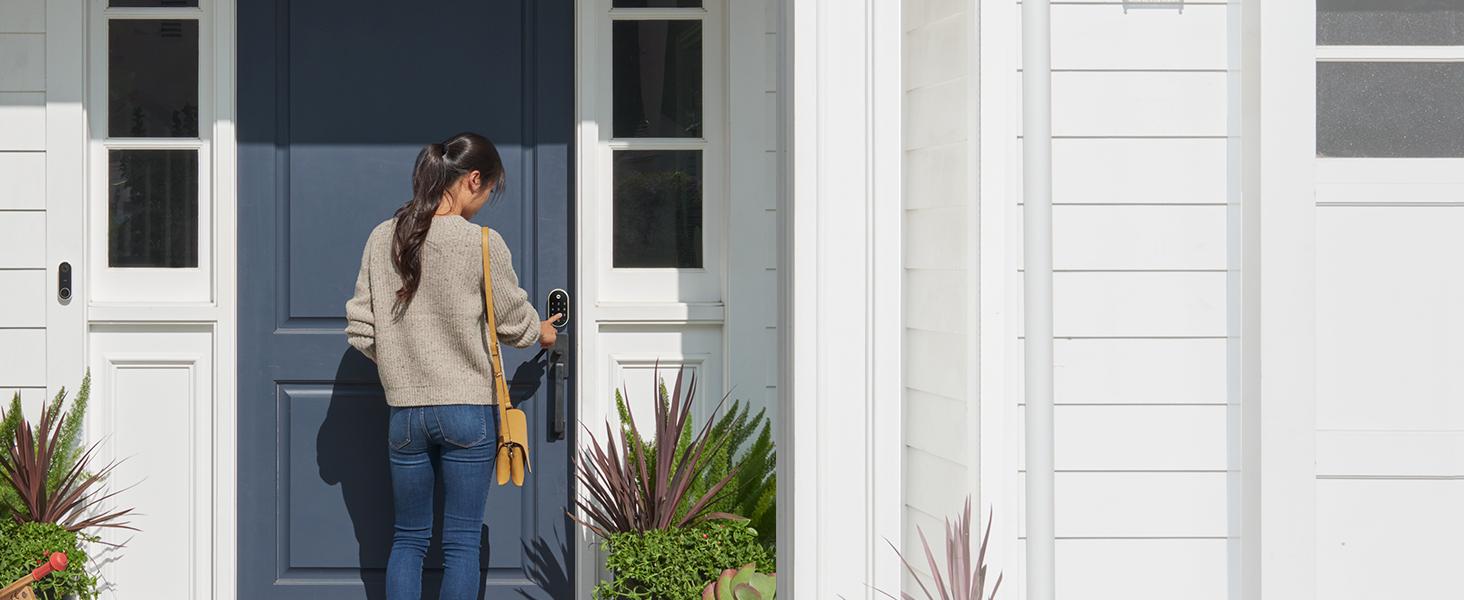
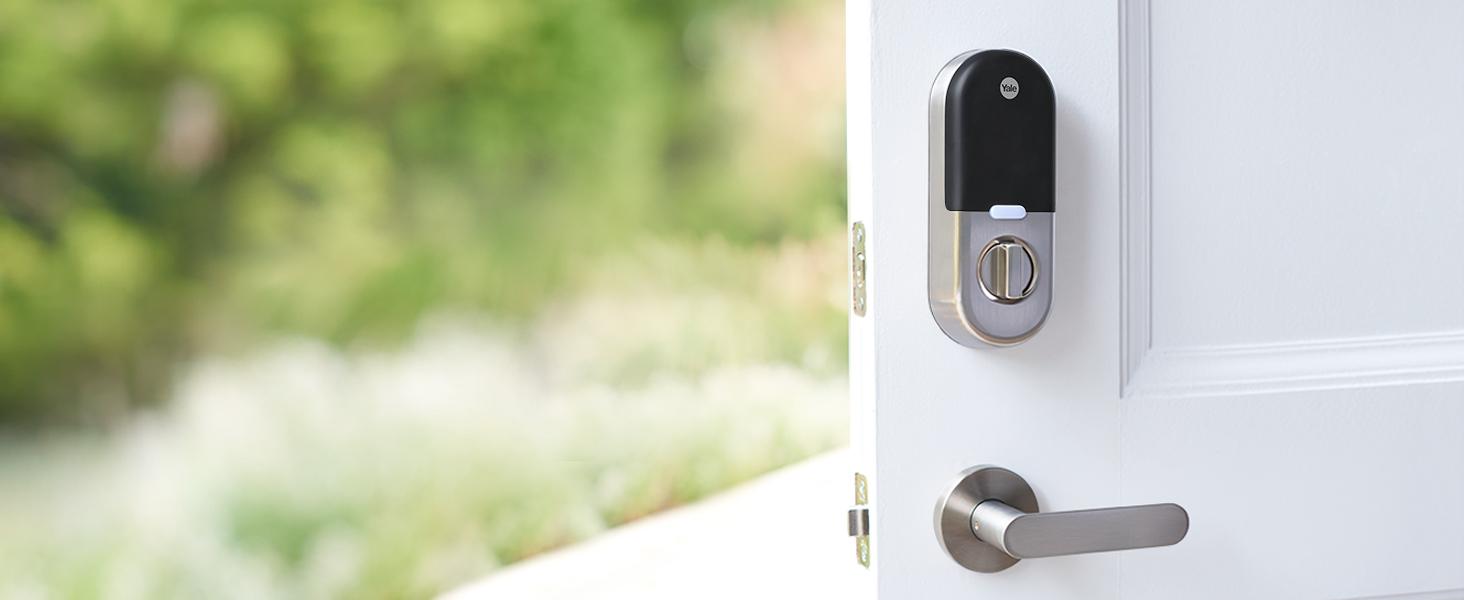
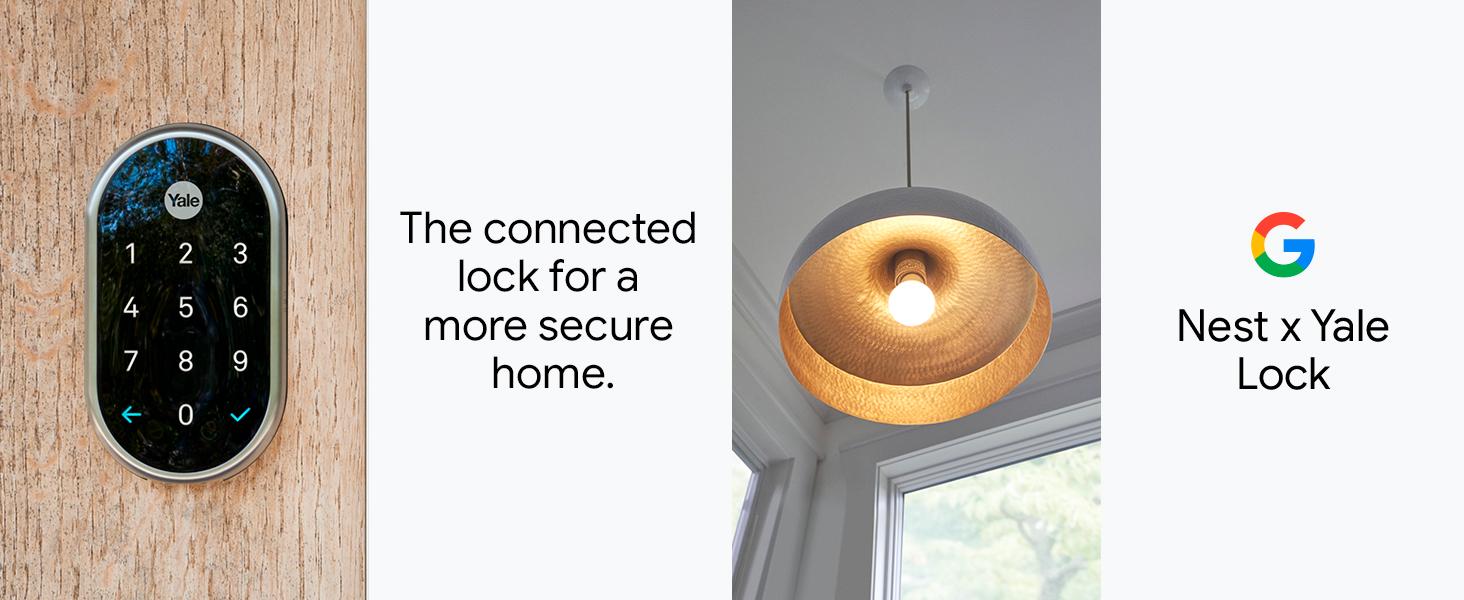
The Google Nest x Yale Lock is a premium tamper-proof smart deadbolt in satin nickel finish, offering keyless entry via an LED keypad and remote control through the Nest app. It supports unique passcodes with scheduling, real-time alerts for lock activity and tampering, and integrates with voice assistants like Google Assistant and Alexa. Designed for easy installation, it combines robust security with modern convenience for the connected home.


| ASIN | B07BH6K3NT |
| Additional Features | Alarm, Keyless |
| Best Sellers Rank | #12,516 in Tools & Home Improvement ( See Top 100 in Tools & Home Improvement ) #109 in Deadbolts |
| Brand | |
| Brand Name | |
| Color | Satin Nickel |
| Connectivity Protocol | Wi-Fi |
| Control Method | Voice |
| Controller Type | Amazon Alexa, Google Assistant, nest |
| Customer Reviews | 4.2 out of 5 stars 2,013 Reviews |
| Finish Types | Oil Rubbed Bronze,Polished Brass |
| Global Trade Identification Number | 00081023007177, 00810230071776 |
| Included Components | 4 AA Batteries, Installation Guide, Mounting Hardware, Nest Connect, Nest x Yale Lock |
| Item Dimensions | 4.5 x 2.59 x 0.8 inches |
| Item Type Name | Smart Lock |
| Item Weight | 4 pounds |
| Item dimensions L x W x H | 4.5 x 2.59 x 0.8 inches |
| Lock Type | Deadbolt |
| Manufacturer | |
| Manufacturer Part Number | RB-YRD540-WV-619 |
| Material | Nickel |
| Material Type | Nickel |
| Model Name | Nest x Yale Lock with Nest Connect |
| Model Number | RB-YRD540-WV-619 |
| Number of Items | 1 |
| Number of Packs | 1 |
| Number of Pieces | 3 |
| Recommended Uses For Product | Door |
| Shape | Oval |
| Special Feature | Alarm, Keyless |
| Style Name | Satin Nickel |
| UPC | 081023007177 |
| Unit Count | 1 Count |
P**R
Rock Solid Lock
Nest Yale Electronic Lock I’ve been through a few electronic deadbolts over the years, mainly the Kwikset Powerbolt and the Kwikset Smartcode, both of which utilize pressure pads. Although they’ve been reliable, the pressure pad does wear out over time and the Kwikset Smartcode lock goes through AA batteries very quickly, as in 3 months max. While I haven’t had the Nest lock long enough to determine its battery life longevity, I can say that literally, every other attribute about this lock is far superior to the Kwikset’s that I’ve owned in the past. What I like: -Easy Install* -Bolt manually engages and disengages silky smooth, with no resistance. -Bolt points left-to-right when in the locked position, which is what I’m use to, vice some locks that point up-down in the locked position. As a creature of habit, the left-to-right lockup gives me a good visual. -The 9v battery backup option is brilliant, because I can always pop the battery out of my garage door opener if needed due to battery failure on the lock. -Near silent operation. My other Kwikset lock was very loud, gas powered not weed eater loud, but loud. -Unlocks super fast, with almost zero wait time for entry. -Lock App is simple and not cluttered with a plethora of icons for seldom used features. -Smooth glass touch face is easy to activate and instantly responsive to touch. -A smartphone or tablet isn’t required to make the lock operational, although a smart devices is indeed necessary to access the App. *A note about installing the module: My lock wouldn’t initially pair with my module, if you run into this issue, try a few things first before giving up; -During setup, connect the module as instructed without plugging it into the wall, just push on the front of the module to activate the light. -If the module still isn’t recognized, relocate the module to a receptacle closer to the lock. -After the module is activated, when instructed to connect the lock to the module, ensure that you use the same access point that you used when activating the module. Some homes have different networks that auto switch to the strongest access point signal, so just double check that your phone or tablet hasn’t auto-switched to a different access point. What I don’t like: -Cost ~ This is a pricy lock considering that it has minimal features compared to other brand of flagship locks. Purchased for a good price during Black Friday, otherwise, I could’ve never justified the retail price, even though I’m thoroughly impressed with the product thus far. -Google ~ Nest was bought out by Google, so it’s necessary to create a google account in order access the app features. -Styling ~ The outside portion of Nest Yale lock is spectacular. However, the same degree of sleek, minimalist styling wasn’t applied to the interior portion of the lock. It’s not unattractive by any stretch, but it’s far from awe-inspiring compared to the effort that Yale achieved on the front side of the lock. -Would prefer a completely tool-less battery access panel. Overall, I’m thrilled with the lock thus far, 5 Stars thrilled despite some of the shortfalls. However, if battery life turns out to be short, I’ll end up deducting a star.
D**C
Don’t go with this seller. Rip off. Refuses to honor warranty. Lock is a good lock,
DO NOT GO WITH THIS BUYER. ONLY deal directly with Amazon being the seller. This seller refused to stand behind the warranty. It’s still under warranty until November of 26. That said, lock is well made, durable and looks classy. Ours had an internal gear issue, and the seller refused to stand by the warranty; pushed us off the “the manufacturer”.
L**D
Time to correct some peoples' misconceptions...
EDIT: I was mistaken about one detail, Google Assistant will NOT unlock the door, only lock. I had tried it that way and assumed it would work both directions but not-so. Doesn't affect my rating or view on it, just thought it'd be helpful info to provide. tl;dr: The negative reviewers probably couldn't tie their own shoelaces, and if you want to know why, read on. Normally I do a pro's and con's review, but after seeing the 'top review' on this product being a disparaging review stemming from his lack of knowledge on install and usage (which was all in the manual and app), I figured I'd make a review to respond. Here are the top bullet points of the other negative reviews and the reality of them: • 𝘛𝘩𝘦 𝘭𝘰𝘤𝘬 𝘪𝘴 𝘱𝘳𝘰𝘯𝘦 𝘵𝘰 𝘮𝘢𝘭𝘧𝘶𝘯𝘤𝘵𝘪𝘰𝘯 𝘢𝘣𝘰𝘶𝘵 40000% 𝘮𝘰𝘳𝘦 𝘧𝘳𝘦𝘲𝘶𝘦𝘯𝘵𝘭𝘺 𝘵𝘩𝘢𝘯 𝘺𝘰𝘶𝘳 𝘰𝘭𝘥 𝘥𝘦𝘢𝘥𝘣𝘰𝘭𝘵 𝘰𝘳 1000% 𝘮𝘰𝘳𝘦 𝘧𝘳𝘦𝘲𝘶𝘦𝘯𝘵𝘭𝘺 𝘵𝘩𝘢𝘯 𝘢 𝘴𝘪𝘮𝘱𝘭𝘦 (𝘥𝘶𝘮𝘣) 𝘤𝘰𝘮𝘣𝘪𝘯𝘢𝘵𝘪𝘰𝘯 𝘭𝘰𝘤𝘬. 𝘐𝘯𝘴𝘵𝘦𝘢𝘥 𝘰𝘧 𝘩𝘢𝘷𝘪𝘯𝘨 𝘢 𝘬𝘦𝘺 𝘶𝘯𝘥𝘦𝘳 𝘺𝘰𝘶𝘳 𝘥𝘰𝘰𝘳𝘮𝘢𝘵, 𝘺𝘰𝘶'𝘭𝘭 𝘯𝘦𝘦𝘥 𝘢 9𝘷 𝘣𝘢𝘵𝘵𝘦𝘳𝘺 𝘣𝘦𝘤𝘢𝘶𝘴𝘦 𝘸𝘪𝘵𝘩𝘰𝘶𝘵 𝘱𝘰𝘸𝘦𝘳 𝘺𝘰𝘶 𝘤𝘢𝘯'𝘵 𝘰𝘱𝘦𝘯 𝘺𝘰𝘶𝘳 𝘭𝘰𝘤𝘬. 𝐑𝐄𝐀𝐋𝐈𝐓𝐘: This is a half truth. If you install the strike plate so it misaligns with the deadbolt, it'll be finnicky about wanting to lock. With a dumb deadbolt, you can force it with your fingers. You wouldn't want the motor to force the lock as it'd burn it out quickly. This is entirely avoided by performing a proper install to begin with, which in my case just meant using a small flathead and hammer to knock some of the wood away where the strike plate was going to sit before screwing it on. And then the bit about needing a 9V? The lock itself is powered by 4 AA's, and it warns you well in advance when the lock needs a battery swap. If you let it die, you'd really have to be negligent. • 𝘛𝘩𝘦 𝘳𝘦𝘢𝘭 𝘱𝘳𝘰𝘣𝘭𝘦𝘮 𝘪𝘴 𝘵𝘩𝘢𝘵 𝘕𝘦𝘴𝘵 𝘥𝘰𝘦𝘴𝘯'𝘵 𝘩𝘢𝘷𝘦 𝘨𝘶𝘦𝘴𝘵 𝘰𝘳 𝘶𝘴𝘦𝘳 𝘢𝘤𝘤𝘰𝘶𝘯𝘵𝘴. 𝐑𝐄𝐀𝐋𝐈𝐓𝐘: This is just flat out wrong. Not only can you add individual family members (who can also each have their own unique passcodes), you can create guest and temporary passcodes. • 𝘛𝘩𝘦𝘳𝘦 𝘪𝘴 𝘕𝘰 𝘉𝘭𝘶𝘦𝘵𝘰𝘰𝘵𝘩 𝘰𝘳 𝘸𝘪𝘧𝘪 𝘱𝘳𝘰𝘹𝘦𝘮𝘪𝘵𝘺 𝘦𝘪𝘵𝘩𝘦𝘳 𝘴𝘰 𝘺𝘰𝘶 𝘩𝘢𝘷𝘦 𝘵𝘰 𝘰𝘱𝘦𝘯 𝘵𝘩𝘦 𝘢𝘱𝘱 𝘢𝘯𝘥 𝘥𝘰 𝘵𝘩𝘢𝘵 𝘰𝘳 𝘺𝘰𝘶 𝘩𝘢𝘷𝘦 𝘵𝘰 𝘦𝘯𝘵𝘦𝘳 𝘪𝘯 𝘢 𝘱𝘪𝘯 𝘯𝘶𝘮𝘣𝘦𝘳. 𝐑𝐄𝐀𝐋𝐈𝐓𝐘: This is true, but while having proximity would be great, it's not secure. If you forget your phone in your house, your door will stay unlocked. Then what? • 𝘐 𝘤𝘰𝘶𝘭𝘥 𝘣𝘦 𝘮𝘪𝘴𝘴𝘪𝘯𝘨 𝘴𝘰𝘮𝘦𝘵𝘩𝘪𝘯𝘨 𝘣𝘶𝘵 𝘪𝘵 𝘴𝘢𝘺𝘴 𝘳𝘪𝘨𝘩𝘵 𝘪𝘯 𝘵𝘩𝘦 𝘥𝘰𝘤𝘶𝘮𝘦𝘯𝘵𝘢𝘵𝘪𝘰𝘯 𝘵𝘩𝘢𝘵 𝘣𝘺 𝘪𝘯𝘷𝘪𝘵𝘪𝘯𝘨 𝘢𝘯𝘰𝘵𝘩𝘦𝘳 𝘶𝘴𝘦𝘳, 𝘺𝘰𝘶 𝘨𝘪𝘷𝘦 𝘵𝘩𝘦𝘮 𝘵𝘩𝘦 𝘳𝘪𝘨𝘩𝘵 𝘵𝘰 𝘢𝘤𝘤𝘦𝘴𝘴 𝘢𝘯𝘥 𝘢𝘥𝘮𝘪𝘯𝘪𝘴𝘵𝘦𝘳 𝘦𝘷𝘦𝘳𝘺𝘵𝘩𝘪𝘯𝘨 𝘪𝘯 𝘺𝘰𝘶𝘳 𝘕𝘦𝘴𝘵 𝘢𝘤𝘤𝘰𝘶𝘯𝘵, 𝘴𝘰 𝘢𝘭𝘭 𝘤𝘢𝘮𝘦𝘳𝘢𝘴, 𝘵𝘩𝘦𝘳𝘮𝘰𝘴𝘵𝘢𝘵𝘴, 𝘤𝘰𝘥𝘦𝘴, 𝘶𝘴𝘦𝘳𝘴 𝘢𝘯𝘥 𝘱𝘢𝘴𝘴𝘸𝘰𝘳𝘥𝘴. 𝐑𝐄𝐀𝐋𝐈𝐓𝐘: This is also flat out wrong. You can grant two levels of access to other members you add to your family, administrative rights or Home-Entry-Only. They can be granted unique codes and they have no access to settings. • 𝘛𝘩𝘦 𝘱𝘪𝘦𝘤𝘦 𝘰𝘧 𝘵𝘩𝘦 𝘭𝘰𝘤𝘬 𝘵𝘩𝘢𝘵 𝘨𝘰𝘦𝘴 𝘵𝘩𝘳𝘰𝘶𝘨𝘩 𝘵𝘩𝘦 𝘥𝘦𝘢𝘥𝘣𝘰𝘭𝘵 𝘮𝘦𝘤𝘩𝘢𝘯𝘪𝘴𝘮 & 𝘮𝘢𝘬𝘦𝘴 𝘵𝘩𝘦 𝘭𝘰𝘤𝘬 𝘮𝘰𝘷𝘦 𝘧𝘦𝘦𝘭𝘴 𝘭𝘪𝘬𝘦 𝘪𝘵 𝘪𝘴 𝘮𝘢𝘥𝘦 𝘰𝘧 𝘱𝘭𝘢𝘴𝘵𝘪𝘤 & 𝘪𝘵 𝘣𝘳𝘰𝘬𝘦 𝘥𝘶𝘳𝘪𝘯𝘨 𝘰𝘶𝘳 𝘢𝘵𝘵𝘦𝘮𝘱𝘵 𝘵𝘰 𝘪𝘯𝘴𝘵𝘢𝘭𝘭. 𝐑𝐄𝐀𝐋𝐈𝐓𝐘: The tailpiece is identical to the "dumb" deadbolt I replaced. The difference is that the Nest's tailpiece has some leeway where it's attached to the turn assembly BECAUSE YOU COULDN'T INSTALL IT OTHERWISE. This amount of give is purely for install purposes and doesn't detract to the "locking security" of the deadbolt. The only way to break it is trying to purposely break it off or if you improperly tried to slot it through the bolt assembly. I'm sorry but that's like complaining a butter knife has no durability after stepping on one end and lifting the other end with your arm. Anyway. Hope this helps anyone looking to try this thing out. Maybe if some of the other reviewers read manual, they'd be sitting pretty right now, but y'know. The only difficulty I had was pairing the Nest Connect, and it was A-okay once I disconnected the Bluetooth headphones I was using during install.
S**S
Lock is nice. Nest connect/app functionality is garbage
installation of lock was easy and works well. I have been working with nest tech support for two weeks now for a total of 12 hours trying to connect the nest/app to the Yale lock. first time for two hours. Nest said the issue was with the lock and sent me to Yale Lock support. Yale eventually sent me the interior portion to install. Installed it and still did not connect. second time was for 2 1/2 hours. Nest then said it was the Nest Connect. If I went in to detail about what I went through trying to get it delivered, I would run out of characters on this post. still have not received it. So I bought another nest connect from Home depot to speed the installation process up. Tech support called me yesterday at 6pm and I stayed on the phone until 11pm until I told them enough was enough and the definition of insanity was doing the same thing over and over and expecting a different outcome. they just kept having me do the same steps over and over for 5 hours. This time does not account for the 2 hours getting disconnected from the Chat support and disconnected from the phone while trying to get a replacement shipped to the right address. Main problem that appears while trying to set up is the error code...."SOMETHING WENT WRONG. THE APP IS HAVING TROUBLE CONNECTING TO THE ASSISTING NEST PRODUCT. BLAH BLAH BLAH.......T013 (4096) this has now become a rant, so I am thru......... bottom line, nest connect seem to be junk and Yale lock seems to be a good product. If Nest tech support cannot do something within 15 minutes of contacting me today, I will be sending this back to Amazon and buying another Yale lock with Z WAVE or another technology......
K**T
Good value would purchase again
We replaced our lock with this one when ours quit working this one works well so far no problems. We’ve had it for about a year very satisfied with it. The price was reason.
C**K
Great product but somewhat difficult to install
First off love the lock, love everything about it. However my complaint is this was not the easiest thing to install. The directions were not easy to follow, it was a bit complicated but in the end I got it to work. Overall it took me 2.5 hours to do everything I needed to do to get this working. Now that its installed love it and its great.
J**0
Well integrated into Google Home ecosystem. Not straight forward to set up.
Pros: - Extremely well integrated into the Google Home ecosystem. Pair it with a Google Assistant and a Nest Hub, you've got a few different ways to manage this lock. Thinking you forgot to lock the door, but you're halfway to work already? "Hey Google, lock the front door". - Makes a very satisfying tone when you touch the touchscreen. - Average difficulty for installation. Similar to other smart deadbolt installation procedures in terms of the hardware install. Additional steps for the software configuration and Nest Connect install, see cons below. Cons: - No individual lock access permissions. Access permissions are assigned in the Nest app at the household level, so all within your household can open all Yale locks linked to that household. I have one of these locks as an interior office lock. You cannot configure individual lock access. Also if you have a few exterior doors, all persons with access (including guests), will now have access to open all equipped locks, including side doors, backdoors, etc. - Nest Connect setup is a pain if you have multiple subnets. Nest Connect requires subnet broadcast ability. It requires client isolation to be off. It requires your smartphone to be connected to the same subnet. So if you have an IoT specific subnet, with client isolation, no luck here. Time to update those firewall rule exceptions. Then when the setup is done, remove those exceptions. They're only needed for the setup. I don't understand why this is needed. This device requires cloud connectivity to function anyway, so it should use the cloud connectivity for setup!
A**N
Good Smart lock but not perfect
I like the smart lock a lot! It was easy to install and set up on my phone. Small gripes would be that there is no physical key over ride if the battery dies. You need a 9v to bypass the system if the batteries die. The voice of the lock can be very load. When you close the door and trigger the lock on the app or other means, and the lock did not successfully engage, the audio lock can be heard from very far away. I am glad to have the lock for AirBNB but wish for the next version to have some of these fixes.
E**S
Buena
Cumple
M**W
Amazing Quality
Highly recommended
T**B
Smart, Secure, and Seamlessly Integrated
The Google Nest x Yale Lock has been a flawless addition to my smart home setup. The construction is solid and high-end, with a sturdy feel that inspires confidence in both security and durability. What really sets it apart is how seamlessly it integrates with the Nest ecosystem. Setup was straightforward, and now I can lock or unlock the door remotely, get alerts, and manage access codes right from the app—no extra hub. It’s sleek, reliable, and eliminates the need for keys entirely. If you’re already using Nest devices, this is a must-have upgrade that ties everything together perfectly.
S**Y
Google Nest is good as a product.
Jumbo team who can to fix this told me that the one I got might be an used one because of the following reasons, 1. Battery cover key was missing 2. Screw from inside lock is used one, marks on it. 3. Strike plate was missing. If we compare the Lock cost from Amazon and jumbo, jumbo is cheaper, I paid around 1100/- jumbo is under 1000/-, so better go with them just to ensure product is not used one. But the product even though is used , it’s working neat and good. This is day1, if anything happens, I will update here.
J**N
Best Smart Lock
I love this lock. I've tried a few other smart locks and they were all mostly worthless. This lock has given me zero problems, it's tough, easy to use, and works every time. It integrates with the Nest app just like any other Nest device, and you can use it in Google Home. I was a little worried about not having a key for a backup, but if you ignore the weeks of low battery alerts, you can connect a 9 volt to the bottom to open it. Plus not having a key means less of a security worry. This lock communicates with the included device, which is connected directly to power, so the batteries in the lock last a long, long time. I had no setup issues, and everything just worked as expected. I've wasted hundreds of dollars on other smart locks, I wish I had just bought this one first.
Trustpilot
1 month ago
2 months ago