


Desertcart purchases this item on your behalf and handles shipping, customs, and support to Australia.
🚀 Cut the cords, not the quality — wireless HD that keeps you ahead of the curve!
The Optoma WHD200 is a wireless HDMI 1.4a transmitter and receiver system that streams uncompressed Full HD 1080p video and 5.1 channel digital audio up to 100 feet. Designed for gamers and home theater enthusiasts, it offers near-zero latency (<1 ms), supports dual HDMI inputs with remote switching, and enables quick plug-and-play setup without messy cables. Compatible with a wide range of devices, it also supports full 3D content and simultaneous wired/wireless display mirroring.
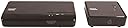
| ASIN | B00BPXILY8 |
| Batteries | 2 AAA batteries required. |
| Brand Name | Optoma |
| Color Name | Black |
| Customer Reviews | 3.7 3.7 out of 5 stars (229) |
| Date First Available | January 2, 2011 |
| Item Weight | 11.6 ounces |
| Item display height | 27 millimeters |
| Item model number | WHD200 |
| Output Wattage | 100 watts |
| Product Dimensions | 10.5 x 7.5 x 3 inches |
| Special Features | Operating Frequencies: 4.9 - 5.9GHz, Security: 128-bit AES encryption |
A**L
Easy Setup - Works Great
Easy Setup - Works Great - I am very pleased with not having to run wires out to my patio through the walls. It works great, and it's a much better option than drilling holes and running long cables. I have the transmitter setup in my living room and it wirelessly transmits the signal out to my patio so we can watch TV on the big 10 foot screen. Only slight issue is there is some sporadic loss of signal when changing channels when it's hooked up to the Direct TV box.
H**S
Using to get HD/DVR cable to new theater room addition
Using this in a new theatre room addition to get HD cable signal to my projector, from an existing HD DVR cable box that is hooked up to a RV in a different room. Otherwise, I would have needed another HD DVR cable box, and would have had to run cable, so I would have paid cost for install plus $15 per month for the box rental. This lets me transmit the HD cable signal to my projector without running any wire/cable. My distance between transmitter and receiver is about 25' and is not direct line of site (same floor). I have a concrete wall / drywall in between with just a door opening. I also have Wifi and other wireless signals in the house. I've been using this for a week and the signal is crisp, no delay/lag and no drop off or interference at all. With my setup the separate TV and my projector must display the same channel (since their both feeding off the same cable box) but this is not an issue at all for my house. For anyone who is paying for 2 HD DVR cable boxes in their house, this is a very effective substitute which will pay for itself in less than a year (assuming your distance is within range and that you have no issue with displaying the same content on both TVs)
D**R
Two different units would wirelessly transmit video but never audio, in any setup.
Either I'm the unluckiest SOB on the planet or there are fundamental problems with this product. I have tried two units, both now returned, and neither unit would wirelessly transmit the HDMI audio stream (video no problem) input to the transmitter module. My application was to send the HDMI output of a PC to an AV receiver, which amplifies the audio and forwards the video to the HDMI output of the receiver, and thence to some type of HDTV or video monitor. If the intended input (from a PC) is connected to the HDMI input of the Optoma transmitter module and the HDMI out (hardware pass-through) is connected by HDMI cable to the receiver everything is copacetic, audio and video are received, which confirms absolutely that audio and video are being input to the Optoma transmitter module. However, if the receiver is connected instead to the Optomare receiver module (i.e., wireless HDMI transmission), only video is received. I have confirmed that this has nothing at all to do with the source (PC) or the destination (AV receiver) devices. I also tried a more common configuration, just sending directly to the HDTV and then sending the audio out of the HDTV back to a receiver audio input. Again, if connected directly via HDMI cable this configuration works. If, instead wireless HDMI transmission is attempted video is transmitted, but not audio. I have had multiple contacts with Optoma technical support, who tried their best to determine why the product wouldn't work as intended but they were never able to suggest any method that would get the unit(s) working as designed.. This leaves me wondering if there might be a entire production batch of these products with some type of defect, since the odds of receiving two individually defective units is astronomical.
A**A
Super image quality but getting connection was a nightmare
The quality of the image is perfect and the setup procedure is a breeze. The usb power on the rx is cool as you can plug it right into your monitor or projector. Unfortunately I had to return the item. The initial connection between the tx amd rx was unbelievably flaky. It could take up to 5m to connect and needed several reboot every time I started the system, or ever6y time the hdmi input changed. That didn’t fly for me. Tx and rx were 10 feet away with a direct line of sight. I ended up buying an hdmi cable. It may be me being out of luck with my frequency environment as it seems it works super well for other people. No wireless hdmi for me. Too bad.
K**D
Solved my problem
Had a nasty cabling situation where it was not possible to run HDMI through the walls. Was getting ready to do serious renovations when a friend recommended this. My setup is a Scientific Atlantic HD cable box and a PS3 (netflix, bluerays etc) transmitting to a Sony Bravia 47" 1080p LCD TV approx 10 feet away. Don't have direct line of sight, signal is traveling through a built in bookcase, a few studs and some drywall. Setup was a breeze, had it working in less than 5 minutes. Supplied cables are of good quality. Watching 1080p BD's (eg tested Avatar, Pacific, Lord of the Rings) was awesome, could not notice any difference in picture quality (compared against a physical cable) Also like that is runs on 6hgz, did not get in the way with my dual channel wireless network running on 2.4 and 5ghz. Highly recommend this, have been using for 2 weeks with most of our experience either 720 or 1080p with absolutely no issues. Downsides (all minor) Supplied remote is very small - you definitely want to program signals into a universal remote. Changing resolutions takes approx 1-2 seconds, this can occur in expected places, e.g. bringing up the cable menu (switches from 1080p to 720p). Price on Amazon is almost half of the big box stores.
S**N
It just works... then, 9 months later, it just stopped working
Using this to bridge my Optima projector with all my HDMI devices via my surround sound receiver. Basically just pluged them in and they did the rest. UPDATE: after nine months of use the transmitter just completed crapped out. Very disappointed because it worked so great up until the last month where it would drop the connection once an hour or so until yesterday when it was completely unable to connect. After several hours trouble shooting I gave up and bought a 25' HDMI cord and hard wired my projector. On the bright side it connects much quicker and eliminates those occasional pixel issues. I really wish we could see more advancement of wireless technology because it's such a great concept. Sadly, for whatever reason, I've had bad luck with wireless transmitter/receiver solutions not having longevity.
A**7
It's exactly like having a cable box in the bedroom
I was looking to avoid renting another HD cable box and stumbled upon these wireless HDMI transmitters. After a long night of research I settled on this model because it was much cheaper than the other units, yet it appeared identical (rebranded?) to several other pricier options. I hooked it all up in under 10 minutes and was shocked to find it working instantly! I have it hooked up to the living room cable box downstairs as the source sending the audio and video to a bedroom TV upstairs. In nearly a week of _constant_ use it has been rock solid. I never even remember that it's there - there's nothing to interact with. It's exactly like having a cable box in the bedroom. Obviously, both TVs would be stuck watching the same channel - but that's not an issue for me. The bedroom TV has Roku built-in and also an Nvidia Shield plugged-in. So, I do switch between the various TV source inputs frequently. Whenever I go back to the WHD200's input, the screen goes green for just a second and then begins streaming. I'd assumed that short delay meant it was buffering. However, with both TVs on, the sound from the downstairs TV synced-up perfectly with the newscaster's mouth upstairs. No lag! Not that lag would be a problem in my usage situation, anyway. I really didn't want another remote laying around and didn't understand why this came with one at first. As far as I can tell, it's mainly used for selecting between the 2 HDMI sources the WHD200 can share. I'm not sharing a second source, so I don't bother with the remote. Too many of the reviews mentioned that the device works great at first and then dies abruptly. I can't speak to that. But, as a result, I did purchase the extended warranty offered here for peace of mind.
S**N
HD resolution and color are kept up amazingly!
I had the opportunity to test WHD-200 Wireless HDMI Transmitter and Receiver only yesterday, since I was out of the country. Result is excellent (5/5). The HD resolution & color quality are kept in tact while the video is transmitted. I was mentally prepared to allow for, say, 5% loss. But it did not happen! Only disappointment is that IR Blaster's function is not explained properly even in the 28 page User Manual. Yes, page-15 is set apart for this. But this is not understandable. Somehow I learnt it by trial and error and by web-search on other TVs provided with IR Blaster. I place two suggestions: 1. Redraft your Manual with clear illustrations for IR Blaster. 2. Send some explanatory material by email to me, which you may use in revising page 15.
Y**Y
Remplit parfaitement sa fonction, contrairement à d'autres marques
Ayant essayé un produit similaire d'une autre marque, j'avais été très déçu par la qualité et la stabilité de l'image alors que j'avais besoin d'une solution sans fil pour une distance très courte (3-4 mètres) sans obstacle entre mon récepteur satellite HD et ma télévision, placée sur le mur d'en face. Peu convaincu qu'un autre appareil parviendrait à faire mieux, j'ai choisi cet Optoma WHD200 après lecture des commentaires, et je peux confirmer que c'est le jour et la nuit! Aucun problème d'image et de stabilité, l'appareil transmet le signal de mon récepteur satellite sans aucune coupure ni détérioriation de l'image et du son, l'installation est très facile, le relais infrarouge fonctionne, et l'appareil permet en plus de brancher deux sources distinctes. Bref, je suis ravi, et l'autre appareil (qui coûtait le même prix, 200 EUR) a été renvoyé à Amazon sans attendre. Si vous recherchez une solution HDMI sans fil à courte distance sans obstacle majeur, je ne peux que vous conseiller cet appareil!
A**E
Einfach zu handhaben, funktioniert wie erwünscht, super Bild
Das Gerät habe ich jetzt zum zweiten Mal gekauft. Für meinen zweiten Beamer. Das andere Gerät habe ich seit 2017 im Einsatz. Es funktioniert immer noch sehr gut. Das neue Gerät wurde als gebraucht angeboten. Aber es war original verpackt. Da ich wusste wie gut das funktioniert hatte ich auch keine scheu es zu bestellen. Ich arbeite als mobiler DJ mit Videotechnik. (Musikvideos) Zuvor musste ich immer zum Beamer ein HDMI Kabel legen. Teilweise 20 m lang um den richtigen Abstand von der Leinwand zum Beamer zu bekommen. Das war oft sehr aufwendig. Eine Steckdose für den Beamer gibt es fast überall im Raum. Daher habe ich mich für den Optoma Wireless HDMI Adapter entschieden. Funktioniert wirklich super. Und das den ganzen Abend lang. Störungsfreie Übertragung und ein sehr gutes Bild. Es ist sehr schnell angeschlossen und ich kann daran 2 PC's parallel betreiben. Einfach per Umschalter Button wechseln. Super Gerät! Bin sehr zufrieden.
S**G
Fantastico
Fa quel che deve fare. Collegato il mio WD Live Hub al videoproiettore, si aggancia velocemente, spegnendo una unità si spegne l'altra. Visti 3 film in full HD finora e mai un rallentamento. Lo consiglio vivamente per chi vuole eliminare il problema dei cavi nella canalina. Update Ogni tanto non entra subito sulla risoluzione giusta e scende a 720p alla prima accensione, credo sia più dovuto al mio WD live hub che all'Optoma. Non ho avuto modo di provare altro per capire se è un tema ricorrente o solo di gestione tra i dispositivi. Per risolvere, avendo la seconda uscita al tv, accendo entrambi e setto la res dal tv che poi viene mantenuta anche sul proiettore.
F**A
perfeco
Despues de contactar con atencion al cliente Amazon, me enviaron un segundo equipo. Este funciona a las mil maravillas. Con Imagenio, PC, MAC, satelite, transmitiendo pefectamente en 1080p hacia mi proyector o TV. Los diodos para que los mandos a distancia cambien de canal atraves del WHD200, tambien funciona. Me encanta
M**R
Saved me a lot of time and effort.
Does the job nicely. It is expensive but saves me cutting holes in the wall to hide cabling and an unfathomable level of pain from the wife if I made a mess of it.
Trustpilot
1 month ago
2 weeks ago