Buy anything from 5,000+ international stores. One checkout price. No surprise fees. Join 2M+ shoppers on Desertcart.
Desertcart purchases this item on your behalf and handles shipping, customs, and support to Australia.
💿 Bring your scratched discs back to life — because buffering is so 2005!
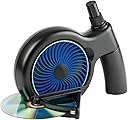
The SkipDr DVD and CD Manual Disc Repair System is a compact, manual device designed to fix minor scratches on optical discs including DVDs, CDs, and popular gaming discs like PS1, PS2, Xbox, Xbox 360, and Wii. Utilizing a patented FlexiWheel and rejuvenating fluid, it smooths surface scratches through radial resurfacing without damaging the disc data. Each kit repairs up to 25 discs and includes all necessary components for repeated use, making it a budget-friendly solution to restore disc playability and extend the life of your media collection.


| ASIN | B0015ACUKC |
| Best Sellers Rank | #5 in Audio & Video Disc Repair Kits |
| Brand | Digital Innovations |
| Brand Name | Digital Innovations |
| Customer Reviews | 3.7 out of 5 stars 5,065 Reviews |
| Global Trade Identification Number | 00659846101831 |
| Included Components | FlexiWheel, Rejuvenating Fluid, Blue Drying Cloth, Felt Buffing Square |
| Item Dimensions | 5.87 x 3.94 x 9.02 inches |
| Item Weight | 1 Pounds |
| Item dimensions L x W x H | 5.87 x 3.94 x 9.02 inches |
| Manufacturer | Digital Innovations LLC |
| Material | Plastic |
| Material Type | Plastic |
| Model | 1018300 |
| Number of Items | 1 |
| Number of Packs | 1 |
| Part Number | 1018300 |
| UPC | 099675866233 172302890822 746278540359 782386034267 074994540750 071030674677 172302664614 031112143293 804067408881 763615721165 659846101831 021112418477 767887436376 163121449148 868461018312 172304226513 808113024391 168141432323 102930683633 045555690870 112840364010 001910648658 UPC 099675866233 172302890822 746278540359 782386034267 074994540750 071030674677 172302664614 031112143293 804067408881 763615721165 659846101831 021112418477 767887436376 163121449148 868461018312 172304226513 808113024391 168141432323 102930683633 045555690870 112840364010 001910648658 See more |
| Unit Count | 1.0 Count |
| Warranty Description | 1 year |
K**G
Want a real disc Repair System for a Reasonable Price?!
This is for you! This repair system is 1 compact can fit about anywhere 2 this machine has a very reasonable price for what it does 3 allthough it wont last forever the base of it will so you can get refill packs for about 35% less then the original price of the machine itself so dont throw it away all of it can be replaced keep the base also keep the plastic spray bottles top since the refill kit comes with a normal topped bottle then just replace the spray top and exchange it onto the filled bottle of solution! 4 this machine really works! and heres how to prove it I scratched up a playstation disk (on purpose) I put it data side up down and scratched it up against the walls untill i could made sure it wouldent work I tested it out it couldent even reconize it was a playstation disk! and so I put it in for about 3_5 cycles and wow it does leave radial marks this is normal and the scratches were still visable though slightly less there I thought it wouldent work but to my amazment it worked better then when i tested it before scratching it allmost like new! 5 one disk can be repaired several times maybe through one whole wheel 50 cycles before it reaches the data itself and cannot be repaied but it brings out the full value of the disc one cycle is 2 passes through the machine each repair requires 2 passes through the machine which makes one cycle here are some detailed instructions 1 Clean up the disc of any dirt and thurougly dry it 2 Set up the disc repair machine get your included cleaning cloth buffering pad and cleaning solution bottle out of their compartments 3 Spray disc thuroghly with the bottle about 2-3 inches away make sure to cover every inch of the disc with spray 4 place disc lable side down and data side up in the little holder (make sure the data side is up facing the wheel 5 crank the wheel for a full turn (the way I make sure its passed only one is with the soulution droplets when I no longer see the soulution drops on the i crank for about 15 more seconds and it will be done) 6 Dry disc 7 buffer the entire disc (buffer with the radial pattern) 8 Repeat steps 3-7 and you are finished! Remember some discs may need 2 or more full cycles each cycle is all the steps above Overall it may not leave the disk looking so nice but it really does work It works on the following disks Playstation ps2 xbox xbox 360 compact disc ( music cds ) Dvds and wii DO NOT use on gamecube games blueray discs and or ps3 discs THIS WILL DAMAGE IT it does not have the same encoding and gamecube is a wrong size for the machine But Beware buffering pad starts to loose its shining and buffering quality from use and no longer fully does its job you need one that you can hear the scratchyness when in use and see the marks it leaves when buffering which is my only complaint since they dont sell the buffering pads seprately thats what you really need to get it stops working fully at about 30-40 the last ten better be ones that have minor glitches and not stoped working completely since it wont do as good as a job the wheel works all the way till 50 uses then if you use it after it wont damage discs but it wont repair efficently either anyway enjoy!
M**I
Destroyed the first disc I tried
Followed instructions precisely, it turned a partly-unreadable disc into a permanently destroyed one. I think it's the luck of the draw whether the parts of this device are aligned correctly, and maybe it works, vs the parts being slightly off, and it being the perfect disc-destroying machine.
S**A
Good arm workout
The Reason: I bought this thing because I accidentally left my copy of Borderlands for PC outside for a long time, and dust accumulated on the DVD. I washed off the dust, which came off easily. No biggie I said. I popped it in and I noticed it was taking forever to read the disc. Tried installing the game, but it said it would take 130+ minutes. Preposterous! I shouted, while cancelling the installation and removing the DVD out for a closer inspection. Needless to say, and this is something I've observed before in the past, there was this very thin layer of dust(?) still left on the disc. I scrubbed and scrubbed, but it just wouldn't come off. I tried a solvent (rubbing alcohol) and that did not work. Tried dish washer soap, cider vinegar, a lemon... I even lost it at one point and just rubbed the disc as hard as I could against my knee - nothing was removing this very fine layer of HELL. So I finally decided to purchase one of these things, since I first thought about buying one back in like, early 2000? Irrelevant anyways. Well, got it in 2 days, and as soon as it arrived, I put it to work. ============================================== The Good: Simply remove the product out of the box, attach the handle (can be a bit tricky - just keep trying or read the manual), grabbed the disc in concern, sprayed some of the liquid on, and inserted it into the contraption. Whether I was supposed to leave the liquid on or not, I did not care, nor did it matter. That thing worked like a charm. At first I thought the disc was not spinning - it does, just very slowly, so keep on cranking. Also, be sure to insert the disc with the label facing down! There is a towel inside the handle too. The thing is very easy and safe to use. I had fun. ============================================== The Bad: The only thing I did not like about this product was the handle. It is just too, cumbersome. Very uncomfortable to hold. Again, be sure to place the label of the disc pointing DOWN, otherwise you will literally polish the data off the disc. The handle was a tad tricky to install at first, but I blame that on the fact that I wasn't really looking at it. You have to crank this thing for quite a bit in order to get a good result. Applying more pressure or spinning it as hard as possible is not going to help, so nice and steady wins. I had to go over my disc at least 3 times, so I did quite a lot of turning. ============================================== The Verdict: It works good. It fixed my problem. I have not tried it with a severely scratched disc yet, as I am usually very gentle with my belongings. This product is not magical, so it will not repair a disc if the data side is scratched, or if the scratches underneath are too deep. Worth the money in my humble opinion. ============================================== Additional: Needs more bacon.
U**F
What you need to know before buying a SkipDr DVD repair system
When you buy this, you need to know several things, and have realistic expectations. I have used this to repair several disks that skipped badly and could not even be played in a computer DVD drive with success. But you need to go into this with realistic expectations an understanding of how the process works. Firstly, skips are caused by several things, including a failing laser in a DVD or Blu-Ray, but they are generally caused by DEEP scratches. All those little surface scratches you see don't really hurt anything, but DEEP scratches scatter the laser, and that causes skipping. You can remove ALL of the superficial surface scratches, and still have skips if there are DEEP scratches. So depending on how badly it is scratched, it may not be salvageable. The disk is read in a circular path, so circular scratches are the worst. Scratches that go from the edge to the middle (perpendicular to the path of the laser beam) don't cause skipping generally. Secondly, this product only has a VERY fine grit surfacing pad. It will quickly remove minor scratches and polish the disk, but it will take more time to remove (or more correctly lessen the degree of) deeper scratches. If you have DEEP scratches, this tool will still help, but you may need to add some of your own ingredients - namely toothpaste. Toothpaste is a more aggressive polishing agent. Use something like original Colgate that has a nice even consistency. Just spray the disk with the included fluid to wet it, put a SMALL amount of toothpaste on your finger, and rub it around until you have a very liquid paste, or an even coating. Then, spray it again to wet it some more, and then run it for at least 3 full rotations in the SkipDr. Pull the disc out, wash it off under the tap, dry it and try it again to see if it still skips. If this does not work, as they say, wash, rinse, repeat. The SkipDr WILL eventually fix the deep scratches, or you will eventually have to accept that the disk is too badly scratched to be repaired. Thirdly, lubrication is your friend. Spray the disk really well before you start, then spray it again about half-way through the first rotation. When the polishing wheel is wet, it will be easier. You don't want a dry disk. It won't polish as well, and you will use a LOT more force trying to accomplish the job. The spray is nothing but filtered water with some alcohol, if you run out, you can just use regular water. Don't use Windex or other window cleaners. You are not trying to make the disk shine, you are trying remove or diminish scratches to make it less likely to scatter the laser beam. You don't need ammonia or other cleaners that may make the abrasive wheel come apart. Lastly, if you have a double-sided DVD, this device MAY remove some of the writing around the inner ring when you use it to repair the second side (what is normally the top of the DVD). Cranking the device is a bit of a pain after a while If you won't have the patience or stamina, consider buying the motorized version. I opted for the manual version. if I get tired of cranking, I let the kids who made the scratches in the first place take a turn. :) They have UNLIMITED energy. If you have a LOT of badly scratched disks that are EXPENSIVE to replace, you may want to consider the more expensive professional systems like a JFJ Easy Pro. But, for a few disks that skip, this is the way to go in my opinion. Hope it works for you as well.
J**P
KInda works, but that handle...
It did clean up an XB360 disc so it would read it again, but it still messes up every now and then. I blame the crank handle. It's garbage. It stays on perfectly fine when there's no disc in it, but put a disc in and the handle pops off every third or fourth revolution. I ended up gripping it by the center and pushing in and turning at the same time so it didn't fall off, which meant it took far longer to clean a disc than it should have, because I could only turn it a half turn at a time. So I'm sure it didn't clean/repair as effectively as it could. I think I'm going to see if I can put a screw through the handle to hold it in place, rather than go through the hassle of returning it. Overall it seems capable, but that blasted handle makes the whole thing feel more like a ten dollar Dollar General item, then a thirty dollar item on Amazon. UPDATE: I put a small screw through the handle into the shaft it turns and ran the xbox 360 disc through it again. The handle stayed on (obviously) and the disc now plays flawlessly. Still, I shouldn't have to have put a screw in it in the first place.
S**A
YAY
It works perfectly and you should use it almost all day and if you have any old games, you should try like a Xbox 360 or Xbox any two work your games again
C**Y
Easy to use and put together best equipment I’ve ever bought
I’ll be honest after reading other comments I didn’t know what to think then I bought it to try it so my honest opinion this product is amazing perfect no problems at all love it and I’ll be buying it again if I ever need another one the durability and easy to clean speed and even the instructions on this was amazing all in all I rank it 100% amazing and I recommend it to anyone best quality I’ve ever came by no issues at all
C**L
Added brand-new gouges to the very first CD
Every once in a while you purchase a product that delivers a completely different experience than what the reviews led you to expect. In some cases it seems that manufacturers cut more and more corners throughout a product's lifespan until that product is completely different than the one that got glowing reviews. Case in point, the SkipDr Disc Repair System. I know because I had one of the first models many years ago. I know that it was a different design back then; instead of a fold-out disc guide, there was a larger plastic wedge that supported the disc. So far, so good; the newer design is more compact when not in use. But I'm nearly positive that the plastic didn't feel as flimsy as this new black one. I remember being impressed with every aspect of the original even down to the wordy instruction booklet (now you get a double-sided piece of paper). None of that would have bothered me had the product not failed on the very first use. But it did, and I'm convinced that Digital Innovations has done whatever possible to make this a cheaper product. I actually think the retail price is less than the original was 10+ years ago. This is puzzling because there's plenty of room price-wise between this and more heavy-duty CD repair machines. And the SkipDr costs about as much as having three CDs repaired by a professional. So what went wrong? On my very first CD repair, I followed the directions to the letter. Spray the CD, then run it through two full rotations of cranking. I repeated the process again (including the spray) because the worst scratch was still visible. On the second rotation of the second repair cycle, the grinder wheel started warping out of shape and eventually slipped sideways. When this happened it left a deep ugly gouge in the CD. Thankfully this was a test on a CD from a garage sale, because although it had tons of scratches beforehand, it now has the flipping Panama Canal running through it. I'm sure it's unplayable now. It's really too bad because the SkipDr is a great idea. When it works, the CD looks like a mess but usually plays much better. And it's simpler and less messy than the products that try to fill scratches in. Unfortunately this once useful product has officially become a bona fide Piece of Junk. Chris gives the SkipDr one star.
C**N
l'accessoire miracle
C'est le deuxième skip doctor que j'achète, un accessoire !MIRACLE! pour les CD, DVD et jeux griffés (testé et approuvé pour CD Audio et data, DVD vidéo et data, PC, XBOX 360 et PS3!). Le deuxième car un pote m'a emprunté le premier 'à long terme' et a tellement réparé de jeux (+- 40) que le disque du skip doctor était usé et finissait par ne plus faire son office... Si l'on respecte bien les instructions, on parvient à récupérer ses disques griffés sans difficulté! Un seul bémol pour cette version plus moderne de l'outil (mais compacte), il est parfois assez difficile de dire quand on a terminé de faire tourner son CD complètement... Mon petit truc; je me repère par rapport aux marquages chiffrés au centre du disque!
N**U
Resuelve el problema con un mínimo coate
Tenía un CD original de Pink Floyd que, más que rayado por debajo estaba mate y rasposo, parecía que estabapara tirar. Para probar compré este extraño aparato y, aunaue tuve que pasarlo unas 5 o 6 veces y que no terminara de pulirlo del todo y dejara marcas radiales (ojo, las instrucciones dicen que si deja marcas radiales es que el proceso de reparación se ha llevado a cabo de forma satisfactoria), el CD ha resucitado por completo, se escucha entero y no falla en ningún momento. Lo bueno es que hay recambios y no valen tampoco mucho, y con 1 kit puedes reparar unos 25 CDs (según afirman ellos). La verdad muy contento.
D**N
Skip Dr is the best.
Although I bought this in 2010 - so long ago! It still works. It lifts the first coating of the damaged CD and you end up with streaks on the disc. However the CD does play. However it does not remove all scratches on other CDs, some may remain and during play it will jump. For best results sprinkle a few drops of plain tap water on scratched disc, insert and turn until water fades. Wipe with a soft cloth and play! The durability of the Skip Dr is amazing even working after all these years!
P**K
Disc Retter
Ehrlich gesagt hatte ich keine großen Erwartungen…ABER ich bin absolut begeistert. Das Gerät hat 2 meiner Spiele die nicht mehr geladen hatten einen 2ten Frühling beschert. Das kurbeln kann zwar etwas anstrengend sein aber wenn dein Spiel danach wieder funktioniert ist es das auf jedenfall Wert vor allem für diesen Preis 👍🏻
C**N
SkipDr Manuel CD & DVD Repair System
Répond pratiquement à mes attentes. Dommage que les Skip Dr ne soient plus motorisés comme avant.
Trustpilot
1 week ago
3 days ago