🚀 Upgrade your Wi-Fi game—fast, secure, and hassle-free connectivity!
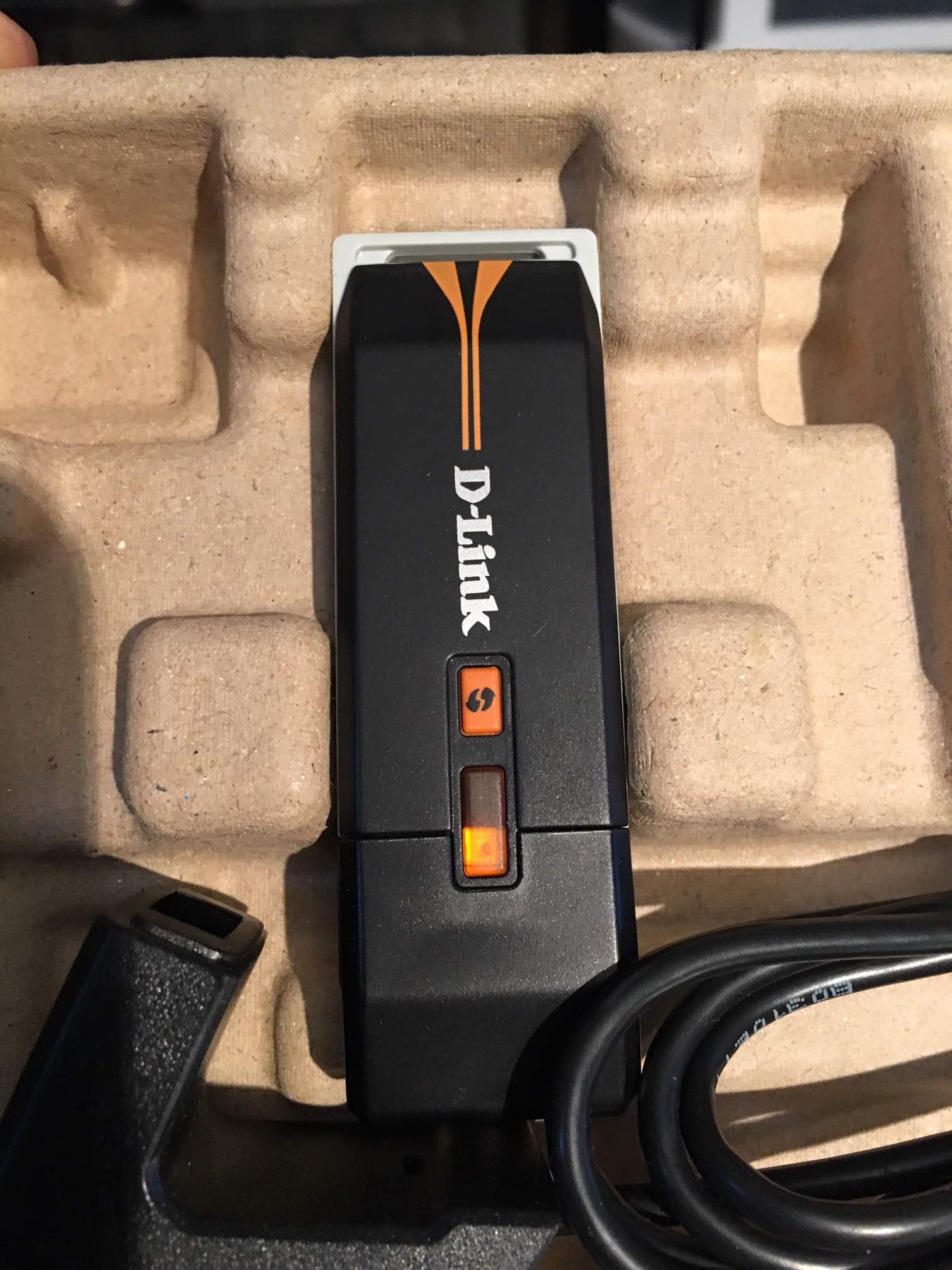
The D-Link Wireless N-150 USB Adapter (DWA-125) delivers enhanced wireless performance with 802.11n technology, offering speeds up to 150 Mbps—4 times faster than 802.11g. It features easy one-click installation, robust WPA/WPA2 security, and includes a 3ft USB extension cable with docking station for flexible desktop use. Perfect for upgrading older PCs or notebooks, it ensures reliable, secure, and extended wireless coverage compatible with existing networks.
| ASIN | B002KEA8OM |
| Best Sellers Rank | #1,720 in USB Computer Network Adapters |
| Customer Reviews | 3.9 3.9 out of 5 stars (396) |
| Date First Available | August 4, 2009 |
| Is Discontinued By Manufacturer | No |
| Item Weight | 8 ounces |
| Item model number | DWA-125 |
| Language | English, French |
| Manufacturer | D-Link Systems, Inc. |
| Product Dimensions | 3.5 x 0.5 x 1.5 inches |
V**D
Easy Setup Works Well
I picked up one of these for my parents. They recently got a new computer with WiFi that my dad tends to monopolize. It's not a big problem in the winter because my mom can use the computer next to the router, but in the summer it gets so hot they can only run a PC in the room where they have a window A/C unit. They're very tech illiterate so I picked up one of these in an effort to reduce the chances she'll whack him in the head with a Nerf bat for hogging the email. Installation was into a Windows XP machine. It's really old so I didn't want to use the customized installation disk that comes with it. Those are nice when you want to be walked through the setup, but they usually install some 3rd party software that can eat up computer resources. The good news, it was no problem to install without it. First off, we left the computer plugged in with the Ethernet cable to the router while doing this install. Then we just plugged the device in, which you can do directly or with the enclosed USB extension cable if it's too fat, let Windows Update find the appropriate driver for it, went to the little wireless icon next to the clock, found their network, entered the password, turned off the machine, unplugged the Ethernet, and restarted. All set, entire time maybe 10 minutes. Not bad! Signal so far has been quite good. Speed is the same as using the wire. This is true for most people, since the slow part of your network is your ISP. You will likely get slower file transfers between computers on your own network, but should notice no slowdown from the Internet since this adapter should be way faster than your Internet speed. Signal strength was good in the same room and another couple rooms away, but depending on what your walls are made of you may loose signal fast as you increase distance. Time will tell if it last or has issues, but so far it's working well and lets them move the computer around with no issues. It eats up a USB port and you probably can't use it with a hub, unless that hub has a separate power source since it draws a lot of power, but as long as your computer's USB can put out enough juice it's WAY easier than opening up the machine. It's hard to give you a good lifespan estimate, but a Lynksys one I bought for about 3x as much 3-4 years back is still working, though that one may be starting to die.
D**N
Excellent 150mbps Dongle
At first I was a bit hesitant to purchase this product when I read the review here that the DWA-125 has trouble working under XP, as all my other computers/laptops running Vista or Win 7 all have built-in 802.11n capabilities already. The sole reason for this dongle is to use it with an old laptop running Windows XP SP2, that I have kept as my "XP" computer (I have some old software I still occasionally use that's not ported to the Vista or Win 7); but I decided to give it try anyway, and I am glad I did. The installation process was very smooth on my XP SP2 laptop, and it works flawlessly with the SMC wireless n AP (an SMCWBR14S-N4, also purchased from Amazon). When set to n-only mode, by running speed tests on dslreports site, it shows the DWA-125/SMC combo is actually faster than my wired Fast Ethernet (100mbps) connections (as it should be). It runs at 135mbps when it's on the other side of the wall from the router/access point, and fluctuates between 108mbps and 135mbps when it's situated two rooms over and one floor down from the router/access point. Despite the fact the DWA-125 only supports up to 150mbps, it's not going to be the bottleneck on my home network since it's already faster (test results proves that) than my wired Ethernet connections. For the price I paid ([...]w/ free shipping) and the fact it comes with the USB extension cable/stand, this is an excellent buy! A side note: the USB extension cable/stand may not be that useful for laptop applications, but if you are shopping for a wireless n dongle for your desktop or a media player that sits in a cabinet/shelf full of other A/V components, the extension cable/stand may come in handy. The cases of desktop computers, and that of many home audio/video equipment such as an AVR or DVD/Blu-Ray player, are made of sheet metal to absorb and prevent interference from electromagnetic signals. So if you have the dongle in one of the USB ports in the back of your desktop computer, or if the dongle is sitting beneath a piece of video/audio equipment, the reception is going to be poor, simply because the sheet metal "blocks" most of the RF signals. With the extension cable/stand, you can place the dongle where its reception/transmission is not blocked by the computer or A/V equipment.
L**3
D-Link DWA-125 150 Mbps Wireless USB Adapter
This usb wireless adapter works great. It's a little fat and could easily take up the next available usb port if it wasn't for the fact that I have my wireless mouse reciever on that port. (it's small)The size doesn't bug me too much but what did was the trouble I had aquiring signal for the first time. It wouldn't connect no matter what I did. I followed the instructions on the trouble shooter in the disk and on the Windows trouble shooter. I couldn't make it connect! Finally after a while I aquired connection but I couldn't figure out why or how I aquired it. Maybe it takes a while for the drivers to be installed. I don't know. I do know however that I now have a solid and steady wireless network connection on the computer I built and no complaints so far. I also tried to install it on another computer that I own just to see if it responded the same and it aquired the connection on the first try. So I don't know what happened on the first computer. Works like a charm though, I would definitly recomend this product since I couldn't find any issues.
N**R
Installation was a breeze on Windows 7 and it worked right from the word go. I will definitely purchase one of these again, especially at the price. Excellent service all round with prompt reliable delivery too. Thanks.
V**P
Consigliata a tutti coloro abbiano necessità di rendere un vecchio pc wireless. Il sito web ha sempre gli ultimi driver aggiornati e si installa senza problemi 5 stelle al venditore e 5 stelle al prodotto.
J**W
Umtauschfrist verpasst. Versand und Verpackung war super.... Da er allerdings nicht kompatibel für meinen Player ist kann ich weiter nichts dazu sagen.
J**0
I just used this USB WiFi adapter today. I am on the net using this D-Link DWA-125 USB adapter. So-far it is working terrific. I found it very easy to set up using the software CD that comes with it. The process is very automatic. You will need to only know the password for your WiFi access, and have some basic understanding of the requirements. Not very complicated at all. This adapter is fairly sensitive. I can see all the other WiFi networks in the area where I live.
A**Y
Quick delivery from seller, the adapter was easy to install ans simple instructions. One thing to note was that the disc with install file seemed to have errors and it did not load. I did however find and install the coorect software from the D-Link site.
Trustpilot
2 weeks ago
2 months ago